

TierTagger
Зависимости
Этот мод требует owo-lib для работы!
Убедитесь, что он установлен перед запуском.
Что такое TierTagger?
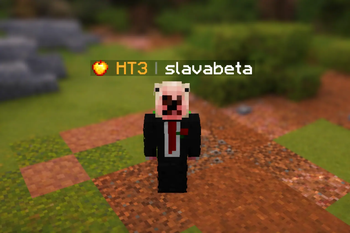
TierTagger отображает PvP-тир игрока прямо в его никнейме — над головой и в списке игроков (Tab).
Мод получает данные рангов в реальном времени с нашего сайта atiers.net и показывает их в виде тега с иконкой соответствующего игрового режима.
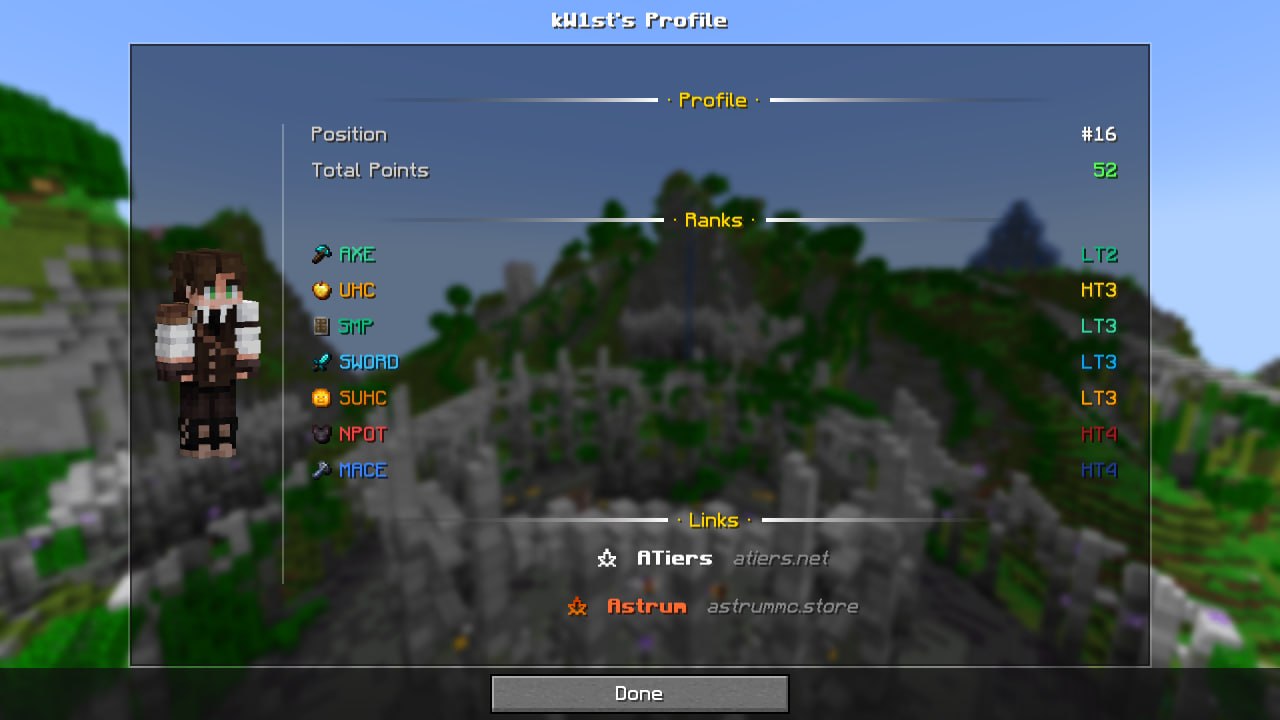
Экран профиля игрока
В TierTagger встроен просмотр профиля игрока.
Открыть его можно:
- Shift + ПКМ по игроку
- или командой:
/atiers profile <nickname>
Экран профиля показывает:
- полный рендер скина игрока;
- ранги по всем игровым режимам;
- общую позицию и количество очков;
- две темы оформления:
- Default — тёмная тема;
- Astrum — цвета в стиле аструма.
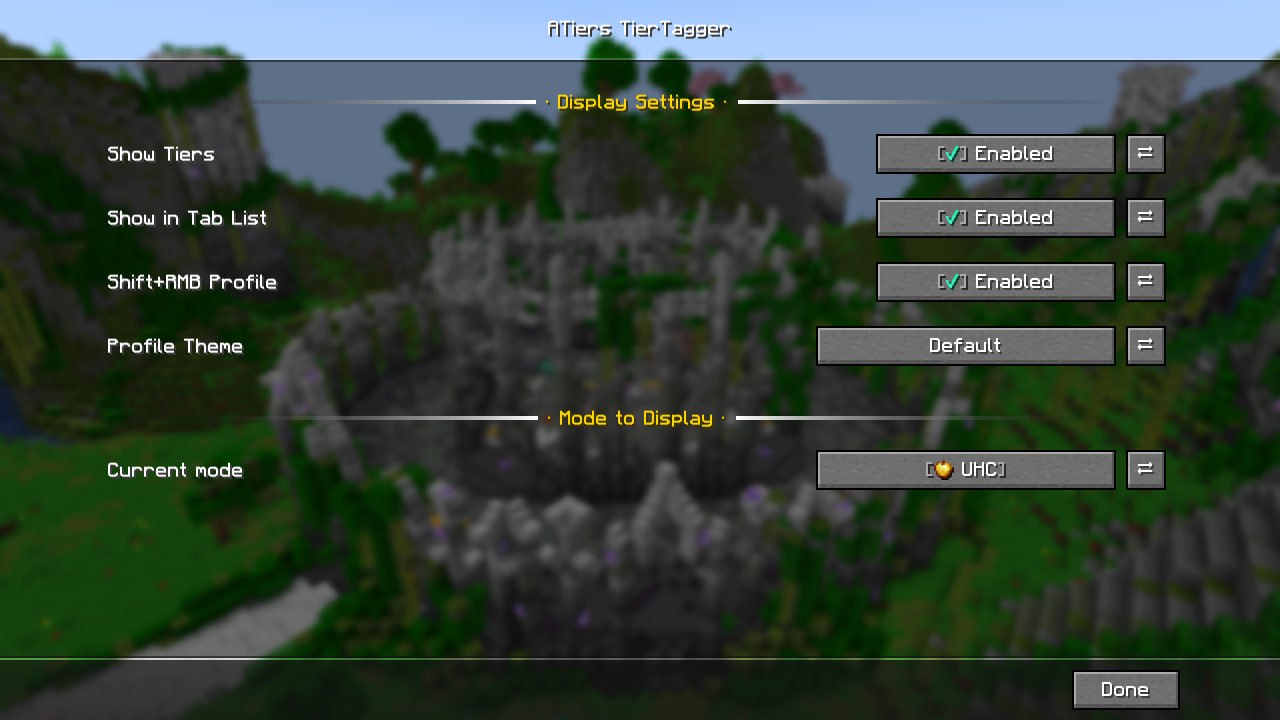
Настройки
Все параметры можно настроить прямо в игре через Mod Menu или вызвать командой /atiers config.
| Параметр | Описание |
|---|---|
| Enabled | Включает или отключает отображение тиров |
| Show in Tab List | Показывает тиры в списке игроков |
| Shift+Click Profile | Включает или отключает открытие профиля через Shift + ПКМ |
| Selected Mode | Позволяет выбрать игровой режим для отображаемого тира |
| Profile Theme | Переключает тему профиля |
Dependencies
This mod requires owo-lib to work!
Make sure it is installed before launching.
What is TierTagger?
TierTagger displays a player's PvP Tier directly in their nametag — above their head and in the Tab player list.
The mod fetches ranking data in real time from ATiers and displays it as a clean, color-coded tag with a matching game mode icon.
Player Profile Screen
TierTagger includes a built-in player profile viewer.
You can open it by:
- Shift + Right-Clicking a player
- or by using the command:
/atiers profile <nickname>
The profile screen shows:
- a full player skin render;
- rankings across all game modes;
- overall position and total points;
- two available themes:
- Default — dark theme;
- Astrum — animated fiery theme.
Configuration
All settings can be configured in-game through Mod Menu.
| Option | Description |
|---|---|
| Enabled | Enables or disables tier tags |
| Show in Tab List | Displays tiers in the Tab player list |
| Shift+Click Profile | Enables or disables opening the profile with Shift + RMB |
| Selected Mode | Chooses which game mode tier is displayed |
| Profile Theme | Switches the profile theme |
| Version | Minecraft | Loader | Download |
|---|---|---|---|
|
ATiers Tagger 1.1+1.21.11 1.1+1.21.11 |
1.21.11
|
fabric
|
Download |
|
ATiers Tagger 1.1+1.21.9 1.1+1.21.9 |
1.21.10, 1.21.9
|
fabric
|
Download |
|
ATiers Tagger 1.1+1.21.8 1.1+1.21.8 |
1.21.8
|
fabric
|
Download |
|
ATiers Tagger 1.1+1.21.4 1.1+1.21.4 |
1.21.4, 1.21.5, 1.21.6, 1.21.7
|
fabric
|
Download |
|
ATiers Tagger 1.1+1.21.2 1.1+1.21.2 |
1.21.2, 1.21.3
|
fabric
|
Download |
|
ATiers Tagger 1.1+1.21 1.1+1.21 |
1.21, 1.21.1
|
fabric
|
Download |
|
ATiers Tagger 1.0+1.21.11 1.0+1.21.11 |
1.21.11
|
fabric
|
Download |
|
ATiers Tagger 1.0+1.21.9 1.0+1.21.9 |
1.21.10, 1.21.9
|
fabric
|
Download |
|
ATiers Tagger 1.0+1.21.8 1.0+1.21.8 |
1.21.8
|
fabric
|
Download |
|
ATiers Tagger 1.0+1.21.4 1.0+1.21.4 |
1.21.4, 1.21.5, 1.21.6, 1.21.7
|
fabric
|
Download |
|
ATiers Tagger 1.0+1.21.2 1.0+1.21.2 |
1.21.2, 1.21.3
|
fabric
|
Download |
|
ATiers Tagger 1.0+1.21 1.0+1.21 |
1.21, 1.21.1
|
fabric
|
Download |