

Az_Protection
Protect your land. Leave your worries behind.
Az_Protection 1.0.0 is a Minecraft land protection plugin. It allows players to protect their land using special banners. Place a banner on the ground to create a protected region.
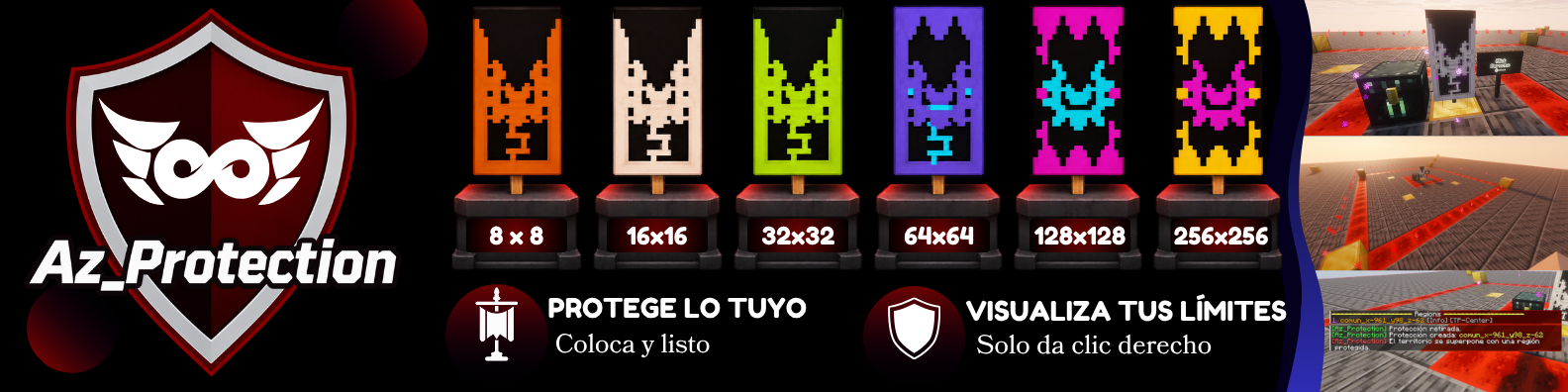
Designed to make land protection simple and accessible, Az_Protection provides six protection tiers, intuitive region management, and visual boundaries to help players understand and manage their protected areas.
Features
- Banner-Based Protection: Protect your land by placing special protection banners.
- Six Protection Tiers: Choose from six different protection levels to suit your building needs.
- Automatic Region Management: Create and remove protected regions through the banner system.
- Visual Boundaries: Display the perimeter of your protected land to easily identify its limits.
- Region Identification: Interact with protection banners to identify and inspect protected areas.
- WorldGuard Integration: Uses WorldGuard for region protection and management.
Protection Tiers & Commands
Az_Protection provides six protection banners with different coverage areas.
Administrators can using the following commands:
| Protection Tier | Area | Command |
|---|---|---|
| Starter | 8 × 8 | /azprotection give <player> gratis |
| Common | 16 × 16 | /azprotection give <player> nivel_1 |
| Special | 32 × 32 | /azprotection give <player> nivel_2 |
| Rare | 64 × 64 | /azprotection give <player> nivel_3 |
| Epic | 128 × 128 | /azprotection give <player> nivel_4 |
| Legendary | 256 × 256 | /azprotection give <player> premium |
Shop Integration: Az_Protection is designed to work alongside existing server economy and shop plugins that support command execution. Administrators can use the commands above to distribute protection banners through their preferred shop systems.
Note: Az_Protection does not include a built-in economy or shop system. Command execution and player targeting must be configured in the external shop plugin.
How It Works
- Obtain a protection banner through your server's configured distribution method.
- Place the banner on the ground in an available area.
- Az_Protection automatically creates a protected region based on the banner's tier.
- Right-click the placed banner to visualize the protection boundaries.
- Remove your banner to remove the associated region.
Protection regions extend across the full height of the Minecraft world.
Dependencies
Plugins
- WorldGuard — Manages protected regions.
- WorldEdit — Required for WorldGuard to function properly.
Make sure both plugins are installed and compatible with your server version.
Optional Integration: Az_Protection can be used alongside economy and shop plugins that support command execution. No additional economy plugin is required for its core protection features.
Documentation & Support
Looking for installation instructions, commands, permissions, or troubleshooting assistance?
By AZ Servers.
Practical tools for Minecraft streamers and communities.
© 2026 AZ Servers. All rights reserved.

Protege de manera sencilla un área de 16 x 16

Visualiza con click derecho sobre el estandarte

Colocalo y protege facilmente.

Visualiza con click derecho sobre el estandarte

Colocalo y protege facilmente

Vizualiza con solo un click derecho tu area protegida.

Protege de manera sencilla y optimizada, retira facilmente para quitar la proteccion

Pensadas en practicidad y utilidad, administra de manera sencilla gracias a las dependencias.
| Version | Minecraft | Loader | Download |
|---|---|---|---|
|
Az_Protection 1.0.0 1.0.0 |
26.3
|
bukkit, paper
|
Download |