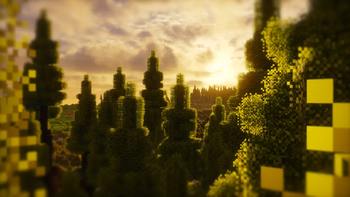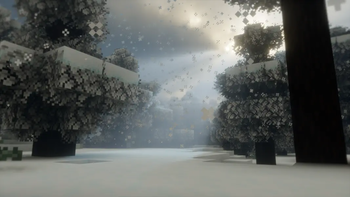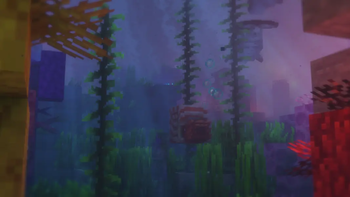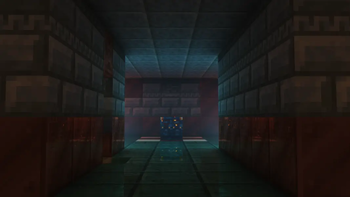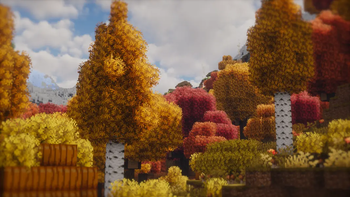
Azura Adventure is a fine-tuned modpack aiming to enhance the vanilla experience with intriguing content designed to sustain long-term player interest on SMPs. The most prominent additions include new biomes, structures, mobs, and loot in all of the vanilla dimensions, making exploration more rewarding and interesting. The main objective is not to make the modpack too heavy, but instead to keep the vanilla spirit.
During the development of this modpack, it has received feedback and improvements from real SMP usage, making this a trustworthy pick for your future adventures. Azura Adventure has been built in a way that encourages a co-operative playstyle with friends, which always creates the best experience and memories. The exciting part with Azura Adventure is that it's like playing with dozens of new and exciting Minecraft updates you have yet to uncover. The world is waiting for you to find them out!
What does this modpack offer
- 🎙️ Voice Chat — Enables proximity/extended/global communication.
- 🌍 Terrain generation — The recipe for new adventures and ideas.
- 🏰 Structures of varying sizes — The hotspots of exciting events.
- 📊 Revamped progression — Single-handedly make the SMP last longer with End Remastered.
- 🎁 New items — The world is full of new loot, enchantments, and abilities waiting to be found.
- 🏅 More achievements — You'll always have something new to aim for.
- ❄️ Realistic temperature — Fight against the cold and heat with appropriate gear.
- 🍁 Experience seasons — Leaves change color, snow accumulates and melts, and temperatures change.
- 👺 Improved bosses — The Ender Dragon, Wither, and Warden are not as boring.
- 💀 Revive system — Make adventures last longer by rescuing your friends in time.
- 🪙 Coin currency — Expand trading among players with a new scalable currency.
- ✨ Visual upgrades — Take immersion to the next level with versatile effects.
- 🔊 Audio upgrades — Improve the hearing experience with ambience and sound physics.
- 🛠️ QoL Features — Optimizations, shaders, dynamic lights, zoom, and optional distant chunk rendering.
I won't spoil everything; these are just the highlights. There's more to explore, and all it takes is to spin up a world. To mention a few bits you'll encounter, you now have the ability to sit and crawl anywhere, view the playtime so you can remind yourself of all the things you've spent time on, perform daps and all sorts of fun stuff with your friends, and encounter dangerous zombie hordes every few nights...
📖 Information for players
Common keybinds
- Third-person F5 has been remapped to R for ease of access.
- The World Map opens from the Right Shift (located below Enter)
- The shaderpack selection screen will open with P
- Toggle your active shader by pressing O
- The performance overlay toggles with Y
- Open the emote wheel with B
- The zoom keybind is C
Voice Chat instructions
- The default proximity is 100 blocks (6 chunks), which is the maximum range you can be heard from.
- When you hold down your middle mouse button, the maximum voice range will extend to 200 blocks.
- By holding down the < button, your voice will be clearly heard by the entire server.
Some player abilities
- To perform a dap with a friend, you both need to hold X while approaching each other and release it as you two collide. Both must have an empty hand and offhand.
- To catch a player who's falling, press § (the key left of 1) right before the landing.
- Sit down anywhere by looking down and sneaking two times, executing /sit, or pressing Right CTRL.
- Press ALTGR or execute /crawl to enter crawl mode.
- You can watch a video tutorial on some abilities I didn't document here. Note that this modpack has changed some keybinds that show up in the video for conflict reasons.
🔧 Notes for server admins
- This modpack will function in a dedicated server only after you remove Mod Loading Screen from the server-side, since it's a client-only mod.
- By default, players do not have permission to use the priority or broadcast features of Plasmo Voice. You need to manually grant them the respective permissions or import the template permission file I bundled with the modpack. You can execute
/lp import azura.gz --replacefrom the console to get everything working. - If you applied the previous LuckPerms template, all players can now also toggle the real-time MSPT (server lag) indicator by pressing F6. Previously, this was restricted to operators.
- As with any modpack, you acknowledge that it's safest to stick to one modpack version. Updating the version installed on your server always involves a risk of misbehavior and corruption. Although this shouldn't be a realistic issue with minor updates, I'll mention it in the changelog if an update is known to be incompatible with previous worlds. Ultimately, the responsibility is yours.
- Dedicated servers may include additional content under
/automodpack/host-modpack/main/to be automatically downloaded and applied to clients. This functionality is offered by AutoModpack and requires all clients to specify the fingerprint of the server on initial join. This fingerprint can be queried from the console with/automodpack host fingerprint. - AutoModpack has been configured in a way that doesn't send the whole modpack to players, but instead only forces specific overrides to be applied to players. Importantly, because of AutoModpack's current limitations, the client will need to restore an override file to the state defined on the server if it gets altered in any way. This will result in strong compliance, but it can create implications when used on frequently modified files.
- Non-operators will only see a select few commands in tab-completions to enable a decluttered and clean experience. You can tweak this client-side blacklist found at
/config/commandremover.txt. These commands would be hidden from operators as well, since the mod doesn't distinguish between players. - You may find my Minecraft username in some configuration files, since this modpack was initially developed for my personal use. I left these in for the convenience of using this modpack on my setups, but they shouldn't realistically affect your setups at all. However, feel free to remove the leftovers if you wish.