
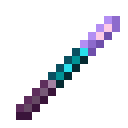
Block Morph
Turn into any block in Minecraft! A datapack that lets you transform into customized block structures or individual blocks.
Important: This data pack requires the resource pack to render block models properly. Make sure to download it alongside the data pack!
Features
Browse Screenshots in the Gallery.
- Become Any Block: Seamlessly morph into block structures in the world.
- Biome-Aware Plant Color: Dynamic biome tinting for plants (grass, short grass, leaves, etc.).
- Multiplayer Compatibility: Have fun sneaking around as a block with your friends!
Dependencies
To use this data pack, make sure you have installed the following required dependencies:
Data Packs
Choose EITHER way to install Bookshelf:
-
Separate Modules:
-
All-in-One Bundle:
Resource Packs
- Block Morph Resource Pack (Included under "Supplementary resources")
Usage
Obtain Item
-
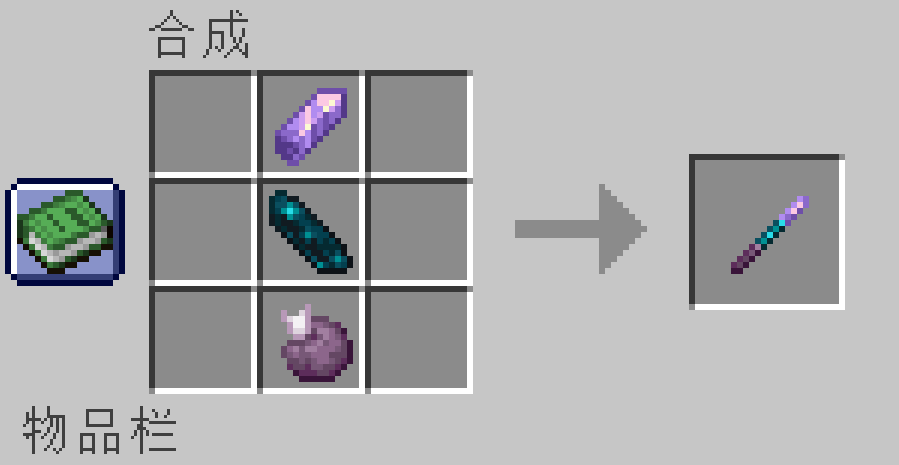
Crafting Recipe:
Combine 1x Amethyst Shard, 1x Echo Shard, and 1x Chorus Fruit (shaped). -
Command:
/function block-morph:give/selection_stick
Transform
-
Main Hand (Structure Mode): Hold the selection stick in your main hand, look at a block, and use it (Right-Click) WITHOUT holding Srpint Key (
ctrl) .- If valid, a connected block structure will be created and move to your position.
-
Off Hand (Single-Block Force Mode): Hold the selection stick in your off hand, look at a block, and use it (Right-Click) WITHOUT holding Srpint Key (
ctrl) .- Forces a single-block structure to be created and move to your position, regardless of structure validity.
Untransform
- Hold Srpint Key (
ctrl) while using (Right-Clicking) the selection stick in either hand to restore your human form and place the blocks back.
Align
- Sneak (
Shift) while morphed to instantly snap your position to the block grid.
Config
- Run command
/function block-morph:config/panelto open the config panel. - Run command
/function block-morph:config/debugto open the debug panel for troubleshooting.
Important Notes
-
Collision: Transformed block structures are purely visual and have no collision.
-
Visibility: Your armor and mainhand/offhand held items remain visible while morphed.
Development
Check out the Wiki for developer guides.


| Version | Minecraft | Loader | Download |
|---|---|---|---|
|
Block Morph 0.4.0 0.4.0 |
1.21.10, 1.21.11, 1.21.9
|
datapack
|
Download |
|
0.3.4 0.3.4+mod |
1.21.10, 1.21.11, 1.21.9
|
fabric, forge, neoforge, quilt
|
Download |
|
0.3.4 |
1.21.10, 1.21.11, 1.21.9
|
datapack
|
Download |
|
v0.3.3 0.3.3 |
1.21.10, 1.21.11, 1.21.9
|
datapack
|
Download |
|
v0.3.2 0.3.2+mod |
1.21.10, 1.21.11, 1.21.9
|
fabric, forge, neoforge, quilt
|
Download |
|
v0.3.2 0.3.2 |
1.21.10, 1.21.11, 1.21.9
|
datapack
|
Download |
|
v0.3.1 0.3.1 |
1.21.10, 1.21.11, 1.21.9
|
datapack
|
Download |
|
v0.3 0.3 |
1.21.10, 1.21.11, 1.21.9
|
datapack
|
Download |