

ClickCopyChat makes chat lines clickable, so players can copy the text to their clipboard instead of retyping it. Player chat works on its own. Plugin and system messages are covered too when ProtocolLib is installed.
How it works
Player chat is handled by wrapping the rendered Adventure component, which needs no extra dependency.
Plugin and system messages go through ProtocolLib. The plugin intercepts the server-to-client chat packets (SYSTEM_CHAT, DISGUISED_CHAT, CHAT) and decorates the payload, whether that is an Adventure component, a WrappedChatComponent, or raw JSON, then writes it back. Where a packet cannot be changed in place, it is cancelled and a decorated copy is sent instead, which avoids duplicated lines and action bar overlays.
Features
- Click to copy on player chat, and on most plugin messages such as Essentials, Skript broadcasts and LuckPerms replies
- Child components are decorated as well, so the whole line copies rather than part of it
- Existing formatting is preserved and a hover hint is added
- Without ProtocolLib the plugin still loads, and player chat stays copyable
Commands
/cccdebugtoggles debug logging/cccpacketslists the chat packet types currently hooked
Both require clickcopychat.debug, which defaults to operators.
Limitations
- Copy to clipboard is a Java Edition client feature, so Bedrock players connecting through Geyser or Floodgate cannot copy.
- Titles, subtitles, the action bar and boss bars are not chat, so they are not covered.
Requirements
- Paper 1.21.x
- Java 21 or newer
- ProtocolLib is optional. Without it, only player chat is copyable.
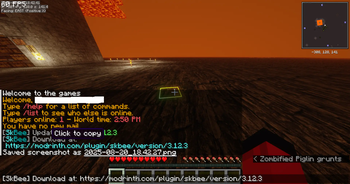
Showing the "click to copy" message on a plugin chat output.
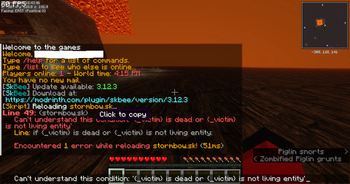
Showing the "click to copy" message on a different plugin output.
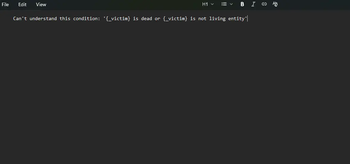
Showing that the text from Example 2 can be pasted into Notepad+
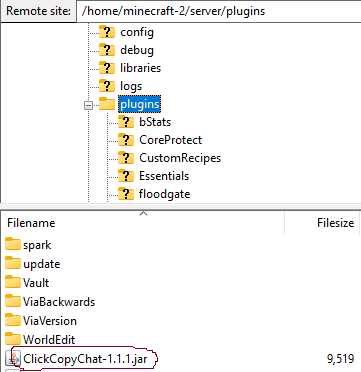
Where to place the plugin (.jar file)
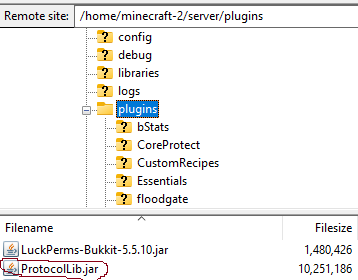
Where to place the dependency plugin (ProtocolLib) https://www.spigotmc.org/resources/protocollib.1997/
| Version | Minecraft | Loader | Download |
|---|---|---|---|
|
ClickCopyChat 1.1.0 1.1.0 |
1.21.8
|
paper
|
Download |