

Cogwheel
A node-based visual factory planner for Create and other recipe-driven mods. Plan your factory as a graph before you build it.

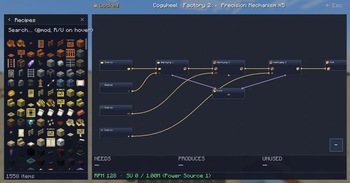
Cogwheel is an in-game factory designer built on the same wavelength as Satisfactory's blueprint tool. Press a single key, and instead of throwing recipes into a wiki, you wire them up on a canvas — Cogwheel does the throughput math, tracks Create's stress for you, and warns when your kinetic budget can't keep up.
It works as a planning notebook for any modpack with recipes, but it really shines next to Create.
✨ Features at a glance
- 🎛️ Visual graph editor — drag recipes onto a canvas, connect outputs to inputs, watch your factory take shape before you place a single block.
- ⚡ Create stress calculation — every Create-backed recipe knows its SU draw at any RPM. Mixer at 128 RPM? 512 SU. The math just shows up.
- 🔋 Cross-factory power sources — define your steam engines, windmills or flywheels once, assign factories to them, get warned the moment your budget tips over.
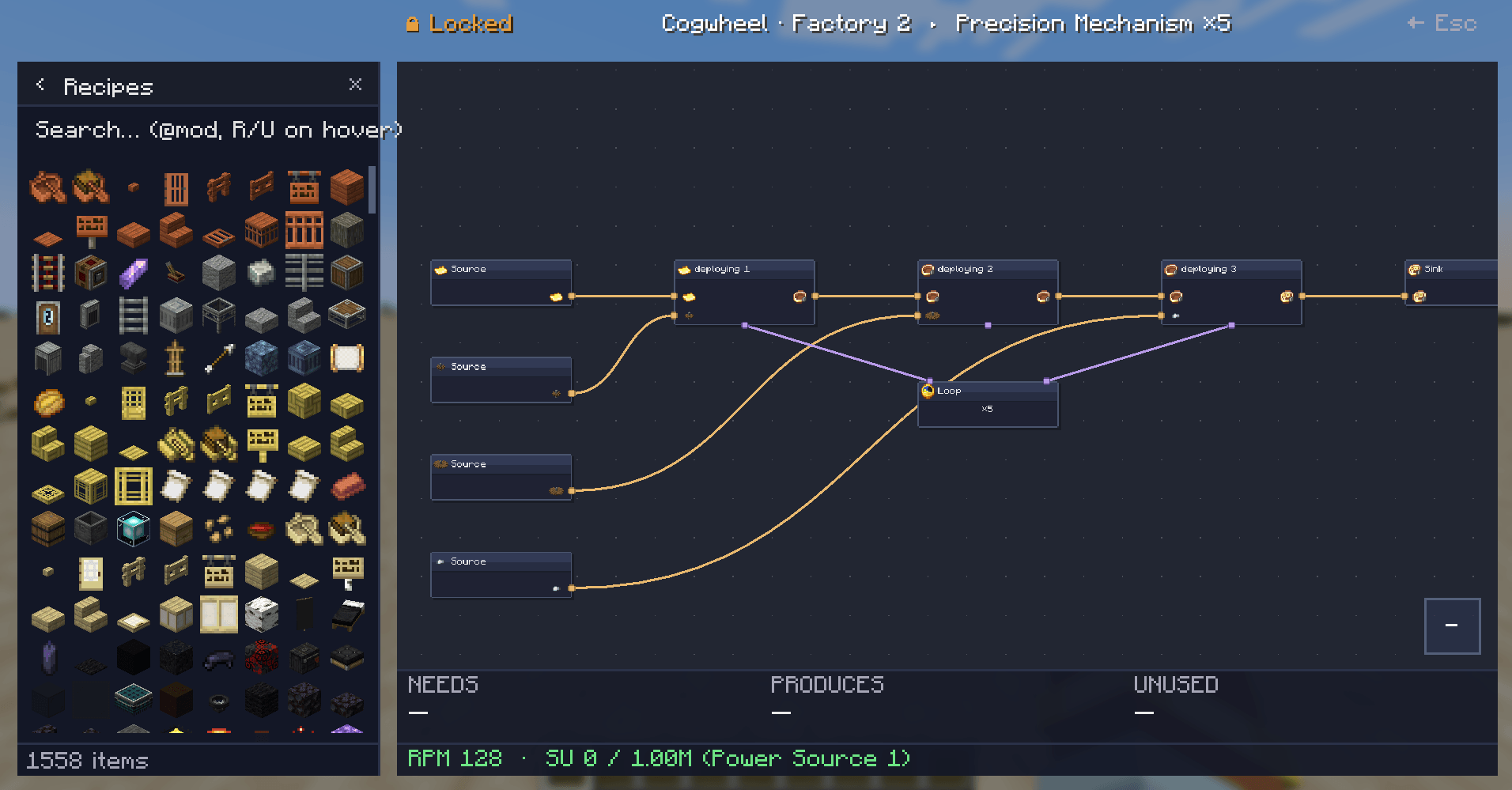
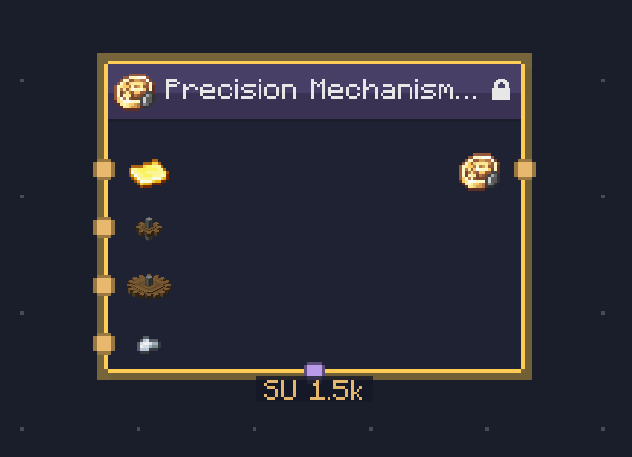
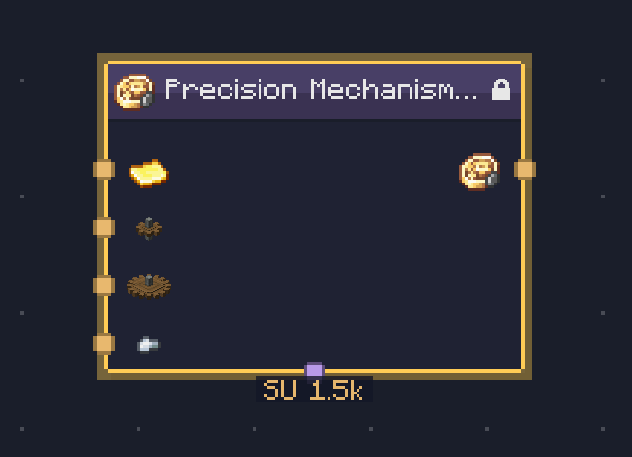
- 🌀 Sequenced assembly auto-expands — drop a Precision Mechanism recipe and Cogwheel unfolds it into a locked cluster with all five steps, the loop control, and the right SU sum.
- 🔁 Loop nodes — gate a chain with a Loop node that runs the contained recipes N times. Connect via the violet bottom-port ports.
- 📚 Multiple factories per save — separate JSON file per factory in
cogwheel/factories/, switchable from the left panel, easy to share. - 🔗 Cross-factory wiring — export an item from Factory A and import it as a source in Factory B by reference.
- 🧩 Clusters — group any selection into a sub-graph (USER cluster) or get auto-built ones (LOCKED) from sequenced recipes. Edit clusters in-place.
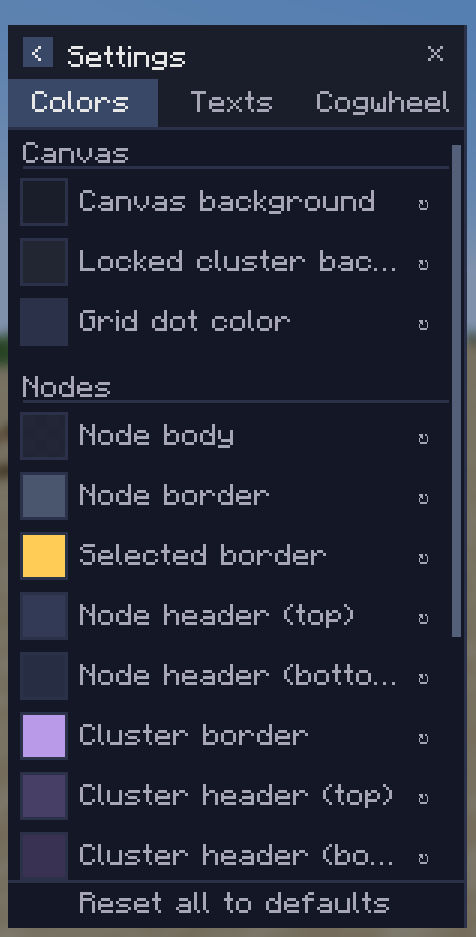
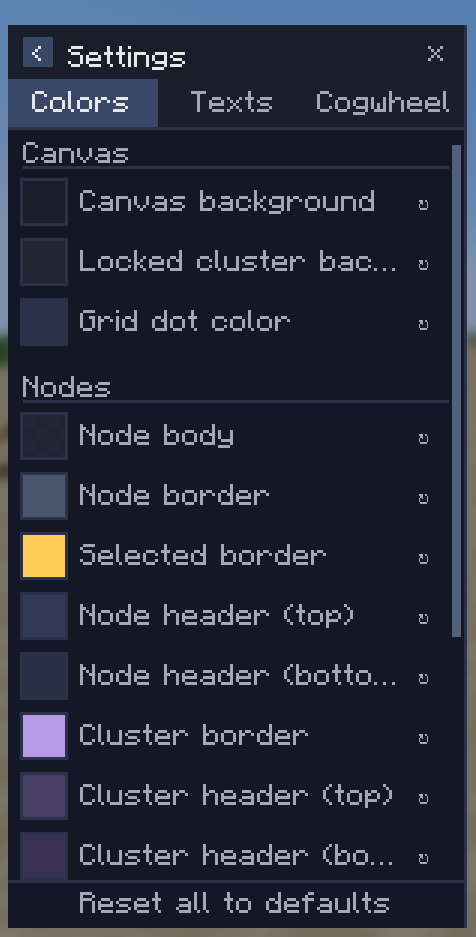
- 🎨 Fully themeable — every color, every text scale, every panel size is configurable from a tabbed settings page.
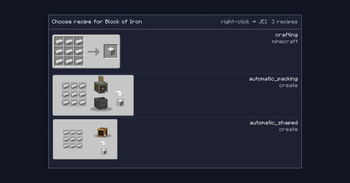
- 🔍 JEI integration — recipe pickers render JEI's own categories. Right-click any picker row to jump straight to JEI's full recipe view.
🚀 Getting started
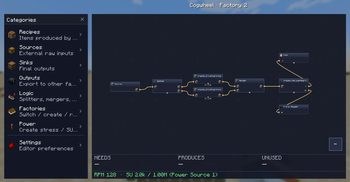
Press K in-game (or whatever you've bound Open Factory Editor to) to open the editor.
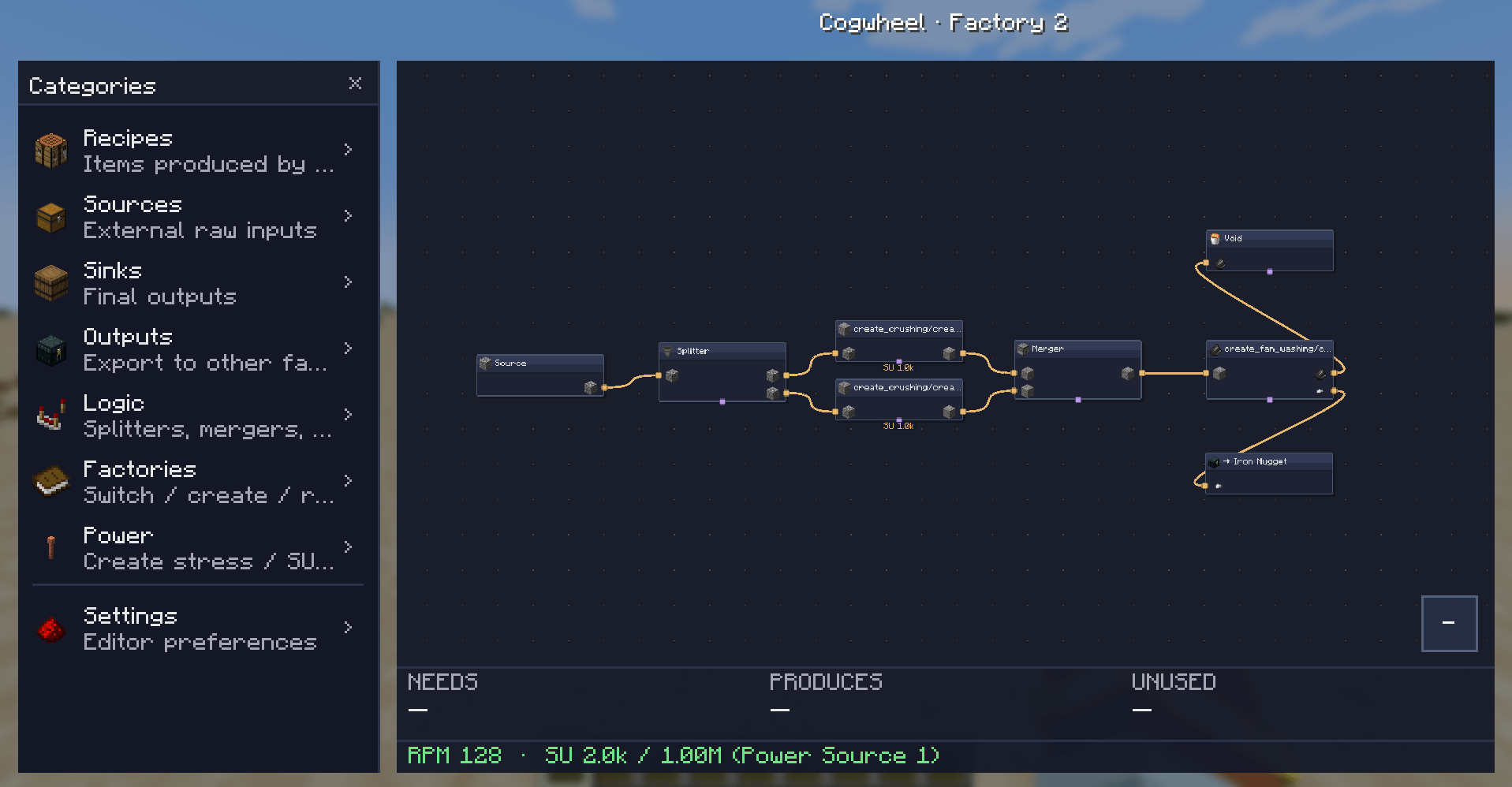
From left to right:
- Categories panel (left side): browse Recipes, Sources, Sinks, Outputs, Logic, Factories, Power sources, Settings.
- Canvas: pan with middle-mouse, zoom with scroll, drop items here to add nodes.
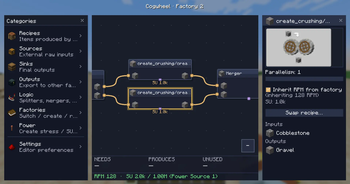
- Properties panel (right side): right-click any node → Edit, or double-click. Configure parallelism, RPM, recipe variant, port pairing.
- Solver overlay (bottom): live readout of what your factory needs, produces, and wastes — plus RPM and SU draw against your assigned power source.
Adding nodes: drag an item or logic block from the left panel onto the canvas. Items land where you drop them.
🔧 Create integration
Cogwheel reads Create's stress-impact tables and recipe types directly. Every Create recipe is recognized and contributes its SU draw at the configured RPM:
| Recipe type | SU per RPM | At 128 RPM (1 machine) |
|---|---|---|
| Crushing wheels (pair) | 8 | 1,024 SU |
| Mechanical Press | 8 | 1,024 SU |
| Mechanical Mixer | 4 | 512 SU |
| Millstone | 4 | 512 SU |
| Mechanical Saw | 4 | 512 SU |
| Deployer | 4 | 512 SU |
| Spout / Item Drain | 4 | 512 SU |
| Encased Fan (washing/haunting) | 2 | 256 SU |
Per-factory and per-recipe RPM
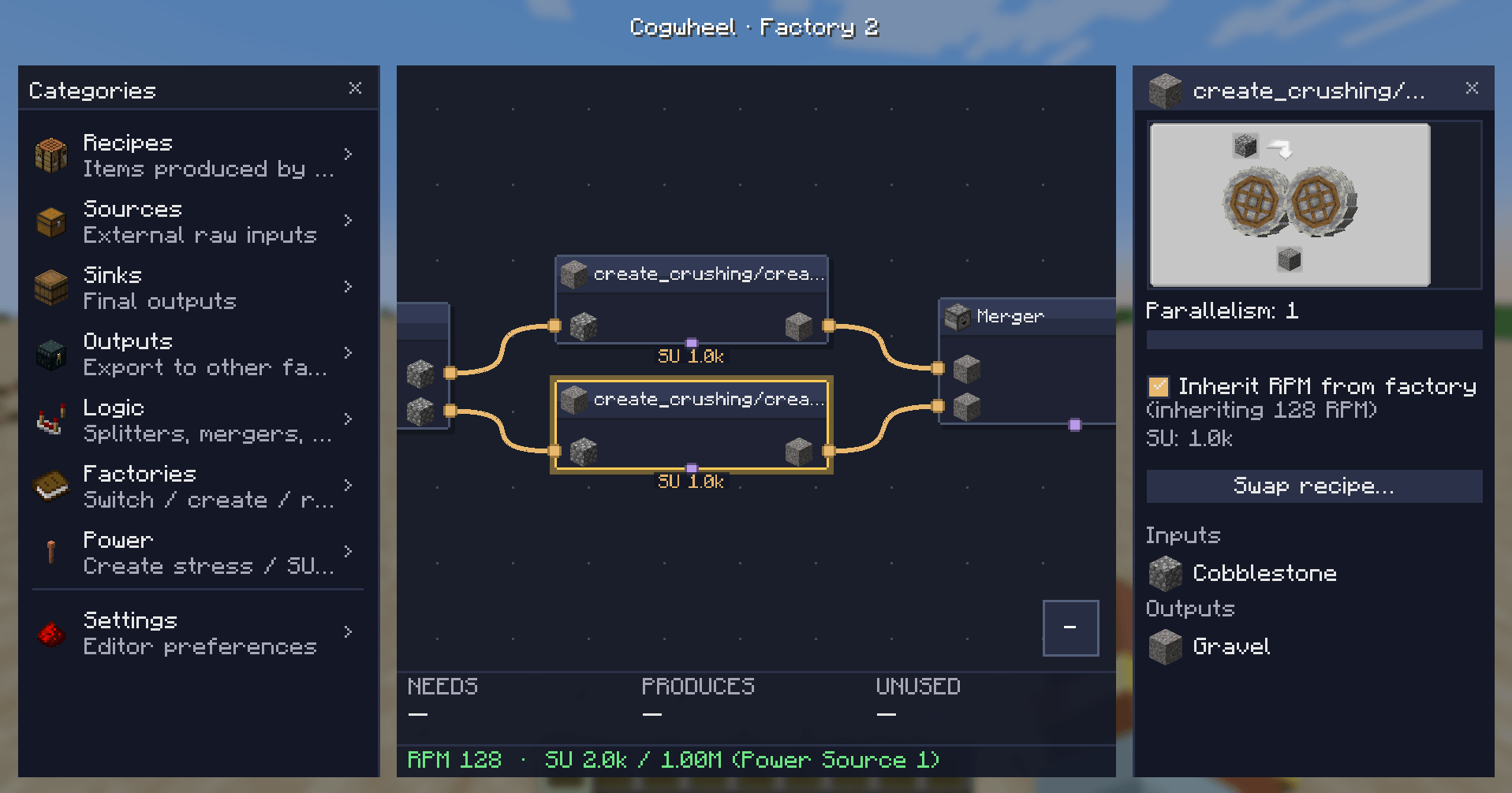
Each factory has a default RPM (1–256). Each Create recipe node and each cluster can either inherit that RPM or override it with its own value via a checkbox in the properties panel.
Sequenced assembly clusters
Drop a Precision Mechanism, Track, or Brass Casing recipe and Cogwheel builds an entire LOCKED cluster for you — every step in order, the right ingredients flowing through, a Loop node showing the iteration count.
⚡ Power sources
Power sources live outside any single factory. Create them once in the Power category (left panel) with a name and an SU capacity:
- Steam Engine — 16,384 SU
- Big windmill array — 4,096 SU
Then assign each factory to a power source via the ⚡ button on the Factories page. Cogwheel sums SU draw across every factory pointing at the same source and:
- 🟢 Green: comfortably within budget
- 🟠 Orange: nearly at capacity
- 🔴 Red ⚠: over budget — by exactly how much
🎨 Settings
Three tabs in the settings page:
- Colors — every node body, border, port dot, edge, canvas background. Click the swatch, pick a color from the HSV picker, done.
- Texts — text colors and the two scale knobs (node text scale, sidepanel text scale).
- Cogwheel — behavior toggles. Hide vanilla recipes from the picker so your modded factory isn't drowned in compaction recipes. Ponder integration is on the roadmap.
📦 Logic nodes
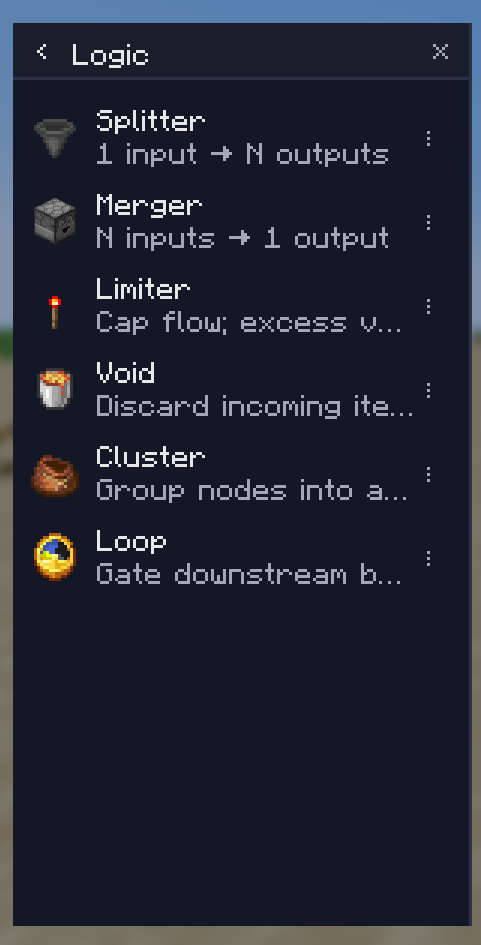
In addition to recipes, sources, and sinks, the Logic category has:
- Splitter — 1 input, 2–8 outputs. Configurable distribution mode.
- Merger — 2–8 inputs, 1 output.
- Limiter — caps the rate of flow on a single line.
- Void — discards items (useful for modeling waste on purpose).
- Cluster — empty user-created sub-graph for grouping.
- Loop — gates a chain to run N iterations per cycle.
📋 Requirements
| Minecraft | 1.21.1 |
| Mod loader | NeoForge 21.1.228+ |
| Java | 21 |
| JEI | Required |
| Create | Recommended — unlocks SU calculation, sequenced assembly expansion, and accurate Create recipe enumeration |
The mod is client-side only — no server install needed.
🗺️ Roadmap
Things I'm planning but haven't shipped yet:
- 🎬 Ponder integration — auto-build example contraptions for your factories.
- ⚡ Bottleneck-aware solver (real backpressure modeling).
- 🪶 Per-output weights / fixed rates on Splitter and Merger.
- 🔗 Better Create addon coverage (CC&A, Create: New Age, etc).
If you want to ask for a feature or report a bug, head to the issues page.
🤝 Compatibility notes
- Designed for modpacks heavy in Create + addons, but works fine as a vanilla planner too.
- Recipe enumeration goes through JEI, so any mod that ships JEI categories will have its recipes pickable.
- Cogwheel doesn't change any in-world behavior — it's a planning surface. Your factory still has to be built by hand. (For now.)
👤 Credits
Made by Kima. Built on NeoForge + JEI + Mojang Codec. Stress values cross-checked against the Create wiki.
Source / issues: Github
| Version | Minecraft | Loader | Download |
|---|---|---|---|
|
Cogwheel 0.5.5 0.5.5 |
1.21.1
|
neoforge
|
Download |