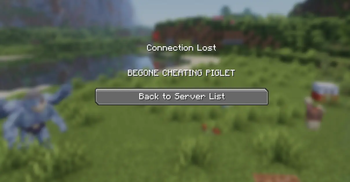
CommandKick
Instead of fiddling with permissions,CommandKick takes a different approach: the commands stay fully visible and tab-completable, but the moment a player runs a blocked one, they're kicked with a custom message. Humorous, no?
Features
- Leaves the command tree intact. Blocked commands still show up and tab-complete; only execution is intercepted.
- Console-safe. Server console, command blocks, datapack functions, and rcon run blocked commands normally. Only player-initiated runs are caught.
- Configurable. Edit a JSON file and restart — no rebuild needed.
- Custom kick message. Set whatever text players see when they get booted.
- Logging. Every kick records which player ran which command, in the server log.
- Lightweight. No LuckPerms or other permission-system dependency required.
Configuration
On first launch, CommandKick writes config/commandkick.json with defaults. Edit it and restart the server to apply — the command list is read once at startup, because Brigadier builds the command tree only at boot. (A /reload is not enough.)
{
  "kickMessage": "command verboten.",
  "blockedCommands": [
    "tick",
    "givepokemon",
    "pokespawn"
  ]
}
Each entry blocks that command and all of its subcommands — listing tick covers /tick freeze, /tick rate, and so on.
Installation
- Install Fabric Loader and Fabric API.
- Install Fabric Language Kotlin.
- Drop CommandKick into your server's
modsfolder. - Start the server once to generate the config, edit it, then restart.
Server-side only — no client installation needed.
Made with the help of Claude