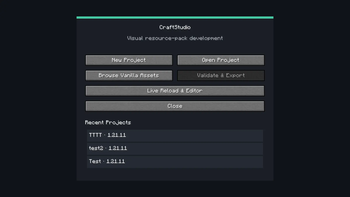









CraftStudio is a client-side visual IDE for creating Minecraft resource packs directly inside Minecraft.
CraftStudio helps resource-pack creators browse Minecraft assets, understand their dependencies, preview changes, validate projects, and export finished resource packs without manually extracting the Minecraft JAR or finding asset paths by hand.
⚠️ Current game support: CraftStudio currently supports Minecraft: Java Edition 1.21.11 only. Support for more Minecraft versions is planned for future updates.
Features and functions
Project management
- Create new resource-pack projects.
- Open existing CraftStudio projects.
- Quickly access recent projects.
- Generate valid Minecraft 1.21.11 pack metadata.
- Keep editable pack files separated from CraftStudio's internal files.
Block and item browser
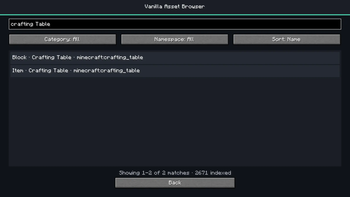
- Browse Minecraft 1.21.11 blocks and items.
- Search assets using names or identifiers.
- Inspect asset identifiers and translation keys.
- Access clean vanilla assets without manually extracting the Minecraft JAR.
Dependency resolver
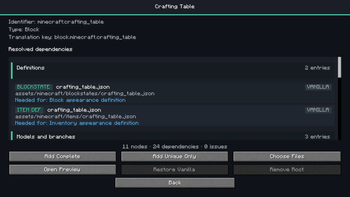
CraftStudio automatically finds and explains the files required by an asset, including:
- Blockstates
- Item definitions
- Model parents
- Texture variables
- PNG textures
- Animation metadata
- Atlas dependencies
Dependencies are displayed in clear groups so you can understand what every file does.
Flexible asset bundles
- Add Complete — add the complete dependency bundle.
- Add Unique Only — add only files not already present.
- Choose Files — manually select which resolved files to add.
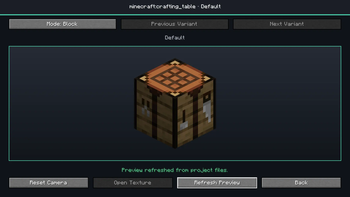
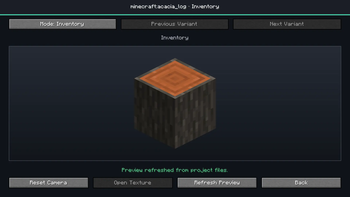
Interactive previews
- Preview supported block models.
- Preview supported item models.
- Rotate and inspect models.
- Switch between block and inventory viewing modes.
- Preview project texture overrides.
- Refresh previews after external edits.
External editor integration
- Open textures with your operating system's default application.
- Select a preferred external image editor.
- Watch project files for changes.
- Refresh affected previews after edited files are saved.
- Optionally reload Minecraft resources automatically.
Project validation
CraftStudio checks your project for:
- Invalid JSON
- Invalid image files
- Missing models and textures
- Broken dependency references
- Atlas problems
- Invalid pack metadata
- Unsafe export paths
- CraftStudio metadata accidentally placed inside the pack
Critical problems are shown before exporting and invalid packs are blocked.
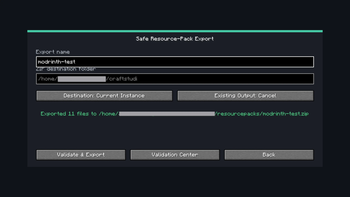
Safe ZIP export
- Export directly into the current Minecraft instance's
resourcepacksfolder. - Export to a custom location.
- Create a correctly structured resource-pack ZIP.
- Verify that
pack.mcmetais at the ZIP root. - Validate staged files before creating the final archive.
- Back up an existing ZIP before replacing it.
- Generate an export report and SHA-256 hash.
Planned future features
Future CraftStudio updates are planned to expand support for:
- More Minecraft versions
- GUI and menu textures
- Entities and mobs
- Sounds
- Fonts
- Paintings
- Particles
- Sky assets
- Additional asset types
- Improved preview and editing workflows
- More customization options
More features and improvements will be added through future updates.
Important information
- CraftStudio is a client-only Fabric mod.
- Fabric API is required.
- Java 21 is required.
- Mod Menu is optional.
- The default opening key is F8 and can be changed in Minecraft's Controls menu.
- CraftStudio currently exports resource packs as ZIP files only.