

Datapack Portals
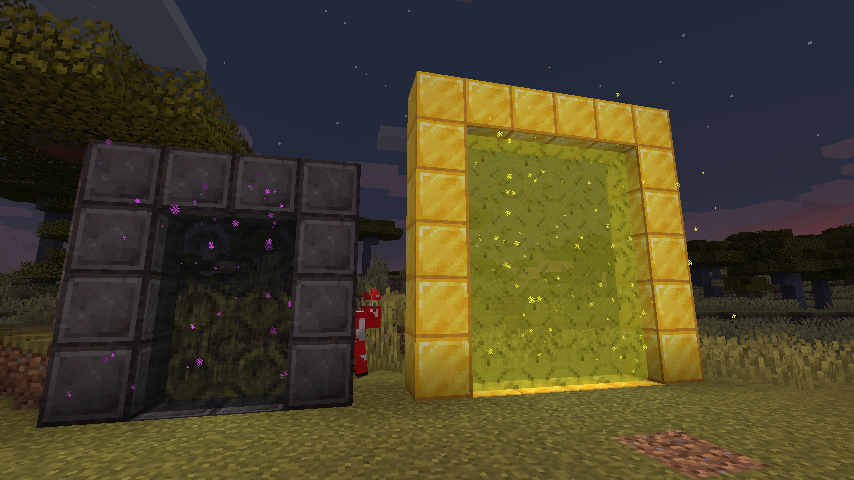
Create custom portals using CustomPortalApi with datapacks.
Inside your datapack create a "portals" folder, this is where you'll put all your custom portals. There is no set limit of allowed portals, as long as there aren't any duplicate frame blocks.
Here is an example file: stoneendportal.json
 {
    "block": "minecraft:stone",
    "dim": "minecraft:the_end",
    "r": 66,
    "g": 135,
    "b": 245
 }
- block: the block used for the frame.
- dim: the dim id to travel to
- r, g, b: the color to tint the portal
There are also some optional arguments
- ignitionType: the type of ignition to use. Options are "BLOCK", "FLUID", "ITEM".
- ignitionSource: the id for block/item/fluid for ignition of the portal, the only supported block being fire : "minecraft:fire". All items and fluids are supported.
- returnDim: the dimmension to return to, allows for specifying a location other than the overworld to return to
That is all! Portals will function exactly like vanilla nether portals do
No gallery available for this project.
| Version | Minecraft | Loader | Download |
|---|---|---|---|
|
Datapack Portals 1.2.3-1.21 1.2.3-1.21 |
1.21, 1.21.1
|
fabric
|
Download |
|
Datapack Portals 1.2.3-1.20 1.2.3-1.20 |
1.20, 1.20.1
|
fabric
|
Download |
|
Datapack Portals 1.2.3-1.19.4 1.2.3-1.19.4 |
1.19.4
|
fabric
|
Download |
|
1.2.3-1.19.3 |
1.19.3
|
fabric
|
Download |
|
1.2.2-1.19.3 |
1.19.3
|
fabric
|
Download |
|
1.2.1-1.19 1.2.1 |
1.19, 1.19.1, 1.19.2
|
fabric
|
Download |
|
1.1.1-1.19 |
1.19
|
fabric
|
Download |
|
1.1.1-1.18 |
1.18.2
|
fabric
|
Download |
|
1.1.0-1.17 |
1.17, 1.17.1
|
fabric
|
Download |
|
1.0.2-1.16 |
1.16.3, 1.16.4
|
fabric
|
Download |
|
1.0.1-1.16 |
1.16.3, 1.16.4
|
fabric
|
Download |
|
Initial Release 1.0.0-1.16 |
1.16.3, 1.16.4
|
fabric
|
Download |