

Enhanced Survival
Enhanced Survival is an open-source Paper plugin designed for small to medium-sized friend, family or community servers (the "2-week minecraft phase"). Its goal is to make survival gameplay more enjoyable and convenient.
Key Features
You can turn off things you don't want to use in the config (see below).
Navigation (/nav)You can navigate to waypoints or the live location of players using particles. 
|
Waypoints (/wp)You can create personal and global waypoints to save and share important locations. 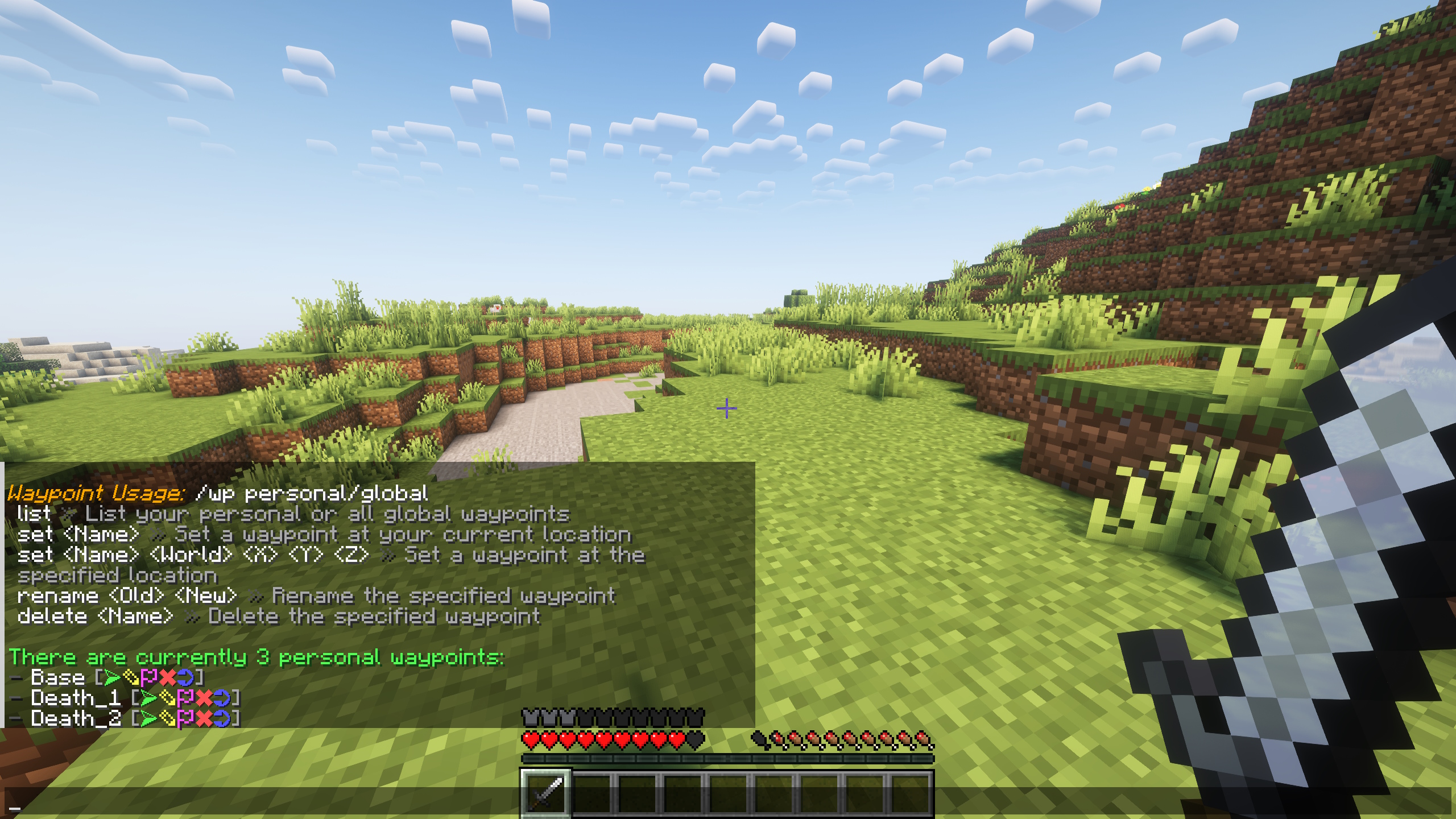
|
Backpacks (/bp)You can craft portable backpacks to carry extra items. The recipe can be adjusted in the config. 
|
GravestonesOn death, players leave a gravestone that holds their items until they break it. 
|
Farm ProtectionProtects farmland from being destroyed by walking or jumping on it (works for all entities, so for example players and villagers). |
Playtime Tracker (/playtime)Tracks and displays each player's total playtime. This tracking is independent of the server TPS or game statistics, it is using UNIX timestamps. |
Custom Join/Quit MessagesSet custom messages for when players join or leave the server. |
Custom Chat FormatConfigure a custom chat format that you like for everyone on the server. |
Message of the Day (MOTD)Customize the message of the day for players in the server list. It can also include dynamic values like the server version, weather and time. |
Trashcan (/trash)Open a "trashcan" inventory, so you don't have to drop the items into the world. When closed, the items in it are removed. |
Crafting RecipesLogs to Sticks Rotten Flesh to Leather Quartz Block to Quartz |
|
Utility Commands/ping /lastonline /gravestone (for Admins)To recover items from any saved gravestone, even if the gravestone has already been destroyed or removed. The command opens a temporary inventory containing all items stored in that gravestone. Viewing this inventory does not modify or delete the original gravestone. Requires OP or the |
|
Feel free to suggest new features or report bugs on GitHub or Discord! :)
Installation
- Download the latest release of Enhanced Survival for your Minecraft Version.
- Place the
.jarfile into your server’spluginsfolder. - Restart your server to activate the plugin.
Support
Discord: https://discord.gg/8Ub4GJHTqJ
Config
Spoiler: config.yml
# Use MiniMessage for message formatting:
# - Documentation: https://docs.advntr.dev/minimessage/index.html
# - Web Editor: https://docs.papermc.io/misc/tools/minimessage-web-editor

# Custom variables start with "v-" and only work in messages if they are used in the default messages.
config:
  # do not change
  version: 57

  # If enabled, the plugin will check if there are updates and send one message to the console on startup
  check-for-updates: true

  # If enabled, farmland cannot be destroyed by walking or jumping on it
  farm-protection: true

  # If enabled, the playtime of yourself can be viewed with /playtime
  # The playtime is always saved, even if this is off
  playtime: true

  # If enabled, the /trash command can be used to destroy items quickly.
  # When a player enters /trash, it opens a blank inventory. Any items placed
  # in this inventory are permanently destroyed when the player closes it.
  # This command is useful for removing items without dropping them in the world.
  trash: true

  # If enabled, the /lastonline command can be used to check when a player was online.
  last-online: true

  # Specify custom join and quit messages for players
  custom-join-quit-messages:
    enabled: false
    join: "<green><v-name> <gray>joined the server"
    quit: "<green><v-name> <gray>left the server"

  # Specify a custom chat message format
  custom-chat-format:
    enabled: true
    # You can also use v-displayname instead of v-name here if needed.
    # If you have PlaceholderAPI installed, you can use "<papi:placeholder_name>" to specify placeholders (%placeholder_name% does NOT work!)
    format: "<green><v-name> <dark_gray>» <white><v-message>"

  # Backpacks that can be crafted using the recipe specified below
  # The recipe can be viewed with the /backpack (/bp) command
  # If a backpack is destroyed (for example in lava) or lost, the items in it are lost
  backpacks:
    # If the backpack system is disabled, backpacks can't be crafted
    # and already existing backpacks can't be opened anymore
    enabled: true

    # The crafting recipe for the backpack.
    # Define the item layout for each slot in the 3x3 crafting grid.
    # Available item names are from the Enum Constant Summary:
    # https://jd.papermc.io/paper/1.21.3/org/bukkit/Material.html
    # Use _ to leave a slot empty. Items must be separated by a single blank space (" ").
    # Example: "STRING _ STRING" means STRING in the left and right slots, empty in the middle.
    # Example: "_ DIAMOND _" means DIAMOND in the middle slot, empty in the left and right.
    crafting-recipe:
      top-row: "STRING _ STRING"
      center-row: "STICK CHEST STICK"
      bottom-row: "_ DIAMOND _"

    # If enabled, the name of the backpack item will also be the title of the backpack inventory.
    # If disabled, the title of the backpack inventory will always be "Backpack".
    backpack-item-name-as-inventory-title: true

    # If enabled, if a backpack is open, another backpack can be clicked to open it.
    # This allows switching between multiple backpacks in the inventory easier.
    allow-inventory-click-to-open: true

  recipes:
    # If enabled, rotten flesh can be put in a furnace to get leather
    rotten-flesh-to-leather: true

    # If enabled, a quartz block can be crafted back to 4 quartz (similar to iron blocks)
    quartz-block-to-quartz: true

    # If enabled, sticks can be crafted by putting 2 logs above each other, so crafting planks first is no longer needed
    logs-to-sticks: true

  gravestones:
    # If enabled, a gravestone (campfire) will spawn if somebody dies that contains all items of the player.
    # The items will drop if the gravestone is destroyed.
    enabled: true

    # The time in minutes after a gravestone is destroyed automatically and all items are lost.
    # Set to 0 to keep the gravestones until they are manually destroyed by a player.
    # When enabling this later, existing (too old) gravestones will also be removed.
    remove-after-minutes: 20

  # Waypoints to save coordinates easily. Teleportation is not possible with this. It's to save important locations.
  waypoints:
    # If enabled, the /waypoint (/wp) command is usable
    enabled: true

    # If enabled, a personal waypoint of the death location is set if a player dies (e.g. "Death_1")
    set-waypoint-on-death: true

    # Waypoints shared across the whole server with all players
    global-waypoints:
      # If enabled, global waypoints can be used
      enabled: true

      # If enabled, players without the permission "enhancedsurvival.waypoints.global.admin" or OP
      # can only list and navigate to global waypoints, but not modify them
      require-permission-to-modify: false

  # Navigation with /navigate to waypoints, players or coordinates
  navigation:
    # If enabled, navigation to waypoints with /navigate waypoint ... is possible
    # -> automatically disabled if waypoints are disabled
    # -> if global waypoints are disabled, navigation to those is not possible
    to-waypoints: true

    # If enabled, navigation to players with /navigate player ... is possible
    to-players: true

    # If enabled, navigation to coordinates with /navigate coordinates ... is possible
    to-coordinates: true

    # Distance in blocks when the destination should be considered as reached and the navigation should be canceled automatically.
    # Set to 0 to turn off. Default is 4. Max is 20. Recommended is 4 or more.
    destination-reached-blocks: 4

  # The message of the day (the message displayed in the server list)
  motd:
    # If enabled, the motd below will be displayed
    # If disabled, the default motd of the server.properties (or of another plugin) will be displayed
    enabled: true

    # The text of the motd - you can use <v-version>, <v-weather> and <v-time> in both lines
    line-one: "<aqua>Survival Server <light_purple>[<v-version>] <dark_gray>- <yellow>Private"
    line-two: "<gray>Time: <v-time> <dark_gray>- <gray>Weather: <v-weather>"

    # The name of the world of which the weather and time should be displayed (if the variables are used above)
    world-name: world
Contributing
Contributions are welcome! To contribute, visit the GitHub Repository.
Project icon by juicy-fish.
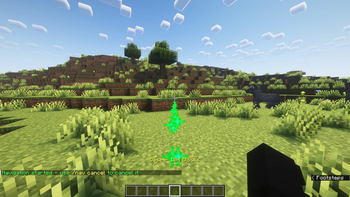
Navigate to your waypoints, other players and coordinates using /navigate! You will be guided by a line of particles and know exactly how many blocks you have to go until you reach your destination.
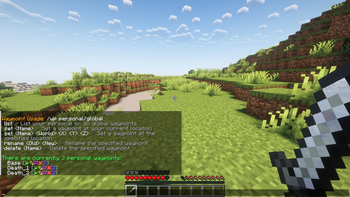
Set waypoints anywhere in the world (/wp)! Personal, just for you, or global, shared for you and your friends. Never forget the location of important spots again!
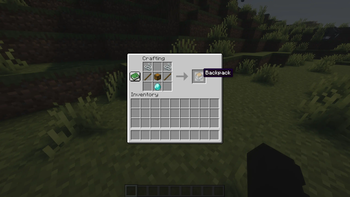
Craft backpacks to carry the items from the last farming session! Each backpack holds 4 lines of items. You can customize the crafting recipe in the config.

Your items will be saved in a gravestone if you die - break it to get your items back! You can customize the time until the gravestone disappears or turn them off in the config.
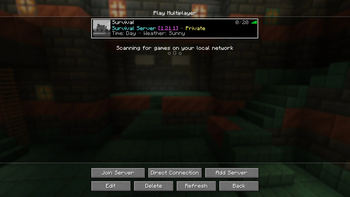
Configure a custom MOTD which can include variables like minecraft version, time and weather!
| Version | Minecraft | Loader | Download |
|---|---|---|---|
|
Enhanced Survival 1.3.0 1.3.0 |
26.1.2, 26.2, 26.3
|
paper
|
Download |
|
Enhanced Survival 1.2.1 1.2.1 |
1.21, 1.21.1, 1.21.2, 1.21.3, 1.21.4, 1.21.5, 1.21.6, 1.21.7, 1.21.8, 1.21.9, 1.21.10, 1.21.11
|
paper
|
Download |
|
Enhanced Survival 1.2.0 1.2.0 |
1.21, 1.21.1, 1.21.2, 1.21.3, 1.21.4, 1.21.5, 1.21.6, 1.21.7, 1.21.8, 1.21.9, 1.21.10
|
paper
|
Download |
|
Enhanced Survival 1.1.0 1.1.0 |
1.21, 1.21.1, 1.21.2, 1.21.3, 1.21.4, 1.21.5, 1.21.6, 1.21.7, 1.21.8
|
paper
|
Download |
|
Enhanced Survival 1.0.0 1.0.0 |
1.21, 1.21.1, 1.21.2, 1.21.3, 1.21.4
|
paper
|
Download |