

Force Item Battle — Teams Edition
The classic Force Item Battle gamemode — now with full team support, live item displays, an animated ranking reveal, and clean admin/player command separation.
What is Force Item Battle?
Players are assigned a random Minecraft item and must obtain it before the timer runs out. Miss the deadline, or burn one of your limited skips to move on. The team with the most completed challenges wins.
Inspired by the BastiGHG Force Item Battle video format, now brought to multiplayer with proper team mechanics.
Features
👥 Teams 1–100
Create as many or as few teams as you need — up to 100. Each team gets a unique color. Teams are numbered for simplicity, support up to 100 competing groups, and persist across server restarts.
📦 Live Item Display
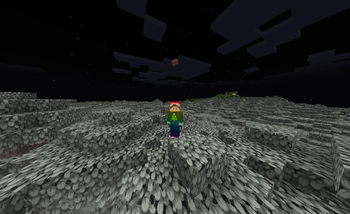
- The required item floats above every player's head as an armor-stand display
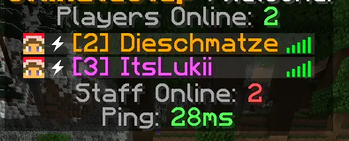
- It also appears next to the player's name in tab and above their name tag
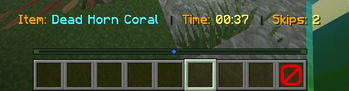
- A live action bar shows: current item · time remaining · skips left
🏆 Animated Ranking Reveal
Run /fadmin reveal when the game ends. A chest GUI opens for all players and teams appear one by one from bottom to top — worst place first, winner last — with a 4-second dramatic pause between each reveal.
🃏 Skip / Joker System
Each team starts with a configurable number of skips. Right-click the red Barrier item in your hotbar to skip. Skips reset each round and are shared across the whole team.
🎒 Team Backpack
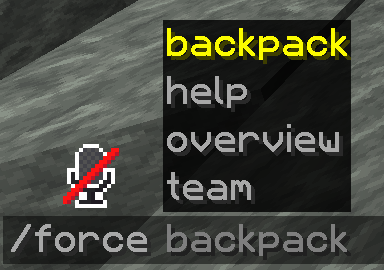
A shared 27-slot inventory for every team. Useful for pooling items. Toggle it on/off in the settings GUI or config.
🔒 Lobby Freeze
While the game is not running, team members cannot walk or run (jumping and head rotation are still allowed). This keeps players in place during setup. OPs are always exempt.
⚙️ Settings GUI
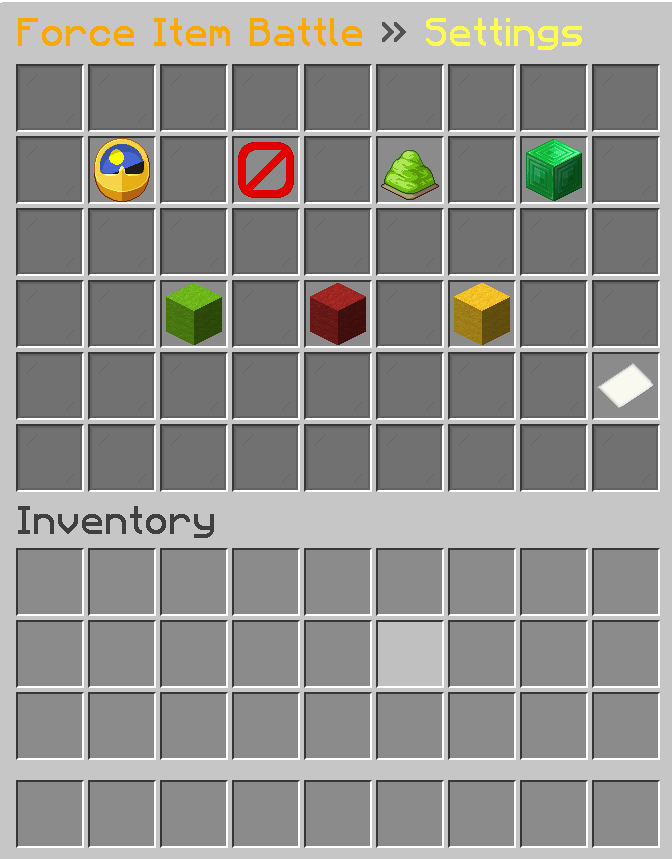
A full in-game settings menu (/fadmin settings) lets you adjust:
- Round duration (click left/right to change by 1 min, shift-click for 5 min)
- Max skips per team
- Backpack on/off
- Team lock on/off
- Start / Stop / Restart buttons
🛠 Clean Command Split
| Command root | Who can use it | Purpose |
|---|---|---|
/fadmin |
OPs (fib.admin) |
Start, stop, team management, reveal, settings |
/force |
Everyone (fib.play) |
Join teams, backpack, overview |
/backpack |
Everyone | Quick backpack shortcut |
/team |
Everyone | Quick team GUI shortcut |
Commands (quick reference)
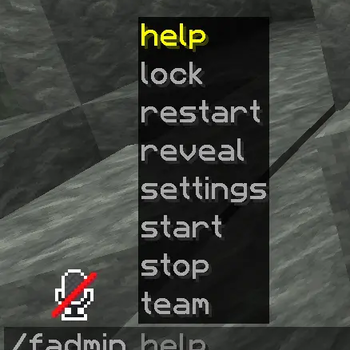
/fadmin start|stop|restart|settings|reveal|lock
/fadmin team create|delete|add|remove|list|info
/force backpack|overview|team gui|team join|team leave|team info
/backpack   /team
Configuration
challenge-seconds: 300   # Round duration
max-skips: 3             # Skips per team
enable-backpack: true    # Team backpack
team-lock: false         # Lock teams mid-game

blacklist:               # Items never assigned
  - BEDROCK
  - COMMAND_BLOCK
  - BARRIER
  # add any Material name
Requirements
- Paper 1.21+
- Java 21+
Permissions
| Node | Default | Description |
|---|---|---|
fib.admin |
OP | All admin commands |
fib.play |
Everyone | Player commands |
Based on the BastiGHG Force Item Battle format. Built for Paper 1.21.
| Version | Minecraft | Loader | Download |
|---|---|---|---|
|
Force Item 2.0 2.0.0 |
1.21, 1.21.1, 1.21.2, 1.21.3, 1.21.4, 1.21.5, 1.21.6, 1.21.7, 1.21.8, 1.21.9, 1.21.10, 1.21.11
|
bukkit, paper, spigot
|
Download |