

GeoWarp
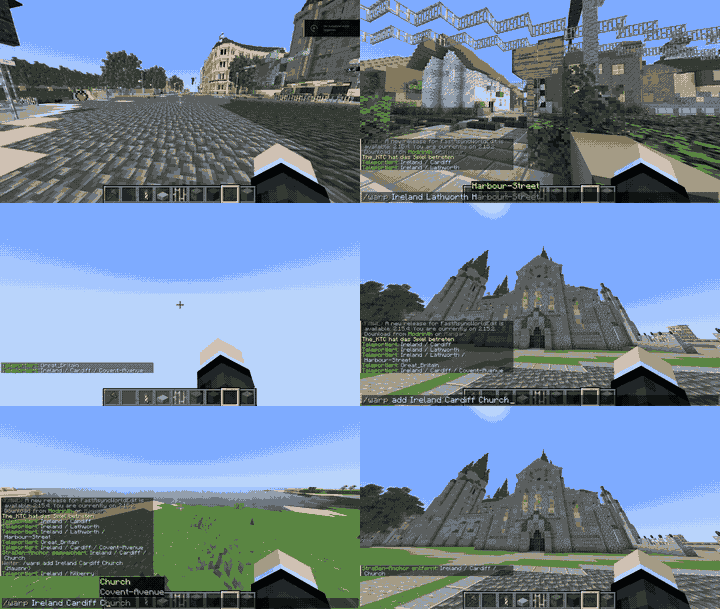
GeoWarp lets your players warp to named places instead of raw coordinates. Build out a geo hierarchy — Country → City → Street → Address — and teleport anywhere on your server just by typing where you want to go.
Perfect for RP servers, city-builds, or any world where "go to London, Main Street" is more fun than memorizing coordinates.
Features
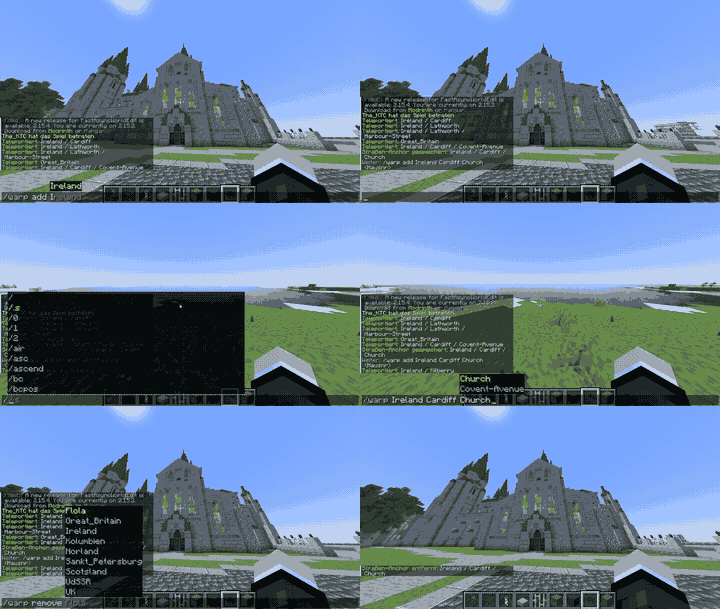
- Hierarchical warps: Country → City → Street → Address, or use any naming scheme you like — the levels aren't enforced.
- One command to anchor:
/warp addcaptures your current position and rotation instantly. - Smart tab-completion: drills down level by level as you type.
- Built-in browser:
/warp listshows existing entries at any level. - Simple YAML storage with one-click timestamped backups.
Commands
| Command | Description |
|---|---|
/warp <Country> [City] [Street] [No] |
Teleport to an anchor |
/warp add <Country> [City] [Street] [No] |
Create an anchor at your current position |
/warp list [Country] [City] [Street] |
Browse existing entries |
/warp remove <Country> [City] [Street] [No] |
Remove an entry |
/warp export |
Save a timestamped backup |
Permissions
warp.use— use/warpand/warp list(default: everyone)warp.admin— add/remove/export (default: op)
Lightweight, dependency-free, tested on an active server with dozens of countries, cities, and addresses already mapped out.

Shows a valid warp name using the Country → City → Street → HouseNo hierarchy.
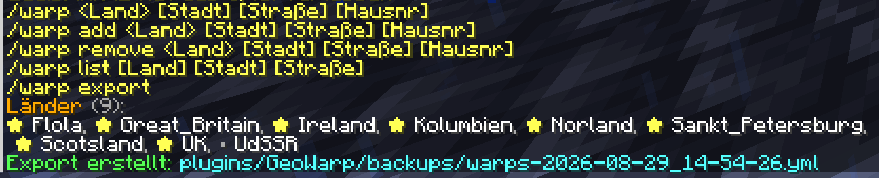
All GeoWarp commands demonstrated using the countries, cities, and streets from my own live server, including a backup export.
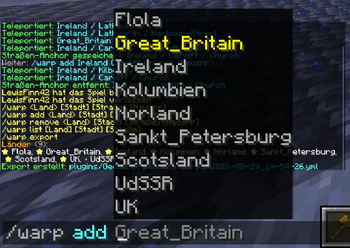
Adding a new location with /warp add. An anchor is created at the player's current position and rotation. For example: /warp add Great Britain Edinburgh Tom-Avenue 5
| Version | Minecraft | Loader | Download |
|---|---|---|---|
|
GeoWarp 1.0.0 1.0.0 |
1.21, 1.21.1, 1.21.2, 1.21.3, 1.21.4, 1.21.5, 1.21.6, 1.21.7, 1.21.8, 1.21.9, 1.21.10, 1.21.11, 26.1, 26.1.1, 26.1.2
|
paper, purpur, spigot
|
Download |