LagMap
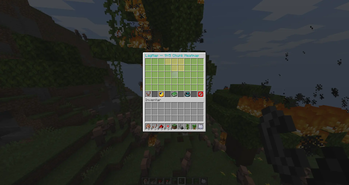
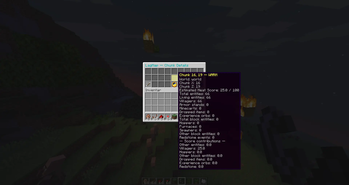
LagMap is a lightweight Paper server plugin that turns chunk performance data into an interactive in-game heatmap.
Instead of digging through long profiler outputs or console logs, server administrators can open /lagmap and immediately see which nearby chunks are likely contributing the most load.
Features
-
Interactive 9×5 chunk heatmap
-
Chunk Heat Score from 0–100
-
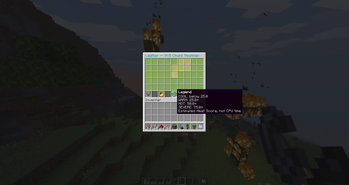
Color-coded load levels:
- Green – Cool
- Yellow – Warm
- Orange – Hot
- Red – Severe
-
Detailed chunk inspection
-
Tracks:
- Entities
- Villagers
- Hoppers
- Block Entities
- Dropped Items
- Redstone Activity
-
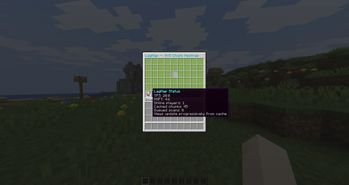
Server status with:
- TPS
- MSPT
- Online Players
-
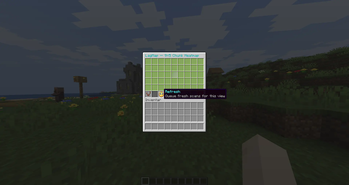
Refresh and recenter controls
-
Safe teleportation to selected chunks
-
Configurable scoring weights and thresholds
-
Lightweight caching and request deduplication
-
Progressive chunk scanning to avoid performance spikes
Performance First
LagMap is designed to avoid becoming part of the problem it is trying to diagnose.
It:
- NEVER loads or generates chunks just to analyze them!!!
- Does not scan entire chunks block-by-block!
- Uses a configurable per-tick scan budget
- Deduplicates repeated scan requests
- Uses bounded caches and cleanup
- Uses only public Paper APIs
Heat Score
LagMap 0.1.0 uses a heuristic Heat Score based on measurable chunk characteristics and activity.
The score helps identify suspicious or unusually busy chunks quickly.
It is NOT an exact measurement of per-chunk CPU usage!!!
Commands
/lagmap Opens the interactive chunk heatmap.
/lagmap reload Reloads the LagMap configuration.
Permissions
lagmap.use
Allows access to the LagMap interface.
lagmap.reload
Allows configuration reloads.
lagmap.teleport
Allows teleportation to selected chunks.
Requirements
- Paper 26.2+
- Java 25
Roadmap
Future versions are planned to expand LagMap!
AI Disclosure
Generative AI tools were used as part of the development workflow.