Chat Toggle
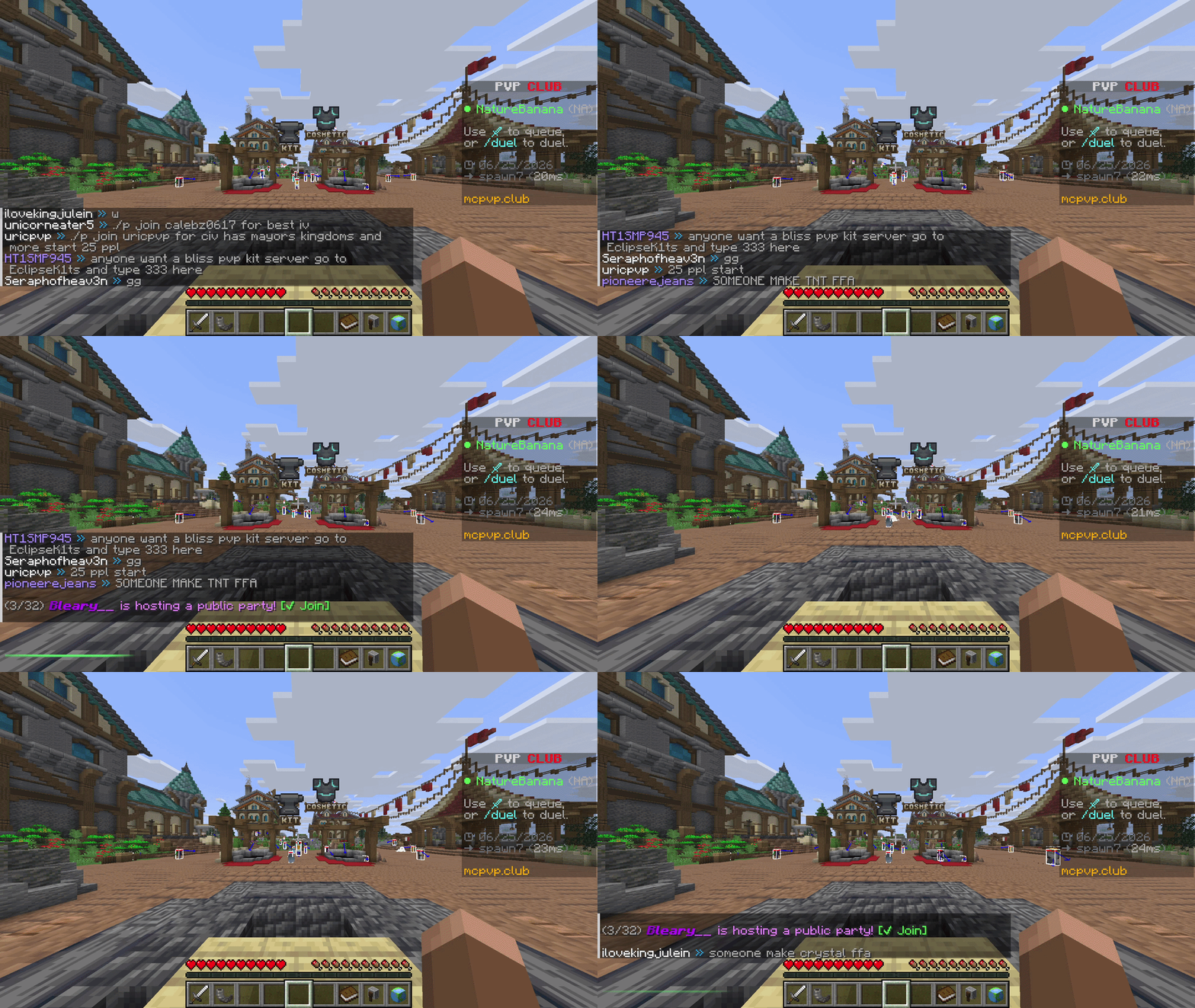
A lightweight, client-side Fabric mod that hides and shows your chat with a single keypress — with a clean visual confirmation each time.
What it does
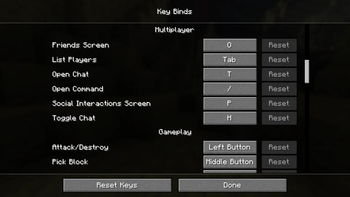
- Press a key (default H, under Controls → Multiplayer) to toggle the chat overlay on or off.
- Hiding is purely visual: messages still arrive and stack up in the background — nothing is dropped, and your vanilla chat settings are untouched.
- You can still open chat to type or run commands while it's hidden; you just won't see the history.
- Each toggle plays a quick 350 ms bar at the chat line: green when chat is shown, red when hidden. It always plays — even with no messages on screen.
Why
Sometimes chat gets in the way — screenshots, cinematic shots, PvP, or just a cleaner HUD. chat toggle gives you an instant, reversible way to clear it without digging through options or losing messages.
Details
- Client-side only — works on any server, nothing needed server-side.
- No config files, no extra menus. Install and bind a key.
- Tiny footprint.
Requirements
- Minecraft 26.2
- Fabric Loader 0.19.3+
- Fabric API
Install
- Install Fabric for 26.2.
- Put Fabric API and chat toggle in your
modsfolder. - Launch, then bind Toggle Chat under Options → Controls → Multiplayer (defaults to H).