

KaMenu - Native Dialog Menu Builder
Create modern Minecraft Dialogs with YAML: forms, dynamic buttons, action workflows, persistent data, and optional JavaScript.
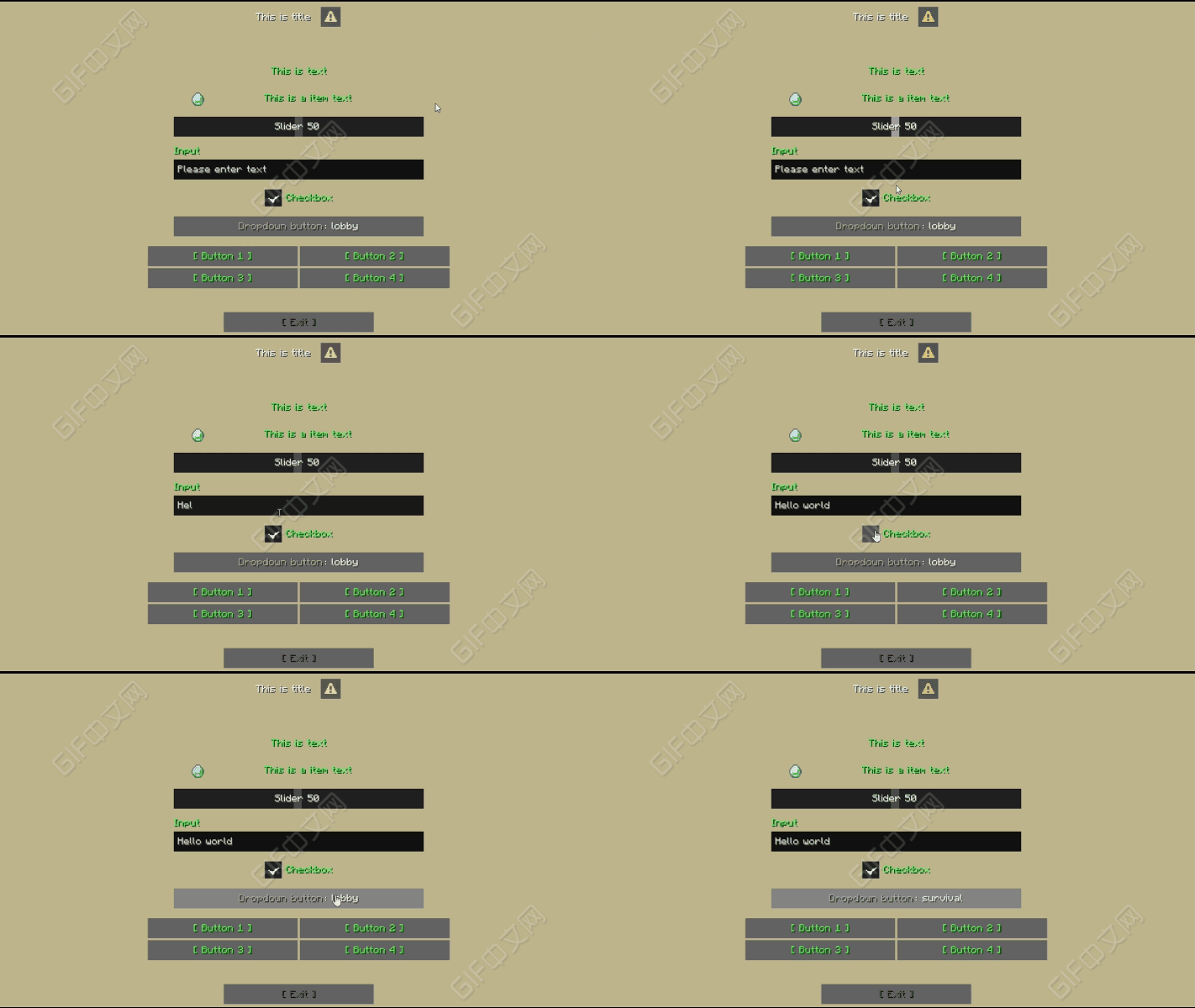
KaMenu is a menu plugin built around Minecraft's native Dialog system. Instead of simulating interfaces with inventory screens, it lets you create real client-native Dialogs with clean and structured YAML.
Use it for server navigation, shops, warps, friend lists, player profiles, daily rewards, forms, administration tools, or even game interfaces with live state and periodic refreshes. Basic menus require no programming. Conditions, action packages, JavaScript, and an external API are available when your project needs more advanced logic.
Quick Links
- Wiki: https://katacr.gitbook.io/plugins/kamenu-en
- GitHub: https://github.com/Katacr/KaMenu
- Issues: https://github.com/Katacr/KaMenu/issues
- Discord: https://discord.gg/HvKQD2us2F
Interface Preview
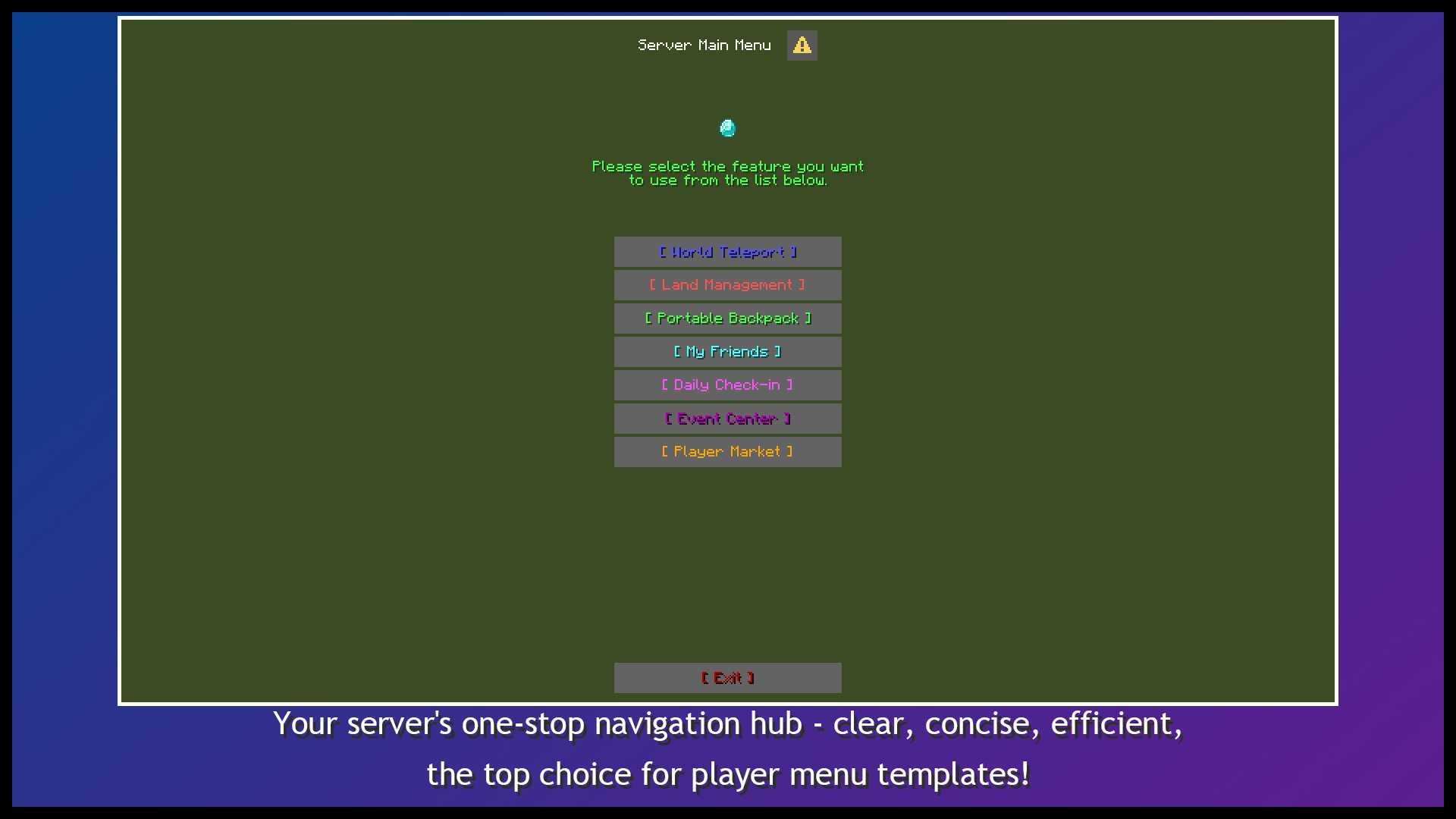
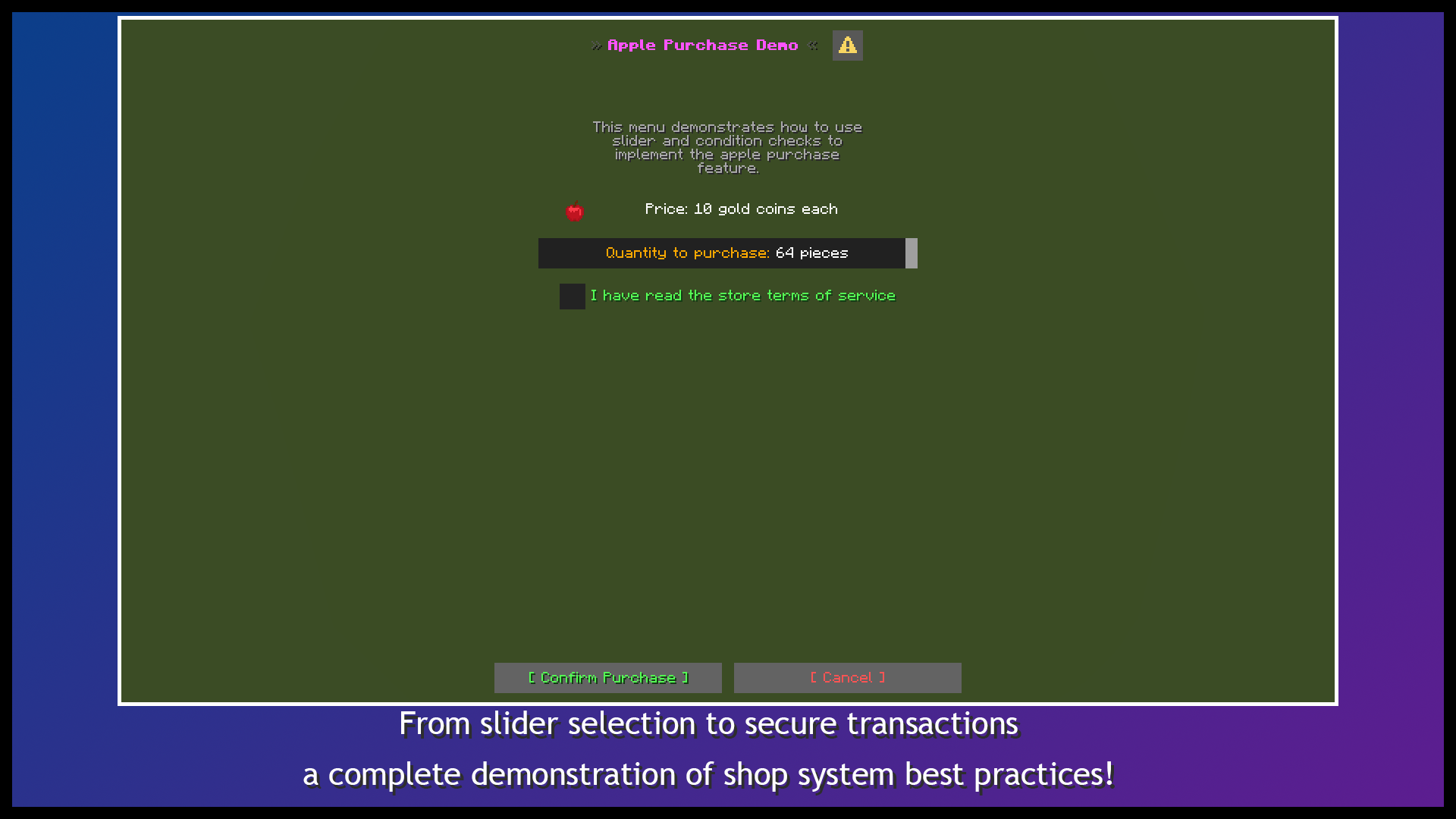
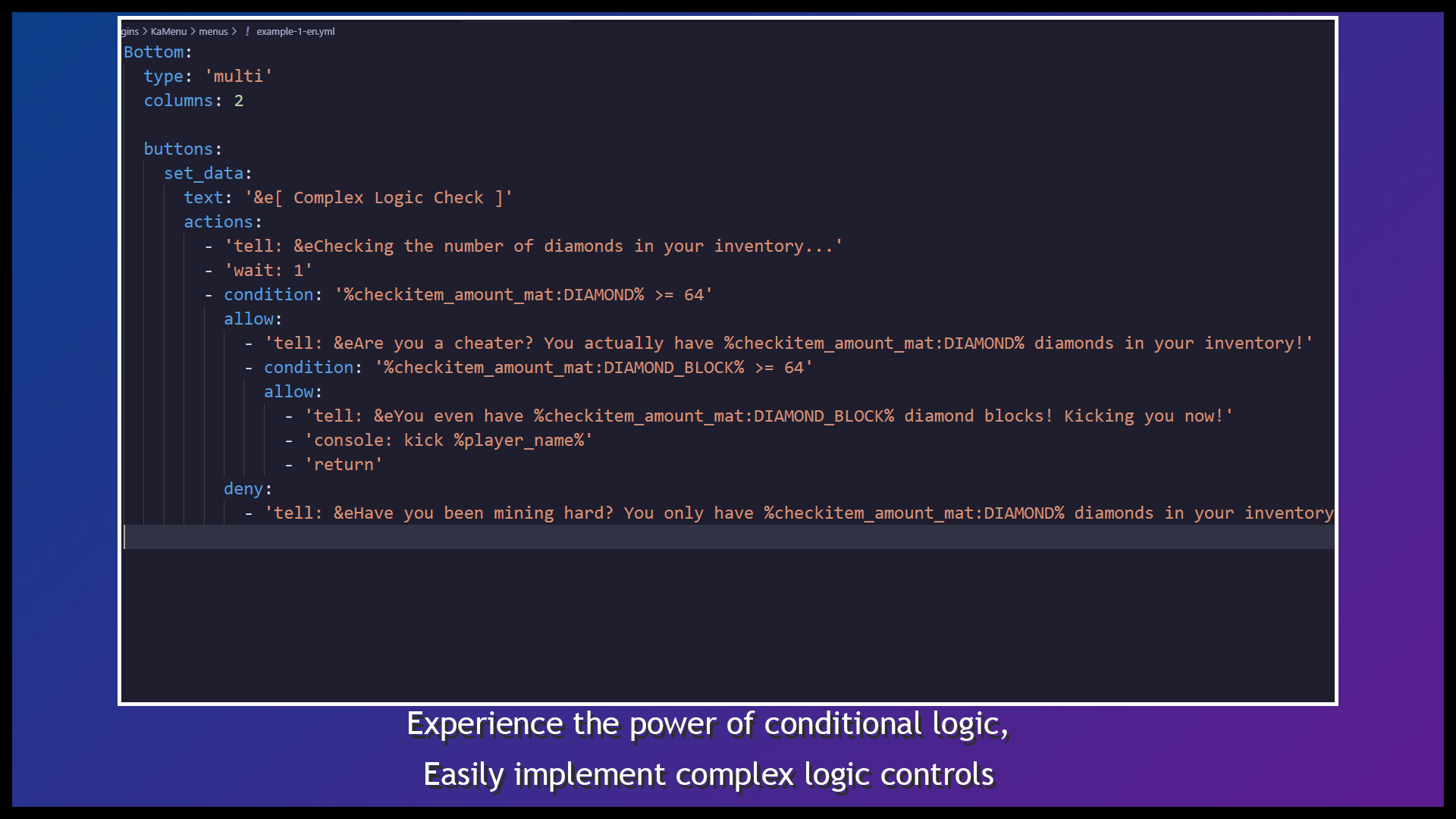
Why KaMenu?
Native Dialogs Instead of Inventory GUIs
KaMenu uses Minecraft's Dialog system directly. Players can read text, inspect items, enter text, move sliders, switch options, and click buttons in one screen without using inventory items to imitate a form.
YAML First, JavaScript Optional
Regular menus only need YAML. Titles, body content, inputs, buttons, and actions use clear configuration sections. JavaScript is optional and intended for calculations, live state, and reusable advanced logic.
A Complete Menu Lifecycle
KaMenu does more than open a screen. It can validate permissions or data before opening, execute ordered action queues after a click, clean up state when the menu closes, and run periodic tasks while the menu remains active.
Component System
Body Components
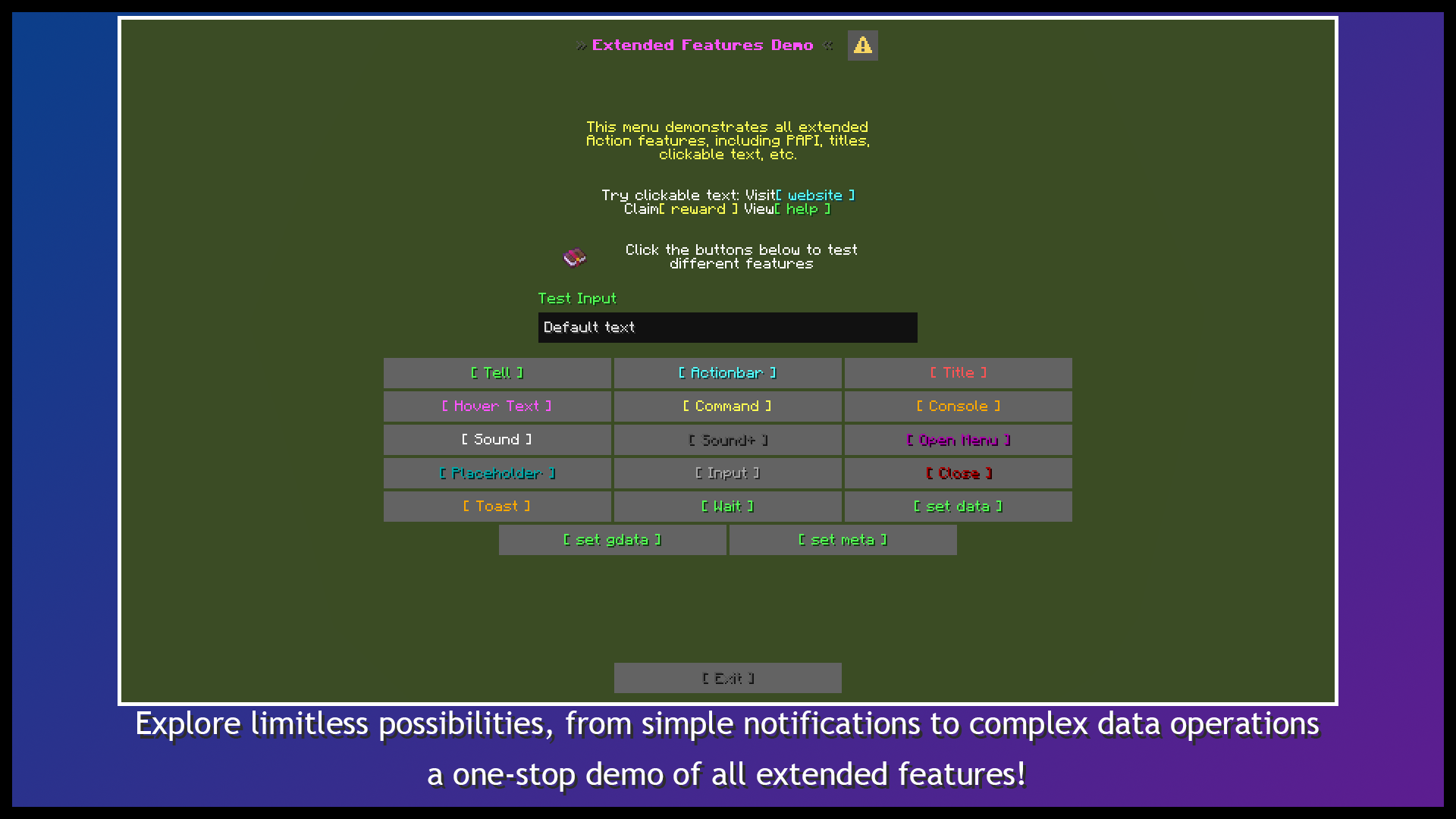
message: single-line or multiline content, legacy colors, MiniMessage, variables, and conditional text.item: vanilla items, player equipment slots, third-party items, names, lore, enchantments, damage, models, and player heads.- Clickable text supports hover text, item hover data, URLs, clipboard copy, commands, and KaMenu action callbacks.
- Vanilla sprites and glyphs from ItemsAdder, Oraxen, and CraftEngine.
- Conditions can show or hide individual components dynamically.
Input Components
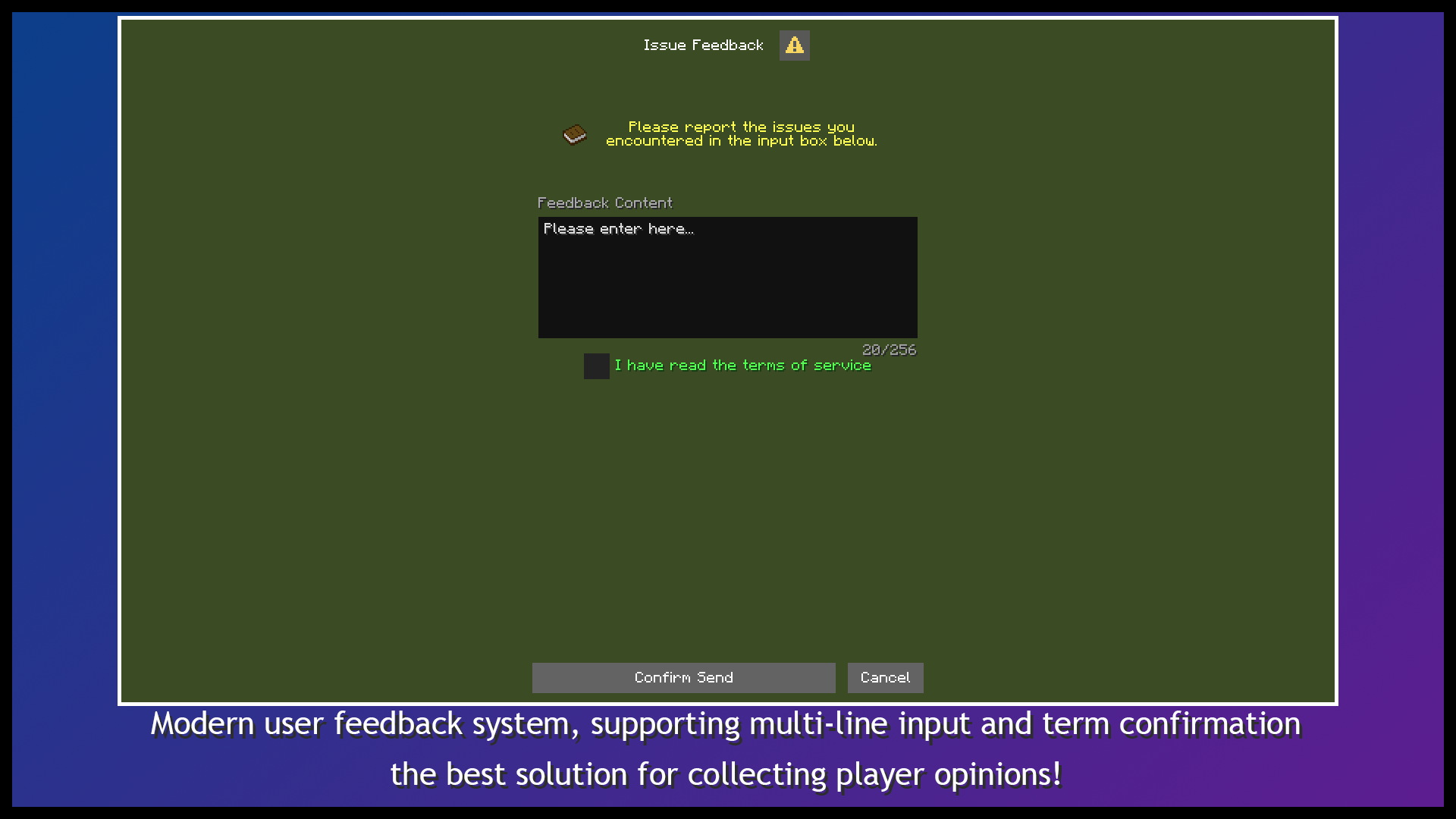
input: single-line or multiline text fields.slider: numeric sliders with configurable ranges and steps.dropdown: a single-option button that cycles through choices when clicked.checkbox: checkbox and confirmation inputs.
Captured values use $(input_id) inside actions, conditions, commands, or JavaScript. Input cleanup can trim surrounding whitespace and remove configured characters globally or per menu.
Bottom Layouts
notice: one action button.confirmation: confirm and deny buttons.multi: a configurable button grid with an optional exit button.repeat: generate and paginate buttons from runtime list data.- Buttonless Dialogs, custom widths, tooltips, and conditional labels.
Dynamic Lists and Pagination
Player counts, friend lists, and warp counts are not known in advance. repeat generates buttons from a simple string, JavaScript array, or object list at runtime.
- Custom delimiters for values such as
player1,player2,player3. - Object fields through
{item.name},{item.id}, and similar variables. {item.index},{item.number},{item.page_index}, and{item.page_number}.- 20 entries per page by default, configurable from 1 to 99.
- Built-in
listandgliststorage with add, remove, uniqueness, clear, and persistence operations.
Typical uses include:
- Online-player lists
- Friends and blocked players
- Player warps
- Products, quests, and rewards
- Database record browsers
Action System
Buttons, clickable text, custom commands, events, and action packages share one action syntax.
| Category | Common Actions |
|---|---|
| Messages | tell, actionbar, title, toast, hovertext |
| Commands | command, console, chat |
| Menus | open, reset, close, force-open, force-close |
| Gameplay | sound, tppos, server, money, item, stock-item |
| Storage | data, gdata, list, glist, meta |
| Flow | wait, return, run-task, stop-task, stop-current-task |
| Reuse | actions packages and js packages |
Actions execute in order and support delays, conditions, target-player selectors, and arguments. Action packages read parameters with {arg:0}, {arg:1}, and so on.
Conditions and Variables
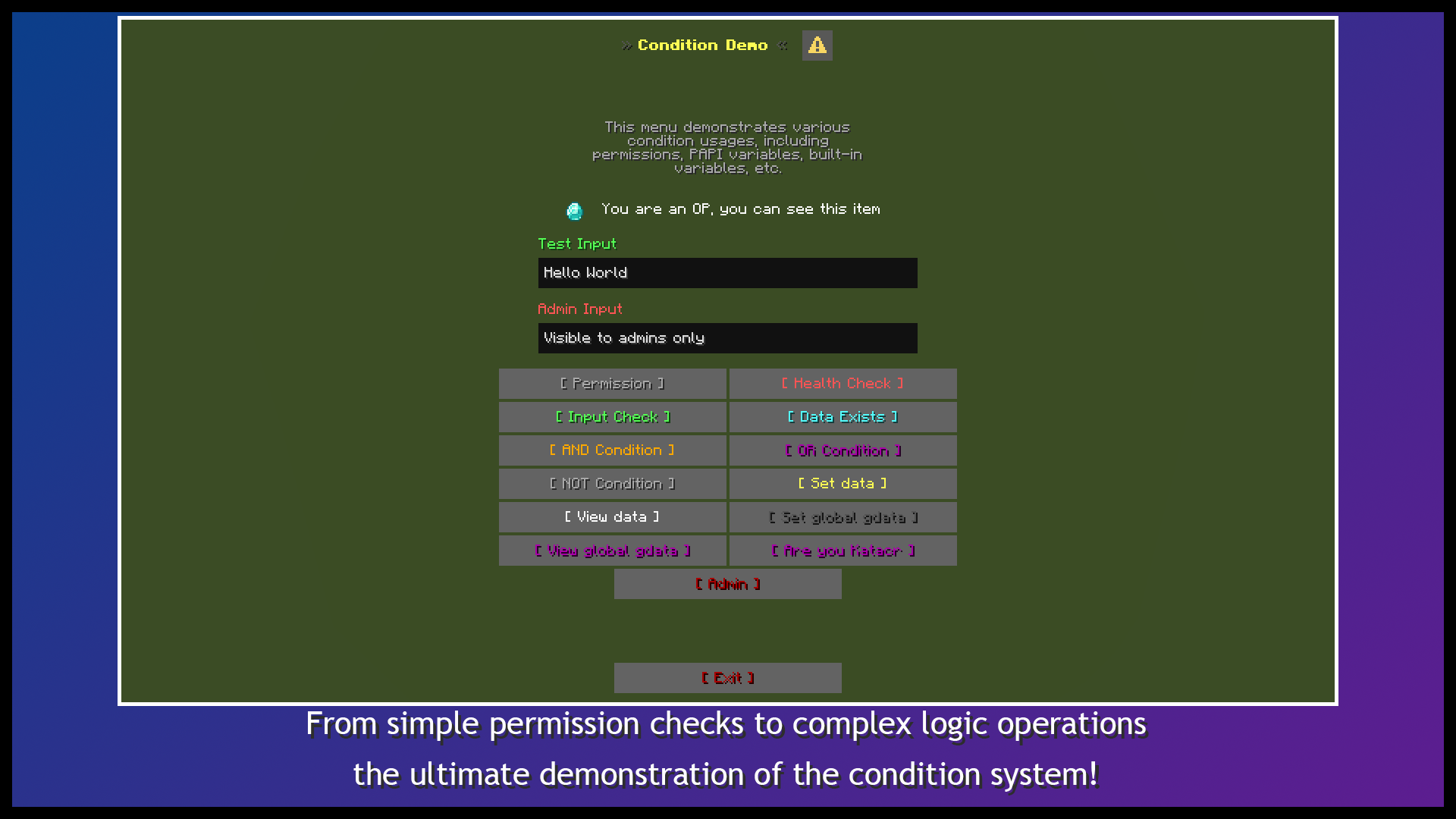
Conditions can control action branches as well as titles, body content, input defaults, button labels, and component visibility.
- Comparisons:
==,!=,>,>=,<, and<=. - Logic:
&&,||, and nested parentheses. - Permissions and items:
hasPerm,hasItem. - Lists:
inList,inGlist. - Strings:
isNull,isPass,isTrue,getLength. - Storage:
{data:key},{gdata:key},{list:key},{glist:key}. - Arguments:
{arg:0},{arg:1}. - Inputs:
$(input_id). - PlaceholderAPI:
%player_name%and placeholders from installed expansions.
{checkitem:[slot;property;format]} can also expose item names, lore, enchantments, damage, item_model, and custom model IDs.
Events, Tasks, and Lifecycle
Events.Open: run before opening and optionally block the menu withreturn.Events.Click: reusable and parameterized menu action groups.Events.Close: run when the menu lifecycle ends.Events.Tasks: execute periodically while the menu is active.Settings.lifetime: actively close expired menus and stop their tasks.Settings.can_escape: control ESC closing and its exit action.Settings.after_action: configure client behavior after a click.
Periodic tasks support automatic or manual starts, finite or infinite loops, completion actions, and wildcard stopping. KaMenu tracks active tasks per player to prevent duplicate lifecycle tasks when a menu refreshes.
JavaScript and Reusable Packages
- Menu-local JavaScript for menu-specific logic.
plugins/KaMenu/js/: one global JavaScript package per.jsfile.plugins/KaMenu/actions/: one global action package per.ymlfile.- Menu-local definitions take priority over global packages with the same name.
- Independent bindings for every execution prevent state leakage between players.
- Built-in PAPI and KaMenu variable parsing plus helpers such as
delay(). - Package calls accept arguments separated by spaces or commas.
Data Storage
KaMenu includes SQLite and MySQL storage without requiring another database plugin.
data: per-player key/value storage by UUID.gdata: shared server-wide key/value storage.list: per-player list storage.glist: shared server-wide list storage.- PAPI placeholders for stored values, list contents, and list sizes.
- Built-in
%kamenu_online_players%online-player list.
Custom Commands and API
Register player-facing commands in config.yml:
- Open a menu directly.
- Execute a complete action queue.
- Read arguments through
{arg:0}and later indexes. - Configure static or dynamic Tab completion from PAPI,
list, orglistvalues. - Refresh the command tree for online players after a reload.
External plugins can use the KaMenu API to:
- Open file-based menus from
menus/. - Render YAML strings or in-memory
YamlConfigurationobjects. - Register custom action handlers.
- Check availability and access the plugin instance.
ESC Pause-Menu Entry
pause_menu.yml can be compiled into a vanilla data-pack Dialog and added as one custom entry on the client's ESC pause screen. The entry can contain body content, inputs, and a button grid that opens regular KaMenu menus or executes actions.
/km pause register
Fully restart the server after registration.
Quick Example
Create plugins/KaMenu/menus/welcome.yml:
Title: '&bServer Welcome Menu'

Settings:
  can_escape: true
  lifetime: 300
  after_action: CLOSE

Body:
  welcome:
    type: message
    width: 320
    text:
      - '&fWelcome, &a%player_name%&f!'
      - '&7Enter a nickname and choose an action.'

Inputs:
  nickname:
    type: input
    text: '&eNickname'
    default: '%player_name%'
    max_length: 16

Bottom:
  type: multi
  columns: 2
  buttons:
    hello:
      text: '&aSay Hello'
      tooltip: '&7Send a greeting'
      actions:
        - 'tell: &aHello, $(nickname)!'
        - 'sound: entity.experience_orb.pickup;volume=1.0;pitch=1.3'
    examples:
      text: '&bOpen Examples'
      actions:
        - 'open: example/main_menu'
  exit:
    text: '&cClose'
    actions:
      - 'close'
Then run:
/km reload menu
/km open welcome
Installation and First Use
- Place the KaMenu JAR in
plugins/. - Start the server and allow the first dependency download to complete.
- Run
/kamenu guideto open the built-in setup guide. - Select a language and release the matching example menus.
- Run
/km open example/main_menu.
Common Commands
/km guide
/km list
/km open <menu-id> [player]
/km examples [zh_CN|en_US] [overwrite]
/km language <language-id>
/km reload [all|menu|config|actions|js|lang]
/km pause <register|unregister|info>
Administration commands use the kamenu.admin permission by default.
Requirements
| Item | Requirement |
|---|---|
| Java | 21+ |
| Minecraft | 1.21.7+ |
| Server | Spigot/Paper/Folia 1.21.7+ |
| Database | SQLite by default, or MySQL 5.7+ |
The first startup requires Maven access to download runtime libraries. Downloaded libraries are stored in the server cache.
Optional Dependencies
- PlaceholderAPI: third-party and KaMenu placeholders.
- Vault: economy actions.
- ItemsAdder: custom items, image glyphs, and pixel offsets.
- Oraxen: custom items, glyphs, and shifts.
- CraftEngine: custom items and Dialog glyph packet interception.
All integrations are soft dependencies.
Usage Notes
- Client callbacks under
after_action: NONEandWAIT_FOR_RESPONSEare one-shot. Button actions should useclose,reset, oropento avoid leaving a cached screen that cannot respond again. - Custom JavaScript, external action handlers, and third-party PAPI expansions must follow the relevant threading rules when used on Folia.
- A few actions that rely entirely on a platform-specific server API may differ. The latest Paper build is recommended for the broadest feature coverage.
Support and Metrics
When reporting an issue, include the full server version, KaMenu version, related menu YAML, and complete stack trace.
- GitHub Issues: https://github.com/Katacr/KaMenu/issues
- Discord: https://discord.gg/HvKQD2us2F
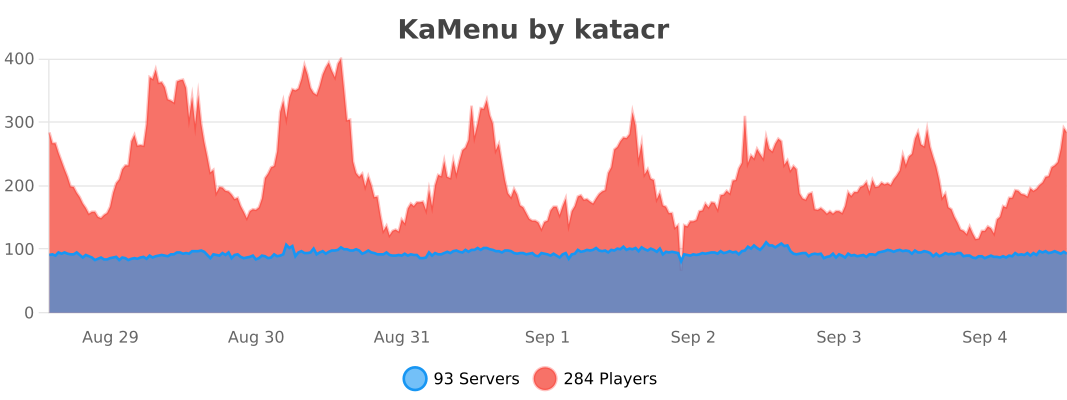
KaMenu is free and open source under the GPL-3.0 license.
No gallery available for this project.
| Version | Minecraft | Loader | Download |
|---|---|---|---|
|
KaMenu 2.1.0 2.1.0 |
1.16, 1.16.1, 1.16.2, 1.16.3, 1.16.4, 1.16.5, 1.17, 1.17.1, 1.18, 1.18.1, 1.18.2, 1.19, 1.19.1, 1.19.2, 1.19.3, 1.19.4, 1.20, 1.20.1, 1.20.2, 1.20.3, 1.20.4, 1.20.5, 1.20.6, 1.21, 1.21.1, 1.21.10, 1.21.11, 1.21.2, 1.21.3, 1.21.4, 1.21.5, 1.21.6, 1.21.7, 1.21.8, 1.21.9, 26.1, 26.1.1, 26.1.2, 26.2, 26.3
|
folia, paper, purpur, spigot
|
Download |
|
KaMenu 2.0.7 2.0.7 |
1.16.5, 1.17, 1.17.1, 1.18, 1.18.1, 1.18.2, 1.19, 1.19.1, 1.19.2, 1.19.3, 1.19.4, 1.20, 1.20.1, 1.20.2, 1.20.3, 1.20.4, 1.20.5, 1.20.6, 1.21, 1.21.1, 1.21.10, 1.21.11, 1.21.2, 1.21.3, 1.21.4, 1.21.5, 1.21.6, 1.21.7, 1.21.8, 1.21.9, 26.1, 26.1.1, 26.1.2, 26.2, 26.3
|
folia, paper, spigot
|
Download |
|
KaMenu 1.7.0 1.7.0 |
1.21.10, 1.21.11, 1.21.7, 1.21.8, 1.21.9, 26.1, 26.1.1, 26.1.2, 26.2
|
bukkit, folia, paper, spigot
|
Download |