

LagXpert Free v2.7 — Autonomous Optimizer & Lag Diagnostics
LagXpert is a Minecraft server performance plugin with multi-platform support (Folia/Paper/Spigot/Bukkit) and Bedrock compatibility. It does two things: it optimizes automatically as load changes, and it tells you why your server is lagging and where.




What's New in v2.7
Lag Diagnostics
Most performance plugins tell you your TPS. The harder question is which build is
doing this to me. /lagxpert diagnose answers that.
- Ranks chunks relative to their limits, not by raw counts. A chunk with 40 mobs against a limit of 200 is fine. A chunk with 12 hoppers against a limit of 8 is the problem. Ranking by raw count surfaces the wrong chunks.
- Uses the limits actually in force, so the report matches what players are experiencing right now.
- Counts intervention history. A chunk the plugin has cleaned up twenty times in the last hour ranks above one that is merely full.
- Explains itself in plain language. Whether load is concentrated in a few chunks or spread everywhere, which violation type dominates, whether memory pressure is the real culprit, which world carries the load — and when the cause is outside LagXpert's scope, so you stop looking in the wrong place.
- Diagnosing lag does not cause lag. Chunk snapshots are taken on the owning thread; all scoring happens asynchronously. Results are cached briefly so a command and a GUI opened together share one scan.
An interactive GUI provides five screens: overview, paginated hotspot list, per-chunk drill-down with a teleport button, the corrective-action audit trail, and historical trends.
Bedrock-first GUI rendering
Bedrock support here is structural, not cosmetic. Screen sizes come from the configured safe size and every slot position is computed from that actual size, so nothing is placed where a Bedrock client cannot render it. Materials Geyser translates badly are substituted automatically, lore is capped, and if an inventory cannot be opened at all the full report is delivered as chat text.
Emergency Controller
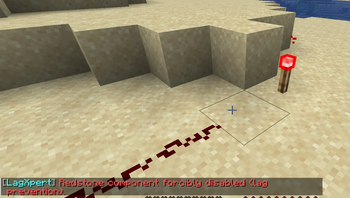
A four-level state machine (NORMAL → WARNING → CRITICAL → EMERGENCY) with hysteresis to prevent flapping. Each state applies graduated, configurable responses: mob cap reduction, natural spawn blocking, forced item cleanup, aggressive chunk unloading, AI distance reduction, redstone clock shutdown, server-wide AI freeze, and optional custom commands.
In v2.7 the EMERGENCY tier became reachable and the last four responses became functional — previously they were configurable and displayed but never executed.
Adaptive Thresholds
Every per-chunk limit scales with server health. Two inputs are combined:
continuous health from TPS and memory, and the discrete emergency state. The
more restrictive of the two wins; they are never multiplied, which would
compound into unplayable values. Limits are only ever scaled down — your
configured value is always the ceiling — with a configurable floor. Per-player
limits granted via lagxpert.limits.* permissions are honored verbatim.
Optimization Profiles
Four presets (relaxed, balanced, aggressive, performance) applied with
/lagxpert profile <name>. Applying a profile snapshots the values it replaces,
so revert restores your configuration rather than an assumed default.
auto-revert-minutes guards against applying an aggressive profile during an
incident and forgetting about it.
Features
Autonomous optimization
- Emergency Controller with graduated per-state responses
- Adaptive limits for mobs, storage, entities and redstone
- Smart scheduler that adjusts task intervals by state and priority: low-priority tasks pause during WARNING, emergency-priority tasks run up to 4x faster
- Closed loop: detect → act → log
- Full audit trail of every corrective action, queryable in-game
Diagnostics & monitoring
- Ranked chunk hotspot analysis with plain-language conclusions
- Interactive diagnostics GUI with teleport-to-hotspot
- TPS across 1/5/15-minute windows, tick times, lag spike detection
- Performance history with configurable interval and retention, persisted to disk
- Worst-hour-of-day detection, peak player tracking, entity growth trends
Limits & cleanup
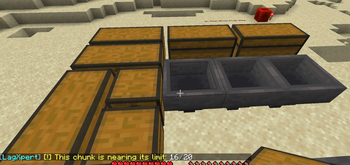
- Per-chunk limits for mobs, hoppers, chests, furnaces, barrels, droppers, dispensers, shulker boxes, TNT, pistons and observers
- Redstone circuit tracking with flood-fill circuit breaker
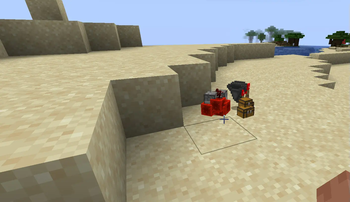
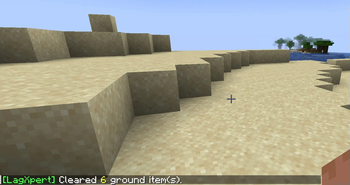
- Item cleaner with warnings and the Abyss recovery system
- Entity cleanup: invalid, duplicate, abandoned, out-of-bounds, and chunks over the entity ceiling
- Smart mob removal protecting named, tamed, leashed, ridden and equipped entities
- Mob AI optimizer (distance-based and per-type)
- Explosion radius control and chain-reaction prevention
- Vehicle limits and abandoned vehicle cleanup
- Elytra speed limit and Riptide cooldown
- Thread-safe console log filter
Administration
- Interactive GUI configuration (
/lagxpertgui) - Per-world configuration overrides
- Hot reload covering every subsystem
- bStats metrics integration
Modules & Config Files
| Module | Config File | Description |
|---|---|---|
| General | config.yml |
Module toggles, adaptive thresholds, action logger, performance history |
| Mobs | mobs.yml |
Mob limits, AI optimizer, smart removal |
| Storage | storage.yml |
Block limits per chunk |
| Redstone | redstone.yml |
Circuit tracking, flood-fill breaker |
| Alerts | alerts.yml |
Notification toggles, cooldowns, rate limits |
| Task Scanner | task.yml |
Auto-chunk scan interval |
| Item Cleaner | itemcleaner.yml |
Ground item cleanup + Abyss recovery |
| Entity Cleanup | entitycleanup.yml |
Entity removal targets, per-chunk entity ceiling |
| Monitoring | monitoring.yml |
TPS, memory, chunk, lag spike thresholds |
| Chunks | chunks.yml |
Chunk loading/unloading, preloading |
| Emergency Controller | emergency-controller.yml |
State thresholds, graduated responses |
| Vehicles | vehicles.yml |
Vehicle limits, abandoned cleanup |
| Abilities | abilities.yml |
Elytra speed, Riptide cooldown |
| Explosions | explosions.yml |
Explosion radius, chain reaction prevention |
| Console Filter | console-filter.yml |
Console log regex filters |
| Profiles | profiles.yml |
Optimization presets |
| Messages | messages.yml |
All plugin messages (i18n) |
Commands
| Command | Description | Permission |
|---|---|---|
/lagxpert |
Main command and help | lagxpert.use |
/lagxpert diagnose [chat|refresh] |
Find what is causing lag and where | lagxpert.admin.diagnostics |
/lagxpert status |
Performance dashboard | lagxpert.admin.status |
/lagxpert optimize |
Full optimization pass with before/after | lagxpert.admin.optimize |
/lagxpert emergency [status|force-normal] |
Emergency state control | lagxpert.admin.emergency |
/lagxpert profile [list|<name>|revert] |
Apply optimization profiles | lagxpert.admin.profile |
/lagxpert reload |
Hot-reload all configurations and subsystems | lagxpert.admin |
/lagxpert inspect <x> <z> [world] |
Inspect a specific chunk | lagxpert.admin |
/lagxpertgui [open|diagnostics] |
Interactive GUIs | lagxpert.gui |
/chunkstatus |
Current chunk usage info | lagxpert.chunkstatus |
/tps |
Server performance metrics | lagxpert.tps |
/abyss |
Recover recently cleared items | lagxpert.abyss |
/clearitems [all|world] |
Manual item cleanup | lagxpert.clearitems |
Permissions
lagxpert.admin implies every lagxpert.admin.* node. The finer nodes exist so a
limited admin can be granted one capability without the rest — for example
read-only diagnostics without the ability to rewrite configs or remove entities.
| Permission | Default | Description |
|---|---|---|
lagxpert.use |
true | Basic command access |
lagxpert.admin |
op | All administrative commands |
lagxpert.admin.status |
op | Read-only performance dashboard |
lagxpert.admin.diagnostics |
op | Read-only lag analysis and diagnostics GUI |
lagxpert.admin.diagnostics.teleport |
op | Teleport to a problem chunk from the GUI |
lagxpert.admin.optimize |
op | Run optimization (removes entities, unloads chunks) |
lagxpert.admin.emergency |
op | Emergency controls, including force-normal |
lagxpert.admin.profile |
op | Apply profiles (rewrites config files) |
lagxpert.gui |
op | GUI access |
lagxpert.chunkstatus |
true | Chunk status command |
lagxpert.tps |
true | TPS command |
lagxpert.abyss |
true | Item recovery |
lagxpert.clearitems |
op | Manual cleanup |
lagxpert.emergency.notify |
op | Receive emergency state broadcasts |
lagxpert.monitoring.alerts |
op | Receive performance alerts |
lagxpert.alerts.receive |
op | Receive all limit alerts |
lagxpert.bypass.mobs |
false | Bypass mob limits and emergency spawn blocking |
lagxpert.bypass.redstone |
false | Bypass redstone control |
lagxpert.bypass.abilities |
false | Bypass ability limits |
lagxpert.bypass.* |
false | Bypass all limits |
lagxpert.limits.mobs.<N> |
false | Custom mob limit for a player or rank |
lagxpert.limits.hoppers.<N> |
false | Custom hopper limit for a player or rank |
lagxpert.notifications.mob-removal |
false | Receive nearby mob removal notifications |
lagxpert.console.view-filtered |
false | Receive suppressed console messages in chat |
Installation
- Drop
LagXpert-2.7.jarintoplugins/ - Start the server to generate configuration files
- Run
/lagxpert diagnoseto see your server's current state - Adjust the
.ymlfiles as needed /lagxpert reloadto apply changes without a restart
Upgrading from v2.6.x
- Stop the server and replace the jar
- Restart so
emergency-controller.ymlandprofiles.ymlare generated - Existing configs remain compatible; new keys use safe defaults
lagshield.ymlis no longer used and can be deleted
Requirements
- Java 11+
- Minecraft 1.16+ (Spigot / Paper / Purpur / Folia)
- No required dependencies. Geyser and Floodgate are optional soft dependencies used for Bedrock player detection.
Developer API
// React to chunk overloads
@EventHandler
public void onChunkOverload(ChunkOverloadEvent event) {
    event.getChunk();
    event.getCause();
}
// Count contents of a chunk
LagXpertAPI.countLivingEntitiesInChunk(chunk);
LagXpertAPI.countTileEntitiesInChunk(chunk, Material.HOPPER);
LagXpertAPI.countAllShulkerBoxesInChunk(chunk);

// Read configured limits
LagXpertAPI.getMobLimit();
LagXpertAPI.getHopperLimit();
LagXpertAPI.getLimitForMaterial(Material.HOPPER);   // -1 if unmanaged
Because limits are dynamic in v2.7, LagXpertAPI returns the configured
value. For the limit currently being enforced, go through the adaptive engine:
AdaptiveThresholdEngine adaptive = AdaptiveThresholdEngine.getInstance();

// Limit in force right now, after health and emergency scaling
adaptive.getEffectiveMobLimit(world);
adaptive.getEffectiveLimit(LimitCategory.STORAGE, ConfigManager.getMaxHoppersPerChunk(world));
adaptive.isCurrentlyThrottling();
// Server state, audit trail and history
EmergencyController.getInstance().getCurrentState();
ActionLogger.getInstance().getRecent(50);
PerformanceHistory.getInstance().getEntityTrend(6);

// Diagnostics report (callback runs on the main thread)
LagDiagnosticsEngine.getInstance().requestReport(false, report -> {
    if (report == null) return;              // a scan was already running
    report.getTopChunks(10);
    report.getObservations();
});
Per-world overrides
Drop a file named after your world into plugins/LagXpert/config/worlds/ to
override global settings for that world only. Requires
per-world-settings.enabled: true in config.yml.
Supported paths:
limits:
  mobs-per-chunk, hoppers-per-chunk, chests-per-chunk, furnaces-per-chunk,
  blast_furnaces-per-chunk, smokers-per-chunk, barrels-per-chunk,
  droppers-per-chunk, dispensers-per-chunk, shulker_boxes-per-chunk,
  tnt-per-chunk, pistons-per-chunk, observers-per-chunk

entity-cleanup:
  advanced:
    max-entities-per-chunk      # total entity ceiling for this world

chunk-management:
  auto-unload:
    inactivity-threshold-minutes
  preload:
    enabled

monitoring:
  tps:
    alert-thresholds:
      warning, critical
Anything omitted falls back to the global value. Per-world values are still scaled down by the adaptive engine under load.
A limit of 0 means "no limit", not "ban". Use 1 for the strictest
possible restriction.
Folia support
Folia splits the server into independently ticking regions, and an entity may only be touched by the thread that owns its chunk. LagXpert honors that: every operation that reads or removes entities is dispatched per chunk through the region scheduler. This covers the item cleaner, entity cleanup, vehicle cleanup, per-chunk entity trimming, the emergency AI freeze, the diagnostics scan, and even entity counting for snapshots and the optimize report.
On Spigot and Paper the same dispatch runs chunks in batches across ticks, which turns one long stalling tick into several short ones. That matters because these sweeps run precisely when the server is already under pressure.
A consequence is that cleanup totals arrive when a sweep finishes rather than
instantly, so /clearitems and /lagxpert optimize report their results on
completion.
Known limitations
- There is no automated test suite; verification is performed against the built artifact.
/lagxpert optimizereports TPS as a rolling average rather than a before/after delta, because the average cannot move within the span of the command.
Support
Discord: https://discord.gg/xKUjn3EJzR
bStats Plugin ID: 25746







| Version | Minecraft | Loader | Download |
|---|---|---|---|
|
Autonomous Optimizer & Lag Diagnostics 2.7 |
1.21, 1.21.1, 1.21.2, 1.21.3, 1.21.4, 1.21.5, 1.21.6, 1.21.7, 1.21.8, 1.21.9, 1.21.10, 1.21.11, 26.1, 26.1.1, 26.1.2, 26.2
|
bukkit, folia, paper, purpur, spigot
|
Download |
|
Bug Fixes 2.6.1 |
1.16.5, 1.17, 1.17.1, 1.18, 1.18.1, 1.18.2, 1.19, 1.19.1, 1.19.2, 1.19.3, 1.19.4, 1.20, 1.20.1, 1.20.2, 1.20.4, 1.20.5, 1.20.6, 1.21, 1.21.1, 1.21.2, 1.21.3, 1.21.4, 1.21.5, 1.21.6, 1.21.7, 1.21.8, 1.21.9, 1.21.10, 1.21.11
|
bukkit, folia, paper, purpur, spigot
|
Download |
|
Reactive Optimization & Modular Control 2.6 |
1.16.5, 1.17, 1.17.1, 1.18, 1.18.1, 1.18.2, 1.19, 1.19.1, 1.19.2, 1.19.3, 1.19.4, 1.20, 1.20.1, 1.20.2, 1.20.3, 1.20.4, 1.20.5, 1.20.6, 1.21, 1.21.1, 1.21.2, 1.21.3, 1.21.4, 1.21.5, 1.21.6, 1.21.7, 1.21.8, 1.21.9, 1.21.10, 1.21.11
|
bukkit, folia, paper, purpur, spigot
|
Download |
|
World-Aware Enforcement & Activity Tracking 2.5 |
1.16.5, 1.17, 1.17.1, 1.18, 1.18.1, 1.18.2, 1.19, 1.19.1, 1.19.2, 1.19.3, 1.19.4, 1.20, 1.20.1, 1.20.2, 1.20.3, 1.20.4, 1.20.5, 1.20.6, 1.21, 1.21.1, 1.21.2, 1.21.3, 1.21.4, 1.21.5, 1.21.6, 1.21.7, 1.21.8, 1.21.9, 1.21.10
|
bukkit, folia, paper, purpur, spigot
|
Download |
|
Action Bar Notifications Update 2.4 |
1.16.5, 1.17, 1.17.1, 1.18, 1.18.1, 1.18.2, 1.19, 1.19.1, 1.19.2, 1.19.3, 1.19.4, 1.20, 1.20.1, 1.20.2, 1.20.3, 1.20.4, 1.20.5, 1.20.6, 1.21, 1.21.1, 1.21.2, 1.21.3, 1.21.4, 1.21.5, 1.21.6, 1.21.7
|
bukkit, folia, paper, purpur, spigot
|
Download |
|
Performance & Reliability Update 2.3 |
1.16.5, 1.17, 1.17.1, 1.18, 1.18.1, 1.18.2, 1.19, 1.19.1, 1.19.2, 1.19.3, 1.19.4, 1.20, 1.20.1, 1.20.2, 1.20.3, 1.20.4, 1.20.5, 1.20.6, 1.21, 1.21.1, 1.21.2, 1.21.3, 1.21.4, 1.21.5, 1.21.6, 1.21.7
|
bukkit, folia, paper, purpur, spigot
|
Download |
|
Major Features Added 2.2 |
1.16.5, 1.17, 1.17.1, 1.18, 1.18.1, 1.18.2, 1.19, 1.19.1, 1.19.2, 1.19.3, 1.19.4, 1.20, 1.20.1, 1.20.2, 1.20.3, 1.20.4, 1.20.5, 1.20.6, 1.21, 1.21.1, 1.21.2, 1.21.3, 1.21.4, 1.21.5
|
bukkit, folia, paper, purpur, spigot
|
Download |
|
LagXpert Free 2.1.1 2.1.1 |
1.16.5, 1.17, 1.17.1, 1.18, 1.18.1, 1.18.2, 1.19, 1.19.1, 1.19.2, 1.19.3, 1.19.4, 1.20, 1.20.1, 1.20.2, 1.20.3, 1.20.4, 1.20.5, 1.20.6, 1.21, 1.21.1, 1.21.2, 1.21.3, 1.21.4, 1.21.5
|
bukkit, folia, paper, purpur, spigot
|
Download |
|
Bug Fixes & Improvements 2.1 |
1.16.5, 1.17, 1.17.1, 1.18, 1.18.1, 1.18.2, 1.19, 1.19.1, 1.19.2, 1.19.3, 1.19.4, 1.20, 1.20.1, 1.20.2, 1.20.3, 1.20.4, 1.20.5, 1.20.6, 1.21, 1.21.1, 1.21.2, 1.21.3, 1.21.4, 1.21.5
|
bukkit, folia, paper, purpur, spigot
|
Download |
|
Major Update 2.0 |
1.16.5, 1.17, 1.17.1, 1.18, 1.18.1, 1.18.2, 1.19, 1.19.1, 1.19.2, 1.19.3, 1.19.4, 1.20, 1.20.1, 1.20.2, 1.20.3, 1.20.4, 1.20.5, 1.20.6, 1.21, 1.21.1, 1.21.2, 1.21.3, 1.21.4, 1.21.5
|
bukkit, folia, paper, purpur, spigot
|
Download |
|
Improved performance, enhanced stability 1.3 |
1.16.5, 1.17, 1.17.1, 1.18, 1.18.1, 1.18.2, 1.19, 1.19.1, 1.19.2, 1.19.3, 1.19.4, 1.20, 1.20.1, 1.20.2, 1.20.3, 1.20.4, 1.20.5, 1.20.6, 1.21, 1.21.1, 1.21.2, 1.21.3, 1.21.4, 1.21.5
|
bukkit, paper, purpur, spigot
|
Download |
|
Performance, Recovery & Professional UX! 1.2 |
1.16.5, 1.17, 1.17.1, 1.18, 1.18.1, 1.18.2, 1.19, 1.19.1, 1.19.2, 1.19.3, 1.19.4, 1.20, 1.20.1, 1.20.2, 1.20.3, 1.20.4, 1.20.5, 1.20.6, 1.21, 1.21.1, 1.21.2, 1.21.3, 1.21.4, 1.21.5
|
bukkit, paper, purpur, spigot
|
Download |
|
New Features and Improvements 1.1 |
1.16.5, 1.17, 1.17.1, 1.18, 1.18.1, 1.18.2, 1.19, 1.19.1, 1.19.2, 1.19.3, 1.19.4, 1.20, 1.20.1, 1.20.2, 1.20.3, 1.20.4, 1.20.5, 1.20.6, 1.21, 1.21.1, 1.21.2, 1.21.3, 1.21.4, 1.21.5
|
bukkit, paper, purpur, spigot
|
Download |
|
LagXpert Free 1.0.0 1.0.0 |
1.16.5, 1.17, 1.17.1, 1.18, 1.18.1, 1.18.2, 1.19, 1.19.1, 1.19.2, 1.19.3, 1.19.4, 1.20, 1.20.1, 1.20.2, 1.20.3, 1.20.4, 1.20.5, 1.20.6, 1.21, 1.21.1, 1.21.2, 1.21.3, 1.21.4, 1.21.5
|
bukkit, paper, purpur, spigot
|
Download |