

Shows when the player has too less Java memory allocated, and plays a sound when the game has finished loading.
It is fully configurable in config/loadsupport.toml.
Config 🚀
The config in config/loadsupport.toml is pretty self explainatory:
loadFinishSound = "minecraft:ui.toast.challenge_complete"
minMemory = 4.0
errorTitle = "Error: Not enough Java memory!"
errorMinMemory = "Please allocate at least {minMemory} GB of Java memory to your Minecraft instance!"
errorCurrentMemory = "You have currently {currentMemory} GB allocated."
memoryInfoLink = "https://github.com/vaporvee/LoadSupport/wiki/How-to-allocate-more-memory-to-your-Minecraft-instance"
{minMemory} and {currentMemory} get replaced by their actual values.
Planned Features 👀
- 🪛 Ingame settings (Modlist support)
- 🧩 More features letting the player know why Minecraft is not loading
Features
Directly show a warning when too less Java Memory was selected 🚨
The player doesn't need to wait just to know that they selected the wrong amount of Java Memory.
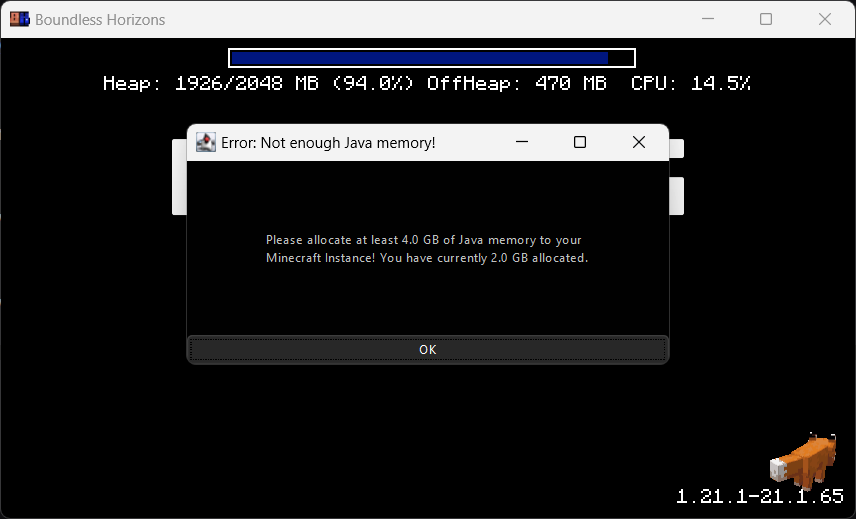
Blocks the game window🚧
Make sure the player gets the correct performance experience.
Play a sound when Minecraft finished loading 🔊
Directly know when Minecraft started when beeing in the background.
<iframe src="https://www.youtube-nocookie.com/embed/h2eBoIoq5vw" title="YouTube video player" frameborder="0" allow="accelerometer; autoplay; clipboard-write; encrypted-media; gyroscope; picture-in-picture; web-share" allowfullscreen></iframe>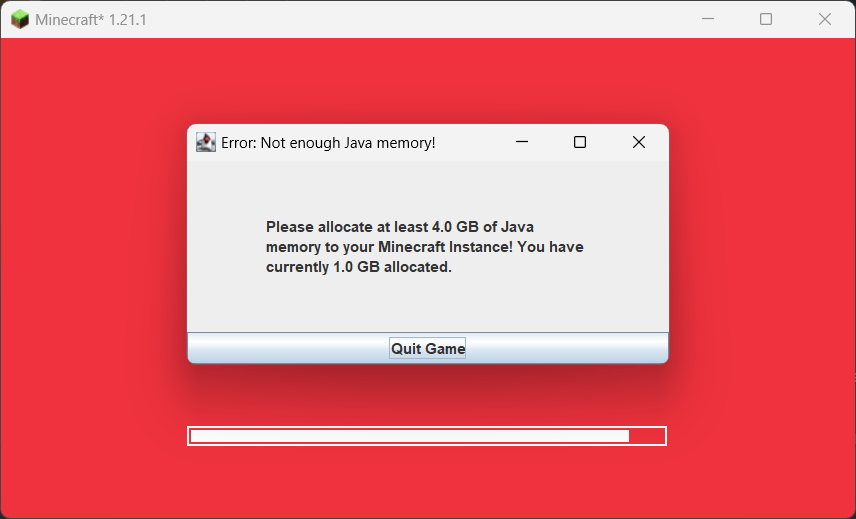
| Version | Minecraft | Loader | Download |
|---|---|---|---|
|
Load Support 1.2.2 1.2.2 |
1.21.6, 1.21.7, 1.21.8
|
neoforge
|
Download |
|
Load Support 1.2.2 1.2.2 |
1.21.6, 1.21.7, 1.21.8
|
fabric
|
Download |
|
Load Support 1.2.1 1.2.1 |
1.21.6
|
neoforge
|
Download |
|
Load Support 1.2.1 1.2.1 |
1.21.6
|
fabric
|
Download |
|
Load Support 1.2.1 1.2.1 |
1.21.1, 1.21.2, 1.21.3, 1.21.4, 1.21.5
|
neoforge
|
Download |
|
Load Support 1.2.1 1.2.1 |
1.21.1, 1.21.2, 1.21.3, 1.21.4, 1.21.5
|
fabric
|
Download |
|
Load Support 1.2.0 1.2.0 |
1.21.1, 1.21.2, 1.21.3, 1.21.4, 1.21.5
|
neoforge
|
Download |
|
Load Support 1.2.0 1.2.0 |
1.21.1, 1.21.2, 1.21.3, 1.21.4, 1.21.5
|
fabric
|
Download |
|
Load Support 1.1.0-fabric-1.21.1 1.1.0 |
1.21.1
|
fabric
|
Download |
|
Load Support 1.1.0-neoforge-1.21.1 1.1.0 |
1.21.1
|
neoforge
|
Download |
|
Load Support 1.0.0-fabric-1.21.1 1.0.0 |
1.21.1
|
fabric
|
Download |
|
Load Support 1.0.0-neoforge-1.21.1 1.0.0 |
1.21.1
|
neoforge
|
Download |