

Native support for both Fabric and NeoForge. Just drop the JAR into your mods folder.~~~~
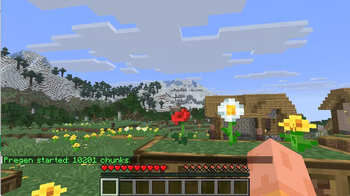
Type /pregen 50 to safely generate all chunks within 50 chunks of your location. No more lag spikes when exploring, flying, or traveling through the Nether. Lightweight, safe, and runs on the main server thread.
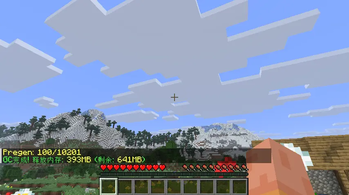
Type /lon memory gc to manually trigger garbage collection and see exactly how much memory was freed. Perfect for reclaiming RAM after heavy chunk generation or long play sessions. Works alongside the built-in auto GC for complete memory control.
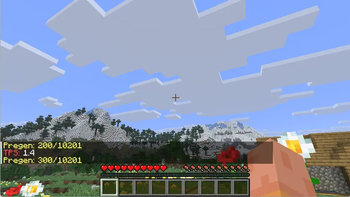
Type /lon tps to instantly see your server's ticks per second, color-coded from green (smooth) to red (lagging). Spot performance issues before they ruin gameplay—no more guessing why the game feels sluggish.
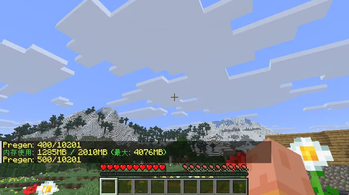
Type /lon memory to instantly view used, allocated, and maximum memory. Stay aware of your game's memory footprint without leaving the game—essential for diagnosing lag on low-end PCs.
| Version | Minecraft | Loader | Download |
|---|---|---|---|
|
Lon_26.2_neoforge-1.0.0 |
26.2
|
neoforge
|
Download |
|
Lon_26.2_fabric-1.0.1 |
26.2
|
fabric
|
Download |
|
Lon_26.2_Fabric_1.0.0 |
26.2
|
fabric
|
Download |
|
Lon 1.6.1 Lon1.6.1 |
26.2
|
neoforge
|
Download |
|
Lon1.6 |
26.2
|
fabric
|
Download |
|
Lon 1.5.0 Lon1.5 |
26.1.2
|
fabric
|
Download |
|
Lon 1.4.1 Lon1.4.1 |
26.1.2
|
neoforge
|
Download |
|
Lon 1.4 Lon1.4 |
26.1.2
|
fabric
|
Download |
|
Lon 1.3 Lon1.3 |
26.1.2
|
fabric
|
Download |
|
Lon1.2 |
26.1.2
|
fabric
|
Download |
|
Lon1.1 |
26.1.2
|
fabric
|
Download |
|
Lon 1.0 Lon1.0 |
26.1.2
|
fabric
|
Download |