

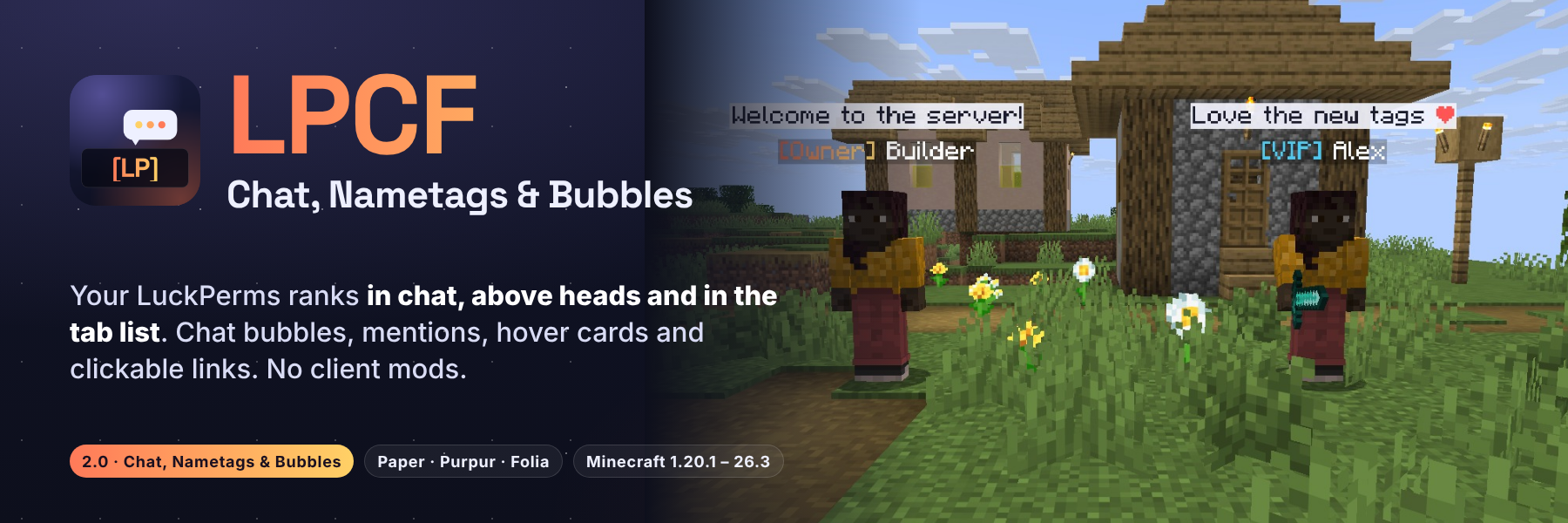
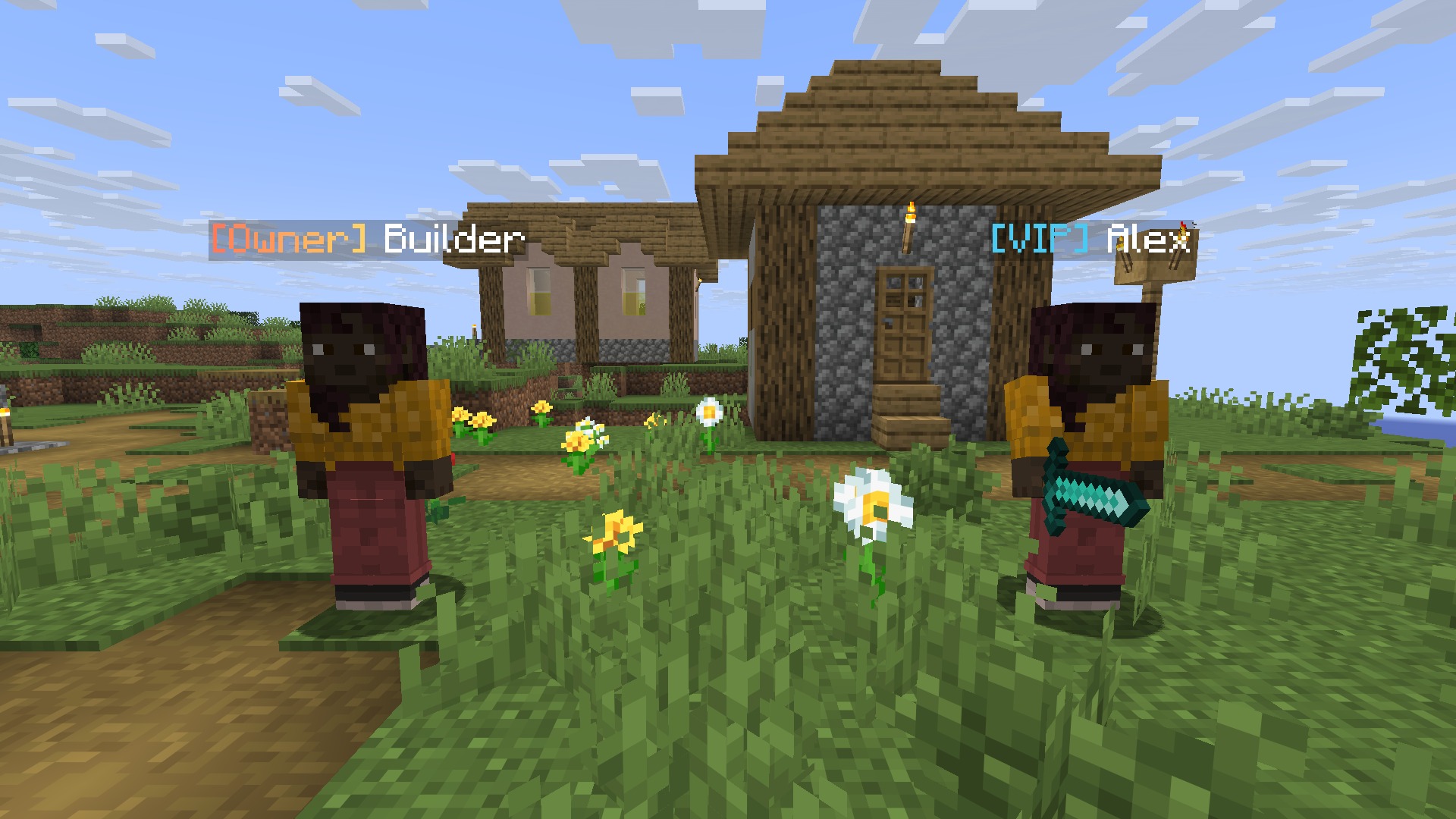
Your LuckPerms ranks everywhere players look. LPCF puts your prefixes in chat, above every player's head and
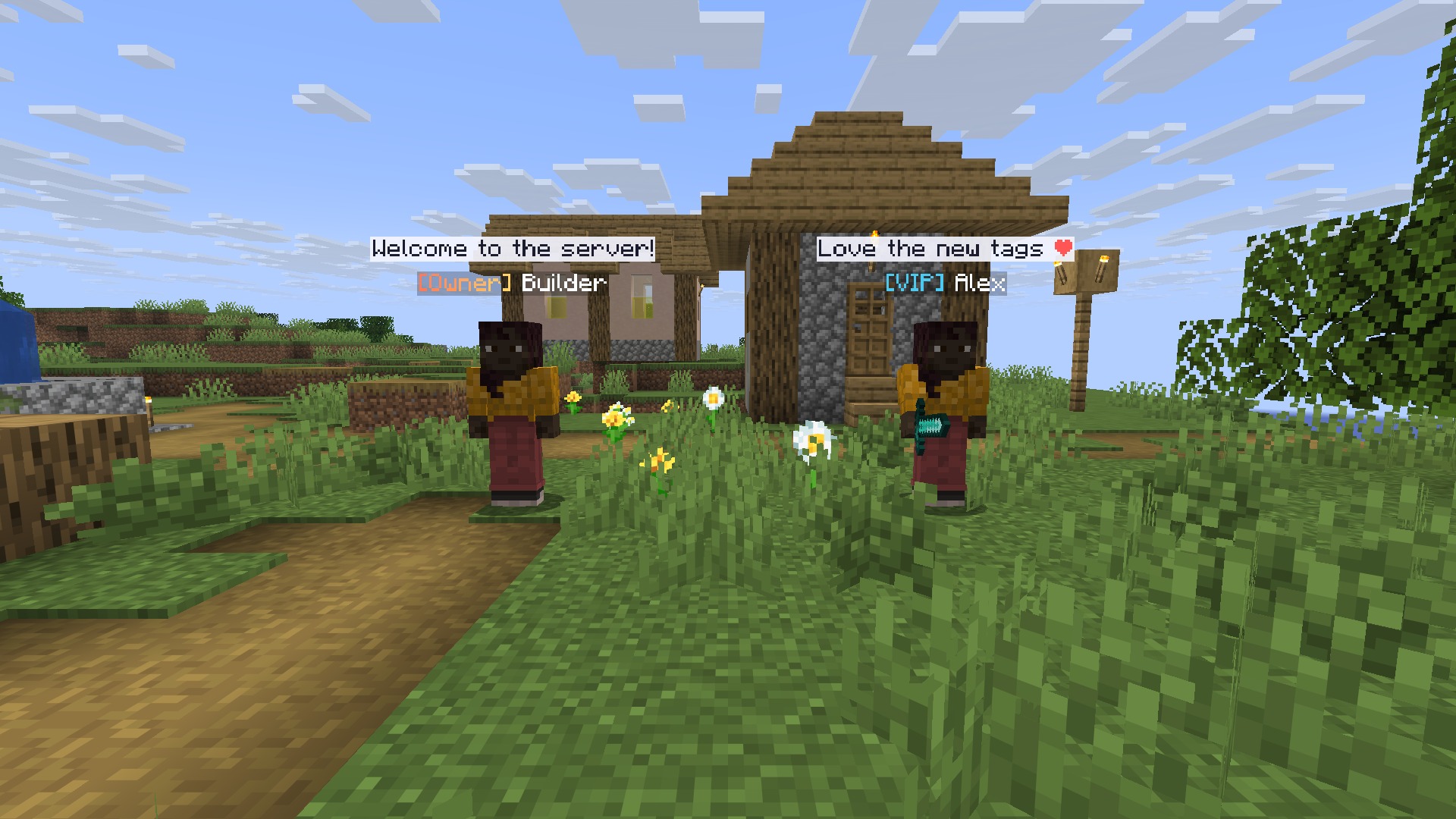
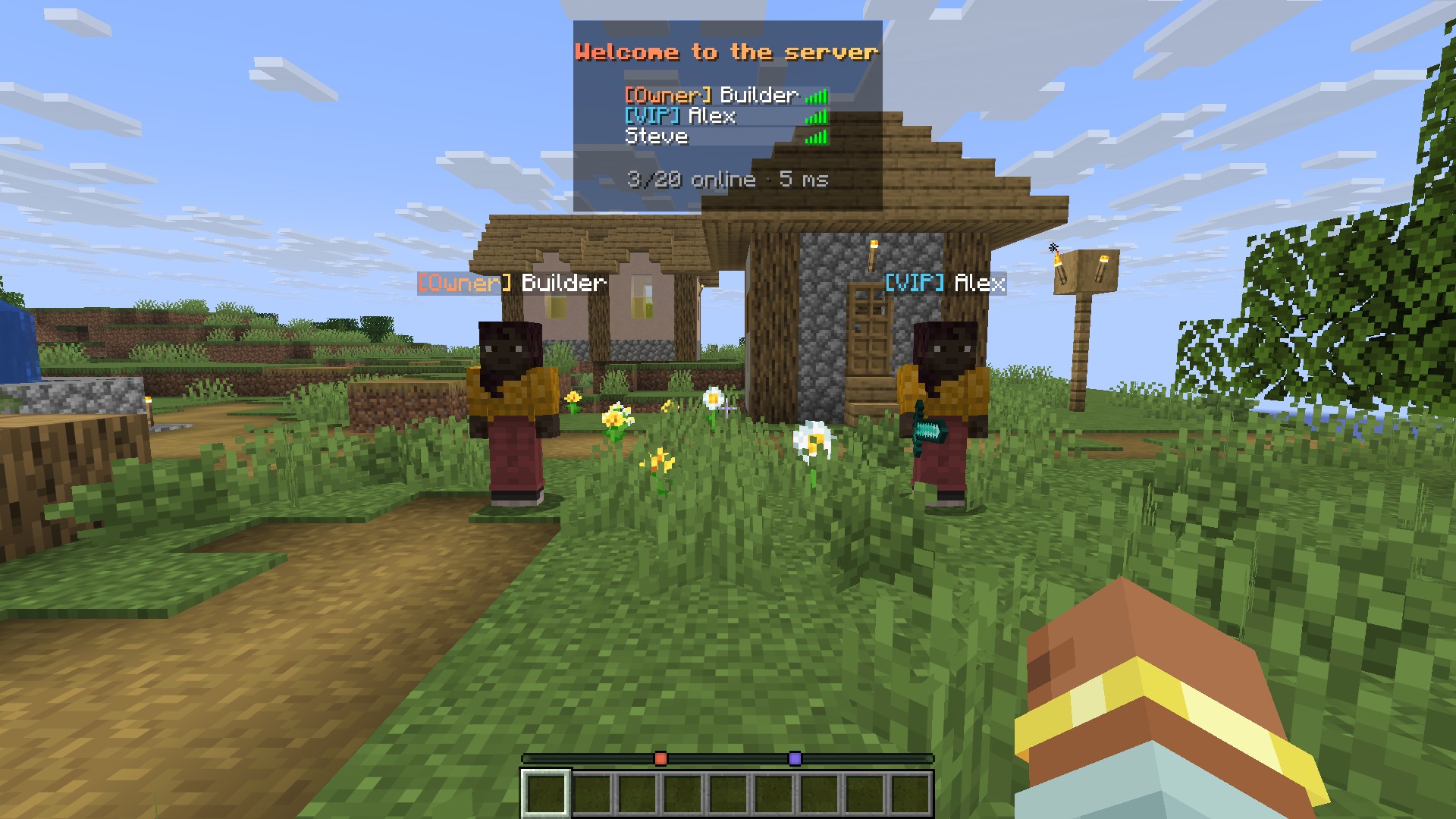
in the tab list, with full gradients and hex colours. Public chat pops up as a bubble over the speaker, names in
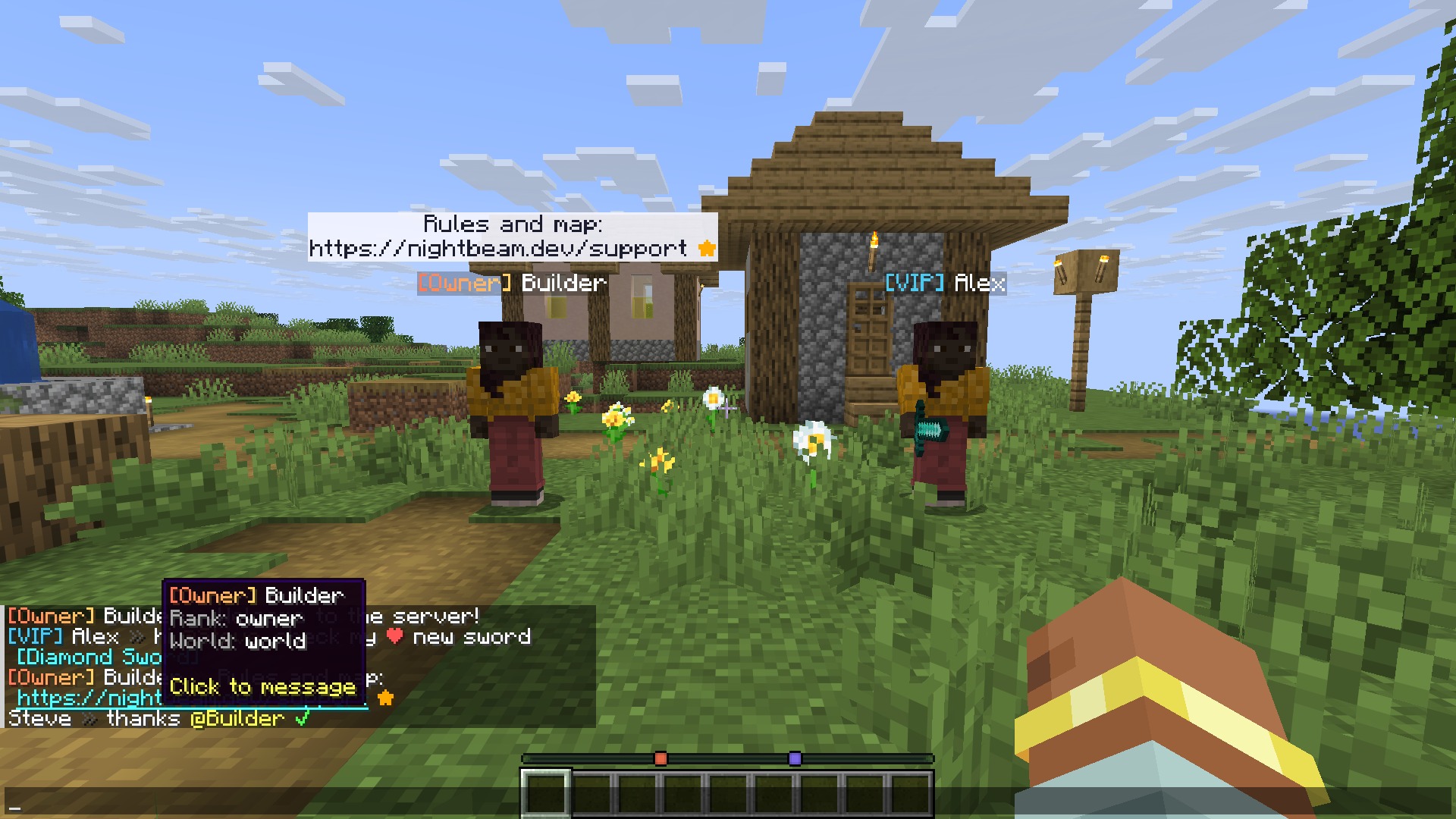
chat show a hover card and open a private message on click, and @mentions ping the player. Nothing to install on
the client: no mod, no resource pack, no ProtocolLib.
Paper, Purpur and Folia · Minecraft 1.20.1 to 26.3 in one jar · LuckPerms required, PlaceholderAPI optional

Version 2.0, Chat, Nametags & Bubbles, turns a chat formatter into the rank display for your whole server:
- Nametags above heads made of text displays: gradients, hex colours, several lines, PlaceholderAPI, and on Folia too
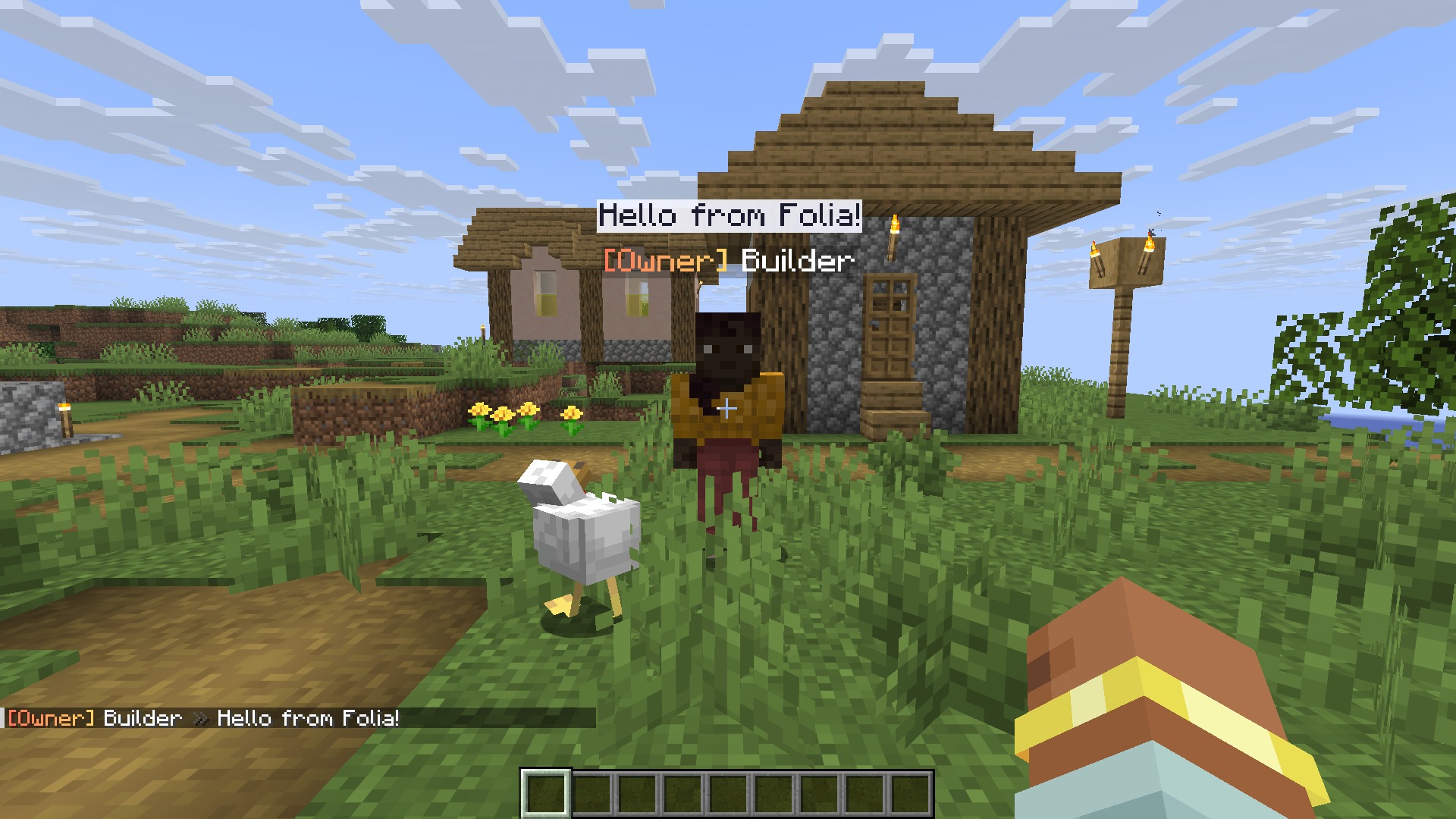
- Chat bubbles over the player who is talking
- Hover cards and click-to-message on names, @mentions with a ping, clickable links, emoji shortcuts
- Tab list sorted by LuckPerms weight, with a header and footer
- Join, first-join and quit messages per group, and world formats
/lpcf debuganswers "why is my prefix not showing?"- Safer chat: what players type can no longer trigger placeholders or click events
- 1.20.1 and 1.21.x work again (1.2.4 and 1.2.5 only loaded on 26.x), and your 1.x config carries over

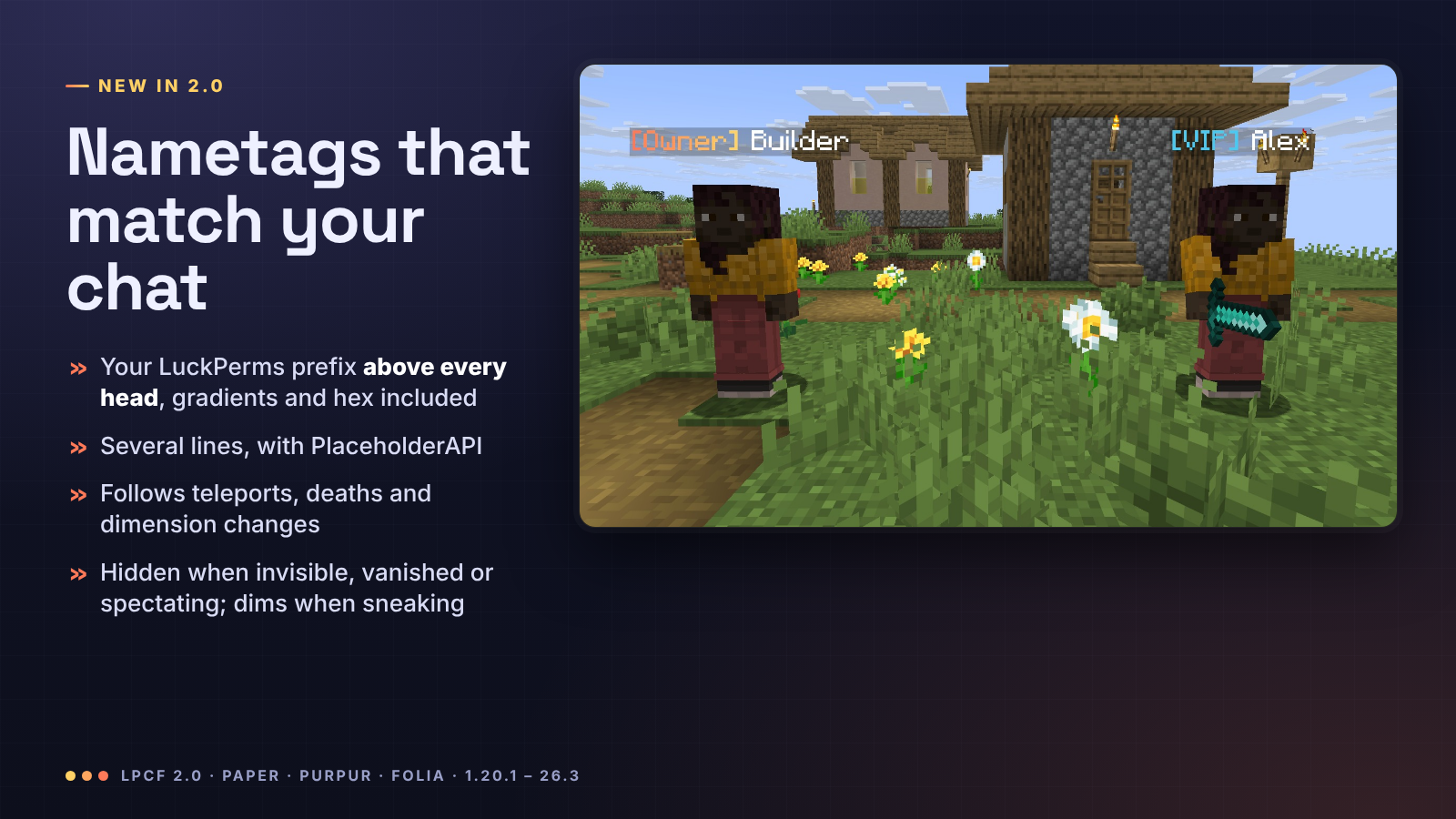
Every player gets a nametag built from nametags.lines in config.yml: your LuckPerms prefix, suffix and meta,
gradients, hex colours, as many lines as you like and any PlaceholderAPI placeholder (health, guild, level...).
- It refreshes by itself when you change a rank in LuckPerms
- It follows teleports, deaths, respawns and dimension changes, and works with
/home,/spawnand/tpaplugins - It hides while the player is invisible, in spectator mode, dead or vanished, and dims while they sneak
- Players never see their own tag in front of their camera
- The vanilla name is hidden underneath, on Folia too (Folia has no scoreboard teams; there the tag rides the player, and Minecraft does not draw the name of a player carrying something)
- Prefer the old way?
nametags.style: teamkeeps classic scoreboard-team nametags

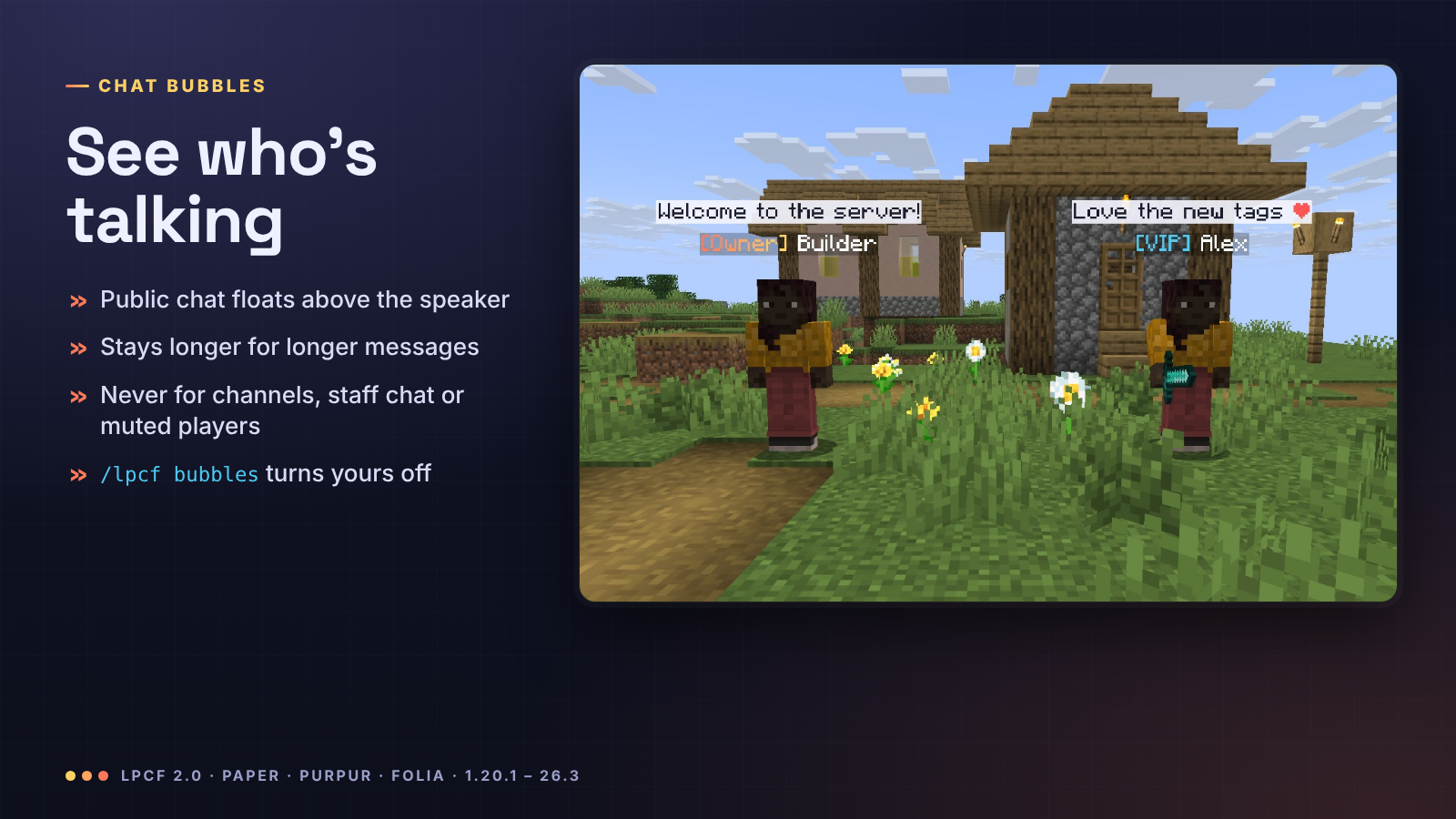
When a player chats, the message floats above their head for 3 to 10 seconds (longer messages stay longer), so
everyone nearby sees who said what. Only messages that reach every player get a bubble: when another plugin sends a
message to a channel, staff or party chat only, or cancels it (a mute), there is no bubble. Players turn their own
bubbles off with /lpcf bubbles off.

- Formats per LuckPerms group, per track and per world, falling back to
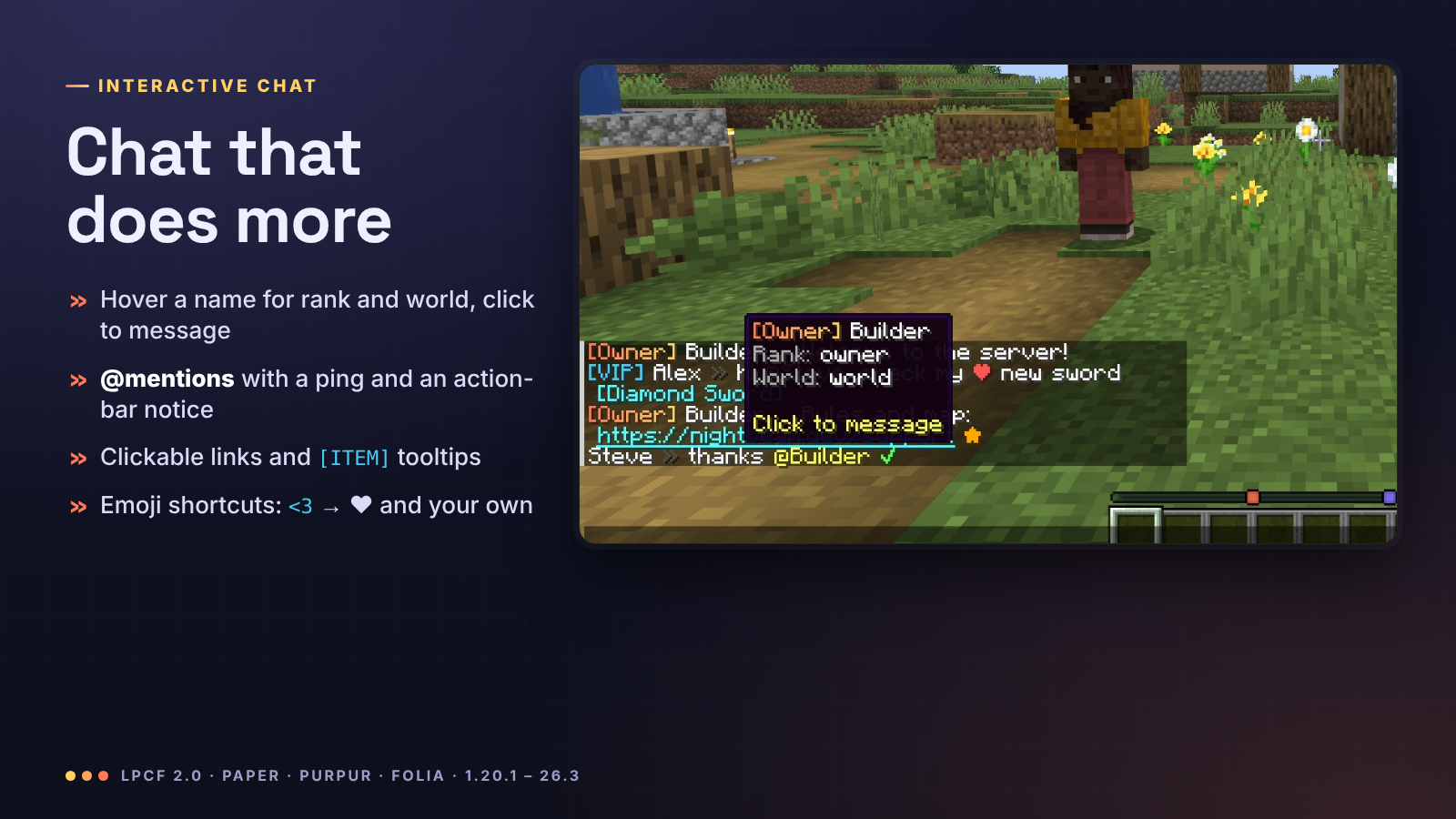
chat-format, in MiniMessage or&/&#RRGGBBcodes, with{prefix},{suffix},{group},{world},{username-color},{message-color}and PlaceholderAPI - Hover a name to see the player's rank and world (your lines), click it to start a
/msg - Mentions:
@Steveor justSteveis highlighted, and Steve hears a ping and sees "Alex mentioned you" - Links become clickable,
[ITEM]shows the held item with its tooltip - Emoji shortcuts:
<3→ ❤,:star:→ ★,:check:→ ✔,:shrug:→ ¯\_(ツ)_/¯, and any you add

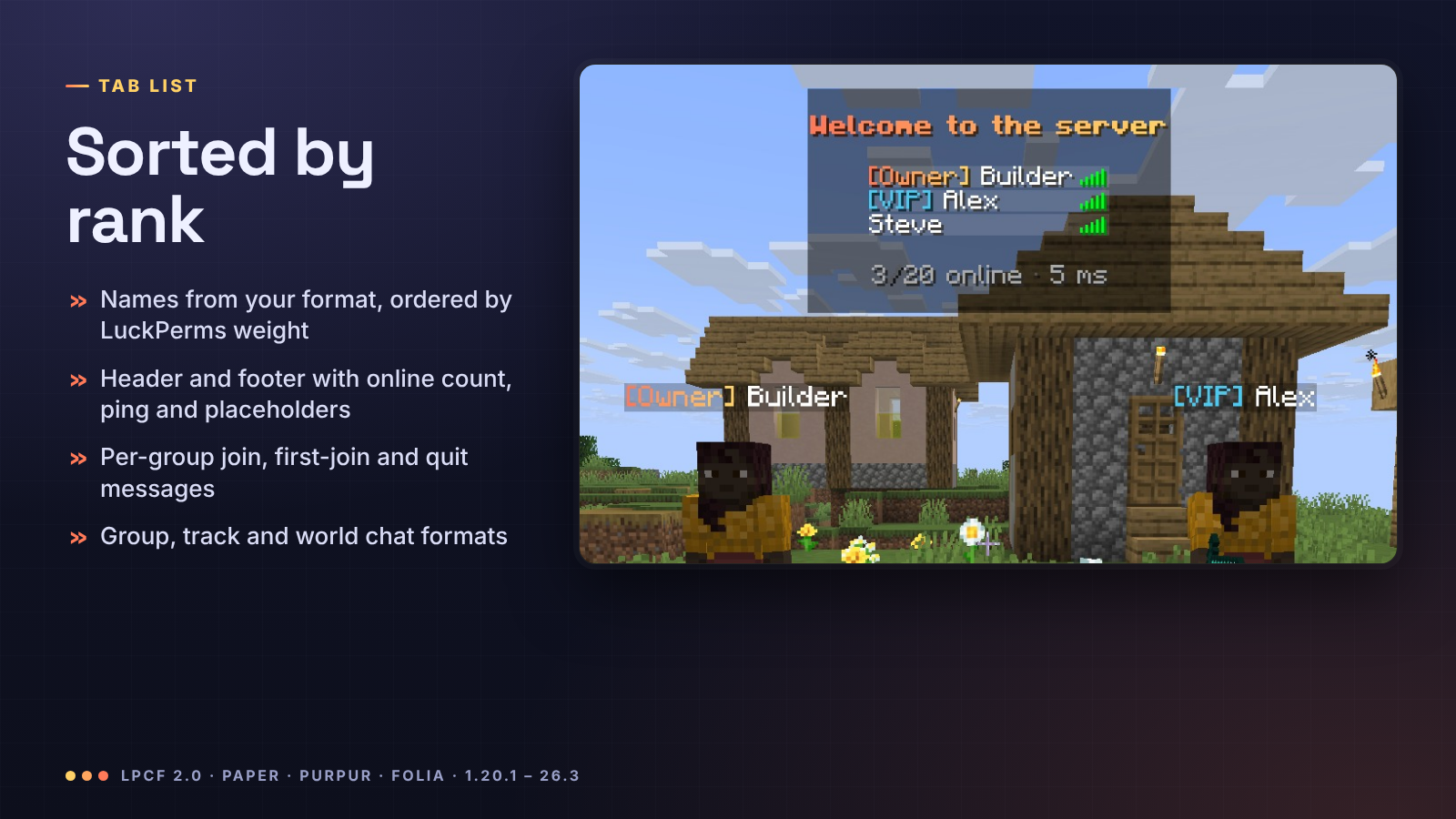
The tab list shows your nametag-format, sorted by LuckPerms weight (highest first: the group weight on 1.21.2 and
newer, Folia included; the prefix weight through team names before that, except on Folia), under a header and footer
with {online}, {max-players}, {ping} and placeholders. Join, first-join and quit messages can differ per group.

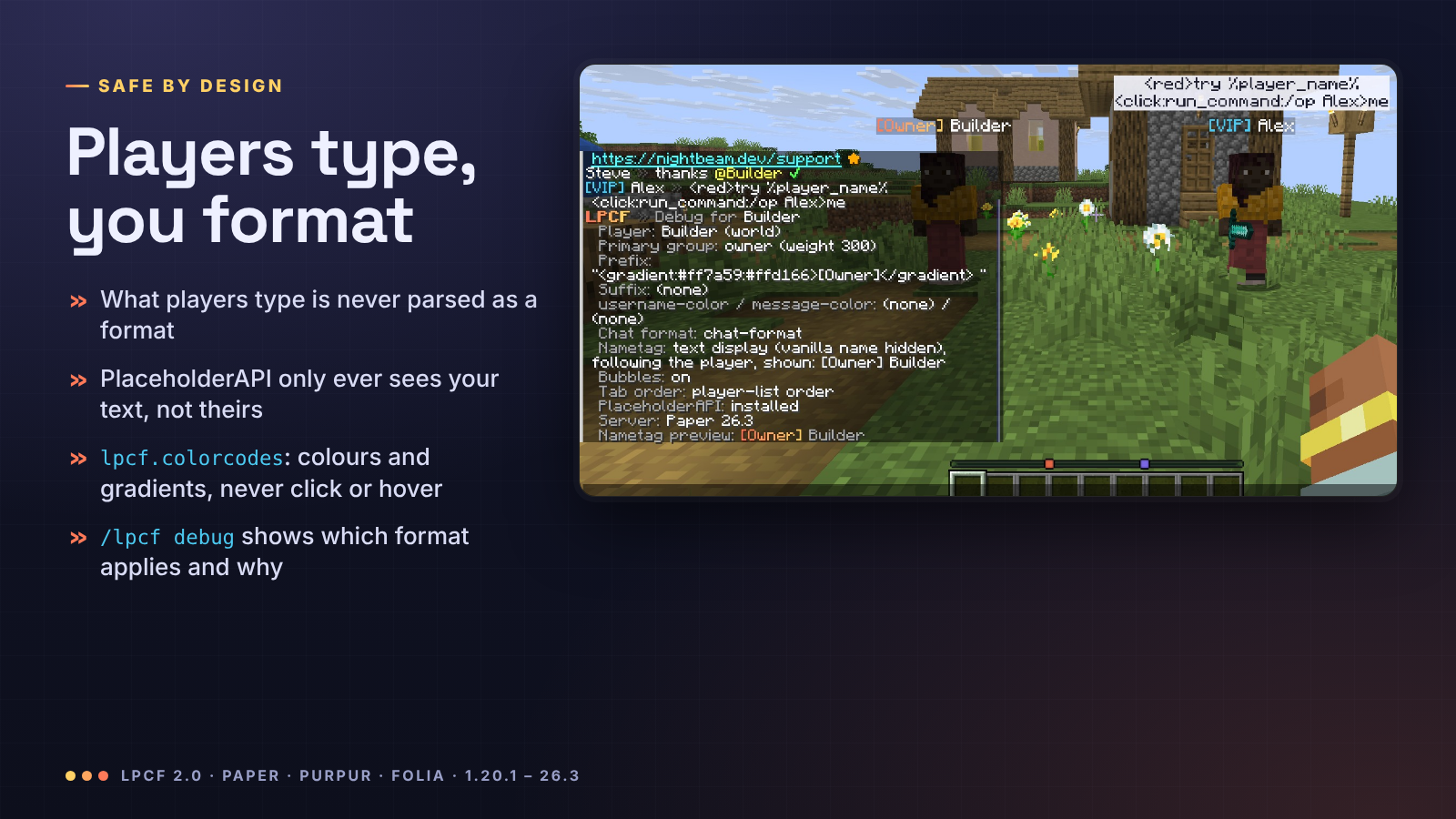
What players type is added to the chat line after your format is read, so it is never treated as a format and never
reaches PlaceholderAPI: typing %player_ip% or <click:run_command:/op me> just shows those characters.
lpcf.colorcodes lets trusted players use colours, decorations, gradients and rainbow, but never click or hover events.
/lpcf debug <player> lists the player's group and weight, prefix, suffix, meta colours, which chat format applies
and why, and what their nametag shows.

| Command | Permission | Default | What |
|---|---|---|---|
/lpcf reload |
lpcf.reload |
op | Reload config.yml |
/lpcf debug [player] |
lpcf.debug |
op | Group, prefix, suffix, chosen format, nametag |
/lpcf preview <message> |
lpcf.preview |
op | Your chat line, shown only to you |
/lpcf bubbles [on/off] |
lpcf.bubbles.toggle |
everyone | Your own chat bubbles |
Other permissions: lpcf.colorcodes (styling in chat, nobody by default), and lpcf.mention, lpcf.links,
lpcf.replacements, lpcf.itemplaceholder, lpcf.bubbles (everyone by default). lpcf.admin grants the admin commands.

chat-format: "{prefix}{username-color}{name}<dark_gray> »<reset> {message-color}{message}"
group-formats:
  admin: "<gradient:#ff5f6d:#ffc371>[Admin]</gradient> {name}<dark_gray> »<reset> {message}"

nametags:
  style: auto        # auto (text displays), team (scoreboard teams), off
  lines:
    - "{prefix}{username-color}{name}{suffix}"
    - "<red>❤ %player_health_rounded%"

bubbles:
  enabled: true
  format: "<#1b1d2e>{message}"
  background: "#E8F4F5FF"   # #AARRGGBB, or "default" for the vanilla nametag background

tab:
  sort-by-weight: true
  header-footer:
    enabled: true
Upgrading from 1.x: replace the jar and restart. Your plugins/LuckPermsChatFormatterFolia folder moves to
plugins/LPCF, the old config is kept as config-1.x-backup.yml, and the new settings are added with their
explanations. Your nametags keep showing your old nametag-format, now with full colours. The full reference is in
the README.

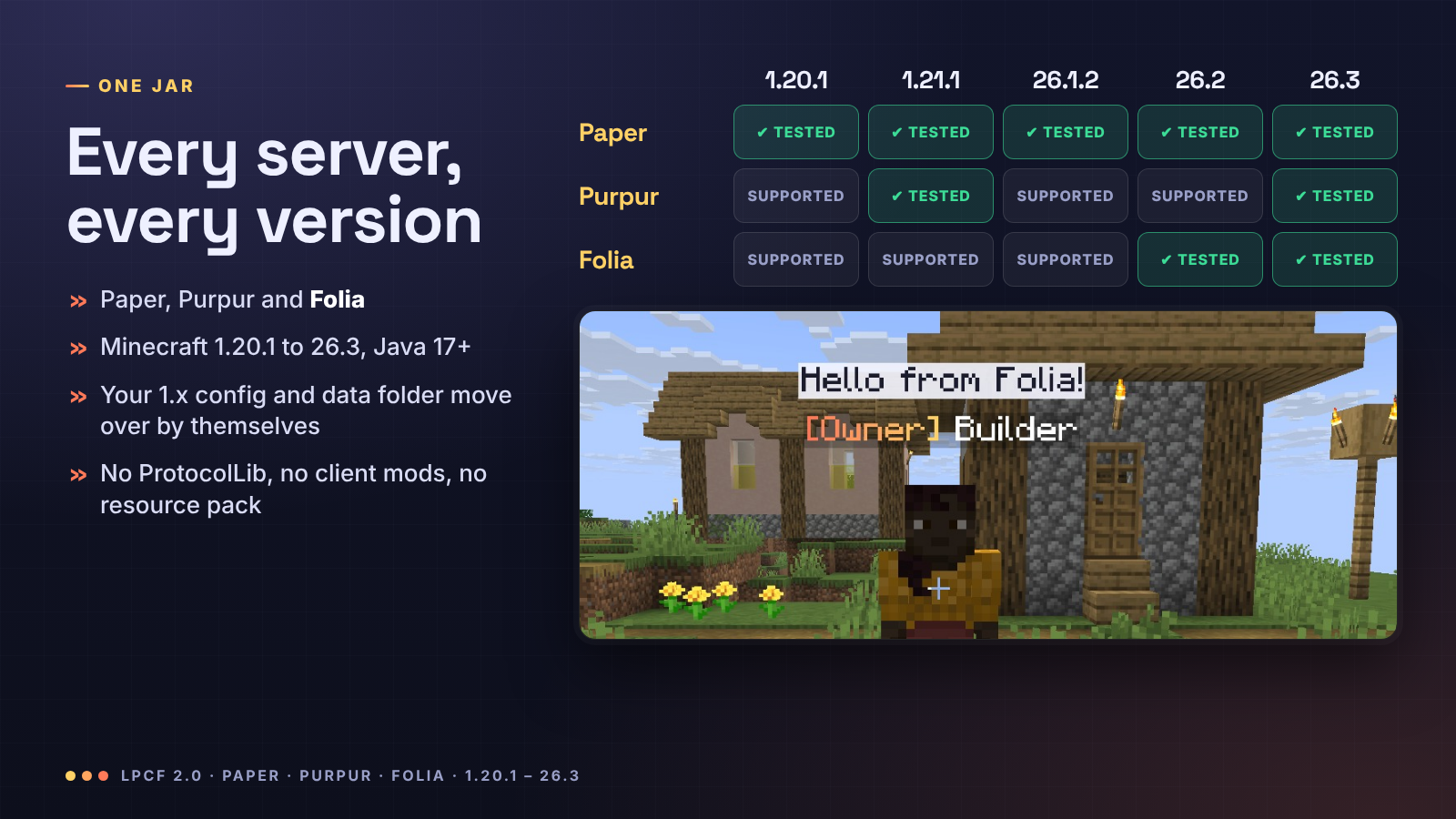
| Server | Minecraft | Notes |
|---|---|---|
| Paper | 1.20.1 to 26.3 | Everything |
| Purpur | 1.20.1 to 26.3 | Everything |
| Folia | 1.20.1 to 26.3 | Everything except the classic nametags.style: team (Folia has no scoreboard teams) |
One file, LPCF-2.0.0.jar, for all of them (Java 17 or newer, whatever your server already runs). Tested in game with
real clients on Paper 1.20.1, 1.20.4, 1.21.1, 1.21.11, 26.1.2, 26.2 and 26.3, Purpur 1.21.1 and 26.3, and Folia
26.2 and 26.3. Requires LuckPerms; PlaceholderAPI is optional. Spigot is not supported (LPCF needs Paper's chat API).

Do players need a mod or resource pack? No. Nametags and bubbles are vanilla text displays that every client already shows.
Does it work with my tab or scoreboard plugin? Chat and bubbles always do. Above-head nametags hide the vanilla
name with a scoreboard team, like any nametag plugin; if another plugin also manages teams, use one of the two for
nametags (nametags.style: off turns LPCF's off). Turn off LPCF's tab header with tab.header-footer.enabled: false.
Will /home, /spawn or /tpa break? No. On Paper and Purpur nothing rides the player: the nametag follows
them, so teleports work exactly as without LPCF. On Folia the tag rides the player, and Folia teleports the two
together. Both are checked in our tests, through the same API teleport plugins use.
Does it really work on Folia? Yes, with the same nametags, bubbles, chat and tab list as Paper. Folia has no
scoreboard teams, so the classic nametags.style: team does nothing there; the default text-display nametags ride the
player on Folia, which also hides the vanilla name.
Do vanished players keep their tag? No: players with the vanished metadata that vanish plugins set, invisible
players and spectators have no tag and no bubbles.
My prefix does not show. Run /lpcf debug <player>: it shows what LuckPerms returns and which format is used.


Discord · Source and issues · Support us · Made by NightBeam Studio

| Version | Minecraft | Loader | Download |
|---|---|---|---|
|
LPCF 2.0.0 2.0.0 |
1.20.1, 1.20.2, 1.20.3, 1.20.4, 1.20.5, 1.20.6, 1.21, 1.21.1, 1.21.2, 1.21.3, 1.21.4, 1.21.5, 1.21.6, 1.21.7, 1.21.8, 1.21.9, 1.21.10, 1.21.11, 26.1, 26.1.1, 26.1.2, 26.2, 26.3
|
folia, paper, purpur
|
Download |
|
1.2.5 |
26.1, 26.1.1, 26.1.2, 26.2, 26.3
|
folia, paper, purpur
|
Download |
|
1.2.4 |
26.1, 26.1.1, 26.1.2, 26.2, 26.3
|
folia, paper, purpur
|
Download |
|
1.2.3 |
1.20.1, 1.20.2, 1.20.3, 1.20.4, 1.20.5, 1.20.6, 1.21, 1.21.1, 1.21.2, 1.21.3, 1.21.4, 1.21.5, 1.21.6, 1.21.7, 1.21.8, 1.21.9, 1.21.10, 1.21.11, 26.1, 26.1.1, 26.1.2, 26.2
|
folia, paper, purpur
|
Download |
|
LPCF 1.2.2 1.2.2 |
1.20.1, 1.20.2, 1.20.3, 1.20.4, 1.20.5, 1.20.6, 1.21, 1.21.1, 1.21.2, 1.21.3, 1.21.4, 1.21.5, 1.21.6, 1.21.7, 1.21.8, 1.21.9, 1.21.10, 1.21.11, 26.1, 26.1.1, 26.1.2, 26.2
|
folia, paper, purpur
|
Download |
|
1.2.0 |
1.20.1, 1.20.2, 1.20.3, 1.20.4, 1.20.5, 1.20.6, 1.21, 1.21.1, 1.21.2, 1.21.3, 1.21.4, 1.21.5, 1.21.6, 1.21.7, 1.21.8, 1.21.9, 1.21.10, 1.21.11, 26.1, 26.1.1, 26.1.2, 26.2
|
folia, paper, purpur
|
Download |
|
LPCF - Chat Formatter 1.1.1 1.1.1 |
1.20.1, 1.20.2, 1.20.3, 1.20.4, 1.20.5, 1.20.6, 1.21, 1.21.1, 1.21.2, 1.21.3, 1.21.4, 1.21.5, 1.21.6, 1.21.7, 1.21.8, 1.21.9, 1.21.10, 1.21.11, 26.1
|
bukkit, folia, paper, purpur, spigot
|
Download |
|
LPCF - Chat Formatter 1.1.0 1.1.0 |
1.20, 1.20.1, 1.20.2, 1.20.3, 1.20.4, 1.20.5, 1.20.6, 1.21, 1.21.1, 1.21.2, 1.21.3, 1.21.4, 1.21.5, 1.21.6, 1.21.7, 1.21.8, 1.21.9, 1.21.10, 1.21.11
|
bukkit, folia, paper, purpur, spigot
|
Download |
|
LPCF - Chat Formatter 1.0.1 1.0.1 |
1.20, 1.20.1, 1.20.2, 1.20.3, 1.20.4, 1.20.5, 1.20.6, 1.21, 1.21.1, 1.21.2, 1.21.3, 1.21.4, 1.21.5, 1.21.6, 1.21.7, 1.21.8, 1.21.9, 1.21.10, 1.21.11
|
bukkit, folia, paper, purpur, spigot
|
Download |
|
LPCF - Chat Formatter Folia 1.0.0 1.0.0 |
1.21, 1.21.1, 1.21.2, 1.21.3, 1.21.4, 1.21.5, 1.21.6, 1.21.7, 1.21.8, 1.21.9, 1.21.10, 1.21.11
|
bukkit, folia, paper, purpur, spigot
|
Download |