

How To Use
This is a Keystrokes Like Lunar client. You can change Keystrokes position by typing /keystrokes.
You can change cps counter position by typing /cpsmod
You can change cps counter position by typing /fpsmod
FEATURES
W,A,S,D,Space Bar,Right mouse button,Left mouse button Available
Rainbow Keystrokes Available.

The default color is selected as orange.


3 options to pick a color. 1. Slider. 2. Hex Code. & 3. RGB Code.

The default color is selected as orange, and the pressed color is selected as green.

The default color is selected as orange, and the pressed color is selected as green.

The default color is selected as orange, and the pressed color is selected as green.
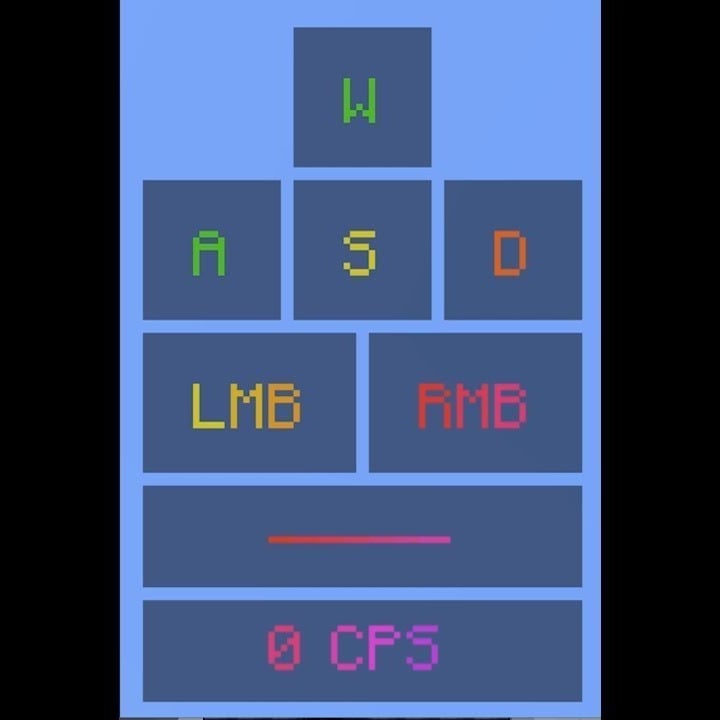
older version
| Version | Minecraft | Loader | Download |
|---|---|---|---|
|
Lunar Keystrokes V3.1.1 - Config & Layout Update 3.1.1 |
1.8.9
|
forge
|
Download |
|
The Modular & HUD Architecture Update 3.1 |
1.8.9
|
forge
|
Download |
|
Full Control 3 |
1.8.9
|
forge
|
Download |
|
[1.8.9] Lunar Keystrokes V2 2 |
1.8.9
|
forge
|
Download |
|
Lunar keystrokes V1 1 |
1.8.9
|
forge
|
Download |