

- Special Items that use vanilla functions, remember that I do not recommend changing the name of any item to another name. Some items need their original name to function correctly.
✨ Special Items ✨
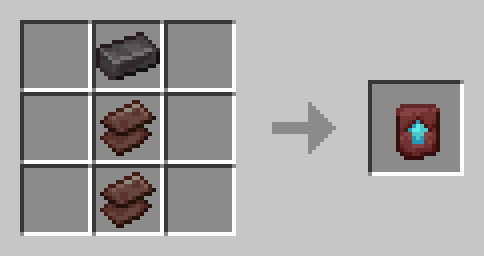
🕒 Time Lapse (Craft and Function)
- updated the texture in 1.0.2
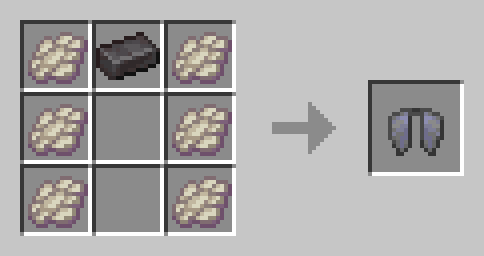
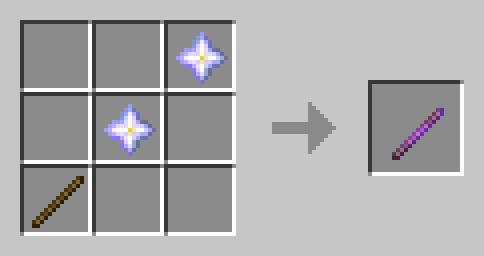
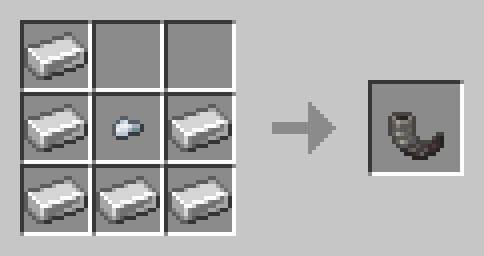
- Alternative Recipe:

- texture by sukuro120
✂️ Sticky Shears (Craft and Function)
- updated the texture in 1.0.2
- texture by iloveflareon
- code by user3991382g
🎒 Infinite Bundle Storage (Function and Craft)
<iframe width="560" height="315" src="https://www.youtube-nocookie.com/embed/-ObsVra_Un8" title="YouTube video player" frameborder="0" allow="accelerometer; autoplay; clipboard-write; encrypted-media; gyroscope; picture-in-picture; web-share" allowfullscreen></iframe>
- code by user3991382g
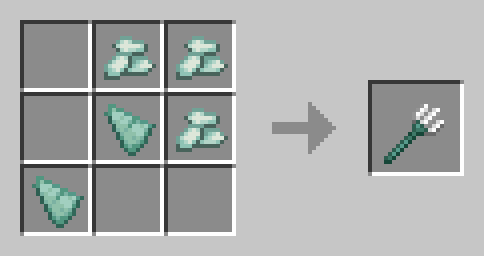
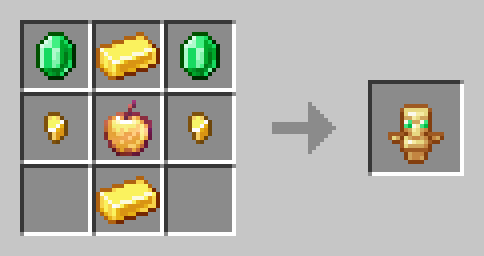
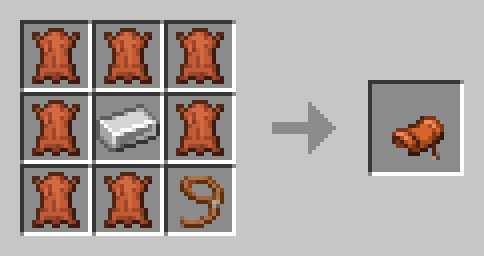
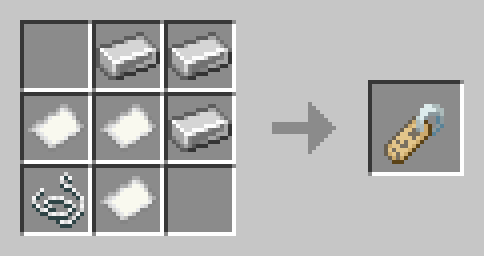
🛑 Stop Mobs (Function and Craft)
- updated the texture in 1.0.2
- Alternative recipe:

📦🗝️ Locked Barrel and Key (Function and Craft)
- updated the key texture in 1.0.2
- 📦 Locked Barrel Craft

- 🗝️ Key Craft

🖼️ Invisible Item Frame and Invisible Glow Item Frame (Function and Craft)
- new craft in 1.0.1 only.
🌎 Compass Counter (Craft and Function)
<iframe width="560" height="315" src="https://www.youtube-nocookie.com/embed/xW71YqH51CY" title="YouTube video player" frameborder="0" allow="accelerometer; autoplay; clipboard-write; encrypted-media; gyroscope; picture-in-picture; web-share" allowfullscreen></iframe>- If you pick up the item in your hand, its coordinates will appear, the number of days that have passed, and the exact time of day/night you are at.
- If you use the /time set day command, it will reset the day count.
- texture by sukuro120
🎆 Rainbow Firework (Craft and Function)
<iframe width="560" height="315" src="https://www.youtube-nocookie.com/embed/Sog42u52yKQ" title="YouTube video player" frameborder="0" allow="accelerometer; autoplay; clipboard-write; encrypted-media; gyroscope; picture-in-picture; web-share" allowfullscreen></iframe>- a Custom Rocket Firework.
- Special Mobs that are from Minecraft itself but don't appear in vanilla as easily, or that are only possible through commands, but now you can craft their eggs and spawn them in the world easily.
🧟 Special Mobs 🧟
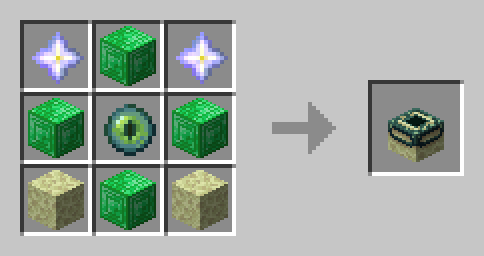
Charged Creeper Spawn Egg


- Explosion Radius: 3 -> 4
- Knockback Resistance: 0% -> 50% (0.5)
Killer Bunny Spawn Egg


- not changes in the behavior for now.
Giant Zombie Spawn Egg


- not changes in the behavior for now.
Illusioner Spawn Egg


- not changes in the behavior for now.
Skeleton Horse Trap Spawn Egg


- not changes in the behavior for now.
Snow Fox Spawn Egg


- not changes in the behavior for now.
- Special Functions that work together with vanilla Minecraft, to make your experience even better, without damaging your game.
📈 Special Functions (util) 📈
Bucket in Cauldron
<iframe width="560" height="315" src="https://www.youtube-nocookie.com/embed/3PuPiJIYY34" title="YouTube video player" frameborder="0" allow="accelerometer; autoplay; clipboard-write; encrypted-media; gyroscope; picture-in-picture; web-share" allowfullscreen></iframe>- If the cauldron is filled with liquid(water, lava and powder snow), you can drop the bucket on top of it, which will automatically fill it with the liquid contents.
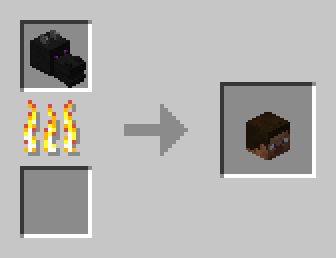
Mob Head & Player Head Drop if die (Add-on)
<iframe width="560" height="315" src="https://www.youtube-nocookie.com/embed/AUeZ5doPD6I" title="YouTube video player" frameborder="0" allow="accelerometer; autoplay; clipboard-write; encrypted-media; gyroscope; picture-in-picture; web-share" allowfullscreen></iframe>- MOB HEAD Chance: 0.05% - 0.5% - 1.0%
- PLAYER HEAD Chance: 100%
Creative Mode - One Hit Kill
<iframe width="560" height="315" src="https://www.youtube-nocookie.com/embed/pi0f_KY0ePg" title="YouTube video player" frameborder="0" allow="accelerometer; autoplay; clipboard-write; encrypted-media; gyroscope; picture-in-picture; web-share" allowfullscreen></iframe>- You can Kill any mob with one Hit in Creative Mode.
Item Frame Color (Add-on) by Kikipunk
<iframe width="560" height="315" src="https://www.youtube-nocookie.com/embed/wp-BasrF_iY" title="YouTube video player" frameborder="0" allow="accelerometer; autoplay; clipboard-write; encrypted-media; gyroscope; picture-in-picture; web-share" allowfullscreen></iframe>- You can paint the item frames with dye of any color, you just need to have the dye in hand, crouch and interact with the frame.
- To remove the color, you can break the frame or interact by crouching with a bucket of water in it.
- CREDITS: Kikipunk and Daminator4113
Armor Stand - Arms
<iframe width="560" height="315" src="https://www.youtube-nocookie.com/embed/TeUmwWTTqUM" title="YouTube video player" frameborder="0" allow="accelerometer; autoplay; clipboard-write; encrypted-media; gyroscope; picture-in-picture; web-share" allowfullscreen></iframe>- Drop 2 sticks in Armor Stand to add Arms to he.
Item Timer Counter
<iframe width="560" height="315" src="https://www.youtube-nocookie.com/embed/cfhOmVsQ7qI" title="YouTube video player" frameborder="0" allow="accelerometer; autoplay; clipboard-write; encrypted-media; gyroscope; picture-in-picture; web-share" allowfullscreen></iframe>- When you drop an item or it falls from somewhere, a counter will appear above it, if the counter reaches zero, the item will disappear.
- Special Books Custom books that you can craft, each one can do something different example: Spell Book, Master Spell Book, Armor Stand Manipulation, etc...
📖 Special Books 📖
Master Spell Book
<iframe width="560" height="315" src="https://www.youtube-nocookie.com/embed/7NjR0EIxoAk" title="YouTube video player" frameborder="0" allow="accelerometer; autoplay; clipboard-write; encrypted-media; gyroscope; picture-in-picture; web-share" allowfullscreen></iframe>ADM Book
<iframe width="560" height="315" src="https://www.youtube-nocookie.com/embed/w8n9lYKMMzA" title="YouTube video player" frameborder="0" allow="accelerometer; autoplay; clipboard-write; encrypted-media; gyroscope; picture-in-picture; web-share" allowfullscreen></iframe>Armor Stand Manipulation Book
<iframe width="560" height="315" src="https://www.youtube-nocookie.com/embed/xrV9VTgMVy4" title="YouTube video player" frameborder="0" allow="accelerometer; autoplay; clipboard-write; encrypted-media; gyroscope; picture-in-picture; web-share" allowfullscreen></iframe>Teleport Book (for OP only)
<iframe width="560" height="315" src="https://www.youtube-nocookie.com/embed/mkd6TmHCtxA" title="YouTube video player" frameborder="0" allow="accelerometer; autoplay; clipboard-write; encrypted-media; gyroscope; picture-in-picture; web-share" allowfullscreen></iframe>- texture by: Bold Muddy
Book of Cursed Skulls
<iframe width="560" height="315" src="https://www.youtube-nocookie.com/embed/o3XlzSZnWlA" title="YouTube video player" frameborder="0" allow="accelerometer; autoplay; clipboard-write; encrypted-media; gyroscope; picture-in-picture; web-share" allowfullscreen></iframe>Book of Effects
<iframe width="560" height="315" src="https://www.youtube-nocookie.com/embed/MLvC2oQhoBM" title="YouTube video player" frameborder="0" allow="accelerometer; autoplay; clipboard-write; encrypted-media; gyroscope; picture-in-picture; web-share" allowfullscreen></iframe>Jumpscare Book
<iframe width="560" height="315" src="https://www.youtube-nocookie.com/embed/VUlLHSwUu1A" title="YouTube video player" frameborder="0" allow="accelerometer; autoplay; clipboard-write; encrypted-media; gyroscope; picture-in-picture; web-share" allowfullscreen></iframe>Killing Book
<iframe width="560" height="315" src="https://www.youtube-nocookie.com/embed/3fG7CMYOJ3o" title="YouTube video player" frameborder="0" allow="accelerometer; autoplay; clipboard-write; encrypted-media; gyroscope; picture-in-picture; web-share" allowfullscreen></iframe>SOME BOOK TEXTURES CREDITS:
- Book of Cursed skulls, Book of Effects, Jumpscare Book, Killing Book and More: Husker98 / PAGE
- Teleport Book Texture: Bold Muddy / PAGE
Resource pack(Required) :
- You Need to "extract for [resource pack name]" in 'resourcepacks' folder in .minecraft
Future plans:
- Downgrade to: Pickaxe, Shovel, Hoe.
- Downgrade to: All Armors.
- Uninstall function. (implemented in version 1.0.2)
- More Craft Recipes.
- More Special Items.
- More Special Mobs.
F.A.Q ❓
-
Works on Multiplayer?
- yes, and all add-ons too. (i tested it with my gf, thanks love.)
-
How to uninstall the Datapack? (in version 1.0.2 or above)
- use: /function maat:uninstall
-
I can use this datapack in my server?
- yes, if you want.
-
I really need the Resource Pack?
- yes. (all the custom items have custom texture)
-
Can you add such a feature?
- yes, but if it's something outside my knowledge or the limitations of the datapacks, no.
-
Did you make the textures for the items?
- some yes, others no, all the necessary credits are here on the Datapack page or within the credits.txt file
License
 CC BY 4.0 - Attribution 4.0 International
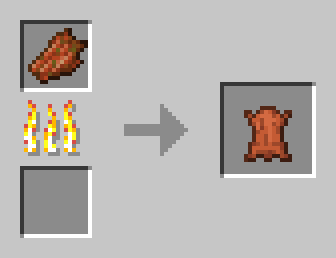
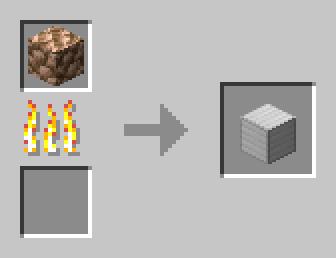
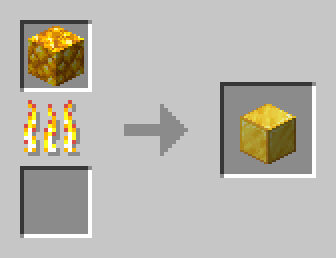
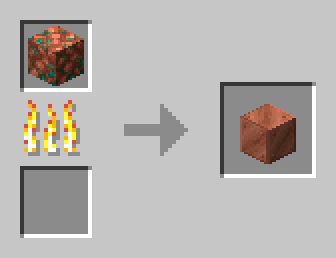
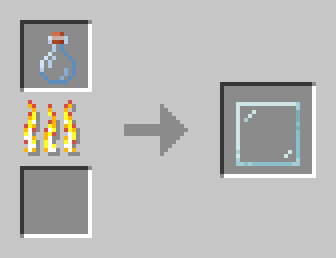
work on campfire too
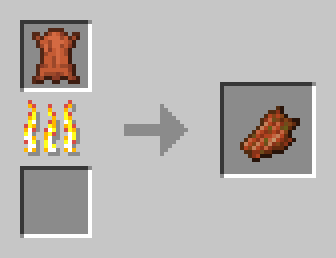
work on campfire too
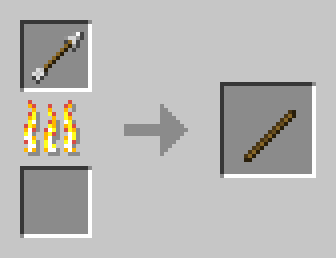
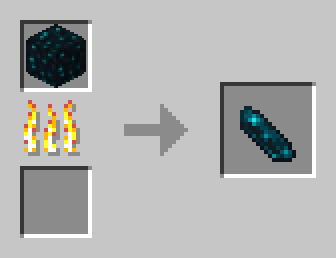
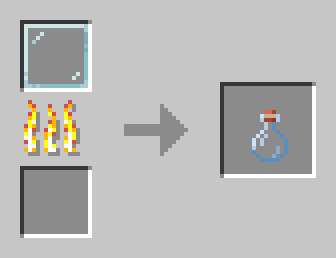
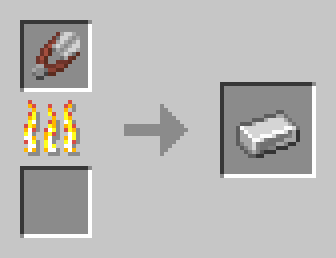
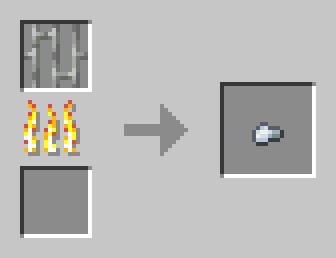
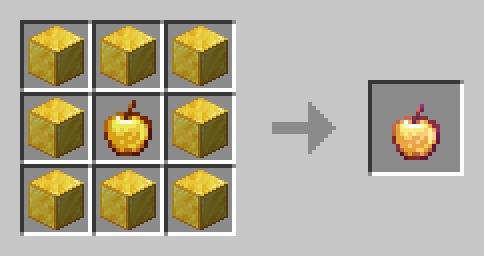
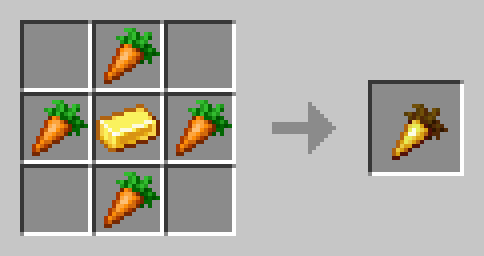
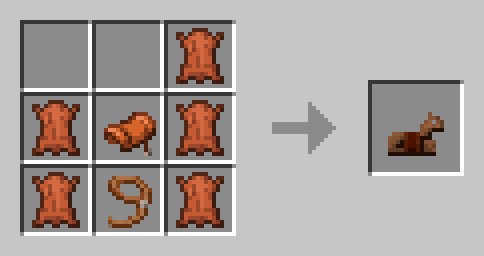
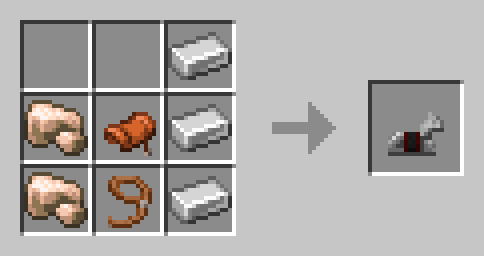
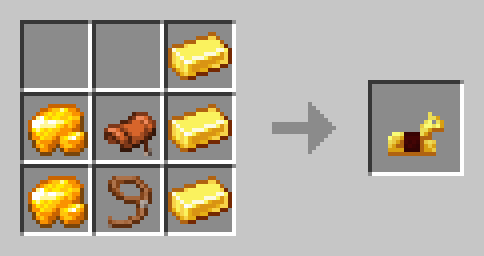
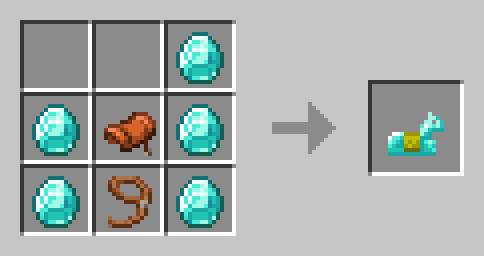
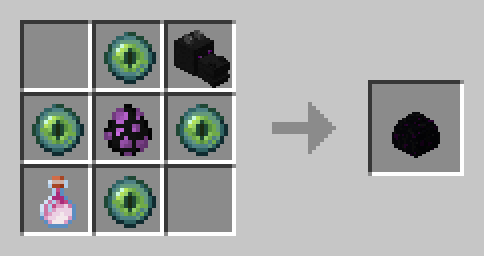
alternative recipe
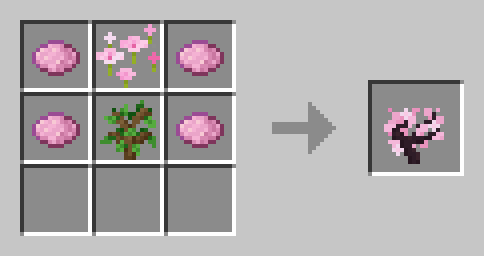
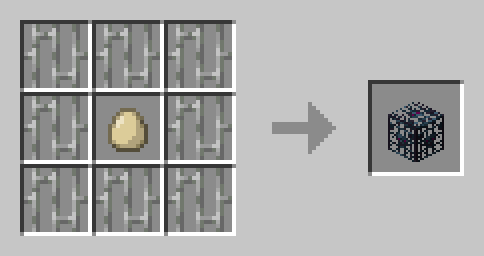
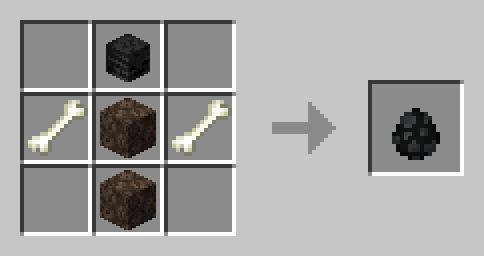
alternative recipe
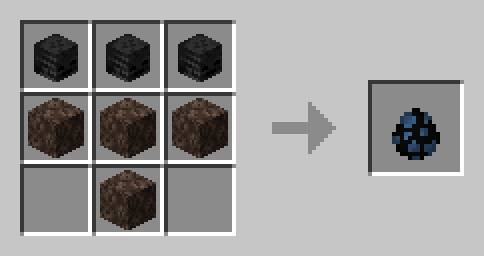
alternative recipe
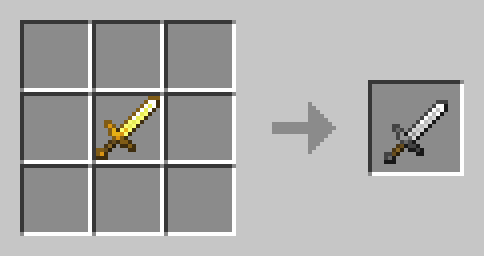
work with all swords. (it just a example)
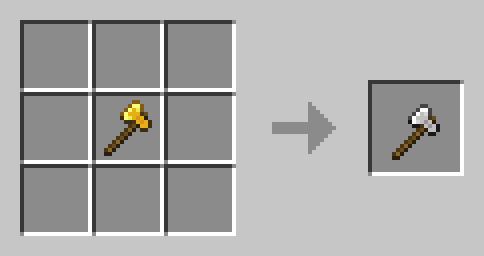
work with all Axes. (it just a example)
new banner.

all mob spawn eggs are in stonecutter, you just need a nether star.
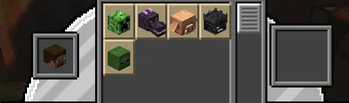
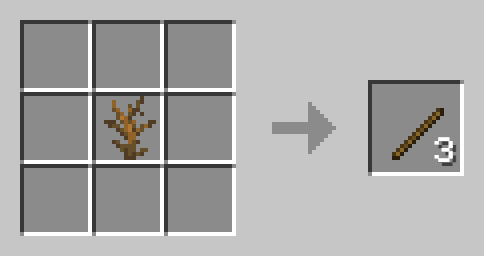
added in v1.0.2
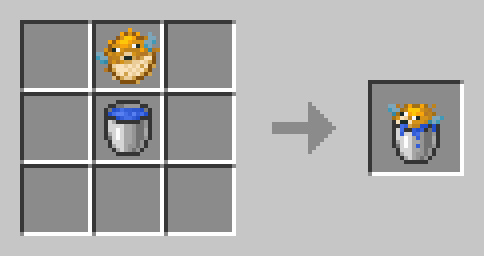
added in v1.0.2
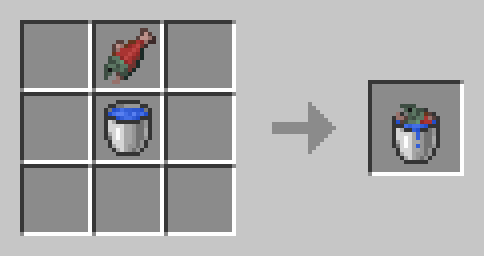
added in v1.0.2
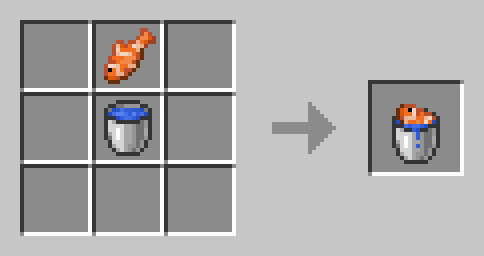
added in v1.0.2
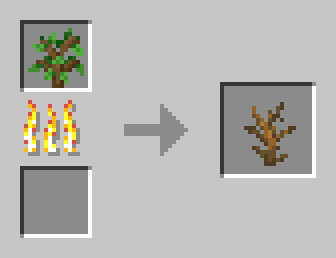
added in v1.0.2
| Version | Minecraft | Loader | Download |
|---|---|---|---|
|
M' Special Recipes (1.0.2) 1.0.2+mod |
1.20, 1.20.4
|
fabric, forge, quilt
|
Download |
|
M' Special Recipes (1.0.2) 1.0.2 |
1.20, 1.20.4
|
datapack
|
Download |
|
M' Special Recipes (1.0.1) 1.0.1 |
1.20, 1.20.1, 1.20.2, 1.20.3, 1.20.4
|
datapack
|
Download |
|
M' Special Recipes (initial release) 1.0.0 |
1.20, 1.20.1, 1.20.2, 1.20.3, 1.20.4
|
datapack
|
Download |