

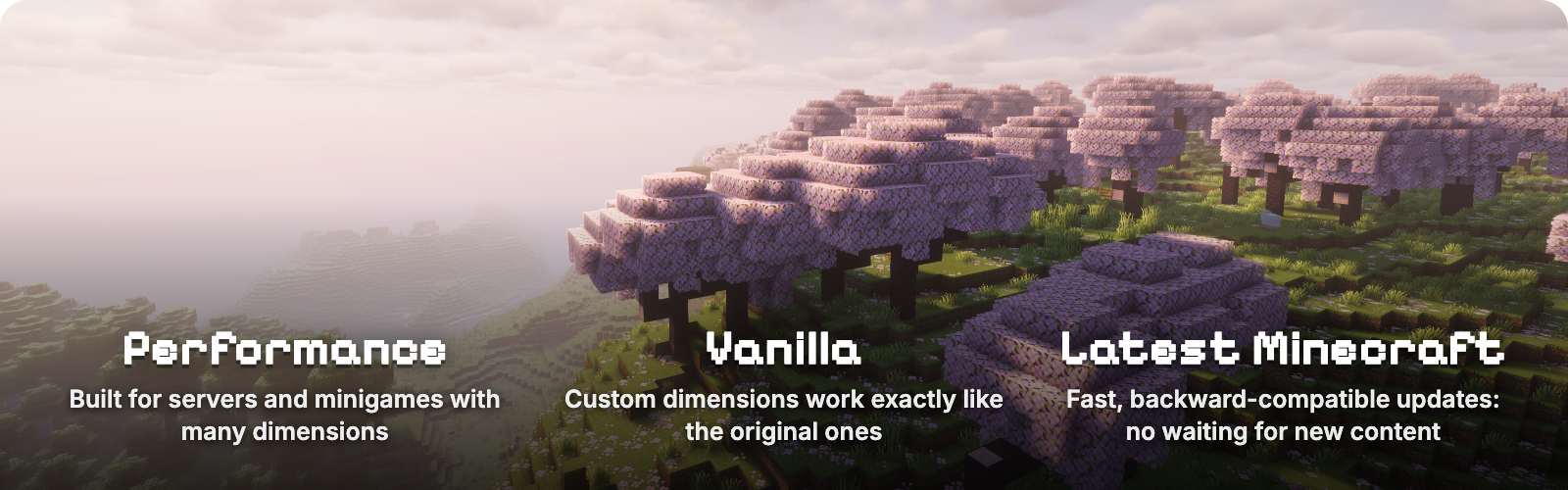





Worlds lets a Fabric server run as many worlds as it wants, the way Multiverse does on Paper. Create, list, delete and teleport between worlds with in-game commands, and give each one its own time, weather and game rules. Every world plays like real vanilla Minecraft, down to the End dragon, which also makes Worlds a base other mods build their dimensions on. Worlds from World Manager or Multiworld can be recreated with one command each.

|
World types
|

- The End dragon fight, portals, maps and ender pearls work in every world you create, not only in the original three.
- Own weather and time. Vanilla
/weatherand/timerun inside a world change only that world. - Own game rules. Keep inventory, PvP, mob spawning, daylight and more, set with vanilla
/gameruleinside the world. Rules you leave alone follow the server, and/gamerule <rule> inherithands one back. With Worlds installed on the client, the Game Rules screen shows which rules the world changed. - Nothing new to learn. No extra commands for weather, time or rules, and the Overworld, Nether and End behave exactly as in vanilla.

Linked portals and separate inventories per world group
- Own Nether and End. Worlds in a group act as one vanilla world: a nether portal leads to the group's Nether and back, with a shared spawn and shared game rules.
- Separate inventories. Each group keeps its own copy of every player: inventory, ender chest, experience, health, effects, game mode, statistics, advancements and the data other mods store on the player. Your first visit starts empty, as on a first join.
- Its own game mode. Two game rules give a group a default or forced game mode, so a creative group can sit beside a survival one.
- Temporary worlds for minigames. Temporary worlds and groups are deleted when they close or the server restarts, and players return where they came from with everything they had. Data pack functions can create, enter and delete all of it.
Compatible with Trinkets, backpacks, Origins and other mods
Other mods need no integration. A group keeps a complete copy of the player's save data, so extra equipment slots, backpacks, origins and other data mods store on the player stay separate per group, with no setup.
- Tested with a real player. Trinkets, Traveler's Backpack, Origins, Cardinal Components and WorldThreader.
- Tested in a game window. Sodium, Iris with shaders, Jade, AppleSkin and Xaero's Minimap.
- Loaded and run together on a server. Lithium, C2ME, FerriteCore, Krypton, Very Many Players, Carpet, spark, Chunky, WorldEdit, BlueMap, Ledger, LuckPerms, Terralith, Tectonic, Distant Horizons and more.
- Teleports from other mods. Moving a player into another group switches their copy, with no change to that mod.
- Dimensions from other mods.
/worlds create <id> from-dimension <mod>:<dimension>makes a new world from any registered dimension.
A mod that keeps player data in the world's saved data instead, as Pufferfish's Skills does, stays shared across groups unless it adds support. The compatibility page has the full list, versions and limits.

- Load on demand. A world loads when a player enters it and unloads a minute after the last player leaves, so you can keep hundreds of worlds without paying for idle ones.
- Updated within a week of each Minecraft release. Worlds follows the newest Minecraft version; older versions stay on the Versions tab.
- A base for other mods. Mods can do everything the commands do and register their own world types through the Worlds API. Stargate is built on it; API.md has the guide and the Gradle setup.

| Command | What it does |
|---|---|
/worlds create <id> [seed] |
Creates an overworld |
/worlds create <id> from-preset <preset> [dimension] [seed] |
Creates a world from a world preset, for example minecraft:flat or minecraft:amplified |
/worlds create <id> from-dimension <type> [seed] |
Creates a world of a dimension type, for example minecraft:the_nether or minecraft:the_end |
/worlds import <id> <save> [<dimension>|all] |
Imports a singleplayer world, another server's worlds (Paper and Multiverse too), a zip, or a direct download link to a zip |
/worlds tp <id> [players] |
Teleports you or other players to a world's spawn |
/worlds list [loaded|unloaded] |
Lists worlds; hover for details, click to teleport |
/worlds delete <id> |
Deletes a world after moving everyone out of it |
/worlds settings spawn [here|<x> <y> <z>] |
Shows or sets the spawn of the world you are in |
/worlds settings loadOnStartup [true|false] |
Shows or sets whether the world you are in loads when the server starts |
/worlds group |
Shows the group of the world you are in |
/worlds group list |
Lists groups and their worlds |
/worlds group create <group> |
Creates a group |
/worlds group delete <group> |
Deletes a group and the player data kept for it; its worlds leave the group, or are deleted if the group is temporary |
/worlds group join <group> [main] |
Adds the world you are in to a group; main makes it the group's Overworld, Nether or End |
/worlds group leave |
Takes the world you are in out of its group |
/worlds group spawn [here|<x> <y> <z>] |
Shows or sets the group's spawn |
/worlds create temporary <name> ... |
Creates a temporary world, deleted when it closes or the server restarts; takes the same options as /worlds create |
/worlds import temporary <name> <save> [<dimension>] |
Imports a world as a temporary one |
/worlds group create temporary <name> |
Creates a temporary group; only temporary worlds can join it |
/worlds group temp leave <players> |
Sends players in a temporary group back where they came from |
/gamerule <rule> <value> |
In a created world, sets a rule for that world only; in a group, for the whole group |
/gamerule |
In a created world, lists the rules the world changed |
/gamerule <rule> inherit |
In a created world, makes a rule follow the server again |
A world id without a namespace gets minecraft:, so /worlds create mining creates minecraft:mining. Run any command for another world with /execute in <world> run .... /worlds commands and /gamerule need operator level 2, the level functions run at by default.

A resource world you can reset
/worlds create mining
/worlds tp mining
/worlds delete mining
/worlds create mining
A creative build world with no mobs and endless daylight
/worlds create build from-preset minecraft:flat
/worlds tp build
/gamerule spawn_mobs false
/gamerule advance_time false
/gamerule advance_weather false
A safe lobby where new players spawn
/worlds create lobby
/worlds tp lobby
/setworldspawn
/gamerule pvp false
/gamerule spawn_monsters false
Keep inventory only in an arena
/execute in minecraft:arena run gamerule keep_inventory true
A skyblock group with its own Nether, spawn and inventories
/worlds group create skyblock
/worlds create sky from-preset minecraft:flat
/worlds create sky_nether from-dimension minecraft:the_nether
/execute in minecraft:sky run worlds group join skyblock
/execute in minecraft:sky_nether run worlds group join skyblock
/execute in minecraft:sky run worlds group spawn 0 70 0
Bring in a singleplayer world, a map download or a Paper server's worlds
/worlds import old_survival "My Old World"
/worlds import adventure "https://example.com/maps/adventure.zip"
/worlds import hub paperworld all
Put the save, or its zip, next to the server world. Older Minecraft versions are upgraded, and the world keeps its seed, spawn, maps and game rules.
Moving from World Manager or Multiworld: replace it with Worlds, then run /worlds create <id> from-dimension <type> <seed> with the id, type and seed each world had. Classic Overworld, Nether and End worlds are supported.
Requirements
- Minecraft 26.3
- Fabric Loader 0.18.4+ and Fabric API
- Java 25
Recent updates
- 2.0.0 World groups with linked portals, separate inventories and their own spawn and game rules, temporary worlds for minigames, and a new API for mods. Mods built on an older version need an update.
- 1.11.0
/worlds importbrings in singleplayer worlds, other servers' worlds and Paper or Multiverse worlds, from a folder, a zip or a download link. - 1.10.0 Per-world game rules through vanilla
/gamerule, and a fix for a rare "Exception generating new chunk" crash when several worlds generate structures at once.
The full history is in the changelog.
You can support this project by hosting your server on Pixly Hosting.
No gallery available for this project.
| Version | Minecraft | Loader | Download |
|---|---|---|---|
|
Worlds 2.0.0+26.3 2.0.0+26.3 |
26.3
|
fabric, quilt
|
Download |
|
Worlds 1.11.0+26.3 1.11.0+26.3 |
26.3
|
fabric, quilt
|
Download |
|
Worlds 1.10.0+26.3 1.10.0+26.3 |
26.3
|
fabric, quilt
|
Download |
|
Worlds 1.9.0+26.3 1.9.0+26.3 |
26.3
|
fabric, quilt
|
Download |
|
Worlds 1.8.27+26.3 1.8.27+26.3 |
26.3
|
fabric, quilt
|
Download |
|
Worlds 1.8.26+26.3 1.8.26+26.3 |
26.3
|
fabric, quilt
|
Download |
|
Worlds 1.8.25+26.3 1.8.25+26.3 |
26.3
|
fabric, quilt
|
Download |
|
Worlds 1.8.24+26.3 1.8.24+26.3 |
26.3
|
fabric, quilt
|
Download |
|
Worlds 1.8.23+26.3 1.8.23+26.3 |
26.3
|
fabric, quilt
|
Download |
|
Worlds 1.8.22+26.3 1.8.22+26.3 |
26.3
|
fabric, quilt
|
Download |
|
Worlds 1.8.21+26.3-rc-3 1.8.21+26.3-rc-3 |
26.3-rc-3
|
fabric, quilt
|
Download |
|
Worlds 1.8.20+26.3-rc-2 1.8.20+26.3-rc-2 |
26.3-rc-2
|
fabric, quilt
|
Download |
|
Worlds 1.8.19+26.3-rc-1 1.8.19+26.3-rc-1 |
26.3-rc-1
|
fabric, quilt
|
Download |
|
Worlds 1.8.18+26.3-pre-3 1.8.18+26.3-pre-3 |
26.3-pre-3
|
fabric, quilt
|
Download |
|
Worlds 1.8.17+26.3-pre-2 1.8.17+26.3-pre-2 |
26.3-pre-2
|
fabric, quilt
|
Download |
|
Worlds 1.8.16+26.2 1.8.16+26.2 |
26.2
|
fabric, quilt
|
Download |
|
Worlds 1.8.16+26.2 1.8.16+26.2 |
26.2
|
fabric, quilt
|
Download |
|
Worlds 1.8.15+26.2-rc-2 1.8.15+26.2-rc-2 |
26.2-rc-2
|
fabric, quilt
|
Download |
|
Worlds 1.8.14+26.2-pre-4 1.8.14+26.2-pre-4 |
26.2-pre-4
|
fabric, quilt
|
Download |
|
Worlds 1.8.13+26.2-pre-3 1.8.13+26.2-pre-3 |
26.2-pre-3
|
fabric, quilt
|
Download |
|
Worlds 1.8.12+26.2-pre-2 1.8.12+26.2-pre-2 |
26.2-pre-2
|
fabric, quilt
|
Download |
|
Worlds 1.8.11+26.2-pre-1 1.8.11+26.2-pre-1 |
26.2-pre-1
|
fabric, quilt
|
Download |
|
Worlds 1.8.10+26.1.2 1.8.10+26.1.2 |
26.1.2
|
fabric, quilt
|
Download |
|
Worlds 1.8.9+26.1.1 1.8.9+26.1.1 |
26.1.1
|
fabric, quilt
|
Download |
|
Worlds 1.8.8+26.1 1.8.8+26.1 |
26.1
|
fabric, quilt
|
Download |
|
Worlds 1.8.7+26.1-rc-3 1.8.7+26.1-rc-3 |
26.1-rc-3
|
fabric, quilt
|
Download |
|
Worlds 1.8.6+26.1-rc-2 1.8.6+26.1-rc-2 |
26.1-rc-2
|
fabric, quilt
|
Download |
|
Worlds 1.8.5+26.1-rc-1 1.8.5+26.1-rc-1 |
26.1-rc-1
|
fabric, quilt
|
Download |
|
Worlds 1.8.4+26.1-pre-3 1.8.4+26.1-pre-3 |
26.1-pre-3
|
fabric, quilt
|
Download |
|
Worlds 1.8.3+26.1-pre-3 1.8.3+26.1-pre-3 |
26.1-pre-3
|
fabric, quilt
|
Download |
|
Worlds 1.8.2+26.1-pre-2 1.8.2+26.1-pre-2 |
26.1-pre-2
|
fabric, quilt
|
Download |
|
Worlds 1.8.1+26.1-pre-1 1.8.1+26.1-pre-1 |
26.1-pre-1
|
fabric, quilt
|
Download |
|
Worlds 1.8.0+1.21.11 1.8.0+1.21.11 |
1.21.11
|
fabric, quilt
|
Download |
|
Worlds 1.7.4+1.21.10 1.7.4+1.21.10 |
1.21.10
|
fabric, quilt
|
Download |
|
Worlds 1.7.3+1.21.10 1.7.3+1.21.10 |
1.21.10
|
fabric, quilt
|
Download |
|
Worlds 1.7.2+1.21.10 1.7.2+1.21.10 |
1.21.10
|
fabric, quilt
|
Download |
|
Worlds 1.7.1+1.21.10 1.7.1+1.21.10 |
1.21.10
|
fabric, quilt
|
Download |
|
Worlds 1.7.0+1.21.10 1.7.0+1.21.10 |
1.21.10
|
fabric, quilt
|
Download |
|
Worlds 1.6.13+1.21.10 1.6.13+1.21.10 |
1.21.10
|
fabric, quilt
|
Download |
|
Worlds 1.6.12+1.21.10 1.6.12+1.21.10 |
1.21.10
|
fabric, quilt
|
Download |
|
Worlds 1.6.11+1.21.10 1.6.11+1.21.10 |
1.21.10
|
fabric, quilt
|
Download |
|
Worlds 1.6.10+1.21.10 1.6.10+1.21.10 |
1.21.10
|
fabric, quilt
|
Download |
|
Worlds 1.6.9+1.21.10 1.6.9+1.21.10 |
1.21.10
|
fabric, quilt
|
Download |
|
Worlds 1.6.8+1.21.10 1.6.8+1.21.10 |
1.21.10
|
fabric, quilt
|
Download |
|
Worlds 1.6.7+1.21.10 1.6.7+1.21.10 |
1.21.10
|
fabric, quilt
|
Download |
|
Worlds 1.6.6+1.21.10 1.6.6+1.21.10 |
1.21.10
|
fabric, quilt
|
Download |
|
Worlds 1.6.5+1.21.10-rc1 1.6.5+1.21.10-rc1 |
1.21.10-rc1
|
fabric, quilt
|
Download |
|
Worlds 1.6.4+1.21.9 1.6.4+1.21.9 |
1.21.9
|
fabric, quilt
|
Download |
|
Worlds 1.6.3+1.21.9 1.6.3+1.21.9 |
1.21.9
|
fabric, quilt
|
Download |
|
Worlds 1.6.2+1.21.9 1.6.2+1.21.9 |
1.21.9
|
fabric, quilt
|
Download |
|
Worlds 1.6.1+1.21.9 1.6.1+1.21.9 |
1.21.9
|
fabric, quilt
|
Download |
|
Worlds 1.6.0+1.21.9-rc1 1.6.0+1.21.9-rc1 |
1.21.9-rc1
|
fabric, quilt
|
Download |
|
Worlds 1.5.0+1.21.9-rc1 1.5.0+1.21.9-rc1 |
1.21.9-rc1
|
fabric, quilt
|
Download |
|
Worlds 1.4.3+1.21.9-rc1 1.4.3+1.21.9-rc1 |
1.21.9-rc1
|
fabric, quilt
|
Download |
|
Worlds 1.4.2+1.21.9-pre4 1.4.2+1.21.9-pre4 |
1.21.9-pre4
|
fabric
|
Download |
|
1.21.8 1.3.1+1.21.8 1.3.1+1.21.8 |
1.21.8
|
fabric
|
Download |
|
Worlds 1.3.0+1.21.8 1.3.0+1.21.8 |
1.21.8
|
fabric
|
Download |
|
Worlds 1.2.0+1.21.8 1.2.0+1.21.8 |
1.21.8
|
fabric
|
Download |
|
Worlds 1.1.0+1.21.8 1.1.0+1.21.8 |
1.21.8
|
fabric, quilt
|
Download |
|
Worlds 1.0.1+1.21.8 1.0.1+1.21.8 |
1.21.8
|
fabric, quilt
|
Download |
|
Worlds 1.0.0+1.21.8 1.0.0+1.21.8 |
1.21.8
|
fabric, quilt
|
Download |
|
Worlds 1.0.0+1.21.8 1.0.0+1.21.8 |
1.21.8
|
fabric, quilt
|
Download |