👕 MetaSuits - Custom 3D & 2D Armor Cosmetics
❗ MULTIPLAYER WORKS ONLY ON SERVER, NOT LAN SINGLEPLAYER ❗
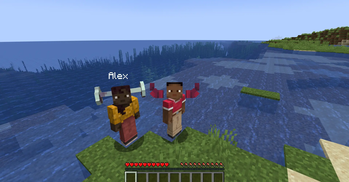
MetaSuits is a modern, lightweight NeoForge mod (Minecraft 1.21.1) that allows players to easily equip custom 3D Blockbench models (.json) and 2D armor textures (.png) without needing OptiFine, CIT, or complex resource pack setups.
✨ Features
- 🧊 3D Blockbench Models (
.json/.model.json): Drop your 3D Blockbench models directly into themetasuits/folder and wear 3D hats, helmets, armor, or accessories with 1:1 precision! - 👕 Composite Suits (
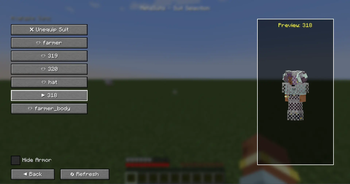
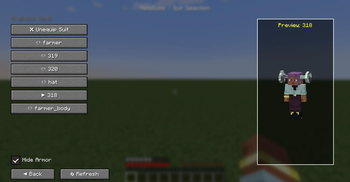
.suit.json): Combine multiple 3D models and 2D textures into full custom armor sets. - 🛡️ Hide Vanilla Armor Toggle: Hide standard vanilla armor (helmets, chestplates, leggings, boots) with a single click while preserving full armor defense and stats!
- 🔄 Live Hot-Reload: Click "🔄 Refresh" in the GUI to instantly reload your files without restarting Minecraft.
- 👁️ Interactive 3D Player Preview: Features a 3D player preview in the selection GUI that rotates and turns its head to follow your mouse cursor!
- 🌐 Client-Only Server Compatibility: Connect to any vanilla, Spigot, Paper, Fabric, or NeoForge server! If the server doesn't have MetaSuits installed, suits operate seamlessly in Client-Only Mode (visible to you).
- 🌍 10 Language Localizations: Fully translated into English, Russian, Simplified Chinese, Spanish, German, French, Japanese, Brazilian Portuguese, Ukrainian, and Polish.
🎮 How to Use
- Open your game directory and find or create the
metasuits/folder. - Put your
.json(Blockbench models) or.pngtexture files insidemetasuits/.- Put model texture assets inside
metasuits/textures/(e.g.metasuits/textures/318.png).
- Put model texture assets inside
- Open Minecraft, press
Eto open your Inventory, and click the 👕 button next to your character. - Select your suit, toggle "Hide Armor" if desired, and enjoy your custom look!
⚙️ Configuration Format
1. Composite Suit (farmer.suit.json)
{
  "name": "farmer",
  "head": "hat",
  "body": "farmer_body.model",
  "legs": "",
  "boots": ""
}
2. Custom Model from Blockbench (farmer_body.model.json)