

MicroTimingReplay (MTIR)
Read more in README.md
A Fabric mod for recording micro-timing events on the server over a period of time (block updates, shape updates, scheduled ticks, block events, piston movements, entity movement/spawning, etc.) and later step-by-step replaying them — you can go forward, backward, jump to any step, and inspect the Java call stack at the moment each event was produced.
Core Concepts
Profile
A container for one recording session. Each profile has its own name, one or more Areas, all recorded tick frames, plus associated world backups and call-stack files.
Area
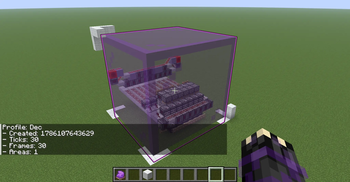
An axis-aligned bounding box + the dimension it belongs to. Only events that fall inside an area are recorded. A profile can have multiple areas and can span dimensions.
If a profile has no areas at all, no spatial filtering is applied (every event in the entire world is recorded) — the data volume becomes enormous; this is not recommended.
Frame / Event / Step
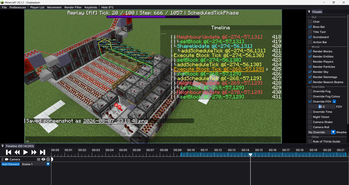
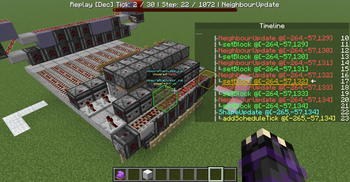
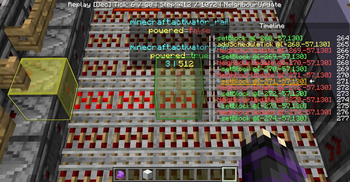
Recording is sliced into frames by game tick (TickFrame). Inside each frame is an event tree:
Phase → Queue → Update → Leaf events (add scheduled tick / entity move / ...)
Quick Start
/tick freeze
/mtr profile create test
/mtr profile area add test 100 60 100 120 80 120
/mtr record test 20
Recording stops automatically after 20 gt (or you can stop it manually with /mtr record stop).
/mtr replay start test
/mtr replay forward steps 1
/mtr replay screen
/mtr replay stop
Notes
- Run
/tick freezebefore recording. The mod never freezes or unfreezes time by itself. Replay is unaffected; stepping works correctly even without freezing. - Replay truly modifies the world.
replay startrestores the areas to the recording start state;replay stoprestores your live world. If the server crashes or is force-killed during replay, the_replaybackup is not restored automatically and your world stays at the recording-start state — in that case simply run/mtr replay startagain and then a normalstopto recover. - Non-player entities inside the areas are backed up and restored. On restore the entities inside the areas are first cleared, then rebuilt from the backup.
- No areas = no filtering. A profile without any areas records every event in the whole world; use with caution.
subscribe,unsubscribe,screenanddumpmust be executed by a player (they either open a UI for the player or bind to a player). All other commands can be run from the console or command blocks.- The “currently viewed” state of
/mtr profile infois a single server-wide variable; simultaneous operations by multiple players will interfere with each other.
| Version | Minecraft | Loader | Download |
|---|---|---|---|
|
MicroTimingReplay 1.0.0 1.0.0 |
26.1.2
|
fabric
|
Download |