

English Version.
Morpher Mod
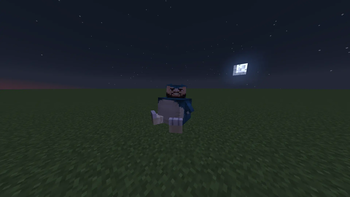
Morpher is a mod that changes the player's rendering to a custom geckolib one with your own imported animations.
📁 MOD INSTALLATION
-
Install the dependencies, if you have 1.20.4 / 1.21.1 Fabric Install ARRP, if you only have Forge ONLY install Geckolib.
-
Import the dependencies and the morpher into the server and client.
🎨 IMPORTING MODELS, TEXTURES, AND ANIMATIONS
-
The Morpher mod will create a folder named "morpher" which will contain geo, textures, animations, and overlays.
-
Inside geo, place the file you created with geckolib.
-
Inside textures, place the texture for the geo model.
-
Inside animations, place the animation for your geo model.
👤 USE YOUR MODEL WITH THE TEXTURE AND ANIMATION
-
First of all, use the following command so that the server detects the files correctly and Minecraft does not crash: /morpher reload
-
To render the models you want to use, enter the following command: /morpher <Your Name> visible true
-
To use your model, enter the following command: /morpher <Your Name> set model <Your Model>
-
To use your texture, enter the following command: /morpher <Your Name> set texture <Your Texture>
-
To place your animation, use the following command: /morpher <Your Name> set anim <Your Animation>
If you find any bugs or crashes, contact me on Discord: badendingg_ or azukiss. and tell me what the error is so I can help you fix it! Mod Discord server
Version en Español.
Morpher Mod
Morpher es un mod que te cambia el renderizado del jugador por uno custom de geckolib y con tus propias animacions importadas.
📁 INSTALACION DEL MOD
-
Instalar las dependendencias, Si tienes 1.20.4 / 1.21.1 Fabric instala ARRP, si tienes Forge SOLAMENTE Instala Geckolib.
-
Impotar las dependencias y el morpher en server y cliente
🎨 IMPORTACION DE MODELOS, TEXTURAS Y ANIMACIONES
-
El morpher creara 1 carpeta, la cual se llamara morpher, dentro de morpher estara, geo, textures, animations y overlays
-
Dentro de geo pon tu archivo creado con geckolib.
-
Dentro de textures pon la textura del modelo geo.
-
Dentro de animations pon la animacion de tu modelo geo.
👤 USAR TU MODELO CON LA TEXTURA Y ANIMACION
-
Primero que todo haz el siguiente comando para que el servidor detecte los archivos correctamente y no se te crashee minecraft, /morpher reload
-
Para que se renderize los modelos que desees poner haz el siguiente comando /morpher <Tu Nombre> visible true
-
Para poner tu modelo haz el siguiente comando, /morpher <Tu Nombre> set model <Tu Modelo>
-
Para poner tu textura haz el siguiente comando, /morpher <Tu Nombre> set texture <Tu Textura>
-
Para poner tu animacion haz el siguiente comando, **/morpher <Tu Nombre> set anim <Tu Animacion>
Si encuentras algun bug o crasheo contactame por discord: badendingg_ o azukiss. y dime cual es tu error para ayudarte a solucionarlo!. Servidor de Discord del mod


| Version | Minecraft | Loader | Download |
|---|---|---|---|
|
morpher 1.0.9 1.0.9 |
1.20.1
|
forge
|
Download |
|
morpher 1.1.5 1.1.5 |
1.21.1
|
fabric
|
Download |
|
morpher 1.1.4 1.1.4 |
1.21.1
|
fabric
|
Download |
|
morpher 1.0.8 1.0.8 |
1.20.1
|
forge
|
Download |
|
morpher 1.1.3 1.1.3 |
1.21.1
|
fabric
|
Download |
|
morpher 1.1.2 1.1.2 |
1.21.1
|
fabric
|
Download |
|
morpher 1.1.1 1.1.1 |
1.21.1
|
fabric
|
Download |
|
morpher 1.0.7 1.0.7 |
1.20.1
|
forge
|
Download |
|
morpher 1.0.6 1.0.6 |
1.20.1
|
forge
|
Download |
|
morpher 1.1.0 1.1.0 |
1.21.1
|
fabric
|
Download |
|
morpher 1.0.5 1.0.5 |
1.20.1
|
forge
|
Download |
|
morpher 1.0.4 1.0.4 |
1.20.1
|
forge
|
Download |
|
morpher 1.0.3 1.0.3 |
1.20.1
|
forge
|
Download |
|
morpher 1.0.2 1.0.2 |
1.20.1
|
forge
|
Download |
|
morpher 1.0.1 1.0.1 |
1.20.1
|
forge
|
Download |
|
morpher 1.0.0 1.0.0 |
1.21.1
|
fabric
|
Download |
|
morpher 1.0.0 1.0.0 |
1.20.1
|
forge
|
Download |
|
morpher-visual 1.0.0 1.0.0 |
1.21.1
|
fabric
|
Download |
|
morpher 1.0.2 1.0.2 |
1.20.4
|
fabric
|
Download |
|
morpher 1.0.1 1.0.1 |
1.20.4
|
fabric
|
Download |
|
morpher 1.0.0 1.0.0 |
1.20.4
|
fabric
|
Download |