

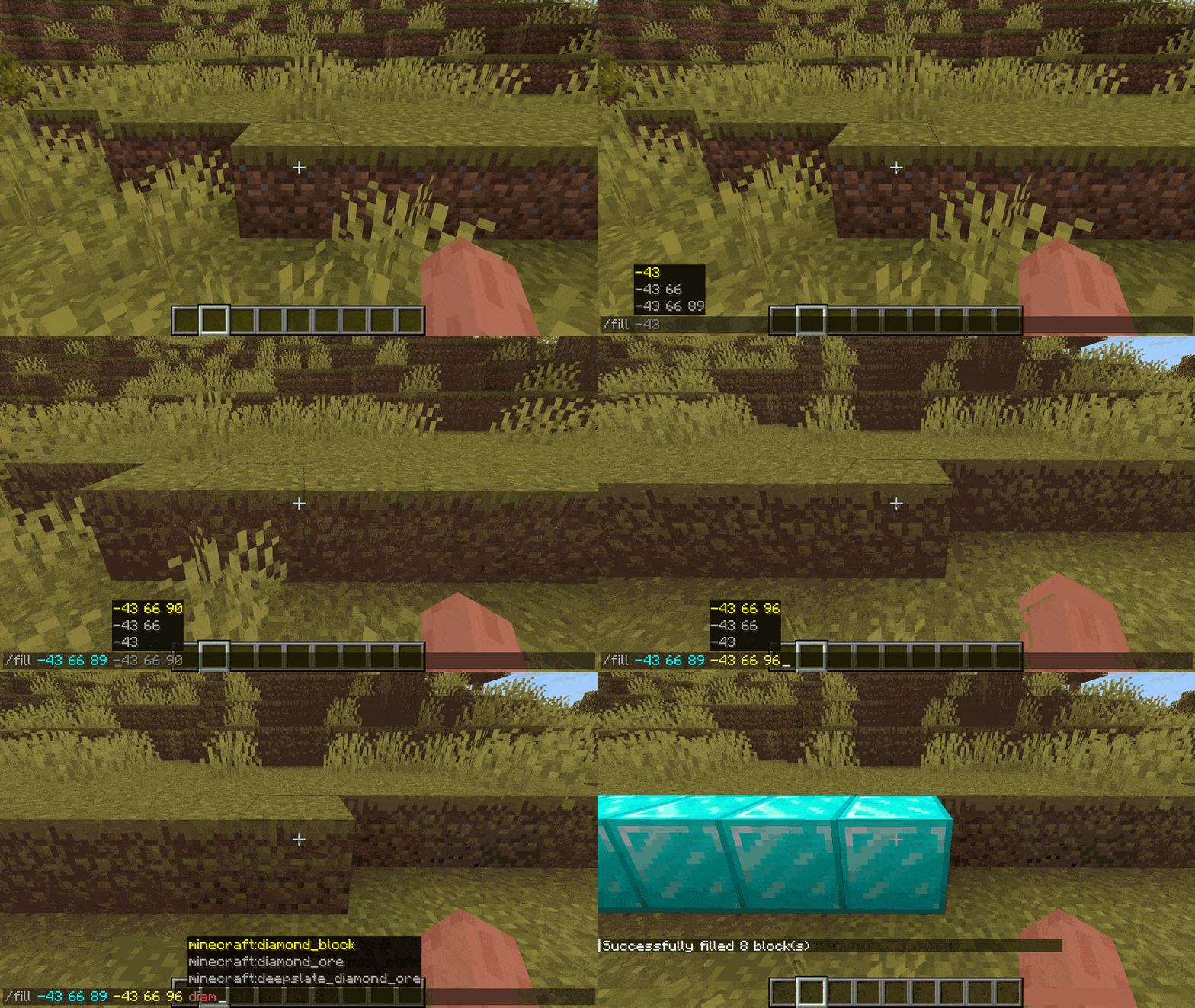
Move & Chat lets you use a keybind - defaults to left control - to bring the chat window out of focus and let you move around. If you are writing a command it will suggest things like coordinates or mob uuids based on what you are looking at.
Keybinds:
- Ctrl to toggle command movement in chat
- Enter while in command movement to accept the current suggestion send the command
- Tab while in command movement to accept the current suggestion and go back to normal mode
- Alt-tab while in command movement to accept current suggestion, add a space to go to next argument but stay in command movement mode
Showcase
No gallery available for this project.
| Version | Minecraft | Loader | Download |
|---|---|---|---|
|
move_and_chat - v2.1 - mc26.3 2.1 |
26.1, 26.1.1, 26.1.2, 26.2, 26.3
|
fabric
|
Download |
|
Move & Chat 2.1 - 26.1-2 2.1 |
26.1, 26.1.1, 26.1.2, 26.2
|
fabric
|
Download |
|
Move & Chat 2.1 - 26.1.1-2 2.1 |
26.1, 26.1.1, 26.1.2
|
fabric
|
Download |
|
Move & Chat 2.0 - 26.1.1-2 2.0 |
26.1, 26.1.1, 26.1.2
|
fabric
|
Download |
|
Move & Chat 2.0 - 1.21.9-11 2.0 |
1.21.10, 1.21.11, 1.21.9
|
fabric
|
Download |
|
Move & Chat 2.0 - 1.21.9-10 2.0 |
1.21.10, 1.21.9
|
fabric
|
Download |
|
MIC 1.0 - 1.21.9 1.0 |
1.21.9
|
fabric
|
Download |
|
MIC 1.0 - 1.21.6-8 1.0 |
1.21.6, 1.21.7, 1.21.8
|
fabric
|
Download |