

Sharing Minecraft seeds come with a problem - The seeds are long numerical strings and you have to correctly type-in or copy-paste them into the world creation menu.
Any error while doing this will generate an entire different world from what you intended.
The solution is here.
How it Works?
When creating a new world. The world creation menu now has a new text box for entering the Seed Name.
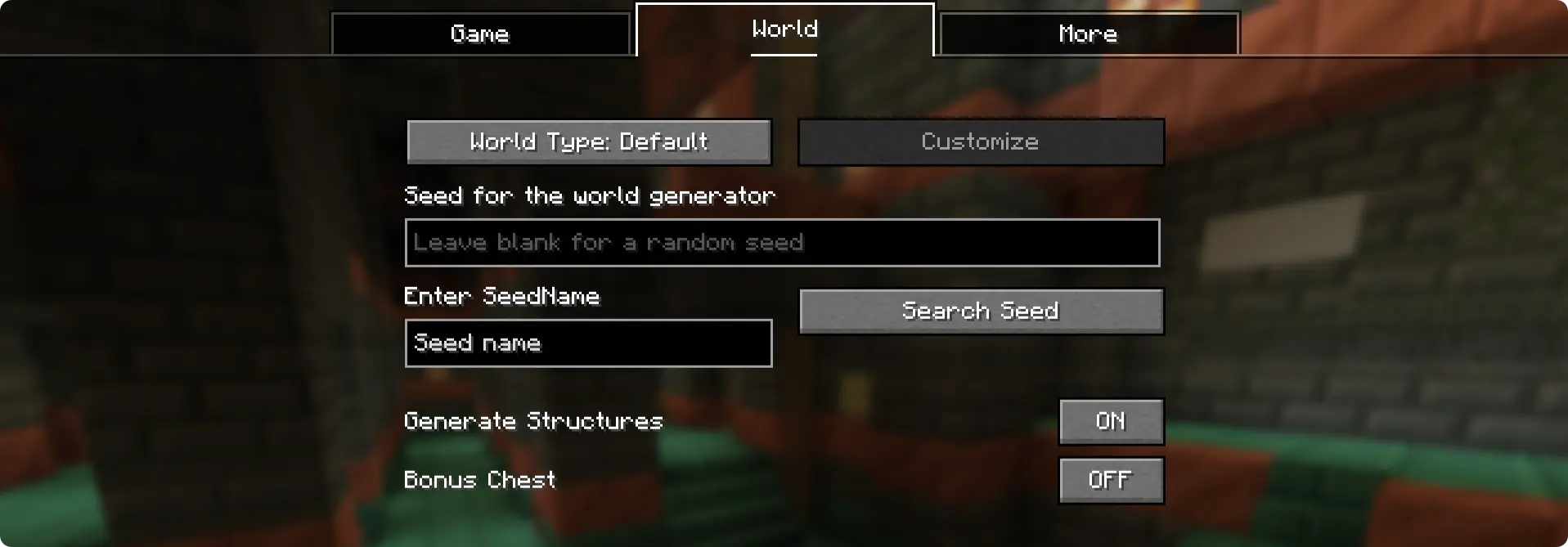
This is where you enter the "seed name" (or seed code). Once entered, click on the "Search Seed" button and the seed saved under the name will appear in Minecraft's original seed box. For this, the seed needs to be saved under the specific seed name under the config file.
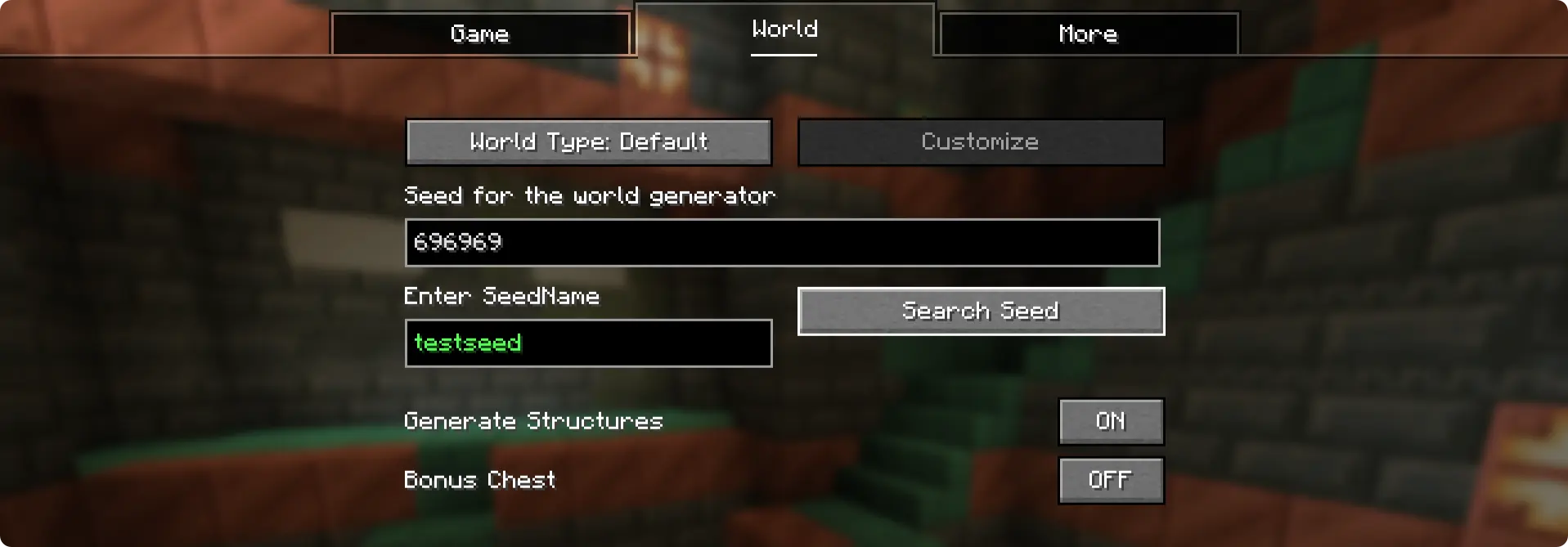
Here, the seed "696969" was saved under the seed name "testseed". This exists by default when you install the mod.
How to Add Seeds?
When you run the game for the first time with the NameSeed mod installed, a config folder is generated - .minecraft/config/NameSeeds
Within the NameSeeds folder, you will find a text file named seednames.txt. You can start saving you seed names and seeds to this list in the format seed_name;seed (Example: testseed:696969)
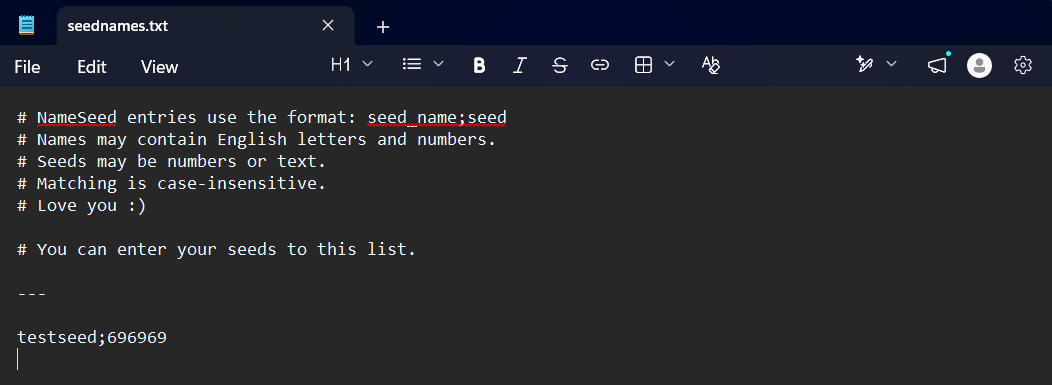
You can enter and save your seed names and seeds in this text file in the format "seedname;seed". Put each entry into a new line.
No gallery available for this project.
| Version | Minecraft | Loader | Download |
|---|---|---|---|
|
NameSeed [SeedCodes] 1.0.0 1.0.0 |
1.21.1
|
fabric
|
Download |