

New Custom Music Client-Side Player
A client-side Minecraft music player for vanilla music, sound effects, and custom resource-pack tracks.
Pick a specific song, build your own playlists, and control playback directly in-game. Browse individual OGG files or registered sound events, with searchable track lists, custom names, commands, and configurable keybinds.
The mod does not bundle additional music. You can start with Minecraft's built-in audio and expand your collection with resource packs. Want some example resource packs to begin with? Check out this resource pack.
Features
- Direct OGG playback and sound-event support — browse vanilla and resource-pack audio by namespace, including individual files without a registered sound event.
- Persistent playlists — create, edit, rename, reorder, import, and export playlists, with separate collections for Sound Events and Ogg Files.
- Flexible playback — choose looping, playlist shuffle, a starting track, and single-track pitch.
- Search and custom names — find tracks by resource path or display name, rename them locally, and share custom names through import and export.
- Commands and configurable keybinds — All types of features are accessible without gui: pause, resume, stop, navigate playlists, and adjust the mod's playback volume.
- Uninterrupted playback experience — When you play music from this mod's interface, it won't stop when you travel across dimensions. Also, enabling Keep Playing in Game Menu allows you to retain the current session while switching worlds or servers.
- Configuration import and export — transfer settings between instances — configure once, use it everywhere.
- Client-side only — no server installation required. Other players on the server can't hear your music playback.
Why use New Custom Music Client-Side Player?
“I love Minecraft's music, but I wish it played more often and let me choose the song.”
You've come to the right place! Browse Minecraft's individual OGG tracks, pick the song you want, and play it whenever you're in a world or server. Loop a favorite or build a playlist instead of waiting for the game to choose.
“I want to replay sounds like the Ender Dragon's roar, but I don't know where to find the files.”
No file hunting needed! Switch Track Source to Sound Events, browse the minecraft namespace, and search for ender_dragon. Select an event and play it directly; you don't need to locate or extract the audio files yourself.
“I have a music resource pack. Can I turn it into my own in-game music library?”
Absolutely! Enable your pack and choose Ogg Files to browse its audio, even when the files have no sound-event entries. You can give tracks recognizable names, organize them into playlists, export your playlists and custom names to reuse on another instace.
“Can my music keep playing while I switch worlds or servers?”
Yes—enable Keep Playing in Game Menu. Then your current track will keep playing when you are switching worlds or servers, offering an uninterrupted, less annoying experience compared to vanilla Minecraft's music system.
Screenshots & Feature Preview
Learn More
For setup instructions, command syntax, and detailed usage examples, please visit the project wiki.
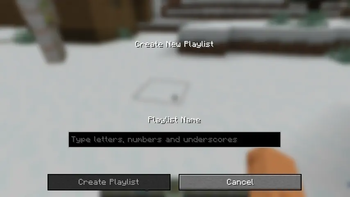
Although it says "Type letters, numbers and underscores", actually any unicode character is supported.
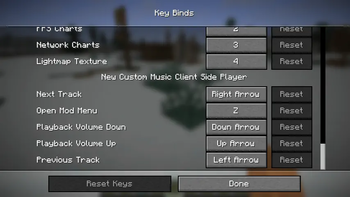
You can find and change your key binds about this mod here.
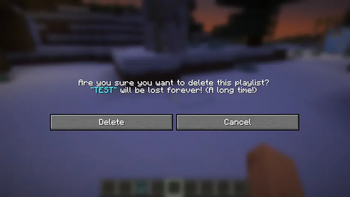
If you choose to delete, it will be lost forever! (A long time!)
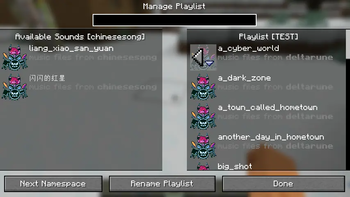
Edit the existing music files just like you choose which resourcepacks to load.
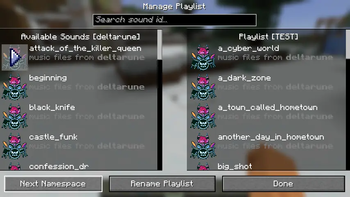
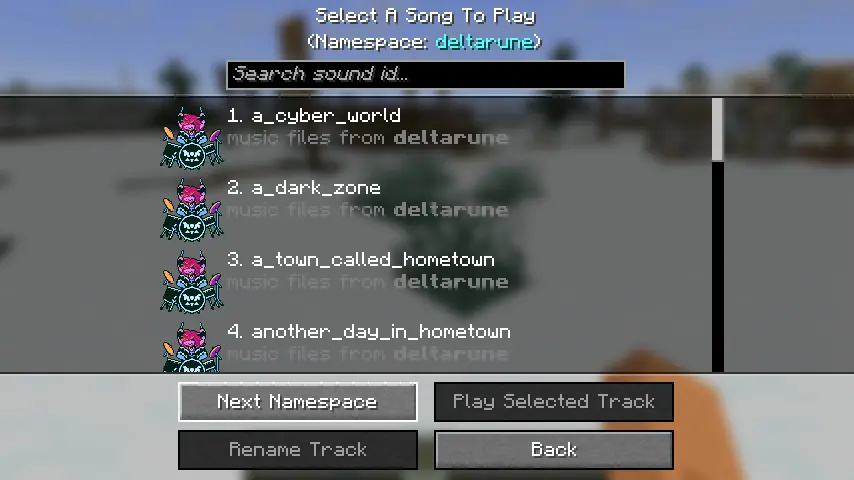
Use "Next Namespace" button to switch between different namespaces.
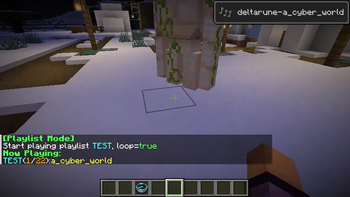
When you play a playlist, a toast and a chat feedback will show.
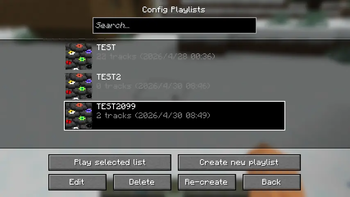
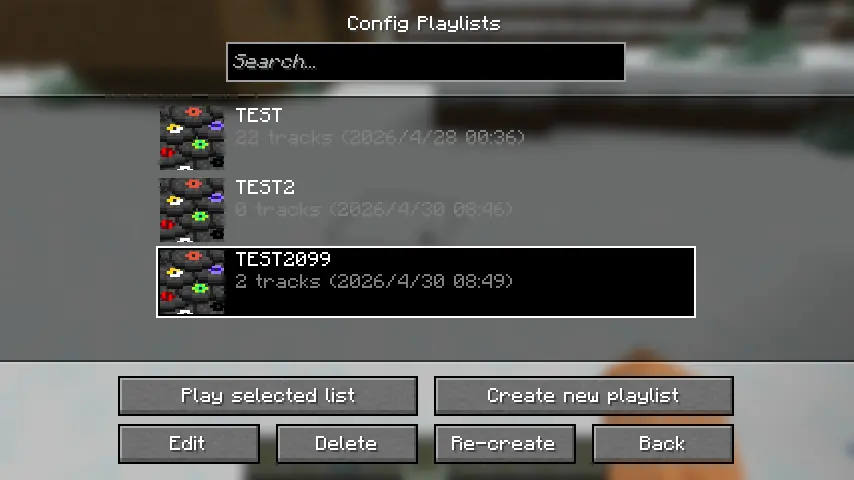
You can create, recreate, edit, delete or play your playlists here!
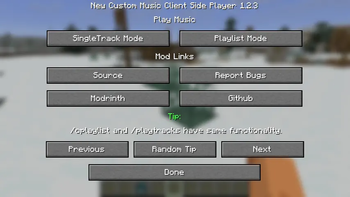
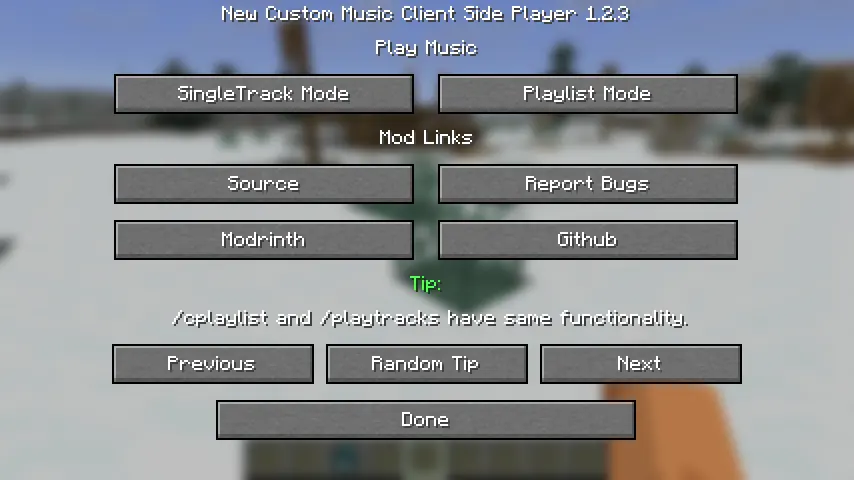
You can choose whether you want to play SingleTrack Mode or Playlist Mode, and view some useful tips here!
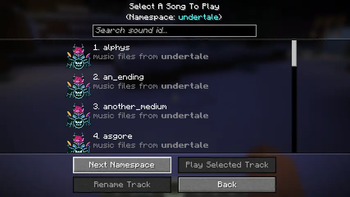
This a namespace called "undertale" in my custom "UTDR Music Pack" resourcepack.
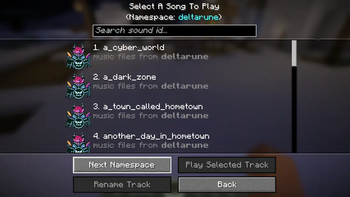
This a namespace called "deltarune" in my custom "UTDR Music Pack" resourcepack.
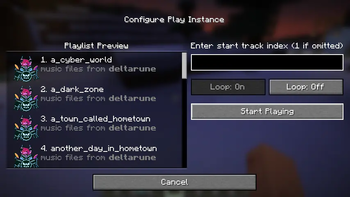
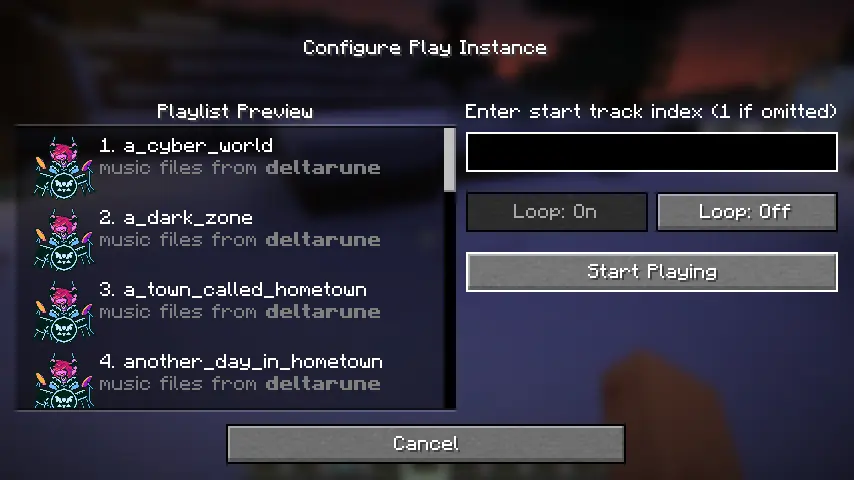
Preview your playlist, choose the start song index and the playmode( loop, not loop) here!
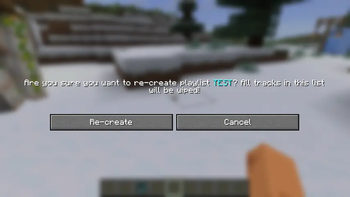
It's just another name for "Clear all songs".
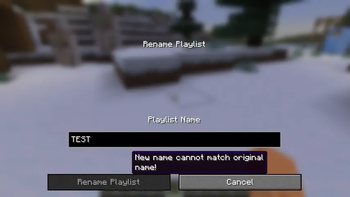
The new playlist name can't be empty, or match the original one. Feel free to use unicode characters.
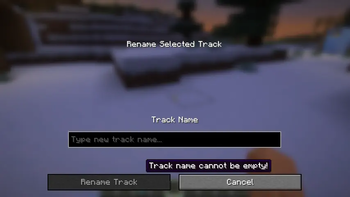
The new track name can't be empty or match with the original one, but you can use unicode characters. In the search box, you can search by both sound id which can't be changed or display name which you can modify here!
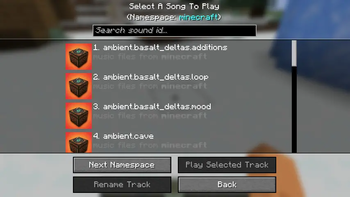
This is how music files icon from minecraft namespace looks like.
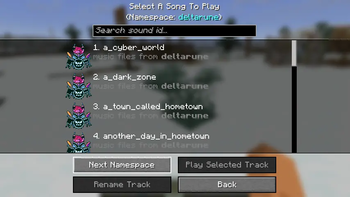
This is how music files icon not from minecraft namespace looks like.
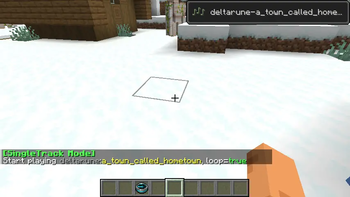
When you play in single track mode, a toast and a chat feedback will show.
| Version | Minecraft | Loader | Download |
|---|---|---|---|
|
New Custom Music Client Side Player 1.5.2 1.5.2 |
26.3
|
fabric
|
Download |
|
New Custom Music Client Side Player 1.5.2-beta1 1.5.2-beta1 |
26.3
|
fabric
|
Download |
|
New Custom Music Client Side Player 1.5.2-snapshot2 1.5.2-snapshot2 |
26.3
|
fabric
|
Download |
|
New Custom Music Client Side Player 1.5.2-snapshot1 1.5.2-snapshot1 |
26.3
|
fabric
|
Download |
|
New Custom Music Client Side Player 1.5.1 1.5.1 |
26.3
|
fabric
|
Download |
|
New Custom Music Client Side Player 1.5.1-beta 1.5.1-beta |
26.3
|
fabric
|
Download |
|
New Custom Music Client Side Player 1.4.4 1.4.4 |
26.2
|
fabric
|
Download |
|
New Custom Music Client Side Player 1.4.4-beta2 1.4.4-beta2 |
26.2
|
fabric
|
Download |
|
New Custom Music Client Side Player 1.4.4-beta1 1.4.4-beta1 |
26.2
|
fabric
|
Download |
|
New Custom Music Client Side Player 1.4.3 1.4.3 |
26.2
|
fabric
|
Download |
|
New Custom Music Client Side Player 1.4.2 1.4.2 |
26.2
|
fabric
|
Download |
|
New Custom Music Client Side Player 1.4.1 1.4.1 |
26.2
|
fabric
|
Download |
|
New Custom Music Client Side Player 1.3.4 1.3.4 |
26.1.2
|
fabric
|
Download |
|
New Custom Music Client Side Player 1.3.3 1.3.3 |
26.1.2
|
fabric
|
Download |
|
New Custom Music Client Side Player 1.3.2 1.3.2 |
26.1.2
|
fabric
|
Download |
|
New Custom Music Client Side Player 1.3.1 1.3.1 |
26.1.2
|
fabric
|
Download |
|
New Custom Music Client Side Player 1.2.4 1.2.4 |
26.1.2
|
fabric
|
Download |
|
New Cunstom Music Client Side Player 1.2.3 1.2.3 |
26.1.2
|
fabric
|
Download |
|
New Cunstom Music Client Side Player 1.2.2 1.2.2 |
26.1.2
|
fabric
|
Download |
|
New Cunstom Music Client Side Player 1.2.1 1.2.1 |
26.1.2
|
fabric
|
Download |
|
New Cunstom Music Client Side Player 1.1.1 1.1.1 |
26.1.2
|
fabric
|
Download |