

Phonon
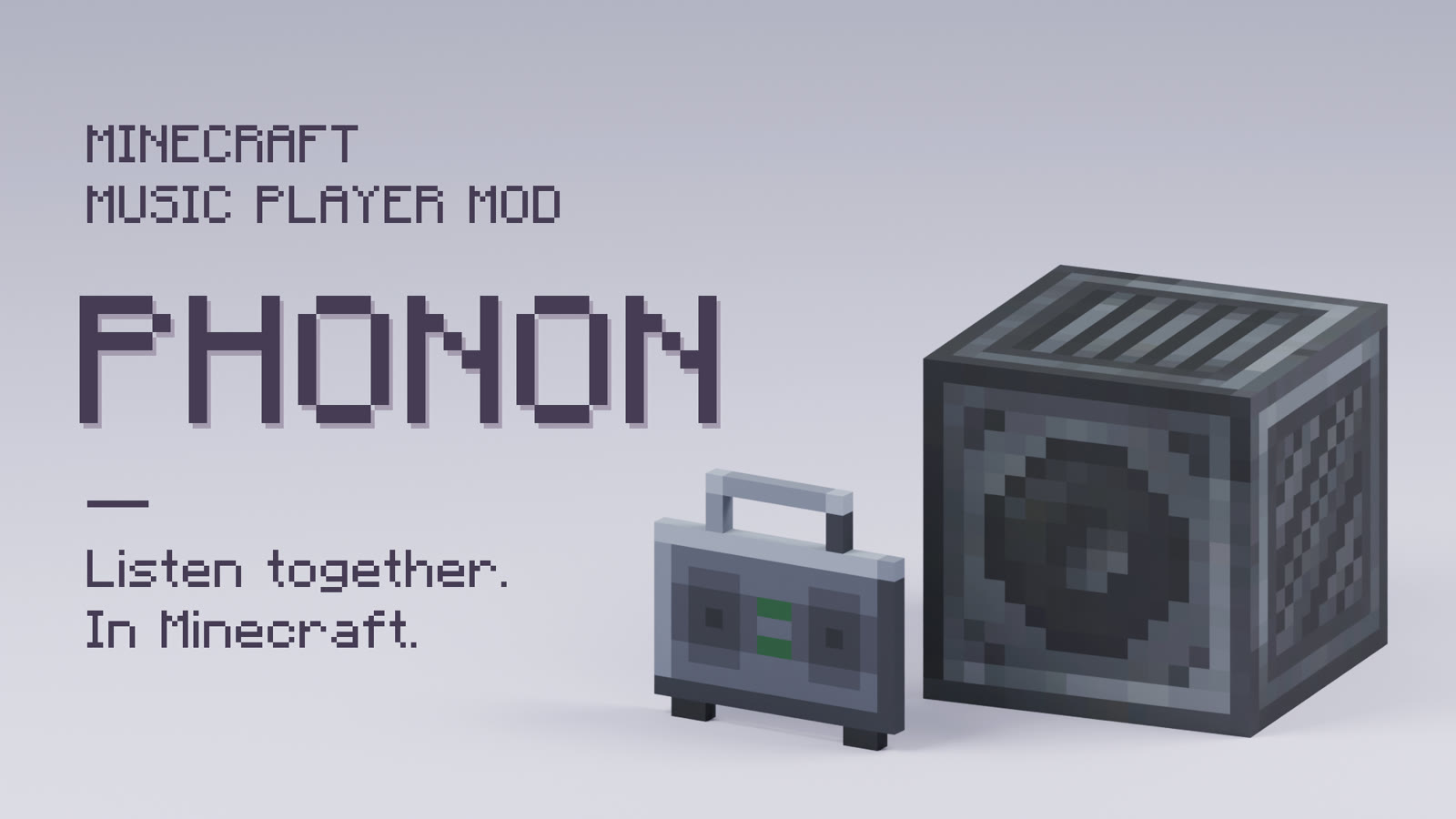
Listen together in Minecraft. Play your music through speakers and boomboxes, and everyone nearby hears the same moment of the same song.
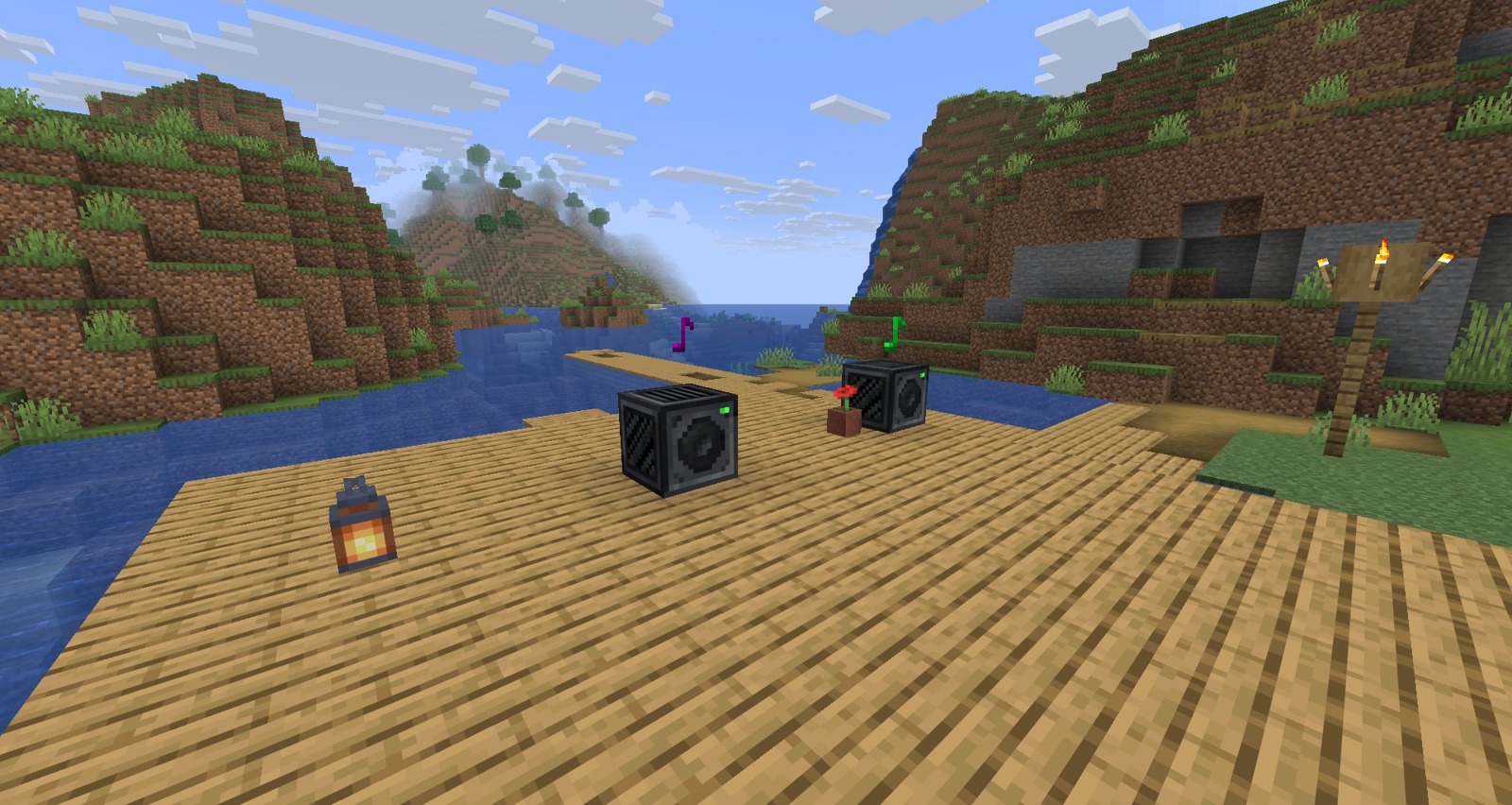
What you can do
- Add any song. Find it by title in the game, paste a link, or drop files into the world.
- Place a speaker. The music comes from where it stands. Walk past and it moves, and walls and water muffle it.
- Carry a boombox. It keeps playing in your inventory, on your cursor and on the ground.
- Run a station. One queue, every speaker tuned to it, every player in step, even across dimensions.
- Build playlists. Queue, shuffle and repeat, with playlists saved for the whole server.
- Wire it up. Redstone controls a speaker, comparators read its progress, and parrots dance to it.
Install
Install Phonon on both the client and the server, with either NeoForge or Fabric and Fabric API. Download from Modrinth or GitHub. Phonon supports every Minecraft release from 1.21.1 to 26.3 on both loaders. Choose the file for your loader whose Minecraft versions include yours; a file named for 1.21.3, for example, also runs on 1.21.2.
On Fabric, the settings are in config/phonon-server.json and config/phonon-client.json, and
Mod Menu adds a button for the client settings.
Minecraft 26.x needs Java 25, and 1.21.x needs Java 21.
Get started
- Find the Speaker in the creative menu under Functional Blocks or Redstone Blocks, or craft it once you have a jukebox.
- Right-click it and type a song's title or paste a link into the search box. You can also run
/phonon add <link or title>. - Double-click the song to play it.
Volume follows the game's Jukebox/Note Blocks slider.
To add local files, put them in phonon_music inside the world folder and run /phonon reload. MP3, WAV, FLAC, M4A,
AAC, Opus, WMA and OGG are accepted, and the originals stay in the folder.
Audio tools
Adding audio happens on the machine that runs the server, which in singleplayer is your own PC. Direct links to OGG files need nothing else. Other links and non-OGG files need yt-dlp, FFmpeg and Deno.
If they are missing, Phonon offers to install them in chat the first time they are needed. An operator clicks to
accept, and pinned builds with verified checksums go into phonon/tools in the game folder. Tools already on PATH
are used when Phonon hasn't installed its own. Server owners can turn this off with allowToolInstall.
To install them yourself on Windows, run this, then restart the Minecraft Launcher. winget installs FFmpeg and Deno too.
winget install --source winget --id yt-dlp.yt-dlp
When a site blocks the server
Sites often distrust addresses from cloud hosts, and the server does the downloading, so links fail as well as searches.
Run /phonon tools update first, since an old yt-dlp fails in similar ways. After that, the server config has
downloadProxy and cookiesFile. yt-dlp warns that an account used this way can be banned, so use a spare one and keep
the file private.
The speaker screen
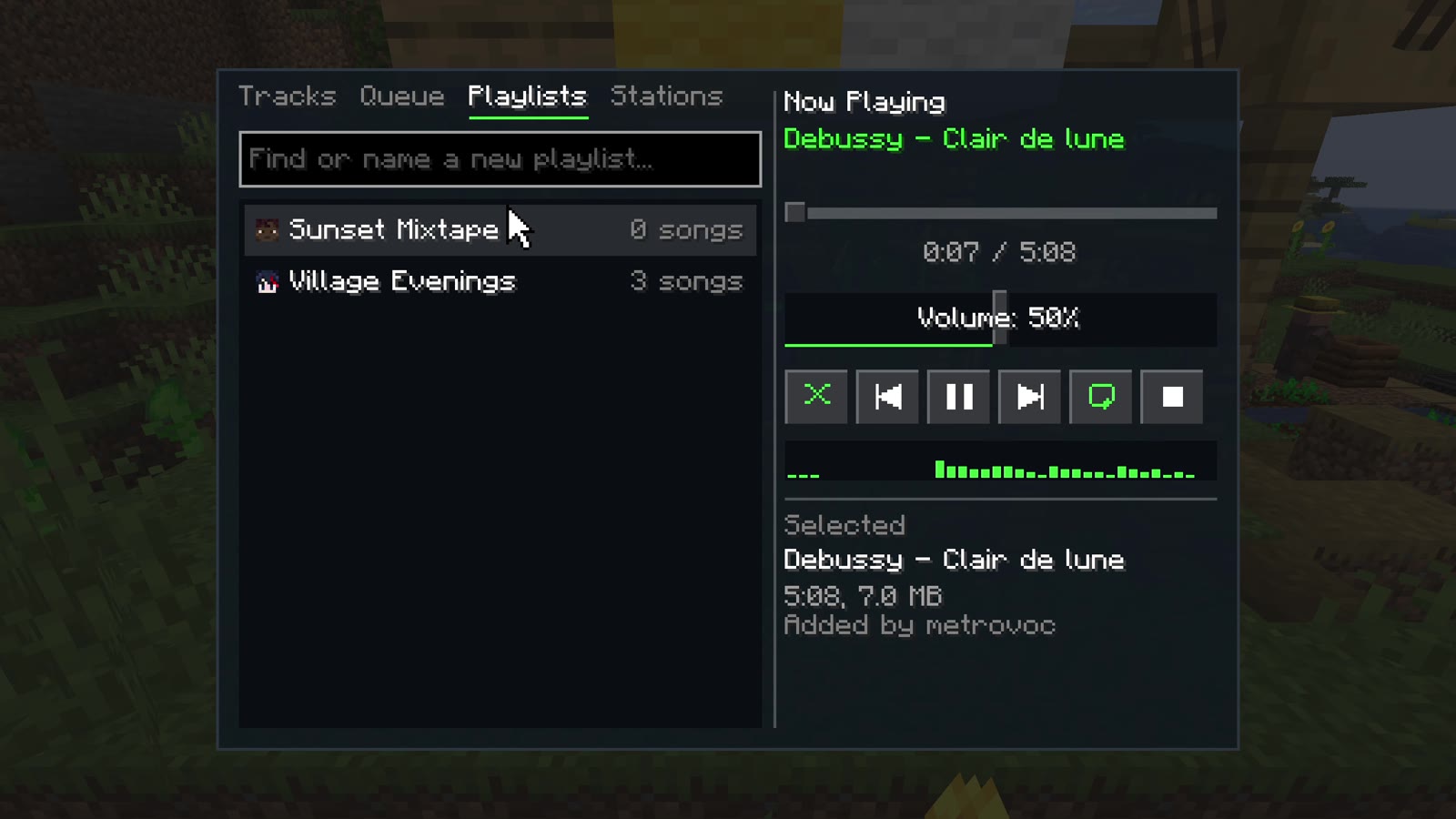
- Tracks: the library. Double-click to play, or hover a song for play now, play next and add to a playlist. Typing filters the list, and if you may add songs, the green row below finds what you typed on YouTube, SoundCloud or Bilibili, or adds a pasted link.
- Queue: what's up next. Double-click to jump, or remove a row.
- Playlists: saved lists anyone can make, credited to their creator. Open one to add songs by typing, drag to reorder, and rename it.
- Stations: music one person runs, for everyone who listens in. Typing a new name shares what's playing as a station, and typing an existing name tunes to it. Leave brings your own music back where it was.
The screen says who a button affects, and greys out what you can't change.
Boombox
Craft one from a Speaker, or find it after the music discs in the creative menu. Use it to open its controls, or sneak and use it to switch it on or off. It tunes to stations like a speaker does. Put away in a chest, or with its holder offline, its own music waits and carries on from the same point; a station keeps going without it.
Redstone
A signal turning on acts by side, as seen facing the speaker:
| Side | Action |
|---|---|
| Left | Previous track |
| Right | Next track |
| Back | Stop |
| Front, top, bottom | Play or pause |
A comparator reads how far through the track the speaker is: 1 at the start up to 15 at the end, and 0 when stopped. Sculk sensors hear it start and stop, and nearby parrots and allays dance.
Commands
All commands need operator permission.
| Command | Description |
|---|---|
/phonon add [name] <link> |
Download and register audio. Without a name, it uses the video's title |
/phonon add <title> |
Add the first YouTube result for the title |
/phonon list |
View registered audio |
/phonon remove <name> |
Remove audio |
/phonon reload |
Reload configuration and import new files from the music folder |
/phonon config |
Show the server settings, with buttons to switch them on or off |
/phonon config <setting> <value> |
Change a server setting and save it |
/phonon config <setting> reset |
Put a server setting back to its default |
/phonon tools |
Show audio tool versions, and which sites last worked or were blocked |
/phonon tools install |
Install yt-dlp, FFmpeg and Deno into the game folder |
/phonon tools update |
Update Phonon's yt-dlp, installing it first if it's only on the system |
/phonon tools help |
What to do when a site blocks the server |
Server settings
They apply to every player. Operators can change them in game with /phonon config, which also covers download,
proxy and transfer settings, and hides a proxy's password. The audio tool settings, which choose the proxy, the
cookies file and whether yt-dlp updates itself, need owner permission (level 4). Settings are saved in
config/phonon-server.toml on NeoForge or config/phonon-server.json on Fabric.
| Setting | What it does |
|---|---|
ownerOnlySpeakers |
Limits a speaker to whoever placed it and operators |
anyoneCanAddTracks |
Lets every player add songs. Players can delete only what they added |
anyoneCanControlStations |
Lets anyone tuned to a station change what it plays. Otherwise only its creator and operators can |
muffleBehindWalls |
Walls between a player and a speaker muffle it. Turn off to hear speakers unobstructed, like a jukebox |
hearingDistance |
How far away, in blocks, players hear a speaker, from 16 to 128 (64 by default) |
audioQuality |
Vorbis quality of newly added audio, from 0 (smallest) to 10 (best) |
Credits
Phonon is greatly inspired by WebDisplays and Sound Physics Remastered.
License
GPL-3.0. Not an official Minecraft product. Not approved by or associated with Mojang or Microsoft.


| Version | Minecraft | Loader | Download |
|---|---|---|---|
|
Phonon 0.4.0 for Fabric 26.3 0.4.0+mc26.3.fabric |
26.3
|
fabric
|
Download |
|
Phonon 0.4.0 for NeoForge 26.3 0.4.0+mc26.3.neoforge |
26.3
|
neoforge
|
Download |
|
Phonon 0.4.0 for Fabric 26.2 0.4.0+mc26.2.fabric |
26.2
|
fabric
|
Download |
|
Phonon 0.4.0 for NeoForge 26.2 0.4.0+mc26.2.neoforge |
26.2
|
neoforge
|
Download |
|
Phonon 0.4.0 for NeoForge 26.1–26.1.2 0.4.0+mc26.1.2.neoforge |
26.1.2, 26.1.1, 26.1
|
neoforge
|
Download |
|
Phonon 0.4.0 for Fabric 26.1–26.1.2 0.4.0+mc26.1.2.fabric |
26.1.2, 26.1.1, 26.1
|
fabric
|
Download |
|
Phonon 0.4.0 for NeoForge 1.21.11 0.4.0+mc1.21.11.neoforge |
1.21.11
|
neoforge
|
Download |
|
Phonon 0.4.0 for Fabric 1.21.11 0.4.0+mc1.21.11.fabric |
1.21.11
|
fabric
|
Download |
|
Phonon 0.4.0 for Fabric 1.21.9–1.21.10 0.4.0+mc1.21.10.fabric |
1.21.10, 1.21.9
|
fabric
|
Download |
|
Phonon 0.4.0 for NeoForge 1.21.10 0.4.0+mc1.21.10.neoforge |
1.21.10
|
neoforge
|
Download |
|
Phonon 0.4.0 for NeoForge 1.21.9 0.4.0+mc1.21.9.neoforge |
1.21.9
|
neoforge
|
Download |
|
Phonon 0.4.0 for Fabric 1.21.7–1.21.8 0.4.0+mc1.21.8.fabric |
1.21.8, 1.21.7
|
fabric
|
Download |
|
Phonon 0.4.0 for NeoForge 1.21.7–1.21.8 0.4.0+mc1.21.8.neoforge |
1.21.8, 1.21.7
|
neoforge
|
Download |
|
Phonon 0.4.0 for Fabric 1.21.6 0.4.0+mc1.21.6.fabric |
1.21.6
|
fabric
|
Download |
|
Phonon 0.4.0 for Fabric 1.21.5 0.4.0+mc1.21.5.fabric |
1.21.5
|
fabric
|
Download |
|
Phonon 0.4.0 for NeoForge 1.21.6 0.4.0+mc1.21.6.neoforge |
1.21.6
|
neoforge
|
Download |
|
Phonon 0.4.0 for Fabric 1.21.4 0.4.0+mc1.21.4.fabric |
1.21.4
|
fabric
|
Download |
|
Phonon 0.4.0 for NeoForge 1.21.5 0.4.0+mc1.21.5.neoforge |
1.21.5
|
neoforge
|
Download |
|
Phonon 0.4.0 for NeoForge 1.21.4 0.4.0+mc1.21.4.neoforge |
1.21.4
|
neoforge
|
Download |
|
Phonon 0.4.0 for Fabric 1.21.2–1.21.3 0.4.0+mc1.21.3.fabric |
1.21.3, 1.21.2
|
fabric
|
Download |
|
Phonon 0.4.0 for NeoForge 1.21.2–1.21.3 0.4.0+mc1.21.3.neoforge |
1.21.3, 1.21.2
|
neoforge
|
Download |
|
Phonon 0.4.0 for Fabric 1.21.1 0.4.0+mc1.21.1.fabric |
1.21.1
|
fabric
|
Download |
|
Phonon 0.4.0 for NeoForge 1.21.1 0.4.0+mc1.21.1.neoforge |
1.21.1
|
neoforge
|
Download |
|
Phonon 0.4.0-beta.3 for Fabric 26.3 0.4.0-beta.3+mc26.3.fabric |
26.3
|
fabric
|
Download |
|
Phonon 0.4.0-beta.3 for NeoForge 26.3 0.4.0-beta.3+mc26.3.neoforge |
26.3
|
neoforge
|
Download |
|
Phonon 0.4.0-beta.3 for NeoForge 26.2 0.4.0-beta.3+mc26.2.neoforge |
26.2
|
neoforge
|
Download |
|
Phonon 0.4.0-beta.3 for Fabric 26.2 0.4.0-beta.3+mc26.2.fabric |
26.2
|
fabric
|
Download |
|
Phonon 0.4.0-beta.3 for Fabric 26.1–26.1.2 0.4.0-beta.3+mc26.1.2.fabric |
26.1.2, 26.1.1, 26.1
|
fabric
|
Download |
|
Phonon 0.4.0-beta.3 for NeoForge 26.1–26.1.2 0.4.0-beta.3+mc26.1.2.neoforge |
26.1.2, 26.1.1, 26.1
|
neoforge
|
Download |
|
Phonon 0.4.0-beta.3 for Fabric 1.21.11 0.4.0-beta.3+mc1.21.11.fabric |
1.21.11
|
fabric
|
Download |
|
Phonon 0.4.0-beta.3 for NeoForge 1.21.11 0.4.0-beta.3+mc1.21.11.neoforge |
1.21.11
|
neoforge
|
Download |
|
Phonon 0.4.0-beta.3 for Fabric 1.21.9–1.21.10 0.4.0-beta.3+mc1.21.10.fabric |
1.21.10, 1.21.9
|
fabric
|
Download |
|
Phonon 0.4.0-beta.3 for NeoForge 1.21.9 0.4.0-beta.3+mc1.21.9.neoforge |
1.21.9
|
neoforge
|
Download |
|
Phonon 0.4.0-beta.3 for NeoForge 1.21.10 0.4.0-beta.3+mc1.21.10.neoforge |
1.21.10
|
neoforge
|
Download |
|
Phonon 0.4.0-beta.3 for Fabric 1.21.7–1.21.8 0.4.0-beta.3+mc1.21.8.fabric |
1.21.8, 1.21.7
|
fabric
|
Download |
|
Phonon 0.4.0-beta.3 for NeoForge 1.21.7–1.21.8 0.4.0-beta.3+mc1.21.8.neoforge |
1.21.8, 1.21.7
|
neoforge
|
Download |
|
Phonon 0.4.0-beta.3 for Fabric 1.21.6 0.4.0-beta.3+mc1.21.6.fabric |
1.21.6
|
fabric
|
Download |
|
Phonon 0.4.0-beta.3 for NeoForge 1.21.6 0.4.0-beta.3+mc1.21.6.neoforge |
1.21.6
|
neoforge
|
Download |
|
Phonon 0.4.0-beta.3 for Fabric 1.21.5 0.4.0-beta.3+mc1.21.5.fabric |
1.21.5
|
fabric
|
Download |
|
Phonon 0.4.0-beta.3 for NeoForge 1.21.5 0.4.0-beta.3+mc1.21.5.neoforge |
1.21.5
|
neoforge
|
Download |
|
Phonon 0.4.0-beta.3 for Fabric 1.21.4 0.4.0-beta.3+mc1.21.4.fabric |
1.21.4
|
fabric
|
Download |
|
Phonon 0.4.0-beta.3 for NeoForge 1.21.4 0.4.0-beta.3+mc1.21.4.neoforge |
1.21.4
|
neoforge
|
Download |
|
Phonon 0.4.0-beta.3 for Fabric 1.21.2–1.21.3 0.4.0-beta.3+mc1.21.3.fabric |
1.21.3, 1.21.2
|
fabric
|
Download |
|
Phonon 0.4.0-beta.3 for NeoForge 1.21.2–1.21.3 0.4.0-beta.3+mc1.21.3.neoforge |
1.21.3, 1.21.2
|
neoforge
|
Download |
|
Phonon 0.4.0-beta.3 for Fabric 1.21.1 0.4.0-beta.3+mc1.21.1.fabric |
1.21.1
|
fabric
|
Download |
|
Phonon 0.4.0-beta.3 for NeoForge 1.21.1 0.4.0-beta.3+mc1.21.1.neoforge |
1.21.1
|
neoforge
|
Download |
|
Phonon 0.4.0-beta.1 for Fabric 26.2 0.4.0-beta.1+mc26.2.fabric |
26.2
|
fabric
|
Download |
|
Phonon 0.4.0-beta.1 for NeoForge 26.2 0.4.0-beta.1+mc26.2.neoforge |
26.2
|
neoforge
|
Download |
|
Phonon 0.3.1 for Minecraft 26.2 0.3.1+mc26.2 |
26.2
|
neoforge
|
Download |
|
Phonon 0.3.1 for Minecraft 1.21.1 0.3.1+mc1.21.1 |
1.21.1
|
neoforge
|
Download |
|
Phonon 0.3.1 for Minecraft 26.1 0.3.1+mc26.1 |
26.1
|
neoforge
|
Download |
|
Phonon 0.3.1 for Minecraft 26.1.2 0.3.1+mc26.1.2 |
26.1.2
|
neoforge
|
Download |
|
Phonon 0.3.0 for Minecraft 26.2 0.3.0+mc26.2 |
26.2
|
neoforge
|
Download |
|
Phonon 0.3.0-beta.4 for Minecraft 26.2 0.3.0-beta.4+mc26.2 |
26.2
|
neoforge
|
Download |
|
Phonon 0.3.0-beta.4 for Minecraft 1.21.1 0.3.0-beta.4+mc1.21.1 |
1.21.1
|
neoforge
|
Download |
|
Phonon 0.3.0-beta.3 for Minecraft 26.2 0.3.0-beta.3+mc26.2 |
26.2
|
neoforge
|
Download |
|
Phonon 0.3.0-beta.3 for Minecraft 1.21.1 0.3.0-beta.3+mc1.21.1 |
1.21.1
|
neoforge
|
Download |
|
Phonon 0.3.0-beta.2 for Minecraft 1.21.1 0.3.0-beta.2+mc1.21.1 |
1.21.1
|
neoforge
|
Download |
|
Phonon 0.3.0-beta.2 for Minecraft 26.2 0.3.0-beta.2+mc26.2 |
26.2
|
neoforge
|
Download |
|
Phonon 0.3.0-alpha.3 for Minecraft 1.21.9 0.3.0-alpha.3+mc1.21.9 |
1.21.9
|
neoforge
|
Download |
|
Phonon 0.3.0-alpha.3 for Minecraft 1.21.7 0.3.0-alpha.3+mc1.21.7 |
1.21.7
|
neoforge
|
Download |
|
Phonon 0.3.0-alpha.3 for Minecraft 26.1.2 0.3.0-alpha.3+mc26.1.2 |
26.1.2
|
neoforge
|
Download |
|
Phonon 0.3.0-alpha.3 for Minecraft 1.21.11 0.3.0-alpha.3+mc1.21.11 |
1.21.11
|
neoforge
|
Download |
|
Phonon 0.3.0-alpha.3 for Minecraft 26.1.1 0.3.0-alpha.3+mc26.1.1 |
26.1.1
|
neoforge
|
Download |
|
Phonon 0.3.0-alpha.3 for Minecraft 1.21.10 0.3.0-alpha.3+mc1.21.10 |
1.21.10
|
neoforge
|
Download |
|
Phonon 0.3.0-alpha.3 for Minecraft 26.1 0.3.0-alpha.3+mc26.1 |
26.1
|
neoforge
|
Download |
|
Phonon 0.3.0-alpha.3 for Minecraft 1.21.8 0.3.0-alpha.3+mc1.21.8 |
1.21.8
|
neoforge
|
Download |
|
Phonon 0.3.0-alpha.3 for Minecraft 1.21.6 0.3.0-alpha.3+mc1.21.6 |
1.21.6
|
neoforge
|
Download |
|
Phonon 0.3.0-alpha.3 for Minecraft 1.21.4 0.3.0-alpha.3+mc1.21.4 |
1.21.4
|
neoforge
|
Download |
|
Phonon 0.3.0-alpha.3 for Minecraft 1.21.5 0.3.0-alpha.3+mc1.21.5 |
1.21.5
|
neoforge
|
Download |
|
Phonon 0.3.0-alpha.3 for Minecraft 1.21.3 0.3.0-alpha.3+mc1.21.3 |
1.21.3
|
neoforge
|
Download |
|
Phonon 0.3.0-alpha.3 for Minecraft 1.21.2 0.3.0-alpha.3+mc1.21.2 |
1.21.2
|
neoforge
|
Download |
|
Phonon 0.3.0-alpha.3 for Minecraft 1.21.1 0.3.0-alpha.3+mc1.21.1 |
1.21.1
|
neoforge
|
Download |
|
Phonon 0.3.0-alpha.3 for Minecraft 26.2 0.3.0-alpha.3+mc26.2 |
26.2
|
neoforge
|
Download |
|
Phonon 0.3.0-alpha.1 for Minecraft 1.21.9 0.3.0-alpha.1+mc1.21.9 |
1.21.9
|
neoforge
|
Download |
|
Phonon 0.3.0-alpha.1 for Minecraft 1.21.3 0.3.0-alpha.1+mc1.21.3 |
1.21.3
|
neoforge
|
Download |
|
Phonon 0.3.0-alpha.1 for Minecraft 1.21.7 0.3.0-alpha.1+mc1.21.7 |
1.21.7
|
neoforge
|
Download |
|
Phonon 0.3.0-alpha.1 for Minecraft 1.21.11 0.3.0-alpha.1+mc1.21.11 |
1.21.11
|
neoforge
|
Download |
|
Phonon 0.3.0-alpha.1 for Minecraft 1.21.6 0.3.0-alpha.1+mc1.21.6 |
1.21.6
|
neoforge
|
Download |
|
Phonon 0.3.0-alpha.1 for Minecraft 1.21.2 0.3.0-alpha.1+mc1.21.2 |
1.21.2
|
neoforge
|
Download |
|
Phonon 0.3.0-alpha.1 for Minecraft 1.21.8 0.3.0-alpha.1+mc1.21.8 |
1.21.8
|
neoforge
|
Download |
|
Phonon 0.3.0-alpha.1 for Minecraft 1.21.10 0.3.0-alpha.1+mc1.21.10 |
1.21.10
|
neoforge
|
Download |
|
Phonon 0.3.0-alpha.1 for Minecraft 1.21.4 0.3.0-alpha.1+mc1.21.4 |
1.21.4
|
neoforge
|
Download |
|
Phonon 0.3.0-alpha.1 for Minecraft 26.1.2 0.3.0-alpha.1+mc26.1.2 |
26.1.2
|
neoforge
|
Download |
|
Phonon 0.3.0-alpha.1 for Minecraft 26.1.1 0.3.0-alpha.1+mc26.1.1 |
26.1.1
|
neoforge
|
Download |
|
Phonon 0.3.0-alpha.1 for Minecraft 26.1 0.3.0-alpha.1+mc26.1 |
26.1
|
neoforge
|
Download |
|
Phonon 0.3.0-alpha.1 for Minecraft 1.21.5 0.3.0-alpha.1+mc1.21.5 |
1.21.5
|
neoforge
|
Download |
|
Phonon 0.3.0-alpha.1 for Minecraft 1.21.1 0.3.0-alpha.1+mc1.21.1 |
1.21.1
|
neoforge
|
Download |
|
Phonon 0.3.0-alpha.2 for Minecraft 26.2 0.3.0-alpha.2+mc26.2 |
26.2
|
neoforge
|
Download |
|
Phonon v0.2.1 v0.2.1 |
1.21.1
|
neoforge
|
Download |
|
Phonon v0.2.0 v0.2.0 |
1.21.1
|
neoforge
|
Download |