

PlayerPing Mod
A server-side port of the original PlayerPing plugin by HoneyBerries, for modded Minecraft servers.
For Fabric servers, Fabric API is required.
🆕 What's New in 1.2.0
- Supports versions from 1.21.x up to 26.3.
- More accurate ping: the server measures each connection itself once per second, so
/pingnow also shows jitter and packet loss. - The tab list keeps team colors and prefixes instead of replacing the player's name.
- The tab list now refreshes once per second instead of 20 times per second, which is lighter on busy servers.
- New
/ping list: see every online player's ping at once, highest first (admins, also works from the console). - New
/pingplayer reload: apply config changes without restarting. If the file has a mistake, the reload is refused and your current settings stay. - New Placeholder API support, so holograms and similar mods can show a player's ping.
/ipnow says "IP (as seen by the server)" for better clarification.
✨ Features
- 🔍 Ping Check -
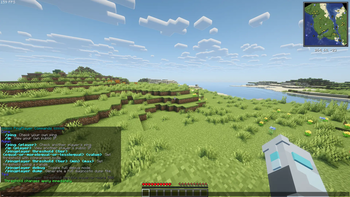
/pingfor yourself,/ping <player>and/ping listfor admins. - 📡 Measured Ping - Real round-trip time with jitter and packet loss, instead of Minecraft's smoothed value.
- 🌐 IP Lookup -
/ipfor your own IP,/ip <player>for admins. - 📋 Tablist Ping Display - Ping shown in the tab list with quality colors, compatible with scoreboard teams.
- 🎛️ Live Threshold Management - Edit ping tiers in-game with
/pingplayer threshold .... - 🧩 Placeholders -
%pingplayer:ping%and%pingplayer:quality%for mods that use Placeholder API. - 🛠️ Debug + Dump Tools - Built-in diagnostics for troubleshooting.
Commands
| Command | Description | Permission |
|---|---|---|
/ping |
Get your own ping | All players |
/ping <player> |
Check another player's ping | Admins |
/ping list |
List every online player's ping | Admins |
/ip |
Get your own IP | All players |
/ip <player> |
Get another player's IP | Admins |
/pingplayer help |
Show admin command help | Admins |
/pingplayer reload |
Reload the config file | Admins |
/pingplayer debug |
Toggle full debug mode on/off | Admins |
/pingplayer dump |
Generate a full diagnostic report | Admins |
/pingplayer threshold <excellent|good|fair|poor|terrible> |
Show current threshold for a tier | Admins |
/pingplayer threshold <tier> equal-or-more <value> |
Set tier to >= value | Admins |
/pingplayer threshold <tier> equal-or-less <value> |
Set tier to <= value | Admins |
/pingplayer threshold <tier> equal <value> |
Set tier to exact value | Admins |
/pingplayer threshold <tier> <min> <max> |
Set tier to a range | Admins |
Admins are vanilla operators, players with the permission playerping.admin, or players whose LuckPerms group weight is at least minLuckPermsWeight (default 8).
Examples
/pingplayer threshold terrible equal-or-more 500/pingplayer threshold fair 101 250/pingplayer reload
⚙️ Config
Settings are saved in config/player-ping/config.json. Change the tiers in-game, and edit the other settings in the file followed by /pingplayer reload.
showPingOnTab(defaulttrue): show ping in the tab list.tabRefreshTicks(default20): how often the tab list updates (20 ticks = 1 second).accuratePing(defaulttrue): measure ping with a small packet per player each second. Set tofalseif an anti-cheat objects; Minecraft's normal value is used instead.minLuckPermsWeight(default8): LuckPerms weight that counts as admin.
🧩 Placeholders
Install Placeholder API (optional) together with a mod that shows placeholders, such as a hologram mod:
| Placeholder | Example output |
|---|---|
%pingplayer:ping% |
42 ms (colored by tier) |
%pingplayer:quality% |
excellent (colored by tier) |
Example hologram text: Welcome %player:displayname%, your ping is %pingplayer:ping% would show as Welcome Steve, your ping is 10 ms.
🧪 Diagnostics
When you run /pingplayer dump, the mod creates a full diagnostic report at:
config/player-ping/crash_reports/
Fabric file naming format: pingplayer_crash_MMddyyyy_fabric.txt
🎨 Ping Quality Indicators
- 🟢 Green - Excellent (50 ms or less)
- 🟡 Yellow - Good (51 - 100 ms)
- 🟠 Gold - Fair (101 - 200 ms)
- 🔴 Red - Poor (201 - 300 ms)
- 🟥 Dark Red - Terrible (301 ms or more)
(Default ranges, configurable in-game.)
💻 Installation
- Download the
.jarthat matches your loader and Minecraft version. - Place it in your server's
/modsfolder. - Restart the server.
🔖 Compatibility
- Fabric: 1.21.x use java 21, 26.1 - 26.3 use java 25.
- NeoForge: WIP.
- Side: server-side only.
- Requires Fabric API on Fabric. Placeholder API is optional.

| Version | Minecraft | Loader | Download |
|---|---|---|---|
|
PlayerPing 1.2.0 1.2.0 |
26.3, 26.2, 26.1.2, 26.1.1, 26.1
|
neoforge
|
Download |
|
PlayerPing 1.2.0 1.2.0 |
1.21.11
|
neoforge
|
Download |
|
PlayerPing 1.2.0 1.2.0 |
1.21.10, 1.21.9, 1.21.8, 1.21.7, 1.21.6, 1.21.5, 1.21.4, 1.21.3, 1.21.2, 1.21.1, 1.21
|
neoforge
|
Download |
|
PlayerPing 1.2.0 1.2.0 |
1.21.11, 1.21.10, 1.21.9, 1.21.8, 1.21.7, 1.21.6, 1.21.5, 1.21.4, 1.21.3, 1.21.2, 1.21.1, 1.21
|
fabric
|
Download |
|
PlayerPing 1.2.0 1.2.0 |
26.3, 26.2, 26.1.2, 26.1.1, 26.1
|
fabric
|
Download |
|
PlayerPing-NeoForge 1.1.1 1.1.1 |
1.21, 1.21.1, 1.21.10, 1.21.11, 1.21.2, 1.21.3, 1.21.4, 1.21.5, 1.21.6, 1.21.7, 1.21.8, 1.21.9
|
neoforge
|
Download |
|
PlayerPing 1.1.1 1.1.1 |
1.21, 1.21.1, 1.21.10, 1.21.11, 1.21.2, 1.21.3, 1.21.4, 1.21.5, 1.21.6, 1.21.7, 1.21.8, 1.21.9
|
fabric
|
Download |
|
PlayerPing 1.1.0 1.1.0 |
1.21, 1.21.1, 1.21.10, 1.21.11, 1.21.2, 1.21.3, 1.21.4, 1.21.5, 1.21.6, 1.21.7, 1.21.8, 1.21.9
|
neoforge
|
Download |
|
PlayerPing 1.1.0 1.1.0 |
1.21, 1.21.1, 1.21.2, 1.21.3, 1.21.4
|
fabric
|
Download |
|
Player-Ping 1.0 1.0.0 |
1.21, 1.21.1, 1.21.10, 1.21.11, 1.21.2, 1.21.3, 1.21.4, 1.21.5, 1.21.6, 1.21.7, 1.21.8, 1.21.9
|
fabric
|
Download |