PlayerActionLogger (PAL)
PAL logs what your player does to a structured file, designed to be read by an LLM so it can commentate your gameplay live. It ships with an optional Python bot that speaks the commentary out loud.
It is client-side only: it works in singleplayer and on any server, the server does not need it, and it only ever logs your own player.
If you make a video with it, please credit this project.
What the log looks like
Every event is one JSON line, tagged with a level so a reader can tell an emergency from background noise:

| Level | Meaning |
|---|---|
INFO |
Background. Mining, walking, scenery, commands |
NOTABLE |
Worth mentioning. Kills, advancements, chat, damage |
CRITICAL |
Happening now. Deaths, low health, lava, a creeper at your back |
That level is the whole point: it is what lets a commentator interrupt itself for a creeper and stay quiet through the 200th stone block.
What it tracks
- Vitals — health, hunger, armour, XP, status effects, and when any of them turn dangerous
- Combat — what you killed, what killed you, damage taken and where it came from
- Mining — ore finds, session summaries, what you actually dug through
- Building and containers — placement, chests, workstations, crafting
- Danger — hostile mobs closing in, lava, long falls, drowning
- World — biome, dimension, time of day, weather, height
- Progress — advancements, level ups, vanilla statistics
- Chat — what you say, what others say, commands you run
Live state, not just history
Alongside the log, the mod rewrites player_state.json every second — the log says what
happened, this says what is true right now:

Vitals, position, equipment with durability, the full inventory and your vanilla statistics. It means a reader can answer "how many times have I died to lava" or "what am I holding" without replaying the whole log.
The companion bot (optional)
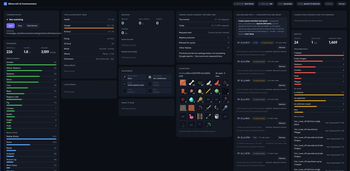
The mod is useful on its own — anything that can read JSONL can use it. But the repository also has a Python bot that reads the log, sends it to Gemini and speaks the reply out loud, with a local web dashboard:

Live vitals, your inventory drawn with real item icons (modded items included — the textures are
read from the jars you already have), the event feed, API quotas, and start/stop for the
commentator. It runs on 127.0.0.1 only.
Versions
| Minecraft | Loader | Needs |
|---|---|---|
| 26.1.2 | Fabric | Fabric API |
| 1.21.11 | Fabric | Fabric API |
| 1.21.1 | Fabric | Fabric API |
| 1.21.1 | NeoForge 21.1 | nothing else |
The NeoForge build as no dependency — it uses NeoForge's own events, so it drops straight into a modpack without dragging anything else in.
All builds are the same mod at the same version number: one feature set, whichever jar you take.
How to use
- Install Fabric (or NeoForge for the NeoForge build) for your Minecraft version.
- On Fabric, install Fabric API.
- Drop the matching jar into
mods/— the file name tells you which game and loader it is for. - Play. Logging starts as soon as you join a world.
Where the files go: <your minecraft folder>/logs/player_actions/
— session.log for the events, player_state.json for the live snapshot.
Why
It was built for LLM commentary — having something react to your gameplay while you play — but the log is plain JSONL with nothing AI-specific about it, so it works just as well for gameplay tracking, stats, or anything else that wants to know what you did.
Source, the Python bot and issues: https://github.com/gigachadfr/PAL