

Premium Advancements
Create unlimited custom advancements with an in game & web GUI editor. No config files needed.




Why Premium Advancements?
The easiest way to add achievements, quests, and progression to your Minecraft server. 53 triggers, real-time tracking, 8 reward types, multi-tab system, Discord webhooks, and both an in-game and browser-based web editor with live tree view - all without editing a single configuration file.
Features
- MiniMessage & Hex Colors -
&#RRGGBB, gradients, rainbows, bold/italic/underline, named colors (<light_purple>) supported everywhere, in-game L menu, GUIs, broadcasts, and the web editor live preview - Multi-Tab System - Organize advancements across multiple tabs, each with its own icon, background, and namespace
- Vanilla Advancement Viewer - Minecraft's built-in advancements (Story, Adventure, Nether, End, Husbandry) loaded read-only with correct icons, positions, and tree connections
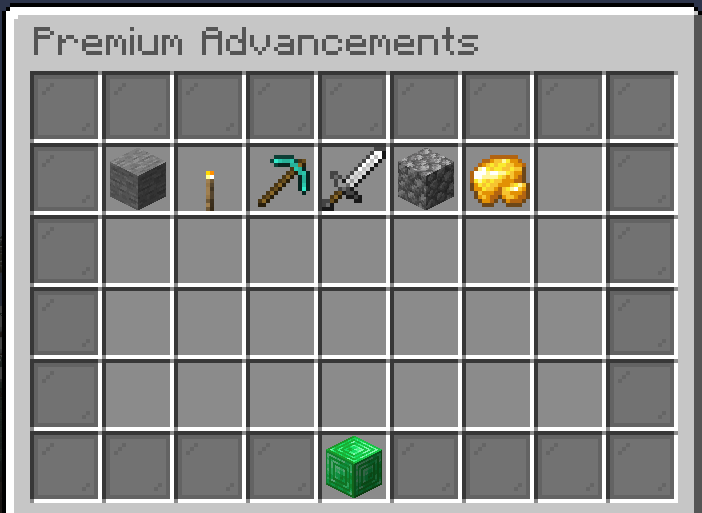
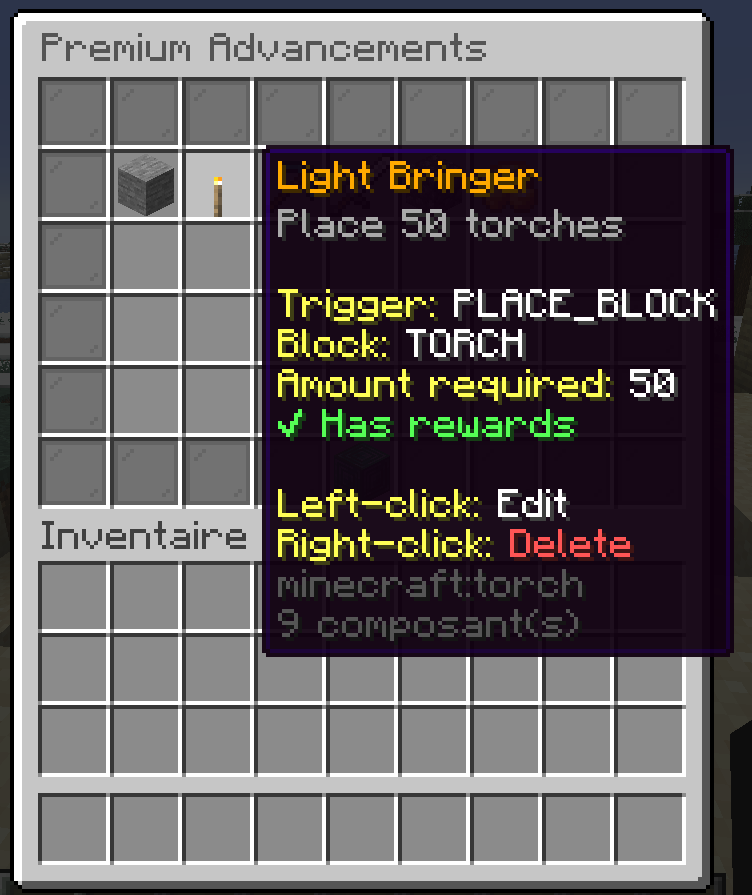
- In-Game GUI Editor - 6 screens: main list, tab selector, create wizard, edit, confirm delete, stats viewer
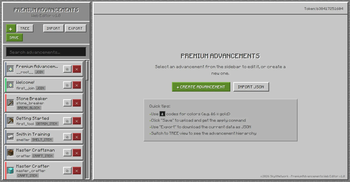
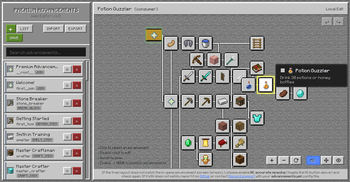
- Web Editor (Browser-Based) - Full visual editor with live tree view, drag & drop, undo/redo, import/export JSON, icon browser, tab management
- 53 Trigger Types - Block break/place, entity kill/breed/tame, items, enchanting, dimensions, biome entry, WorldGuard regions, vanilla advancement chaining, travel distance, playtime, login streaks, placeholders, and more. See the full list on the wiki.
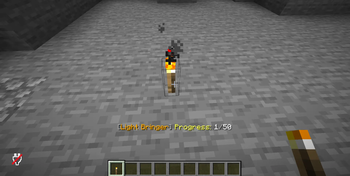
- Progression Tracking - Counter-based progress saved across sessions; cumulative distance (glide/swim/climb/travel)
- 8 Reward Types - Console commands, Vault money, items (with enchants/name/lore/CMD), LuckPerms permissions, PlayerPoints, weighted random reward pools, global broadcast, Discord webhooks
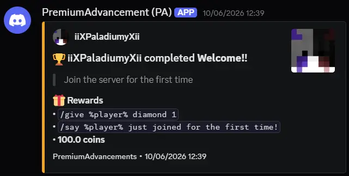
- Discord Webhook Integration - Send customizable embeds on advancement completion, per-advancement toggle, custom
embed with
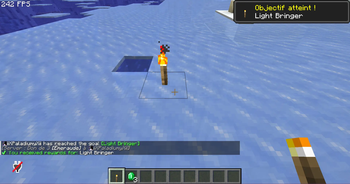
%player%and%advancement%placeholders - Notifications - Toast popups, chat announcements, action bar progress
- Dependencies - Chain advancements with prerequisites for progression systems
- Filters - Block/item/entity type filters, world restrictions, permission gates, Custom Model Data ( ItemsAdder/Oraxen), enchantment type/level, potion effect/amplifier, death cause, villager profession, bed color, sheep color, dimension, travel mode, MythicMobs mob filter (v3.2+)
- Backend Mode (v3.2+) - Hide custom tabs from the vanilla advancements GUI (
hide-tabs-from-vanilla-gui) to use the plugin purely as an advancement backend, and silent grants (/padv give ... --silent) for scripted/plugin-driven grants - Hidden Advancements - Invisible until all prerequisites are met
- Visual Tree - Customizable x/y positions and connection targets for a clean advancement display
- Database - SQLite (file-based, easy) or MySQL/MariaDB with HikariCP connection pool
- Multi-Language - Built-in English and French; custom language file support
- PlaceholderAPI - 14+ placeholders for scores, progress, ranking, and per-tab stats
- Auto-Migration - Seamless upgrade from v1.70 with automatic backup
- bStats - Anonymous usage statistics (toggleable)
Quick Start
- Install UltimateAdvancementAPI v3.0.0-beta-4+
- Drop the plugin in
plugins/and restart - Run
/padv guito create advancements OR/padv editorfor the web editor - Press L in-game to view them
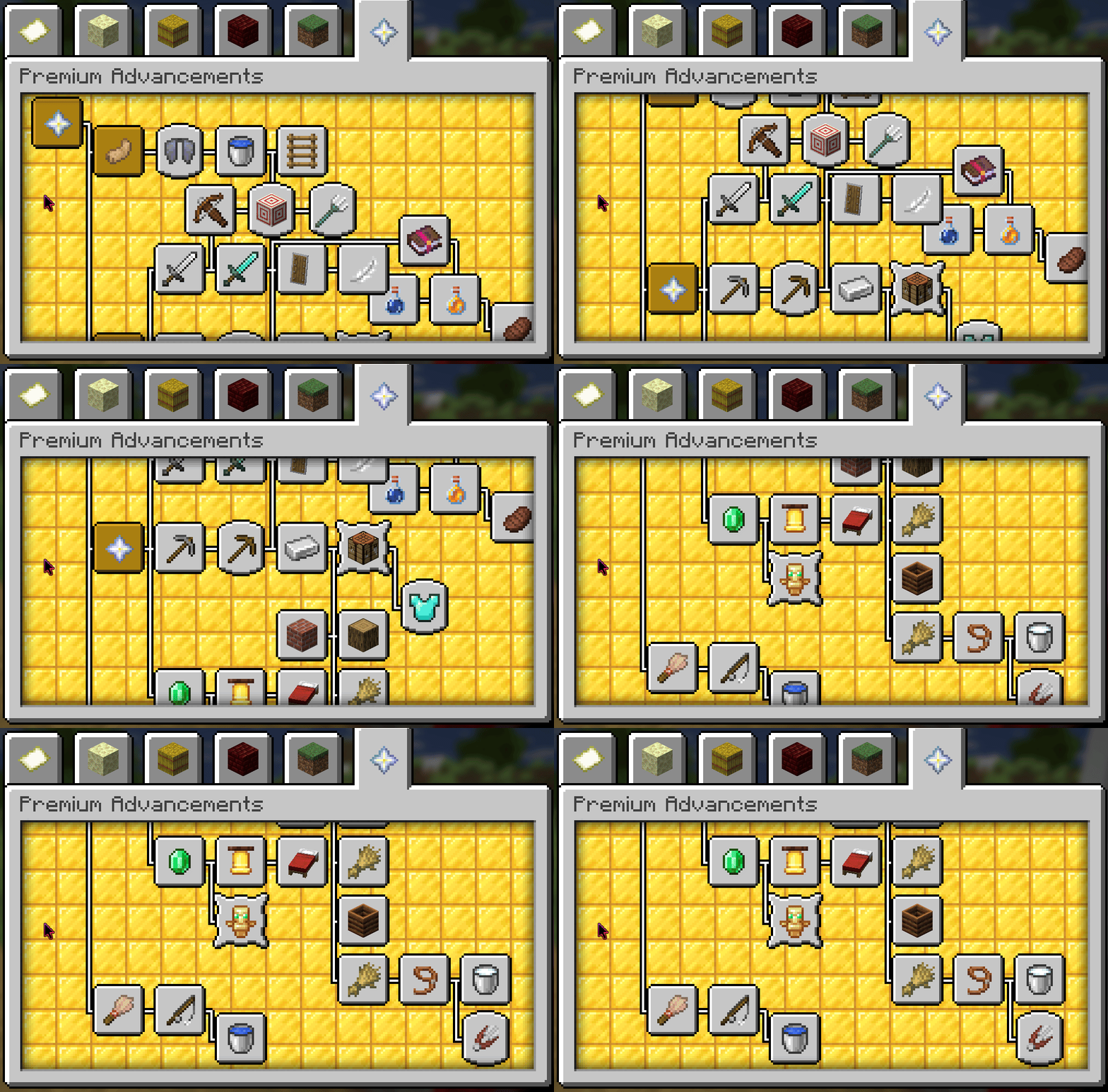
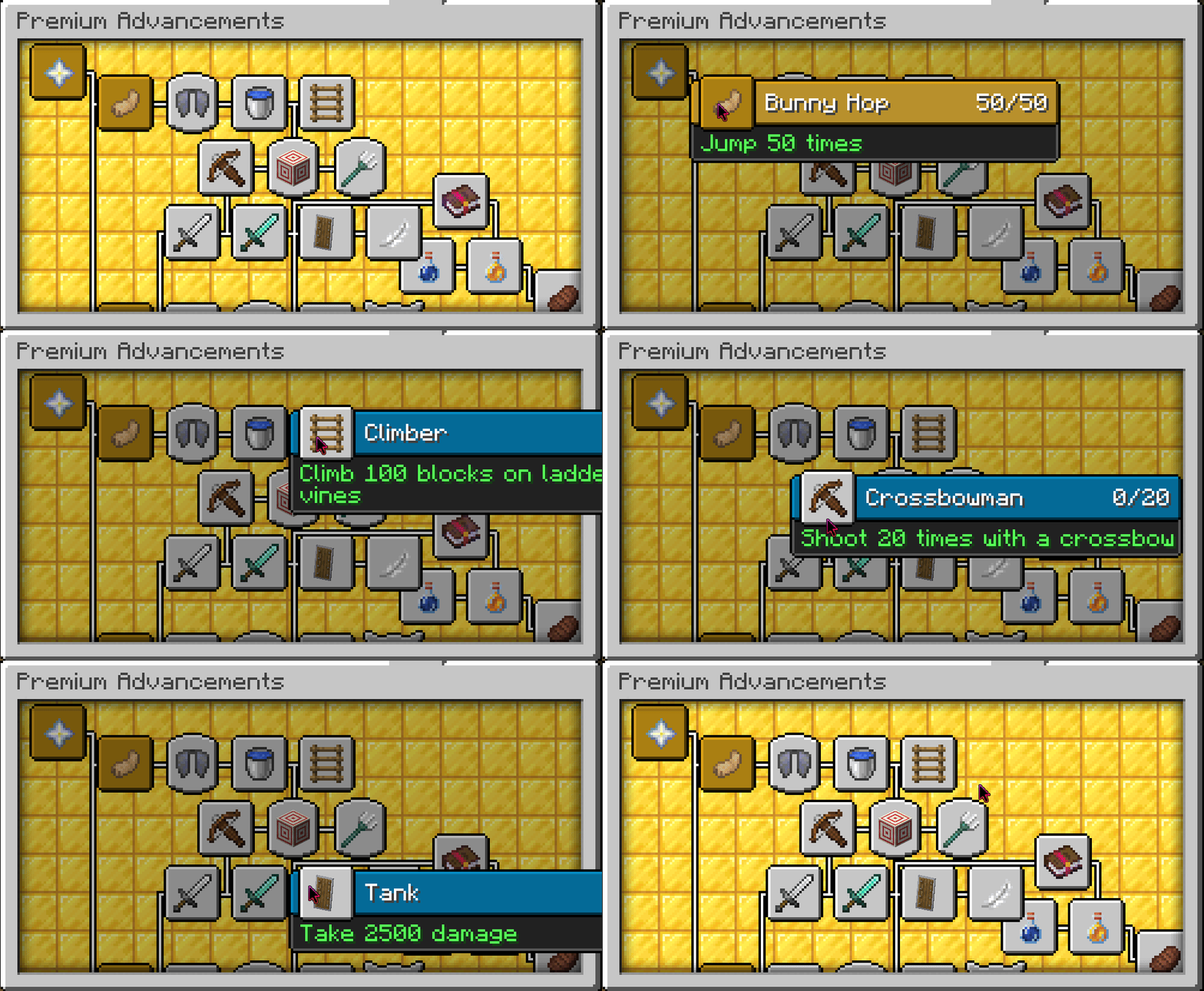
Screenshots
Community Showcase 💙
Check out KasaiSora's video showcase of Premium Advancements:
<iframe width="100%" height="420" src="https://www.youtube-nocookie.com/embed/dAwjMOlm0SQ?start=78" title="Premium Advancements Showcase by KasaiSora" frameborder="0" allow="accelerometer; autoplay; clipboard-write; encrypted-media; gyroscope; picture-in-picture; web-share" referrerpolicy="strict-origin-when-cross-origin" allowfullscreen></iframe>Two ways to create advancements fast
Via /padv gui - In-game GUI |
Via /padv editor - Web Editor |
|---|---|


📸 Discord Webhook Showcase


🌐 Web Editor Showcase


Commands
| Command | Description |
|---|---|
/padv help |
Show help menu |
/padv gui |
Open advancement management GUI (or tab selector) |
/padv tabs |
List all advancement tabs |
/padv wiki |
Open the plugin wiki |
/padv editor |
Get the web editor link |
/padv editor-trust <code> |
Authorize a browser session |
/padv info <id> |
Show full advancement details |
/padv give <player> <advancement> |
Grant an advancement to a player |
/padv take <player> <advancement|all> |
Revoke an advancement (or all) from a player |
/padv list [player] |
List completed advancements |
/padv stats [player] |
Open stats GUI with progress bars |
/padv setplaytime <player> <minutes> |
Set a player's total playtime (v2.5) |
/padv loginstreak [player] |
Check a player's login streak (v2.5) |
/padv setloginstreak <player> <days> |
Set a player's login streak (v2.5) |
/padv reload |
Reload configuration |
/padv placeholders |
List all placeholders |
Permissions
| Permission | Default | Description |
|---|---|---|
premiumadvancements.admin |
OP | Full access to all admin commands |
premiumadvancements.give |
OP | Grant advancements |
premiumadvancements.take |
OP | Revoke advancements |
premiumadvancements.list |
true | List own advancements |
premiumadvancements.list.others |
OP | List others' advancements |
premiumadvancements.stats |
true | View own stats |
premiumadvancements.stats.others |
OP | View others' stats |
Placeholders
| Placeholder | Description |
|---|---|
%premiumadvancements_completed% |
Total completed advancements |
%premiumadvancements_total% |
Total available advancements |
%premiumadvancements_progress_<id>% |
Progress (e.g., 45/100) |
%premiumadvancements_completed_<id>% |
Completed status (true/false) |
%premiumadvancements_percent% |
Overall completion % |
%premiumadvancements_percent_<id>% |
Per-advancement completion % |
%premiumadvancements_latest% |
Latest completed title |
%premiumadvancements_ranking% |
Player rank by completions |
%premiumadvancements_tab_completed_<ns>% |
Tab completions |
%premiumadvancements_tab_total_<ns>% |
Tab total |
%premiumadvancements_tab_percent_<ns>% |
Tab completion % |
Requirements
- Paper, Spigot or Purpur 1.20.4+
- Java 17+ (21+ required by MC 1.20.5+)
- UltimateAdvancementAPI 3.0.0-beta-4+ (required)
- Vault (optional, for money rewards)
- PlaceholderAPI (optional, for placeholders)
- LuckPerms (optional, for permission rewards)
- PlayerPoints (optional, for points rewards)
- WorldGuard (optional, for REGION_ENTER trigger)
Full Documentation

Everything you need to know: tabs, advancements, triggers, rewards, commands, placeholders, web editor, and more.
❤️ Donators
These amazing people help keep Premium Advancements alive. Thank you!
| Username | Contribution |
|---|---|
| Soup | €15 |
Support
Discord • Website • Wiki • GitHub
Made by Sky X Network

| Version | Minecraft | Loader | Download |
|---|---|---|---|
|
Premium Advancements | Custom Achievements v3.2.1 v3.2.1 |
1.20, 1.20.1, 1.20.2, 1.20.3, 1.20.4, 1.20.5, 1.20.6, 1.21, 1.21.1, 1.21.2, 1.21.3, 1.21.4, 1.21.5, 1.21.6, 1.21.7, 1.21.8, 1.21.9, 1.21.10, 1.21.11, 26.1, 26.1.1, 26.1.2, 26.2, 26.3
|
bukkit, paper, purpur, spigot
|
Download |
|
Premium Advancements | Custom Achievements v3.2 v3.2 |
1.20, 1.20.1, 1.20.2, 1.20.3, 1.20.4, 1.20.5, 1.20.6, 1.21, 1.21.1, 1.21.2, 1.21.3, 1.21.4, 1.21.5, 1.21.6, 1.21.7, 1.21.8, 1.21.9, 1.21.10, 1.21.11, 26.1, 26.1.1, 26.1.2, 26.2, 26.3
|
bukkit, paper, purpur, spigot
|
Download |
|
Premium Advancements | Custom Achievements v3.1 v3.1 |
1.20, 1.20.1, 1.20.2, 1.20.3, 1.20.4, 1.20.5, 1.20.6, 1.21, 1.21.1, 1.21.2, 1.21.3, 1.21.4, 1.21.5, 1.21.6, 1.21.7, 1.21.8, 1.21.9, 1.21.10, 1.21.11, 26.1, 26.1.1, 26.1.2, 26.2
|
bukkit, paper, purpur, spigot
|
Download |
|
Premium Advancements | Custom Achievements v3.0 v3.0 |
1.20, 1.20.1, 1.20.2, 1.20.3, 1.20.4, 1.20.5, 1.20.6, 1.21, 1.21.1, 1.21.2, 1.21.3, 1.21.4, 1.21.5, 1.21.6, 1.21.7, 1.21.8, 1.21.9, 1.21.10, 1.21.11, 26.1, 26.1.1, 26.1.2, 26.2
|
bukkit, paper, purpur, spigot
|
Download |
|
Premium Advancements | Custom Achievements v2.9 v2.9 |
1.21, 1.21.1, 1.21.2, 1.21.3, 1.21.4, 1.21.5, 1.21.6, 1.21.7, 1.21.8, 1.21.9, 1.21.10, 1.21.11, 26.1, 26.1.1, 26.1.2, 26.2
|
bukkit, paper, purpur, spigot
|
Download |
|
Premium Advancements | Custom Achievements v2.8 v2.8 |
1.21, 1.21.1, 1.21.2, 1.21.3, 1.21.4, 1.21.5, 1.21.6, 1.21.7, 1.21.8, 1.21.9, 1.21.10, 1.21.11, 26.1, 26.1.1, 26.1.2, 26.2
|
bukkit, paper, purpur, spigot
|
Download |
|
Premium Advancements | Custom Achievements v2.7.2 v2.7.2 |
1.21, 1.21.1, 1.21.2, 1.21.3, 1.21.4, 1.21.5, 1.21.6, 1.21.7, 1.21.8, 1.21.9, 1.21.10, 1.21.11, 26.1, 26.1.1, 26.1.2, 26.2
|
bukkit, paper, purpur, spigot
|
Download |
|
Premium Advancements | Custom Achievements v2.7.1 v2.7.1 |
1.21, 1.21.1, 1.21.2, 1.21.3, 1.21.4, 1.21.5, 1.21.6, 1.21.7, 1.21.8, 1.21.9, 1.21.10, 1.21.11, 26.1, 26.1.1, 26.1.2, 26.2
|
bukkit, paper, purpur, spigot
|
Download |
|
Premium Advancements | Custom Achievements v2.7 v2.7 |
1.21, 1.21.1, 1.21.2, 1.21.3, 1.21.4, 1.21.5, 1.21.6, 1.21.7, 1.21.8, 1.21.9, 1.21.10, 1.21.11, 26.1, 26.1.1, 26.1.2, 26.2
|
bukkit, paper, purpur, spigot
|
Download |
|
Premium Advancements | Custom Achievements v2.6 v2.6 |
1.21, 1.21.1, 1.21.2, 1.21.3, 1.21.4, 1.21.5, 1.21.6, 1.21.7, 1.21.8, 1.21.9, 1.21.10, 1.21.11, 26.1, 26.1.1, 26.1.2, 26.2
|
bukkit, paper, purpur, spigot
|
Download |
|
Premium Advancements | Custom Achievements v2.5 v2.5 |
1.21, 1.21.1, 1.21.2, 1.21.3, 1.21.4, 1.21.5, 1.21.6, 1.21.7, 1.21.8, 1.21.9, 1.21.10, 1.21.11, 26.1, 26.1.1, 26.1.2, 26.2
|
bukkit, paper, purpur, spigot
|
Download |
|
Premium Advancements | Custom Achievements v2.4 v2.4 |
1.21, 1.21.1, 1.21.2, 1.21.3, 1.21.4, 1.21.5, 1.21.6, 1.21.7, 1.21.8, 1.21.9, 1.21.10, 1.21.11, 26.1, 26.1.1, 26.1.2, 26.2
|
bukkit, paper, purpur, spigot
|
Download |
|
Premium Advancements | Custom Achievements v2.3 v2.3 |
1.21, 1.21.1, 1.21.2, 1.21.3, 1.21.4, 1.21.5, 1.21.6, 1.21.7, 1.21.8, 1.21.9, 1.21.10, 1.21.11, 26.1, 26.1.1, 26.1.2, 26.2
|
bukkit, paper, purpur, spigot
|
Download |
|
Premium Advancements | Custom Achievements v2.2 v2.2 |
1.21, 1.21.1, 1.21.2, 1.21.3, 1.21.4, 1.21.5, 1.21.6, 1.21.7, 1.21.8, 1.21.9, 1.21.10, 1.21.11, 26.1, 26.1.1, 26.1.2, 26.2
|
bukkit, paper, purpur, spigot
|
Download |
|
Premium Advancements | Custom Achievements v2.1 v2.1 |
1.21, 1.21.1, 1.21.2, 1.21.3, 1.21.4, 1.21.5, 1.21.6, 1.21.7, 1.21.8, 1.21.9, 1.21.10, 1.21.11, 26.1, 26.1.1, 26.1.2, 26.2
|
bukkit, paper, purpur, spigot
|
Download |
|
Premium Advancements | Custom Achievements v2.0 v2.0 |
1.21, 1.21.1, 1.21.2, 1.21.3, 1.21.4, 1.21.5, 1.21.6, 1.21.7, 1.21.8, 1.21.9, 1.21.10, 1.21.11, 26.1, 26.1.1, 26.1.2, 26.2
|
bukkit, paper, purpur, spigot
|
Download |
|
Premium Advancements | Custom Achievements v1.70 v1.70 |
1.21, 1.21.1, 1.21.2, 1.21.3, 1.21.4, 1.21.5, 1.21.6, 1.21.7, 1.21.8, 1.21.9, 1.21.10, 1.21.11, 26.1, 26.1.1, 26.1.2, 26.2
|
bukkit, paper, purpur, spigot
|
Download |
|
Premium Advancements | Custom Achievements v1.60 v1.60 |
1.21, 1.21.1, 1.21.2, 1.21.3, 1.21.4, 1.21.5, 1.21.6, 1.21.7, 1.21.8, 1.21.9, 1.21.10, 1.21.11, 26.1, 26.1.1, 26.1.2
|
bukkit, paper, purpur, spigot
|
Download |
|
Premium Advancements | Custom Achievements v1.50 v1.50 |
1.21, 1.21.1, 1.21.2, 1.21.3, 1.21.4, 1.21.5, 1.21.6, 1.21.7, 1.21.8, 1.21.9, 1.21.10, 1.21.11, 26.1, 26.1.1, 26.1.2
|
bukkit, paper, purpur, spigot
|
Download |
|
PremiumAdvancements v1.40 v1.40 |
1.21, 1.21.1, 1.21.2, 1.21.3, 1.21.4, 1.21.5, 1.21.6, 1.21.7, 1.21.8, 1.21.9, 1.21.10, 1.21.11, 26.1, 26.1.1, 26.1.2
|
bukkit, paper, purpur, spigot
|
Download |
|
PremiumAdvancements 1.32 v1.32 |
1.21, 1.21.1, 1.21.2, 1.21.3, 1.21.4, 1.21.5, 1.21.6, 1.21.7, 1.21.8, 1.21.9, 1.21.10, 1.21.11
|
bukkit, paper, purpur, spigot
|
Download |
|
PremiumAdvancements 1.31 v1.31 |
1.21, 1.21.1, 1.21.2, 1.21.3, 1.21.4, 1.21.5, 1.21.6, 1.21.7, 1.21.8, 1.21.9, 1.21.10, 1.21.11
|
bukkit, paper, purpur, spigot
|
Download |
|
PremiumAdvancements 1.3 v1.3 |
1.21, 1.21.1, 1.21.2, 1.21.3, 1.21.4, 1.21.5, 1.21.6, 1.21.7, 1.21.8, 1.21.9, 1.21.10, 1.21.11
|
bukkit, paper, purpur, spigot
|
Download |
|
PremiumAdvancements 1.2 v1.2 |
1.21, 1.21.1, 1.21.2, 1.21.3, 1.21.4, 1.21.5, 1.21.6, 1.21.7, 1.21.8, 1.21.9, 1.21.10, 1.21.11
|
bukkit, paper, purpur, spigot
|
Download |
|
PremiumAdvancements 1.1-SNAPSHOT v1.1 |
1.21, 1.21.1, 1.21.2, 1.21.3, 1.21.4, 1.21.5, 1.21.6, 1.21.7, 1.21.8, 1.21.9, 1.21.10, 1.21.11
|
bukkit, paper, purpur, spigot
|
Download |