

🪙 SellChest – Automated Sell Chest System
SellChest is a lightweight Paper 1.21 plugin that allows players to place automated selling chests.
Each chest automatically collects nearby items, sells supported items using EconomyShopGUI prices, and distributes the earnings between the owner and co-op members.
Key features:
Automatic item collection

Automatic selling using EconomyShopGUI prices

Custom co-op profit sharing

Live holograms

Global sales boost

Full admin management panel

Ownership transfer and earnings management
📦 Requirements
Paper 1.21

Java 21

Vault – handles economy transactions

EconomyShopGUI – provides the item prices used for selling

A compatible hologram plugin – required for hologram functionality
Important: SellChest requires EconomyShopGUI and Vault to function correctly. Make sure both dependencies are installed before using the plugin.
Items that are not listed in EconomyShopGUI will remain in the chest and will not be sold. SellChest does not use fallback prices.
🧠 How It Works
Suction
Every second, the chest collects items from an 8×8 area with a height of 4 blocks and moves them into the chest inventory.
Selling
Items with a valid price in EconomyShopGUI are automatically sold.
Normal: 1× selling rate

Premium: 2× selling rate

Global Boost: doubles sales during an active boost
Items without a price in EconomyShopGUI are not sold.
Distribution
Earnings can be shared between the chest owner and up to 3 co-op members.
Each member can have a custom share percentage. The total share must equal 100%.
All payments are handled through Vault.
Holograms
Live holograms can display information such as:
Chest type

Owner

Total earnings

Active boost status
Admin Panel
The built-in Admin Panel provides administrators with full control over SellChest.
Administrators can:
View and manage chests

Edit holograms

Manage co-op members

Configure permissions

Transfer ownership

Reset earnings

Delete chests

Perform global actions
⚡ Global Boost
Use the following command to activate a global sales boost:
/sellchest boost
While the boost is active, sales are doubled for all SellChest chests.
🔧 Commands
For a complete list of available commands and permissions, check the command section of the plugin or use the in-game help command.
❓ Support
If you discover a problem or have any questions about SellChest, please contact us through our Discord server.
We appreciate bug reports and feedback! Discord Link
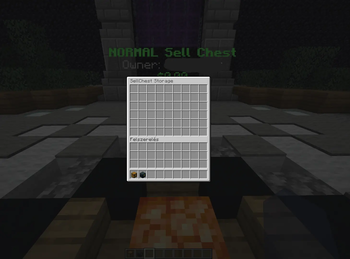
The sell chest has a 54-slot inventory (double chest size).
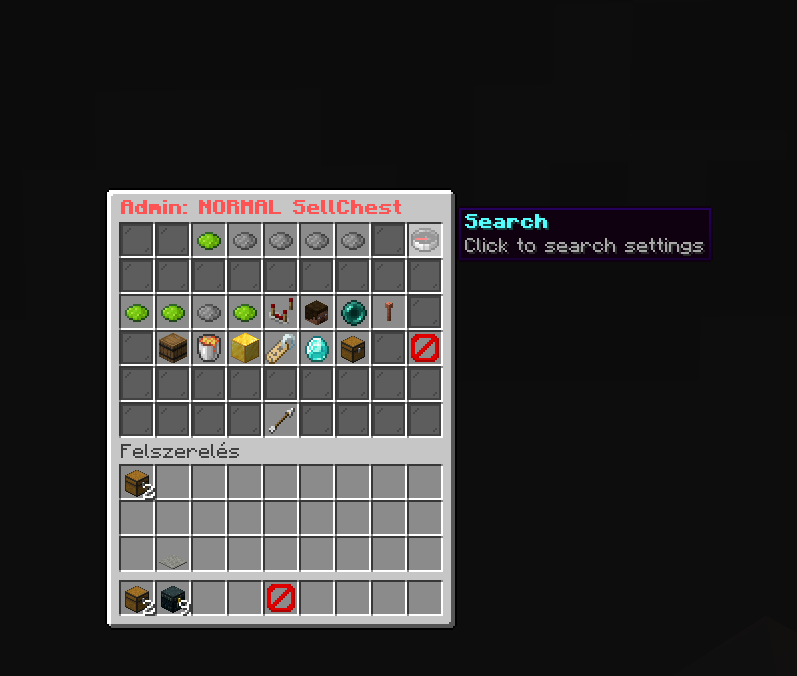
Now if you want to configure a chest you just click on it and it will open this menu whit so many features
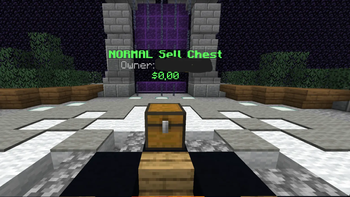
The hologram Displays the Chest Type Owner of the Chest And the Money you made in 10mins (It will reset every 10 minutes)
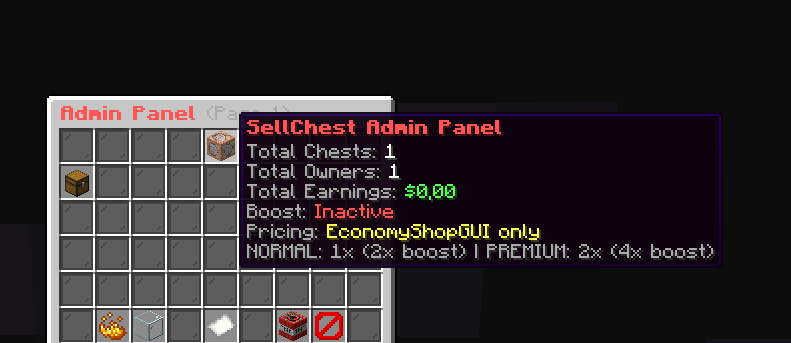
Here you can configure any chest on your server