Leveling Up
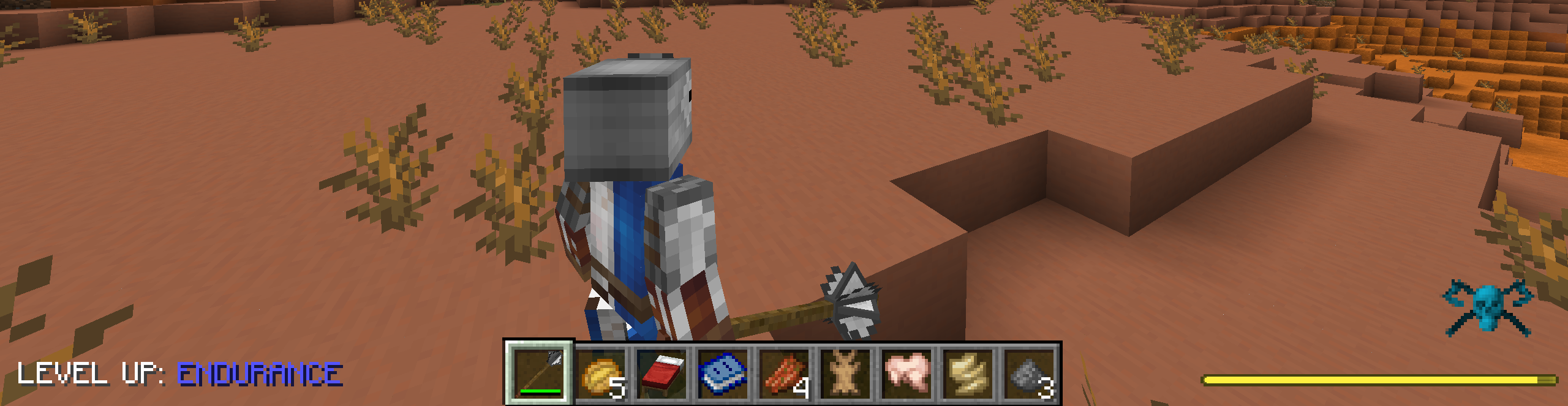
Leveling up is now displayed on the overlay instead of in the chat. You can customize where the text appears. The text is customizable, and it will always show what category is being leveled up.
#The text that appears before the category name.
messagePrefix = "LEVEL UP: "
#Allowed Values: TOP_LEFT, TOP_RIGHT, BOTTOM_LEFT, BOTTOM_RIGHT
position = "BOTTOM_LEFT"
Effect Granting
Enables effects being able to be unlocked via the skill tree. Removes the effect when the skill is removed/reset.
Example :
{
  "type": "tkvm_puffish_additions:effect_grant",
  "data": {
    "effect": "tkvm_effects:riposte",
    "amplifier": 4
  }
}


Full Example :
"deflection": {
    "title": "Deflection",
    "description": "Projectiles completely bounce off you. Cost: 5 Points",
    "size": 1.5,
    "cost": 5,
    "icon": {
        "type": "effect",
        "data": {
            "effect": "tkvm_effects:deflection"
        }
    },
    "rewards": [
        {
            "type": "tkvm_puffish_additions:effect_grant",
            "data": {
                "effect": "tkvm_effects:deflection",
                "amplifier": 0
            }
        }
    ],
    "metadata": {}
}
Sounds
You can also add a custom sound to leveling up via the config.
#Sound event to play on level-up, as a resource location (e.g. "minecraft:entity.player.levelup" or "examplemod:levelupsound").
#Leave blank to disable the sound.
levelUpSound = "minecraft:entity.player.levelup"
#Volume for the level-up sound.
#Range: 0.0 ~ 10.0
soundVolume = 1.0
#Pitch for the level-up sound.
#Range: 0.5 ~ 2.0
soundPitch = 1.0