

RealSkywars
Efficient and Open-Source SkyWars plugin.
A GUI-based SkyWars minigame with solo and team maps, kits, cosmetics, parties and leaderboards.
What is RealSkywars?
RealSkywars runs SkyWars matches on your server. You build or paste a map, place the cages and chests with setup items, and the plugin handles the rest: countdowns, chest refills, game events, spectating, coins, statistics and map resets. Almost everything, from map settings to the plugin's own config, can be changed in-game through menus.
Features
- Multi-arena: run as many maps as you want at the same time
- SOLO and TEAMS maps, each of which can be set as ranked with its own statistics
- Default or schematic maps: generate an empty world to build in, or paste a WorldEdit schematic
- Manual team selection: players can wait in a shared waiting lobby and pick their own team
- Three chest tiers (Basic, Normal, Epic), with separate loot for normal and mid chests
- Voting on chest tier, time of day (day, sunset, night, rain) and projectiles (normal or block breaking)
- Game events per map: chest refill, TNT rain and border shrink (deathmatch), each at a set time
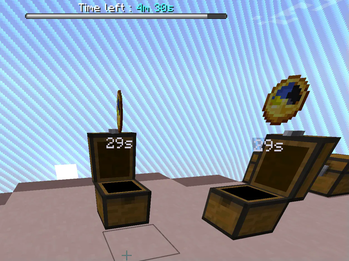
- Chest refill animation and refill countdown holograms over chests
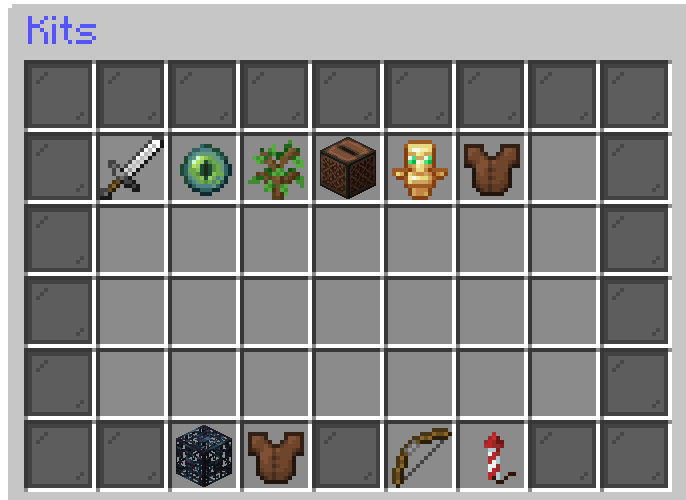
- Kits created from your inventory, with a price, permission and an optional ender pearl perk
- Shop with cage blocks, win blocks and bow trails, plus a separate spectator shop
- Coins per win, kill and death, with its own currency or Vault
- Achievements that reward coins for kills, wins and games played
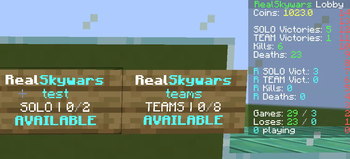
- Leaderboards for wins and kills, shown through PlaceholderAPI
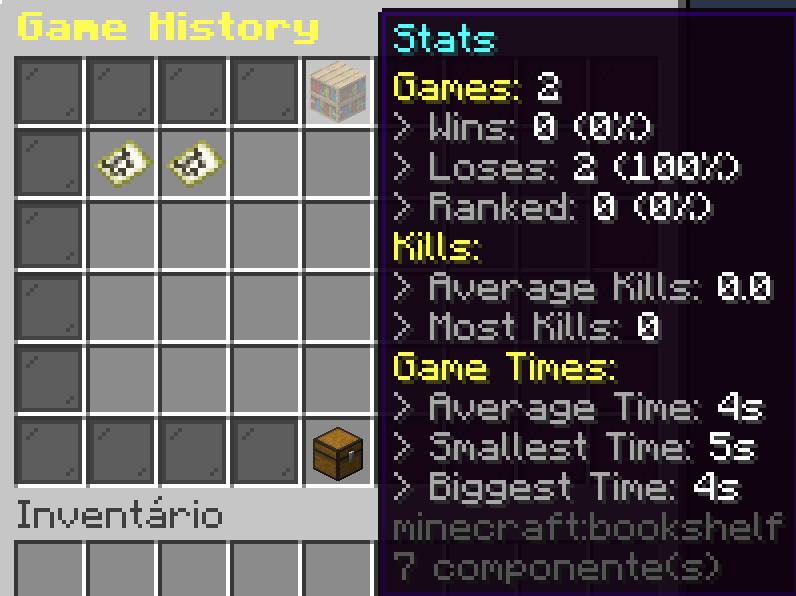
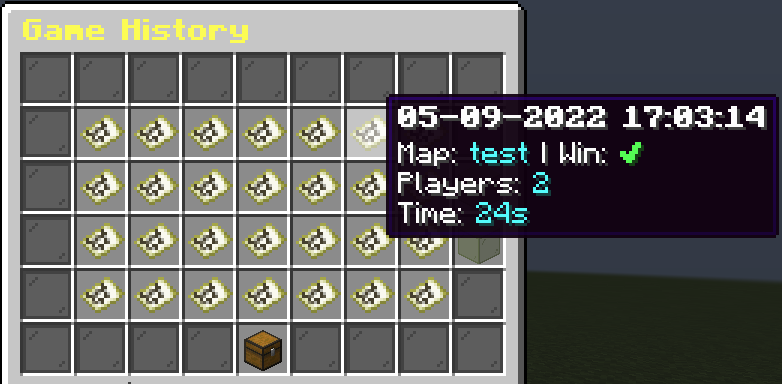
- Game history and statistics menu for every player
- Party system so friends join the same match
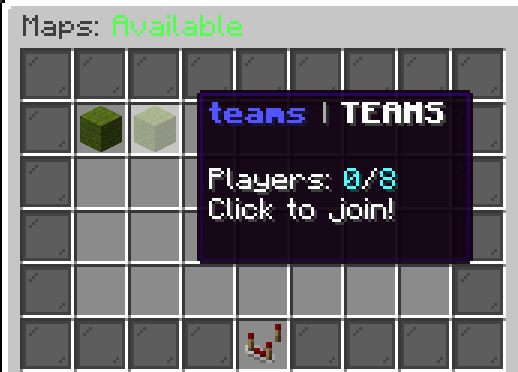
- Join signs, a maps menu and pressure plate joining
- Lobby and match scoreboards, tab formatting and optional per-map chat
- BungeeCord mode, with the map state as the server MOTD
- In-game settings menu for the config. On 1.21.6+, settings, timers and confirmations use native dialogs
- SQLite, MySQL, MariaDB and PostgreSQL storage
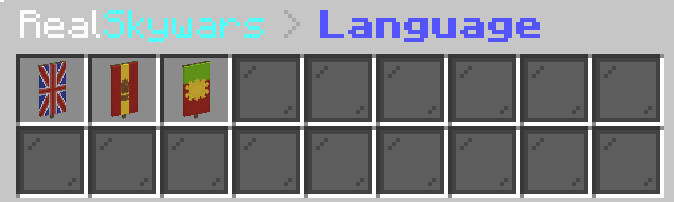
- Six languages included: English, Portuguese, Spanish, French, Polish and Chinese. Each player picks their own
- PlaceholderAPI, DecentHolograms, HolographicDisplays and RealPermissions support
- A developer API
Map Settings
Each map has its own settings menu, opened with the settings item while setting it up, or with /rsw edit <map>.
| Setting | What it does |
|---|---|
| Spectator | Players spectate the match when they die |
| Instant Ending | When a player wins, the map resets right away and everyone goes back to the lobby |
| Ranked | Counts wins and kills in the ranked statistics and leaderboards |
| Border | Turns the map border on or off |
| Manual Team Selection | Players pick their team in the waiting lobby (TEAMS maps) |
| Events | Add, edit or remove the map's refill, TNT rain and border shrink events |
| Timers | Max game time, end game time, start game time and invincibility seconds |
Manual team selection
By default, joining a TEAMS map puts you in the first team with a free slot. With manual team selection on, players wait in a shared waiting lobby and pick their team from a menu. They are moved into their cage a few seconds before the match starts. Players in the waiting lobby only see the players of their own match, so several matches can fill up in the same lobby.
- Run
/rsw createwaitinglobby <world>. RealSkywars creates an empty world, puts you on a bedrock block in creative mode and sets it as the waiting lobby. - Build the lobby. The world is saved normally.
- Stand where players should spawn and run
/rsw setwaitinglobby. - For each TEAMS map:
/rsw unregister <map>, open its settings, turn on Manual Team Selection, save and register the map again.
If no waiting lobby is set, players are held at the map's spectator location instead. Config.Teams.Cage-Transfer-Seconds (default 3) sets how long before the start players are moved to their cages. Players who never picked a team go to the emptiest one.
Getting Started
Creating a map
- Stand where players should spawn after a match and run
/rsw setlobby. Maps can't be created until the lobby is set. - Run
/rsw create <name> <default|schematic> <players>for a SOLO map, or/rsw create <name> <default|schematic> <teams> <players-per-team>for a TEAMS map. - For a schematic map, put the
.schemfile inplugins/RealSkywars/mapsfirst and use the file name (with.schem) as the map name. - A menu opens. Change the settings you want and save. RealSkywars creates the world (or pastes the schematic) and teleports you there.
- Use the hotbar items: place the beacon where each cage goes, the chest for normal chests and the trapped chest for mid chests. The comparator opens the map settings.
- Stand where spectators should appear and run
/rsw setspectator. - Select the map's boundaries with
//pos1and//pos2(or the WorldEdit wand). Run//expand vertto cover the full height. - Run
/rsw finishor click the Save item (nether star).
Join sign
Once the map is registered, place a sign with [rsw] on line 1 and the map name on line 2. Players click it to join. Sneak and click it to remove it.
Kits
Fill your inventory with the kit's items and run /rsw kit create <name> <price>. A menu opens where you can turn on the ender pearl perk (a pearl every few seconds) and save. The icon and permission can be changed in kits.yml.
Chest loot
Put the loot in your inventory (not the hotbar) and run /rsw set2chest <basic|normal|epic> <normal|mid>. Check it with /rsw seetier <tier> <type>.
Commands
Base commands: /realskywars, /rsw, /sw. Running /rsw alone opens the plugin menu for admins and the maps menu for everyone else.
| Command | Description |
|---|---|
/rsw play <solo|teams> |
Joins the next available map |
/rsw maps |
Opens the maps menu |
/rsw kits |
Opens the kits menu |
/rsw shop |
Opens the shop |
/rsw balance |
Shows your coins |
/leave |
Leaves the current match |
/party |
Party commands |
Full command list
Players
| Command | Description |
|---|---|
/rsw play <solo|teams> |
Joins the next available map of that mode |
/rsw maps |
Opens the maps menu |
/rsw kits |
Opens the kits menu |
/rsw shop |
Opens the shop |
/rsw spectatorshop (alias specshop) |
Opens the spectator shop |
/rsw balance (alias bal) |
Shows your coins |
/rsw coins send <player> <amount> |
Sends coins to another player |
/rsw lobby |
Teleports you to the lobby |
/rsw leave |
Leaves the current match |
/rsw forcestart |
Force starts the match you are in |
/leave (aliases sair, ragequit) |
Leaves the current match |
Party (aliases /p, /f, /festa, /swp, /rswparty)
| Command | Description |
|---|---|
/party create |
Creates a party |
/party disband |
Disbands your party |
/party invite <player> |
Invites a player |
/party accept |
Accepts a party invite |
/party kick <player> |
Kicks a player from your party |
/party leave |
Leaves your party |
Maps (admin)
| Command | Description |
|---|---|
/rsw create <name> <default|schematic> <players> |
Creates a SOLO map |
/rsw create <name> <default|schematic> <teams> <players-per-team> |
Creates a TEAMS map |
/rsw setspectator |
Sets the spectator location of the map you are in |
/rsw finish |
Saves and registers the map you are setting up |
/rsw edit <map> (alias editmap) |
Edits a map's cages, chests and settings |
/rsw register <map> |
Makes a map playable |
/rsw unregister <map> (alias unreg) |
Takes a map out of rotation so it can be edited |
/rsw rename <map> <display name> (alias ren) |
Changes a map's display name |
/rsw duplicate <map> <new name> (aliases dup, copy) |
Copies a map |
/rsw reset <map> |
Resets a map and sends its players out |
/rsw delete <map> (aliases del, cancel) |
Deletes a map and its world |
/rsw map <map> |
Opens a map's dashboard |
/rsw list |
Lists all maps in chat; click one to open it |
/rsw tp <map> |
Teleports you to a map's world in creative mode |
Lobby (admin)
| Command | Description |
|---|---|
/rsw setlobby |
Sets the main lobby to where you stand |
/rsw createwaitinglobby <world> |
Creates an empty world and sets it as the waiting lobby |
/rsw setwaitinglobby |
Sets the waiting lobby spawn to where you stand |
Kits and chests (admin)
| Command | Description |
|---|---|
/rsw kit create <name> <price> |
Creates a kit from your inventory |
/rsw kit delete <name> |
Deletes a kit |
/rsw kit give <name> |
Gives you a kit's items |
/rsw set2chest <basic|normal|epic> <normal|mid> |
Sets a chest tier's loot from your inventory |
/rsw seetier <basic|normal|epic> <normal|mid> |
Shows a chest tier's loot |
Players and coins (admin)
| Command | Description |
|---|---|
/rsw coins <add|set|remove> <player> <amount> |
Changes a player's coins |
/rsw players |
Lists online players; click one to inspect them |
/rsw player <player> |
Opens a player's profile |
Plugin (admin)
| Command | Description |
|---|---|
/rsw settings (alias s) |
Opens the plugin settings menu |
/rsw reload (alias rl) |
Reloads the config and language files |
/rsw verifylang |
Checks every language file for missing translations |
/rsw refreshLeaderboards |
Refreshes the leaderboards now |
/rsw item2config |
Saves the item in your hand to config.yml |
/rsw addsharik |
Adds a test player to your match (experimental, can crash) |
Permissions
| Permission | Description |
|---|---|
rsw.admin |
All admin commands and menus |
rsw.kits |
/rsw kits |
rsw.shop |
/rsw shop |
rsw.spectatorshop |
/rsw spectatorshop |
rsw.coins |
/rsw balance and /rsw coins send |
rsw.lobby |
/rsw lobby |
rsw.leave |
/rsw leave and /leave |
rsw.forcestart |
/rsw forcestart |
rsw.list |
/rsw list |
rsw.party.owner |
/party create, disband and kick |
rsw.party.invite |
/party invite |
rsw.party.accept |
/party accept |
rsw.party.leave |
/party leave |
/rsw play and /rsw maps need no permission.
Voting, kit and shop permissions
| Permission | Description |
|---|---|
rsw.basic, rsw.normal, rsw.epic |
Vote for a chest tier |
rsw.day, rsw.sunset, rsw.night, rsw.rain |
Vote for the time of day |
rsw.normal-projectile, rsw.break-projectile |
Vote for the projectile type |
Each kit and shop item has its own permission, set in kits.yml and shops.yml. The default kits use RealSkywars.Kit. Kits made with /rsw kit create start with rsw.kit.
Placeholders
Requires PlaceholderAPI.
| Placeholder | Value |
|---|---|
%realskywars_playing% |
Players in a match |
%realskywars_playing_solo% |
Players in solo matches |
%realskywars_playing_teams% |
Players in teams matches |
%realskywars_playing_ranked% |
Players in ranked matches |
%realskywars_kills% |
The player's kills |
%realskywars_deaths% |
The player's deaths |
%realskywars_losses% |
The player's losses |
%realskywars_wins_solo% |
The player's solo wins |
%realskywars_wins_teams% |
The player's teams wins |
%realskywars_wins_ranked_solo% |
The player's ranked solo wins |
%realskywars_wins_ranked_teams% |
The player's ranked teams wins |
Leaderboard placeholders
Replace <n> with a position from 1 to 10.
| Placeholder | Leaderboard |
|---|---|
%realskywars_solo_wins_<n>% |
Solo wins |
%realskywars_teams_wins_<n>% |
Teams wins |
%realskywars_solo_ranked_wins_<n>% |
Ranked solo wins |
%realskywars_teams_ranked_wins_<n>% |
Ranked teams wins |
%realskywars_kills_<n>% |
Kills |
%realskywars_kills_ranked_<n>% |
Ranked kills |
Requirements
- Minecraft 1.14 to 1.21 (Spigot, Paper or Purpur)
- Java 17+
- FastAsyncWorldEdit or WorldEdit
- Optional: PlaceholderAPI, DecentHolograms or HolographicDisplays, Vault, RealPermissions
- If you use Multiverse-Core or My_Worlds, RealSkywars loads after them.
Installation
- Install FastAsyncWorldEdit or WorldEdit.
- Put the jar in your
pluginsfolder. - Restart the server.
- Set the database in
plugins/RealSkywars/sql.ymlif you don't want SQLite, then restart again. - Change settings with
/rsw settings, or editplugins/RealSkywars/config.ymland run/rsw reload.
Need help or found a bug?
Please don't use the comments for bug reports. Get in touch through:
This plugin uses bStats to collect anonymous usage statistics. You can turn this off in plugins/bStats/config.yml.


| Version | Minecraft | Loader | Download |
|---|---|---|---|
|
RealSkywars 1.3 1.3 |
1.14, 1.14.1, 1.14.2, 1.14.3, 1.14.4, 1.15, 1.16, 1.17, 1.18, 1.19, 1.20, 1.21, 26.1, 26.2, 26.3
|
bukkit, paper, spigot
|
Download |
|
RealSkywars 1.2 1.2 |
1.14, 1.14.1, 1.14.2, 1.14.3, 1.14.4
|
paper, spigot
|
Download |
|
RealSkywars 1.1 1.1 |
1.14, 1.14.1, 1.14.2, 1.14.3, 1.14.4, 1.20, 1.21
|
paper, spigot
|
Download |
|
RealSkywars 1.0 1.0 |
1.14, 1.14.1, 1.14.2, 1.14.3, 1.14.4
|
paper, spigot
|
Download |