

Resin Billiards
Resin Billiards is a mod that adds billiard-related blocks and items. Players can create billiard minigames using sulfur cubes equipped with colourful resin blocks, which mimic real-life billiard balls made of phenolic resin.
Contents
Blocks
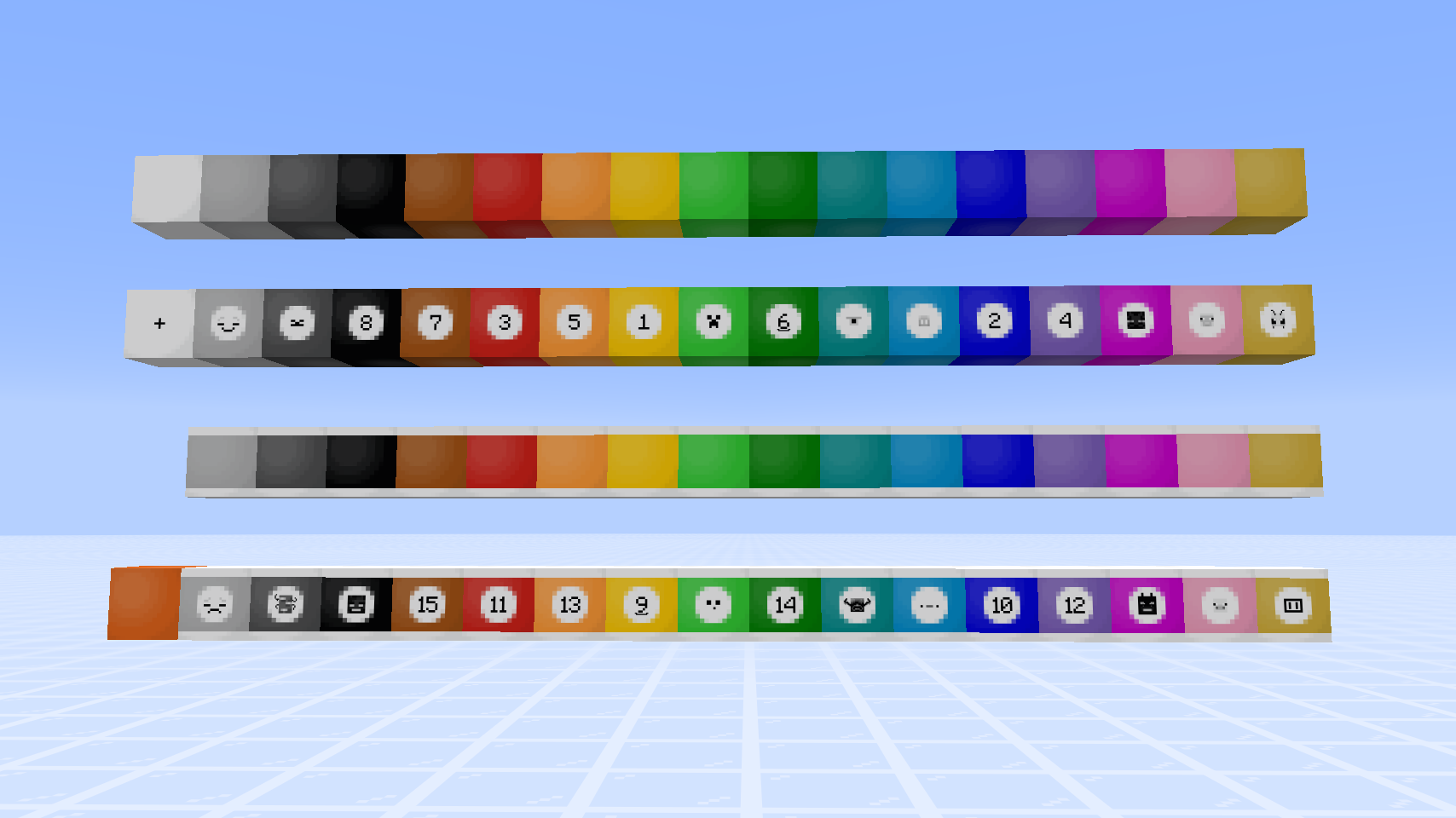
- Smooth Resin Block
- Stained Smooth Resin Blocks (16 colored variants)
- Stained Smooth Resin Blocks, Labelled (16 colored variants)
- White-striped Stained Resin Blocks (15 colored variants, no white variant)
- White-striped Stained Resin Blocks, Labelled (15 colored variants, no white variant)
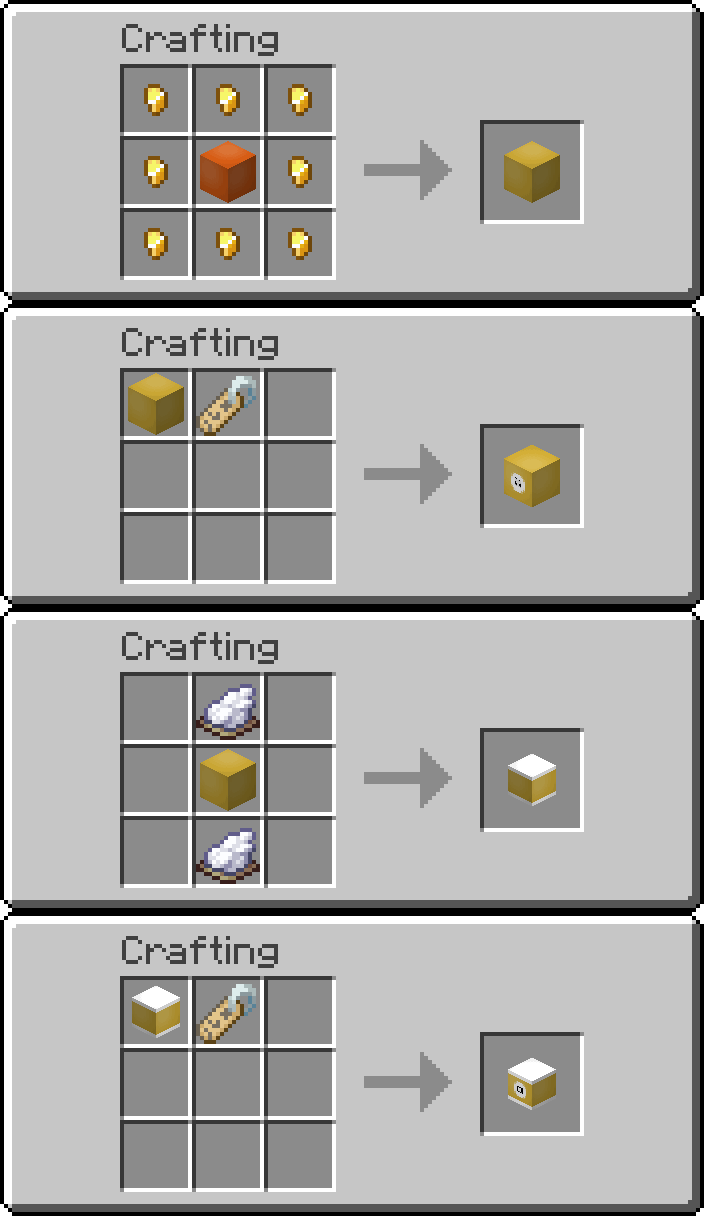
- Golden Smooth Resin Block (with labelled variant)
- White-striped Golden Resin Block (with labelled variant)
Check out the gallery for recipes!
Items
Rack
- A container storing multiple sulfur cubes (similar to bundles but for sulfur cubes) and allowing players to place them in specific arrangements.
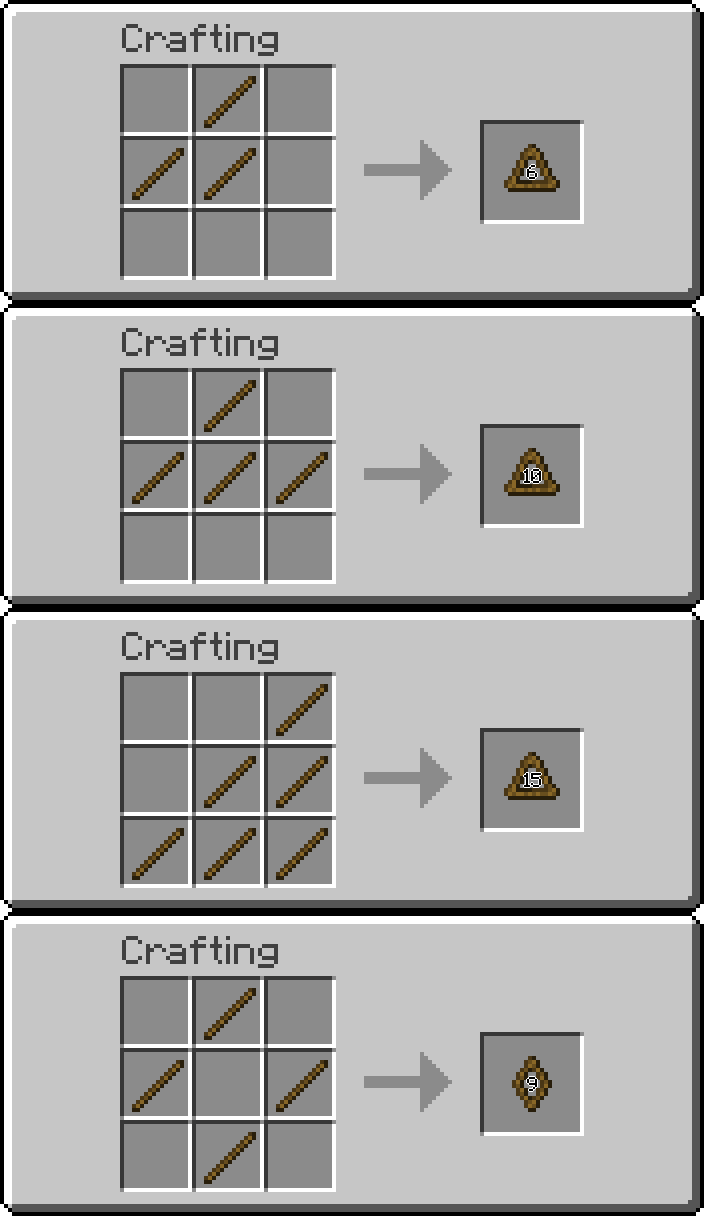
- 4 craftable racks:
- Small Triangular Rack (Holds up to 6 sulfur cubes)
- Medium Triangular Rack (Holds up to 10 sulfur cubes)
- Large Triangular Rack (Holds up to 15 sulfur cubes)
- Diamond-shaped Rack (Holds up to 9 sulfur cubes)

Detailed Rack Features and Machanics
-
Bundle-like GUI and Tooltips: Players can see the sulfur cubes inside the rack, as well as the block item they have absorbed.
- If the sulfur cube has no block item absorbed, the sulfur cube spawn egg is shown.
- For the 4 craftable racks, the GUI follows the placement pattern.
-
Select a rack entry: Scroll the mouse wheel while the cursor is hovered over a rack item.
- For all the craftable racks, the scrolling order of the entries is from top to bottom row, then from left to right.
- The selected entry has the slot highlighted, with extra information of the sulfur cube shown.
- If the sulfur cube has a custom name, its custom name is shown. "Sulfur Cube" (name of the mob type) is shown otherwise.
- If the sulfur cube has absorbed an item, the item name is shown (similar to a bucket of sulfur cube).
-
Insert: Pick up a bucket of sulfur cube, hover the cursor over a rack and right-click.
- Without an entry selected, the sulfur cube will take the first non-empty slot in order.
- While an entry is selected, right-clicking with a bucket of sulfur cube swaps out the one in that entry. Sulfur cubes contained in other entries are unaffected.
-
Extract: Pick up an empty bucket, hover the cursor over a rack and right-click.
- Without an entry selected, the last sulfur cube in the order will be extracted
- While an entry is selected, right-clicking with an empty bucket extracts the sulfur cube in that slot. All sulfur cubes in later entries are shifted up by one slot in order.
-
Placing: Right-click on a block surface while holding a non-empty rack.
- Each type of rack has a defined pattern of sulfur cube placement.
- Placement depends on the player's facing direction, with the cube in the apex position being nearest to the player.
-
Dispensable: When the dispenser is activated with a rack inside, sulfur cubes inside the rack are placed in front of the dispenser.
- The placement depends on the direction the dispenser is facing
- Horizontal-facing (North, East, South, West): Similar to how players place down the rack contents;
- Vertical-facing (Up, down): Depending on the largest neighbouring redstone signal strength, the rack contents will be placed in one of the horizontal directions:
- 0, 4, 8, 12: North;
- 1, 5, 9, 13: East;
- 2, 6, 10, 14: South;
- 3, 7, 11, 15: West;
Game Mechanics
Undyeing Blocks via Cauldron
- Stained Smooth Resin Blocks (including labelled variants) -> Smooth Resin Block
- White-striped Stained Resin Blocks (including labelled variants) -> Smooth Resin Block
- Golden Smooth Resin Block, Labelled -> Golden Smooth Resin Block
- White-striped Golden Resin Block (including labelled variant) -> Golden Smooth Resin Block
Stripping Blocks via an Axe
- Golden Smooth Resin Block (including labelled variant) -> Smooth Resin Block
- White-striped Golden Resin Block (including labelled variant) -> Smooth Resin Block
Extra Sulfur Cube Archetypes
minecraft:resinbilliards_fast_flat_regular_friction:- Identical to the vanilla "Fast Flat" archetype, except the "Friction modifier" value is the same as the vanilla "Regular" archetype (0.3).
- Corresponding item tag:
resinbilliards:sulfur_cube_archetype/fast_flat_regular_friction. - All resin block items added by this mod are under this archetype by default.
minecraft:resinbilliards_fast_flat_extra_sliding:- Identical to the vanilla "Fast Flat" archetype, except the friction is slightly less than that of the vanilla "Fast Sliding" archetype (0.025).
- Corresponding item tag:
resinbilliards:sulfur_cube_archetype/fast_flat_extra_sliding.
Resin blocks of all 16 colors and golden variant, along with their labelled counterpart. White-striped resin blocks do not contain the white variant. Smooth Resin Block at the bottom-left corner.
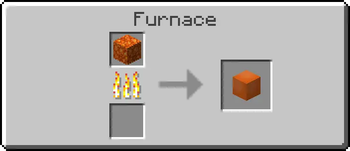
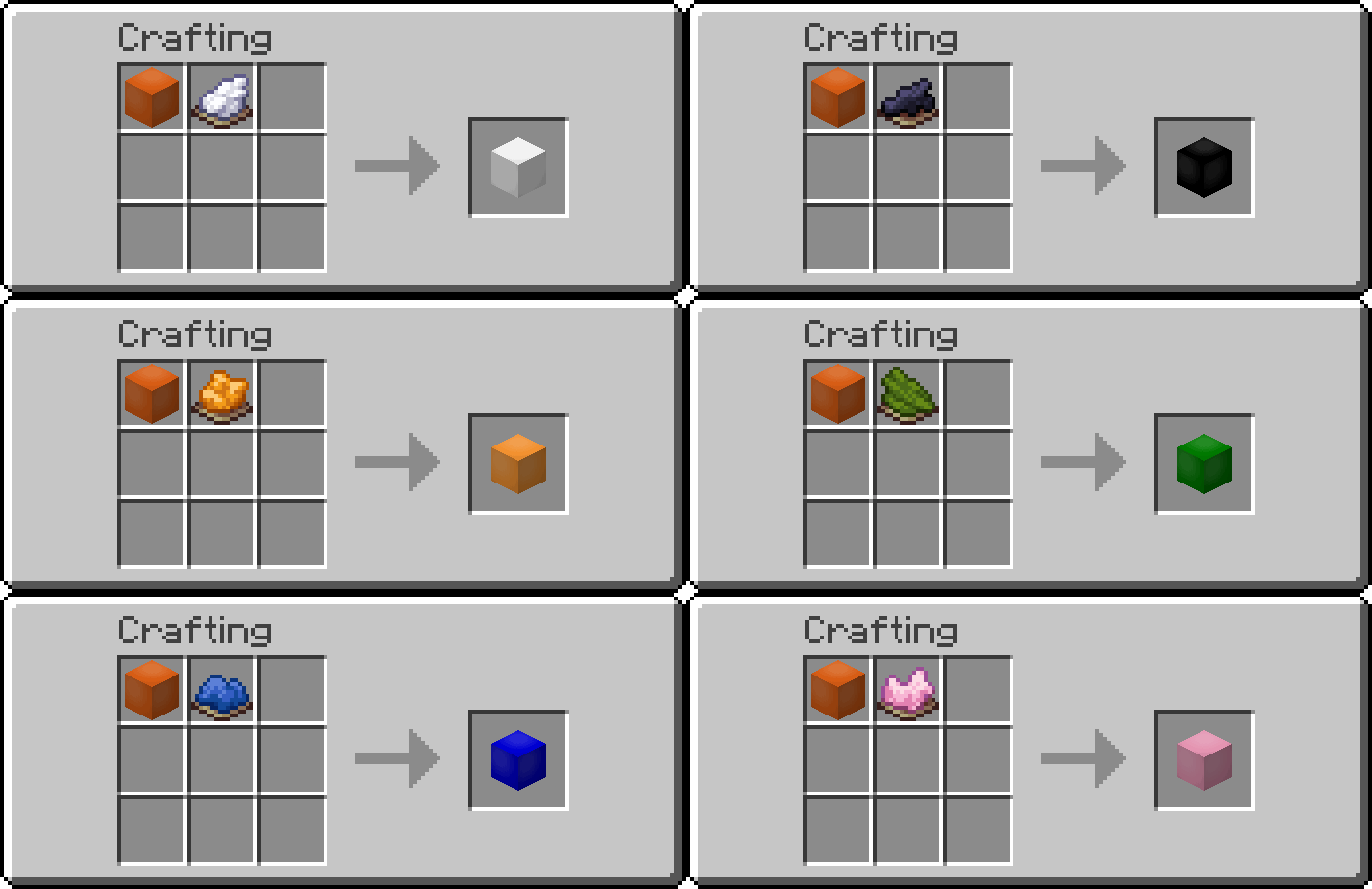
Smooth Resin Block + Matching Dye
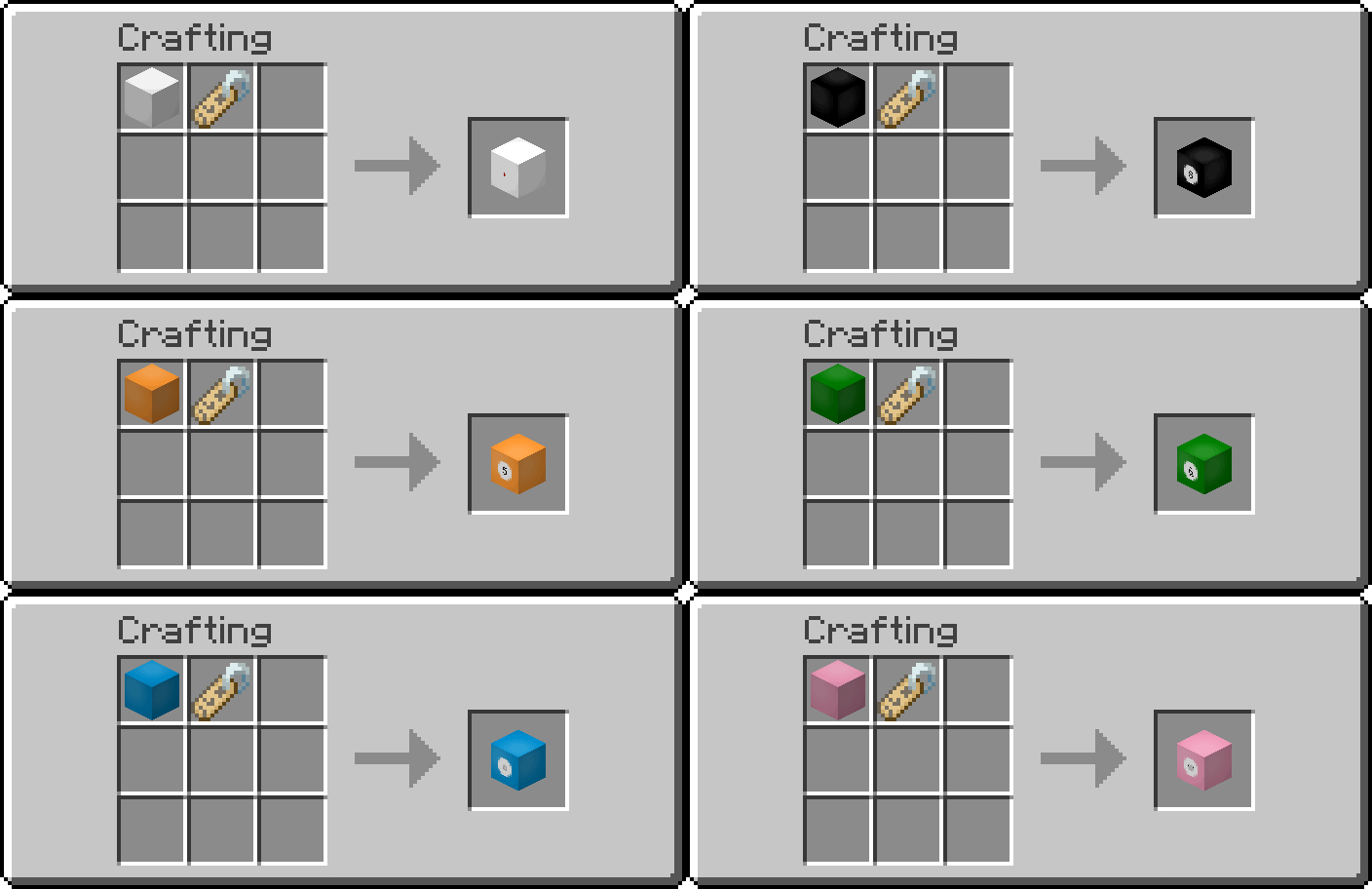
Matching Stained Smooth Resin Block + Name Tag
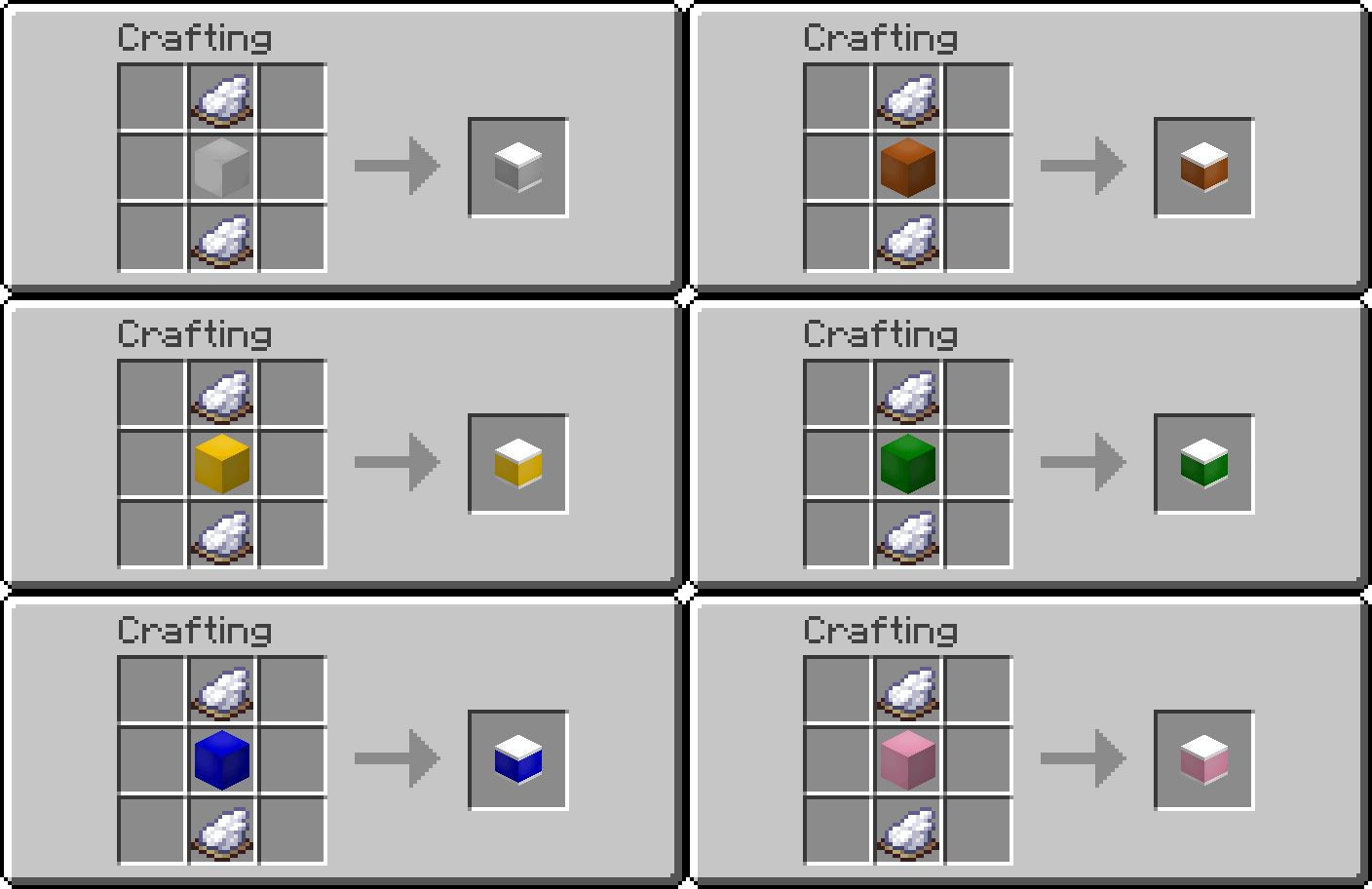
Matching Stained Smooth Resin Block + 2 White Dyes
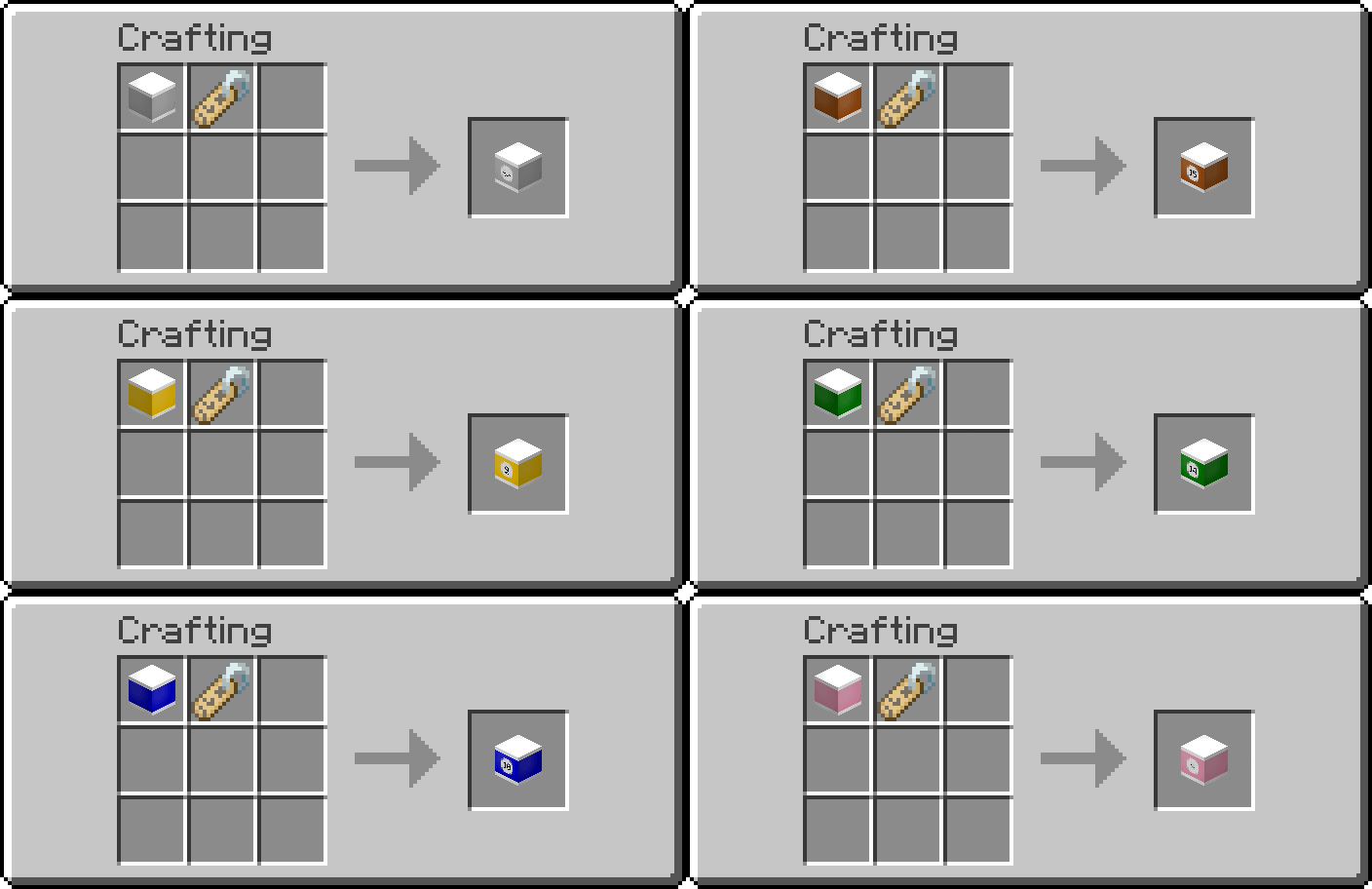
Matching White-striped Stained Smooth Resin Block + Name Tag
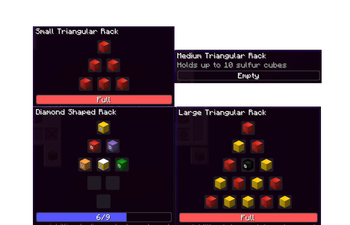
See how the cubes are arranged inside of the rack!
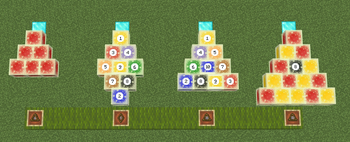
Stand on the position denoted by the diamond block and place the contents on the apex position.