

 Secura2FA is a security-focused Spigot/Paper plugin that adds mandatory two-factor authentication (2FA) for Minecraft servers.
Players cannot move or use commands until authentication is completed.
Features
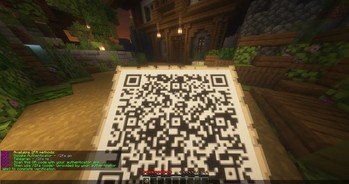
- Google Authenticator — TOTP authentication with QR code
- Telegram — login confirmation via Telegram bot
- AES-256-GCM — encrypted 2FA secret storage
- SQLite / MySQL — flexible database support
- Redis — optional caching
- 3 Languages — English, Ukrainian, German
- Customizable messages — Minecraft
&color codes supported
Requirements
| Software | Version |
|---|---|
| Java | 21+ |
| Spigot / Paper | 1.21.1+ |
| MySQL | 5.7+ / 8.0+ |
| Redis | Optional |
Commands
| Command | Description |
|---|---|
/2fa |
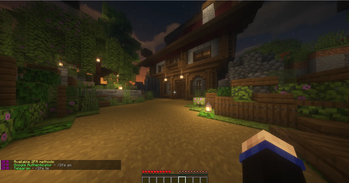
Show available 2FA methods |
/2fa go |
Set up Google Authenticator |
/2fa <code> |
Verify a 6-digit TOTP code |
/2fa te |
Link a Telegram account |
Alias: /twofa
Permissions
| Permission | Description | Default |
|---|---|---|
system.2fa.register |
Configure 2FA | true |
system.2fa.needed |
Require 2FA | false |
system.ads.notify |
Update notifications | op |
Configuration
Main options:
Prefix: '&5&l2FA &8≫ '
Language: 'en'
Metrics: 'true'
Servername: 'MinecraftServer'
RegisterPerm: 'system.2fa.register'
Autologin: 'true'
Range: '900'
Type: 'choice'
TypePerm: 'system.2fa.needed'
ReloadKick: 'true'
Updates: 'true'
UpdatePerms: 'system.ads.notify'

Use: 'false'
Host: '127.0.0.1'
Port: '3306'
Database: '2fadb'
Username: 'User'
Password: '123456789'

TelegramBotToken: ''
TelegramBotUsername: ''

RedisUse: 'false'
RedisHost: '127.0.0.1'
RedisPort: '6379'
RedisPassword: ''
RedisDatabase: '0'
Important: Change the default database password before using the plugin in production.
Languages
Language files are located in:
plugins/2FA/lang/
Supported languages:
en · uk · de
All messages can be customized.
Telegram Setup
- Create a Telegram bot using @BotFather.
- Add the bot token and username to
config.yml. - Restart the server.
- Run
/2fa te. - Send
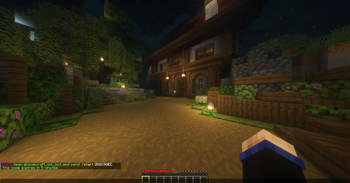
/start <code>to the bot. - Confirm future login attempts through Telegram.
If the login was already verified using Google Authenticator, Telegram will automatically recognize it as verified.
License
MIT License — License.
GitHub — REPOSITORIES.
| Version | Minecraft | Loader | Download |
|---|---|---|---|
|
Secura2FA 1.0 1.0 |
1.21, 1.21.1, 1.21.2, 1.21.3, 1.21.4, 1.21.5, 1.21.6, 1.21.7, 1.21.8, 1.21.9, 1.21.10, 1.21.11
|
paper, spigot
|
Download |