Simple Nick
Plugin
Disguise yourself as any real Minecraft player. /nick
Please message me if you encounter any Bugs! Discord: Muhammed.n.14 (for Bug-Reports, other Issues and Feedback) Available for Paper 1.20+ (and Paper forks such as Purpur)
Features:
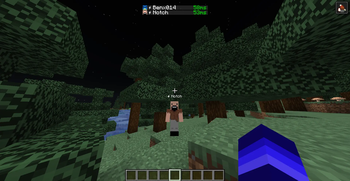
- Copies the real skin of any existing Minecraft account, fetched live from Mojang
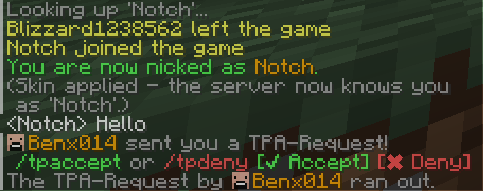
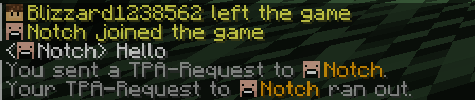
- Changes your name everywhere: nametag above your head, chat, tab list and join/leave messages
- Fake leave/join broadcast: when you nick, the server announces that your old name "left the game" and your new name "joined the game" and the other way around on /unnick
- Your nick survives relogs and server restarts, it stays active until you remove it yourself
- Rejoining while nicked shows the join message with your nick name, never your real one
- Nick names work in commands: **/tp <NickName>_ automatically resolves to the right player
- Tab-completion suggests the nick instead of the real name, so nicked players stay hidden
- No dependencies, no ProtocolLib, no configuration just drop it in and it works
How to use (in-game):
- /nick
Nick as an existing Minecraft player (copies their name and skin) - /unnick Removes your nick and restores your real name and skin
Permissions:
- simplenick.use You need this Permission to use /nick and /unnick. (Default: op)
Notes:
- Requires Paper or a Paper fork (Purpur, etc.). Skin changing uses Paper's player profile API and is not available on plain Spigot/CraftBukkit.
- Active nicks are stored in plugins/SimpleNick/nicks.yml. There is no config file to set up.