

SimpleTrigger (v1.1.1) is a plugin for Minecraft servers (Paper) that adds an interactive trigger system. It allows you to turn any block or the area around it into an “active zone”: when a player enters it, predefined commands are executed automatically.
Key features
- Create triggers that can execute up to 5 commands.
- Place a trigger on a specific block or in an area around it using coordinates and radius.
- Execute commands on behalf of a player or the server (using the
!prefix). - Use the
%player%variable to insert the player’s name. - Configure everything directly in‑game — no need to edit configuration files.
- Choose the trigger type:
- Point trigger — activates when a player steps on a specific block.
- Zone trigger — creates a spherical zone with a specified radius: commands are executed when a player is inside it.
- Set the trigger to activate once or repeatedly (note: repeating triggers are currently not working correctly).
- Compatible with Minecraft Java Edition versions 1.8–1.21.
Use cases
- Teleport players to key locations.
- Reward players with items after they complete tasks.
- Apply status effects (speed, jump boost, etc.) within a specific zone.
- Send welcome messages to new players when they enter a zone.
- Create secret passages and traps based on block activation.
- Organize effect zones (e.g., speed boost, slowdown, invisibility).
- Implement automatic events in a specific map area (welcome banners, mini‑games).
How it works
- Create a trigger:
/trigger create [name] [max commands] [is zone trigger true/false] [is repeating true/false]
[name]— the trigger’s name.[max commands]— maximum number of commands to execute (up to 5).[is zone trigger]— settruefor a zone trigger (sphere with a given radius) orfalsefor a point trigger (single block).[is repeating]—truefor repeated activation,falsefor one‑time activation. Important: repeating triggers are currently not working correctly.
- Add commands:
- For a point trigger:
/trigger edit [name] [command 1] [command 2] ...
- For a zone trigger, you must specify the sphere radius (in blocks):
/trigger edit [name] [zone radius as a number] [command 1] [command 2] ...
Important: if your command contains spaces, replace them with the | symbol — the plugin recognizes it as a space.
- Configure the trigger for a block:
/trigger set [name] <x> <y> <z>
Coordinates <x> <y> <z> define:
- the central point for a point trigger;
- the center of the sphere for a zone trigger.
- You’re done! When a player:
- steps on the block — a point trigger activates;
- enters the sphere of the specified radius — a zone trigger activates. Commands will be executed automatically.
A simple, lightweight, and feature‑rich tool to bring your server to life — no complex settings required.
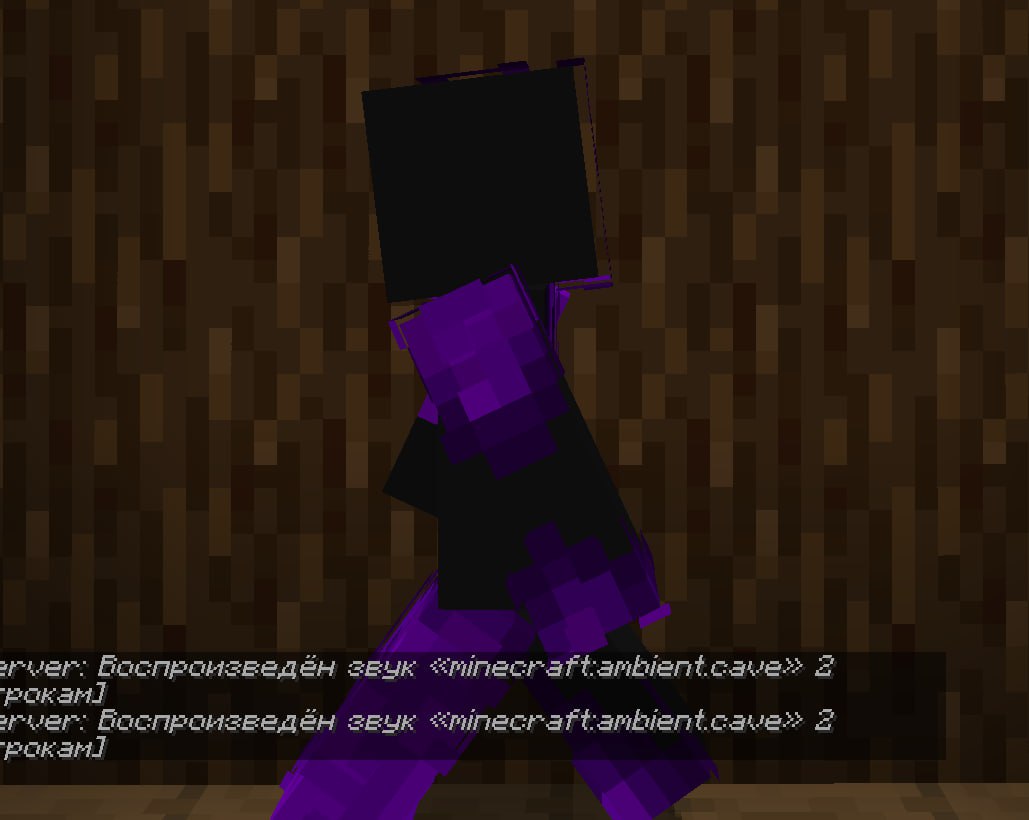
Trigger activation from a side angle: the player touches the block, and a confirmation message instantly appears in the chat
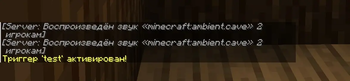
First‑person trigger activation: „test“ trigger launches cave sound
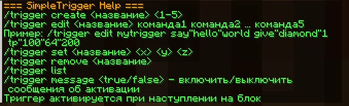
This screenshot shows the command list for the SimpleTrigger Minecraft plugin. These commands allow users to create, edit, set, and remove triggers, as well as toggle activation messages. A trigger is activated when a player steps on a designated block
| Version | Minecraft | Loader | Download |
|---|---|---|---|
|
SimpleTrigger 1.2.0 1.2.0 |
1.10, 1.10.1, 1.10.2, 1.11, 1.11.1, 1.11.2, 1.12, 1.12.1, 1.12.2, 1.13, 1.13.1, 1.13.2, 1.14, 1.14.1, 1.14.2, 1.14.3, 1.14.4, 1.15, 1.15.1, 1.15.2, 1.16, 1.16.1, 1.16.2, 1.16.3, 1.16.4, 1.16.5, 1.17, 1.17.1, 1.18, 1.18.1, 1.18.2, 1.19, 1.19.1, 1.19.2, 1.19.3, 1.19.4, 1.20, 1.20.1, 1.20.2, 1.20.3, 1.20.4, 1.20.5, 1.20.6, 1.21, 1.21.1, 1.21.10, 1.21.11, 1.21.2, 1.21.3, 1.21.4, 1.21.5, 1.21.6, 1.21.7, 1.21.8, 1.21.9, 1.8, 1.8.1, 1.8.2, 1.8.3, 1.8.4, 1.8.5, 1.8.6, 1.8.7, 1.8.8, 1.8.9, 1.9, 1.9.1, 1.9.2, 1.9.3, 1.9.4
|
paper
|
Download |
|
SimpleTrigger 1.1.1 1.1.1 |
1.10, 1.10.1, 1.10.2, 1.11, 1.11.1, 1.11.2, 1.12, 1.12.1, 1.12.2, 1.13, 1.13.1, 1.13.2, 1.14, 1.14.1, 1.14.2, 1.14.3, 1.14.4, 1.15, 1.15.1, 1.15.2, 1.16, 1.16.1, 1.16.2, 1.16.3, 1.16.4, 1.16.5, 1.17, 1.17.1, 1.18, 1.18.1, 1.18.2, 1.19, 1.19.1, 1.19.2, 1.19.3, 1.19.4, 1.20, 1.20.1, 1.20.2, 1.20.3, 1.20.4, 1.20.5, 1.20.6, 1.21, 1.21.1, 1.21.10, 1.21.2, 1.21.3, 1.21.4, 1.21.5, 1.21.6, 1.21.7, 1.21.8, 1.21.9, 1.8, 1.8.1, 1.8.2, 1.8.3, 1.8.4, 1.8.5, 1.8.6, 1.8.7, 1.8.8, 1.8.9, 1.9, 1.9.1, 1.9.2, 1.9.3, 1.9.4
|
paper
|
Download |
|
SimpleTrigger 1.0.0 1.0.0 |
1.10, 1.10.1, 1.10.2, 1.11, 1.11.1, 1.11.2, 1.12, 1.12.1, 1.12.2, 1.13, 1.13.1, 1.13.2, 1.14, 1.14.1, 1.14.2, 1.14.3, 1.14.4, 1.15, 1.15.1, 1.15.2, 1.16, 1.16.1, 1.16.2, 1.16.3, 1.16.4, 1.16.5, 1.17, 1.17.1, 1.18, 1.18.1, 1.18.2, 1.19, 1.19.1, 1.19.2, 1.19.3, 1.19.4, 1.20, 1.20.1, 1.20.2, 1.20.3, 1.20.4, 1.20.5, 1.20.6, 1.21, 1.21.1, 1.21.10, 1.21.2, 1.21.3, 1.21.4, 1.21.5, 1.21.6, 1.21.7, 1.21.8, 1.21.9, 1.8, 1.8.1, 1.8.2, 1.8.3, 1.8.4, 1.8.5, 1.8.6, 1.8.7, 1.8.8, 1.8.9, 1.9, 1.9.1, 1.9.2, 1.9.3, 1.9.4
|
paper
|
Download |