Survival Tweaks
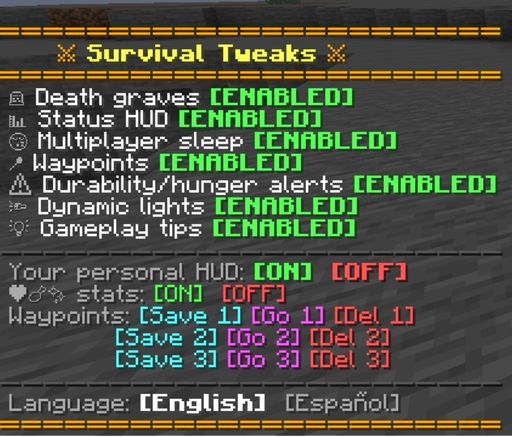
A quality-of-life datapack for vanilla survival, built for playing with friends without losing the feel of the game. No mods, no plugins — just native Minecraft commands and functions. Every feature switches on or off independently, and any player can do it themselves from an in-game menu, no operator permissions needed.
✨ Features
| Feature | What it does | |
|---|---|---|
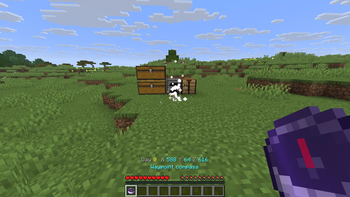
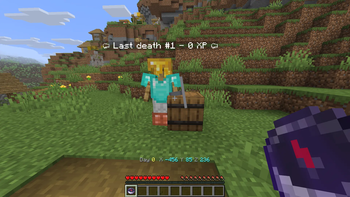
| 🪦 | Graves + compass | Die and your gear stays safe in a mannequin and barrels next to a compass pointing straight to it. Nothing is lost for good. |
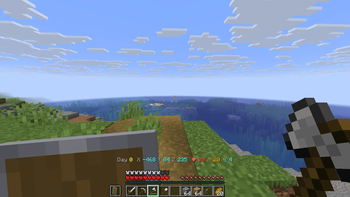
| 📊 | Status HUD | World day and coordinates always visible, plus a live countdown to the next nightfall or dawn. Health, hunger, and saturation are optional — each player chooses. |
| 😴 | Multiplayer sleep | Half the server asleep is enough to skip the night, with a live bossbar showing who's asleep. |
| 📍 | Personal waypoints | 5 slots per player, compass on request, particle markers when you're nearby. Stepping through a Nether portal auto-saves a waypoint on the side you came from, too. |
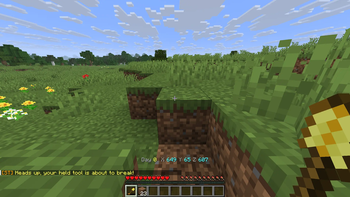
| ⚠️ | Durability, hunger & inventory alerts | A one-time warning, no chat spam, before your gear breaks, your hunger runs out, or your inventory fills up. |
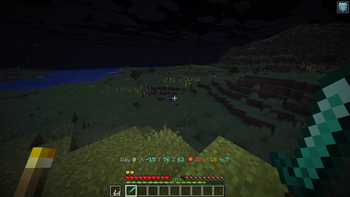
| 🔦 | Dynamic lights | A torch, lantern, or glowstone in hand lights up the ground as you walk, no placing required — stays lit underwater too. |
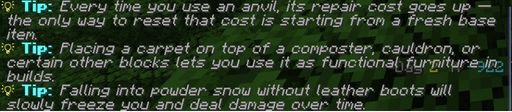
| 💡 | Gameplay tips | A random tip in chat every 10 minutes, drawn from a pool of 130+. |
| 📡 | Mob radar | Nearby hostile, passive, and neutral mobs show up as icons on your locator bar — 86 mobs across three ranges (48/32/40 blocks), each category with its own on/off switch alongside the main one. |
| 🧭 | Biome Explorer | A title pops up the first time you set foot in each biome, with a live counter you can check anytime from the menu — plus a full list of what you're still missing. |
Every important action has its own sound, so you're never relying on chat alone to know something happened.
🌍 Compatibility
| Minecraft version | What works |
|---|---|
| 1.21 – 1.21.5 | Everything except Mob radar |
| 1.21.6 – 26.3 | Everything, including Mob radar |
Mob radar is the one feature with a higher floor — it needs vanilla's locator bar, added in the 1.21.6 "Chase the Skies" drop. Below that, every other feature works exactly as described; the radar row simply doesn't show up in the menu.
📦 Installation
- Drop the
cpqolfolder intoworld/datapacks/. - Run
/reload. - Open the menu anytime with
/trigger cpqol_menu set 1, or tap the button in the welcome message.
🎨 Custom icons — Capupack
Pair this with Capupack, a companion resource pack that swaps the mob radar's default dots for custom icons automatically — no extra setup needed beyond installing it alongside this datapack.