

What it does
This mod allows users to toggle the debug piechart's visibility regardless of the F3 debug menu.
This mod also allows the user to customize the piechart's position and scale, along with easier navigation
How to use
Toggle the chart
Press the toggle key-bind to toggle the piechart
Customize the chart
Press the settings key-bind to configure it.
Navigate the chart
Use the navigation keys to navigate the chart using the selection cursor
Default toggle key-bind is P
Default settings key-bind is O
Default navigation keys are -> Up/Down (Up/Down), Enter (Select), Backspace (Go back)
Can I see :D
Yes
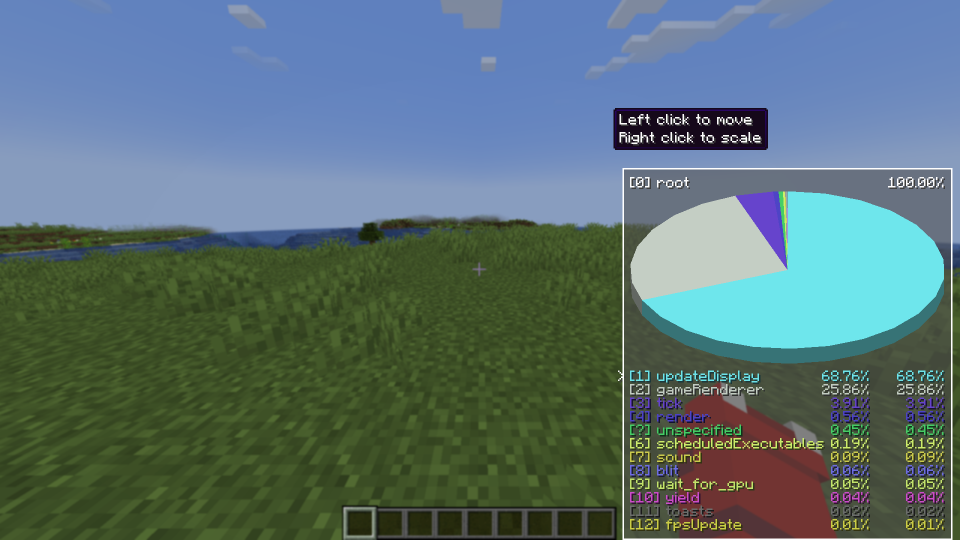
The basic functionality of the mod that allows the user to toggle the piechart, so all the other F3 text isn't on the screen
This menu allows the user to move and scale the piechart to their liking
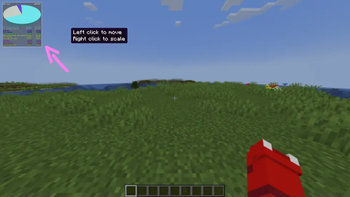
An example of the moved and scaled piechart
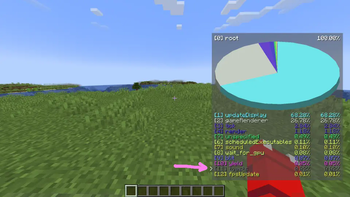
The newest feature of Toggleablepiechart that allows the user to move between items with a cursor. This allows accessing items that are normally out of reach with the 1-9 keyboard keys. It is also much more intuitive
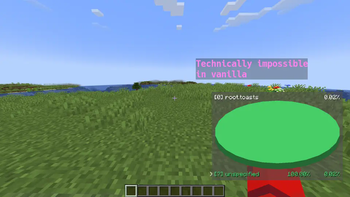
This shows that it can select elements, and also select elements that are normally not able to be selected in Vanilla
| Version | Minecraft | Loader | Download |
|---|---|---|---|
|
Toggleable PieChart 2.1 [ 1.21.9 ~ 1.21.11 ] 2.1 |
1.21.10, 1.21.11, 1.21.9
|
fabric
|
Download |
|
Toggleable PieChart 2.1 [ 1.21.6 ~ 1.21.8 ] 2.1 |
1.21.6, 1.21.7, 1.21.8
|
fabric
|
Download |
|
Toggleable PieChart 2.1 [ 1.21.4 ~ 1.21.5 ] 2.1 |
1.21.4, 1.21.5
|
fabric
|
Download |
|
Toggleable PieChart 2.0 [1.21.4] 2.0 |
1.21.4
|
fabric
|
Download |
|
Toggleable PieChart 1.21 [1.2.1] 1.2.1 |
1.21, 1.21.1, 1.21.2, 1.21.3
|
fabric
|
Download |
|
Toggleable PieChart 1.2.0 [1.20.2+] 1.2.0 |
1.20.2, 1.20.3, 1.20.4
|
fabric
|
Download |
|
Toggleable PieChart 1.2.0 [1.20.1] 1.2.0 |
1.20.1
|
fabric
|
Download |
|
Toggleable PieChart 1.0.1 1.0.1 |
1.20, 1.20.1
|
fabric
|
Download |