

RU | TorchHeadLight — Ванильный динамический свет
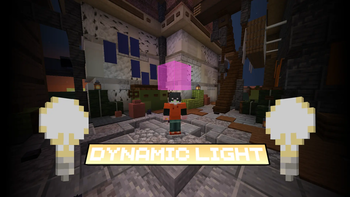
Возьмите факел или фонарь в любую руку, и невидимый блок света будет следовать за вами. Игроки подключаются обычным клиентом Minecraft.
Режимы освещения
- always — режим по умолчанию. Предмет светит, пока вы держите его в руке.
- auto — свет включается при входе в тёмное место и гаснет, когда вокруг достаточно светло. По умолчанию пороги равны 7 и 10. Между ними сохраняется текущее состояние. Плагин исключает собственные источники из оценки освещения. Выбранный режим сохраняется после выхода.
В config.yml задаются предметы и их яркость от 0 до 15, высота источника над ногами и пороги auto.turn-on и auto.turn-off. Если в обеих руках подходящие предметы, приоритет у основной руки. Для установки нового источника требуется свободный блок воздуха.
Команды и права
| Команда | Действие | Право |
|---|---|---|
/thl mode auto, /thl mode always |
Выбрать личный режим | torchheadlight.user |
/thl status |
Узнать режим, яркость или причину отсутствия света | torchheadlight.user |
/thl user on, /thl user off |
Включить или выключить свой свет | torchheadlight.user |
/thl user <игрок> <on/off> |
Изменить настройку другого игрока онлайн | Оба права |
/thl on, /thl off, /thl toggle |
Управлять светом на всём сервере | torchheadlight.use |
/thl reload |
Перечитать настройки и сообщения | torchheadlight.use |
Оба права по умолчанию доступны операторам. Для выдачи личных команд игрокам можно использовать LuckPerms.
EN | TorchHeadLight — Vanilla Dynamic Lighting
Hold a torch or lantern in either hand to carry an invisible light source as you move. TorchHeadLight works with a vanilla Minecraft client.
Lighting modes
- always is the default. Your light follows you while you hold a configured item.
- auto switches your light on in dark areas and off in brighter surroundings. The default thresholds are 7 and 10. Between them, the light keeps its current state. The plugin excludes its own light sources when estimating brightness. Your mode persists between sessions.
Use config.yml to set item brightness from 0 to 15, source height above the player's feet, and the auto.turn-on and auto.turn-off thresholds. When both hands hold a configured item, the main hand takes priority. New sources require an air block.
Commands and permissions
| Command | Action | Permission |
|---|---|---|
/thl mode auto, /thl mode always |
Choose your lighting mode | torchheadlight.user |
/thl status |
Check your mode, brightness or reason the light is off | torchheadlight.user |
/thl user on, /thl user off |
Enable or disable your own light | torchheadlight.user |
/thl user <player> <on/off> |
Change another online player's setting | Both permissions |
/thl on, /thl off, /thl toggle |
Control lighting server-wide | torchheadlight.use |
/thl reload |
Reload settings and messages | torchheadlight.use |
Both permissions default to operators. You can grant players access to personal commands with LuckPerms.
| Version | Minecraft | Loader | Download |
|---|---|---|---|
|
Torch Head Light 1.2.0 1.2.0 |
1.21.11, 26.1, 26.1.1, 26.1.2, 26.2, 26.3
|
bukkit, paper, purpur
|
Download |
|
Torch Head Light 1.1.0 1.1.0 |
1.21.10, 1.21.11, 1.21.8, 1.21.9, 26.1, 26.1.1, 26.1.2
|
bukkit, paper, purpur
|
Download |
|
Torch Head Light 1.0.1 1.0.1 |
1.21.10, 1.21.11, 1.21.8, 1.21.9
|
paper, purpur
|
Download |
|
TorchHeadLight 1.0.0 1.0.0 |
1.21.10, 1.21.11, 1.21.8, 1.21.9
|
paper, purpur
|
Download |