Tree Log Highlight
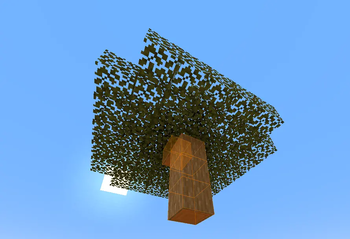
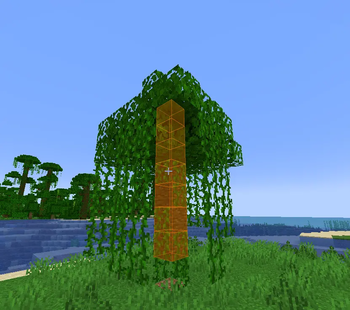
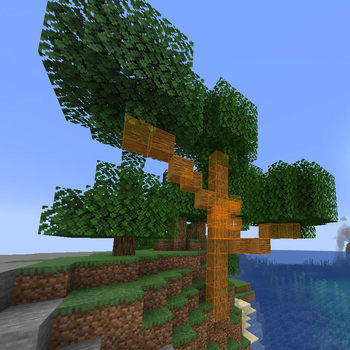
Tree Log Highlight is a client-side Fabric mod for Minecraft that enhances your tree-felling experience by visually highlighting all connected log blocks of a tree when you interact with one of its logs. This helps you easily identify and harvest entire trees, including those from other mods.
Features
- Dynamic Wood Type Detection: The mod automatically discovers and adds new wood types (both vanilla and modded) to its configuration as you encounter them in-game. Simply click on a log block, and its type will be registered.
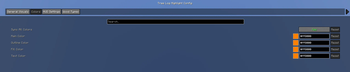
- Configurable Per Wood Type: Each discovered wood type can be individually enabled or disabled through the in-game configuration menu, giving you granular control over which trees are highlighted.
- Discovery Order in Config: Wood types appear in the configuration menu in the exact order they were first discovered, with the oldest discoveries at the top and the newest at the bottom.
- Visual Customization:
- Render Modes: Choose between highlighting the
OUTLINEof logs, filling theFULLblock, or displayingBOTH. - Colors: Fully customizable main, outline, fill, and text colors. You can also sync all colors to a single main color.
- Opacity: Adjust the transparency of the fill highlight.
- Show Through Walls: Option to render highlights even when logs are obstructed by other blocks.
- Pulsing Effect: Enable a subtle pulsing animation for highlights, with adjustable speed and intensity.
- Render Modes: Choose between highlighting the
- HUD Elements:
- Logs Remaining Counter: An optional on-screen display showing how many highlighted logs are left in the current tree.
- Status Messages: Brief messages appear on-screen when you toggle the mod's enabled state.
- Performance Optimized: Utilizes batch rendering to efficiently draw all highlighted logs in a single pass, ensuring smooth performance even with large trees.
- Mod Compatibility: Designed to work seamlessly with modded trees (e.g., from Biomes O' Plenty) by leveraging standard Minecraft block tags (
#minecraft:logsand#minecraft:leaves). - Keybind Toggle: Easily enable or disable the mod's highlighting functionality with a configurable keybind (default:
H). - Robustness: Includes fixes for rendering stability and ensures configuration changes are saved and loaded correctly.
- Large Tree Support: Increased internal scan limits to accurately highlight even very large modded trees.
How to Use
- Install: Ensure you have Fabric Loader, Mod Menu, and Cloth Config installed. Place the
TreeLogHighlightmod.jarfile into yourmodsfolder. - Activate: In-game, simply left-click (or start breaking) any log block. The mod will then highlight all connected logs of that tree.
- Toggle: Press the
Hkey (default) to quickly enable or disable the highlighting feature. - Configure: Access the mod's settings through the Mod Menu (usually by pressing
Esc->Mods->TreeLogHighlight->Config). Here you can customize colors, render modes, HUD options, and enable/disable highlighting for specific wood types you've discovered. - Discover New Wood Types: As you encounter new types of trees (vanilla or modded) and interact with their logs, they will automatically be added to the "Wood Types" section of the config, enabled by default.