

Vanta Client
A modern, highly customizable Fabric client for Minecraft 1.21.11.
Vanta Client brings together a polished in-game interface, an extensive HUD customization system, visual enhancements, gameplay utilities and integrated mod management — all in one client-side mod.
Built around customization and a cohesive user experience, Vanta lets you configure your Minecraft experience without juggling multiple separate interfaces.
✦ Features
Advanced HUD System
A fully customizable HUD editor that gives you control over your on-screen information.
- FPS, Ping, CPS and Keystrokes HUDs.
- Armor, Totem Counter and Potion Effects HUDs.
- Debug and performance information.
- Drag-and-drop positioning for custom HUD elements.
- Move and reposition vanilla Minecraft HUD elements.
- Individual HUD scaling and positioning.
- Grid alignment and snapping.
- Persistent layouts and customization.
- Optional hitbox backgrounds for every HUD element.
- Connect nearby HUD backgrounds to create unified panels.
Visual Enhancements
Customize how Minecraft looks and feels.
- Fullbright.
- Custom Zoom.
- Motion Blur.
- Nametag utilities.
- Visual overlays.
- FarView distant-terrain rendering for singleplayer worlds.
- Configurable animation profiles.
Gameplay & Quality of Life
Useful utilities designed to make everyday gameplay more convenient.
- Toggle Sprint and Toggle Sneak.
- Double-tap sprint controls.
- Chat timestamps.
- Respawn Anchor optimization and explosion prediction.
- Low Fire.
- Explosion effect controls.
- Saturation display.
- Additional gameplay and visual utilities.
Integrated Mod Manager
Manage your installed mods without leaving Minecraft.
- Browse your installed Fabric mods.
- Search and favorite mods.
- View individual mod information and details.
- Access compatible mod configuration screens.
- Hot-loading support through an experimental session-loading system.
- Integrated Modrinth browser.
- Search and install compatible Fabric projects.
- Dependency-aware mod installation.
Custom Vanta Interface
A unified interface built around a custom UI framework.
- Modern dark interface with customizable accent colors.
- Animated navigation and interactions.
- Dedicated settings pages.
- Integrated mod library.
- Custom HUD editor and element inspector.
- Configurable UI scaling and panel opacity.
- Custom typography and vector-style icons.
- Persistent appearance preferences.
Developer Integration API
Vanta also provides a public addon API for third-party Fabric mods.
- Typed setting definitions.
- Integration-specific configuration screens.
- Boolean, integer, decimal, string and enum settings.
Compatibility
- Minecraft: 1.21.11
- Mod Loader: Fabric
- Required: Fabric Loader and Fabric API
- Java: 21
- Side: Client
Mod Menu is optional.
Installation
- Install Fabric Loader for Minecraft 1.21.11.
- Install Fabric API.
- Download Vanta Client.
- Place the JAR inside your Minecraft instance's "mods" folder.
- Launch Minecraft and open Vanta using its configured GUI key.
Important Notes
FarView currently provides coarse distant base-terrain rendering in singleplayer. It does not render distant structures, trees or caves, and does not extend multiplayer simulation distance.
The experimental mod session-loading feature has limitations compared to a normal Fabric startup. Restarting Minecraft is recommended after changing installed mod files.
Vanta Client — Your Minecraft, your configuration.
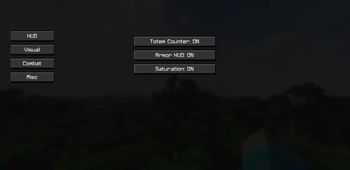
Has 4 Categories.
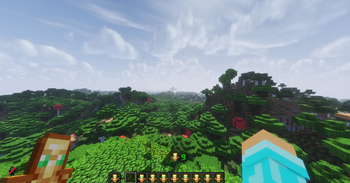
This is what Totem Counter looks like in-game.
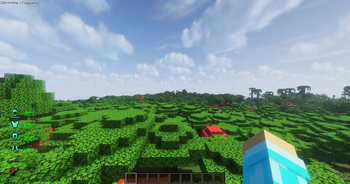
This is what Armor Hud looks like in-game.
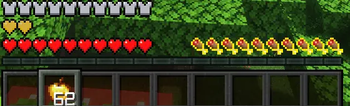
This is what the Saturation feature looks like in-game.
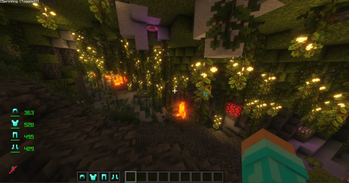
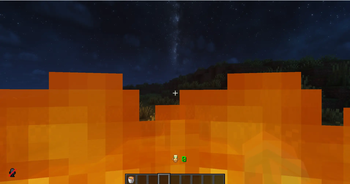
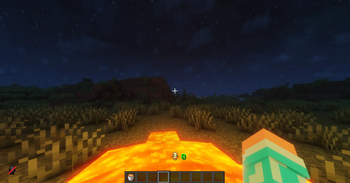
This is what Fullbright looks like when its off.
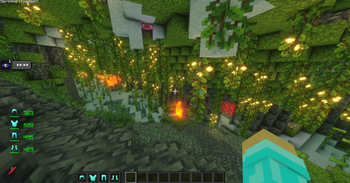
This is what it looks like when Fullbright is on.
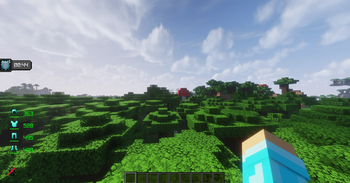
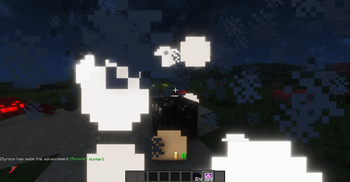
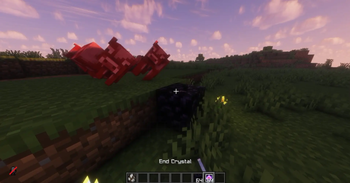
This is what it looks like without zoom.
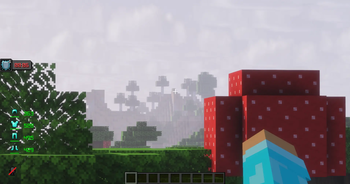
This is what it looks like when Zoom is on.
| Version | Minecraft | Loader | Download |
|---|---|---|---|
|
Dropper Utils 2.3.0 2.3.0-26.1x |
26.1, 26.1.1, 26.1.2
|
fabric
|
Download |
|
Dropper Utils 2.3.0 2.3.0-1.21.11 |
1.21.11
|
fabric
|
Download |
|
Dropper Utils 2.2.2 2.2.2-26.1x |
26.1, 26.1.1, 26.1.2
|
fabric
|
Download |
|
Dropper Utils 2.2.2 2.2.2-1.21.11 |
1.21.11
|
fabric
|
Download |
|
Dropper Utils 2.2.1 2.2.1 |
26.1, 26.1.1, 26.1.2
|
fabric
|
Download |
|
Dropper Utils 2.2.1 2.2.1 |
1.21.11
|
fabric
|
Download |
|
Dropper Utils 2.2.0 2.2.0-26.1.2 |
26.1.2
|
fabric
|
Download |
|
Dropper Utils 2.2.0 2.2.0-26.1 |
26.1, 26.1.1, 26.1.2
|
fabric
|
Download |
|
Dropper Utils 2.2.0 2.2.0-1.21.11 |
1.21.11
|
fabric
|
Download |
|
Dropper Utils 2.1.2 2.1.2 |
1.21.11
|
fabric
|
Download |
|
Dropper Utils 2.1.1 2.1.1 |
1.21.11
|
fabric
|
Download |
|
Dropper Utils 2.0.0 2.0.0 |
1.21.11
|
fabric
|
Download |
|
Dropper Utils 1.1.0 1.1.0 |
1.21.11
|
fabric
|
Download |
|
Dropper_Utils 1.0.5 1.0.5 |
1.21.11
|
fabric
|
Download |
|
Dropper_Utils 1.0.4 1.0.4 |
1.21.11
|
fabric
|
Download |