

English
Velocity RCON
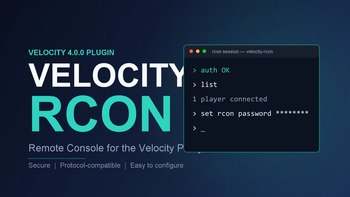
Adds an RCON (Remote Console) server to a Velocity proxy, using the standard RCON protocol. Connect with any standard RCON client (mcrcon, py3rcon, …) and run proxy commands remotely — commands execute with console-level permissions.
Works on Velocity 3.3.x, 3.4.0, 3.5.1, and 4.0.0.
Features
- Standard RCON protocol (little-endian packets,
mcrcon-compatible), including the vanilla-compatible login handshake - Commands run through Velocity's
CommandManagerwith console-level permissions - Source IP whitelist (exact IP + IPv4 CIDR)
- Connection limit and idle timeout
/vrconmanagement command: reload config, status, start / stop- Auto-generates a default config file
- Single source codebase builds for 3.3.x / 3.x / 4.0.0 via Maven profiles
Version support
The same source code produces three jars. All of them are functionally identical — the RCON protocol handling, commands, and configuration are exactly the same. They differ only in which Velocity proxy they run on and the required Java version:
| Jar | Velocity proxy | Java | Build command |
|---|---|---|---|
velocity-rcon.jar |
4.0.0 | 25+ | mvn clean package |
velocity-rcon-3.x.jar |
3.4.0 / 3.5.1 | 17+ | mvn clean package -P velocity3 |
velocity-rcon-3.3.x.jar |
3.3.x (3.3.0-SNAPSHOT) |
17+ | mvn clean package -P velocity33 |
Key points:
- Support: pick the jar that matches your proxy's Velocity version. Do not run the 4.0.0 jar on a 3.x proxy, or a 3.x jar on a 4.0.0 proxy — each jar is compiled against (and works with) one API generation.
- The only real difference is the Java requirement. The 4.0.0 jar needs Java 25+ (Velocity 4.0.0 itself is built for Java 25); the 3.x jars run on Java 17+.
- 3.3.x was never formally released by the Velocity team — it exists only as
3.3.0-SNAPSHOT. Its API is identical to 3.4.0/3.5.1, so the 3.3.x build works on that snapshot. Thevelocity33profile depends on the snapshot artifact, which may be cleaned from the repository someday. - Features, config,
/vrconcommand, and RCON protocol behavior are identical across all three jars.
Requirements
| Component | Version |
|---|---|
| Velocity | 3.3.x (SNAPSHOT), 3.4.0, 3.5.1, or 4.0.0 |
| Java | 17+; 4.0.0 needs Java 25+ (build JDK ≥ 25, e.g. JDK 26) |
Installation
- Place
velocity-rcon.jar(orvelocity-rcon-3.x.jarfor 3.x) into the proxy'splugins/folder. - Restart the proxy. The default config is created at
plugins/velocity-rcon/config.yml. - Edit the config and restart, or run
/vrcon reloadto hot-reload.
Configuration (plugins/velocity-rcon/config.yml)
enabled: true          # Whether the RCON server is enabled
host: "0.0.0.0"        # Bind address
port: 25575            # Listen port
password: "change_me"  # RCON password (required)
allowed-ips: []        # Source IP whitelist; empty = allow all
max-clients: 3         # Max concurrent connections
response-delay-ms: 100 # Extra wait (ms) to collect async command output
Usage
Manage via console (or with the velocityrcon.admin permission):
/vrcon reload   # Reload config and restart the RCON server
/vrcon status   # Show running state, port, connection count
/vrcon start    # Start the RCON server
/vrcon stop     # Stop the RCON server
Connect with mcrcon:
mcrcon --host 127.0.0.1 --port 25575 --password change_me "list"
mcrcon --host 127.0.0.1 --port 25575 --password change_me   # interactive console
Security
- Never expose the RCON port to the public internet — the password is transmitted in plaintext and commands run with console-level permissions.
- Bind to
127.0.0.1and manage remotely via an SSH tunnel. If you must expose it, setallowed-ipsand use a firewall. - Change the default password.
Building from source
# Velocity 4.0.0 (default)
mvn clean package
# Velocity 3.x releases (3.4.0 / 3.5.1)
mvn clean package -P velocity3
# Velocity 3.3.x (3.3.0-SNAPSHOT)
mvn clean package -P velocity33
Requires a JDK ≥ 25 (e.g. JDK 26) to build. Outputs:
target/velocity-rcon.jar, target/velocity-rcon-3.x.jar, or target/velocity-rcon-3.3.x.jar
(build one at a time — they overwrite target/).
Authors
LiquidTeam, YuHongChen — GitHub repository
中文
Velocity RCON
为 Velocity 代理端提供标准 RCON(远程控制台) 能力,使用 RCON 协议。配合任意标准 RCON 客户端(mcrcon、py3rcon 等)即可远程执行代理端命令,命令拥有控制台级权限。
支持 Velocity 3.3.x、3.4.0、3.5.1、4.0.0。
功能特性
- 标准 RCON 协议(小端序数据包、兼容
mcrcon),含原版 Minecraft 兼容的登录握手 - 命令通过 Velocity 的
CommandManager执行,权限等同代理端控制台 - 来源 IP 白名单(精确 IP + IPv4 CIDR)
- 连接数上限、空闲超时
/vrcon管理命令:重载配置、查看状态、启停服务- 自动生成默认配置文件
- 一份源码通过 Maven profile 同时支持 3.3.x / 3.x / 4.0.0 构建
版本支持
同一份源码可产出三个 jar,功能完全相同——RCON 协议处理、命令与配置完全一致,区别仅在所适配的 Velocity 代理端版本与所需的 Java 版本:
| jar | 适配 Velocity | Java | 构建命令 |
|---|---|---|---|
velocity-rcon.jar |
4.0.0 | 25+ | mvn clean package |
velocity-rcon-3.x.jar |
3.4.0 / 3.5.1 | 17+ | mvn clean package -P velocity3 |
velocity-rcon-3.3.x.jar |
3.3.x(3.3.0-SNAPSHOT) |
17+ | mvn clean package -P velocity33 |
要点:
- 支持范围:按代理端的 Velocity 版本选择对应 jar。不要把 4.0.0 的 jar 放到 3.x 代理端,也不要把 3.x 的 jar 放到 4.0.0 代理端——每个 jar 都是针对对应一代 API 编译的。
- 真正的区别只有 Java 版本要求:4.0.0 jar 需要 Java 25+(Velocity 4.0.0 本身即为 Java 25 构建);3.x jar 运行在 Java 17+。
- 3.3.x 从未由 Velocity 官方正式发布,只有
3.3.0-SNAPSHOT快照;其 API 与 3.4.0/3.5.1 相同,因此 3.3.x 构建可用于该快照。velocity33profile 依赖快照构件,日后仓库清理快照后可能失效。 - 功能、配置、
/vrcon命令与 RCON 协议行为在三个 jar 中完全一致。
环境要求
| 组件 | 版本 |
|---|---|
| Velocity | 3.3.x(SNAPSHOT)、3.4.0、3.5.1 或 4.0.0 |
| Java | 17+;4.0.0 需要 Java 25+(构建 JDK ≥ 25,如 JDK 26) |
安装
- 将
velocity-rcon.jar(3.x 用velocity-rcon-3.x.jar)放入代理端plugins/目录。 - 重启代理端,自动生成默认配置
plugins/velocity-rcon/config.yml。 - 编辑配置后重启,或在代理端执行
/vrcon reload热重载。
配置(plugins/velocity-rcon/config.yml)
enabled: true          # 是否启用 RCON
host: "0.0.0.0"        # 监听地址
port: 25575            # 监听端口
password: "change_me"  # RCON 密码(必填)
allowed-ips: []        # 来源 IP 白名单,空=全部放行
max-clients: 3         # 最大同时连接数
response-delay-ms: 100 # 额外等待毫秒数,用于收集异步命令输出
使用方法
控制台(或拥有 velocityrcon.admin 权限者)执行:
/vrcon reload   # 重新读取配置并重启 RCON 服务
/vrcon status   # 查看运行状态、端口、当前连接数
/vrcon start    # 启动 RCON 服务
/vrcon stop     # 停止 RCON 服务
mcrcon 连接示例:
mcrcon --host 127.0.0.1 --port 25575 --password change_me "list"
mcrcon --host 127.0.0.1 --port 25575 --password change_me   # 交互式控制台
安全注意事项
- 不要把 RCON 端口暴露到公网——密码明文传输,且命令拥有控制台级权限。
- 建议
host填127.0.0.1,通过 SSH 隧道远程管理;如必须对外,请设置allowed-ips并配合防火墙。 - 请务必修改默认密码。
从源码构建
# Velocity 4.0.0(默认)
mvn clean package
# Velocity 3.x 正式版(3.4.0 / 3.5.1)
mvn clean package -P velocity3
# Velocity 3.3.x(3.3.0-SNAPSHOT)
mvn clean package -P velocity33
构建需要 JDK ≥ 25(如 JDK 26)。产物:target/velocity-rcon.jar、target/velocity-rcon-3.x.jar 或 target/velocity-rcon-3.3.x.jar(一次构建一个,会互相覆盖 target/)。
作者
LiquidTeam、YuHongChen —— GitHub 仓库
| Version | Minecraft | Loader | Download |
|---|---|---|---|
|
Velocity-rcon 1.0.0 (Velocity 3.3.x) 1.0.0 |
1.7.2, 1.7.3, 1.7.4, 1.7.5, 1.7.6, 1.7.7, 1.7.8, 1.7.9, 1.7.10, 1.8, 1.8.1, 1.8.2, 1.8.3, 1.8.4, 1.8.5, 1.8.6, 1.8.7, 1.8.8, 1.8.9, 1.9, 1.9.1, 1.9.2, 1.9.3, 1.9.4, 1.10, 1.10.1, 1.10.2, 1.11, 1.11.1, 1.11.2, 1.12, 1.12.1, 1.12.2, 1.13, 1.13.1, 1.13.2, 1.14, 1.14.1, 1.14.2, 1.14.3, 1.14.4, 1.15, 1.15.1, 1.15.2, 1.16, 1.16.1, 1.16.2, 1.16.3, 1.16.4, 1.16.5, 1.17, 1.17.1, 1.18, 1.18.1, 1.18.2, 1.19, 1.19.1, 1.19.2, 1.19.3, 1.19.4, 1.20, 1.20.1, 1.20.2, 1.20.3, 1.20.4, 1.20.5, 1.20.6, 1.21, 1.21.1, 1.21.2, 1.21.3, 1.21.4, 1.21.5, 1.21.6, 1.21.7, 1.21.8, 1.21.9, 1.21.10, 1.21.11, 26.1, 26.1.1, 26.1.2, 26.2
|
velocity
|
Download |
|
Velocity-rcon 1.0.0(支持velocity 4.0.0) 1.0.0 |
1.7.2, 1.7.3, 1.7.4, 1.7.5, 1.7.6, 1.7.7, 1.7.8, 1.7.9, 1.7.10, 1.8, 1.8.1, 1.8.2, 1.8.3, 1.8.4, 1.8.5, 1.8.6, 1.8.7, 1.8.8, 1.8.9, 1.9, 1.9.1, 1.9.2, 1.9.3, 1.9.4, 1.10, 1.10.1, 1.10.2, 1.11, 1.11.1, 1.11.2, 1.12, 1.12.1, 1.12.2, 1.13, 1.13.1, 1.13.2, 1.14, 1.14.1, 1.14.2, 1.14.3, 1.14.4, 1.15, 1.15.1, 1.15.2, 1.16, 1.16.1, 1.16.2, 1.16.3, 1.16.4, 1.16.5, 1.17, 1.17.1, 1.18, 1.18.1, 1.18.2, 1.19, 1.19.1, 1.19.2, 1.19.3, 1.19.4, 1.20, 1.20.1, 1.20.2, 1.20.3, 1.20.4, 1.20.5, 1.20.6, 1.21, 1.21.1, 1.21.2, 1.21.3, 1.21.4, 1.21.5, 1.21.6, 1.21.7, 1.21.8, 1.21.9, 1.21.10, 1.21.11, 26.1, 26.1.1, 26.1.2, 26.2
|
velocity
|
Download |