

MinecraftVideo (VMC)
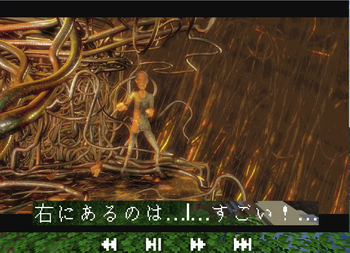
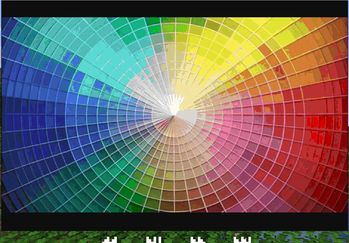
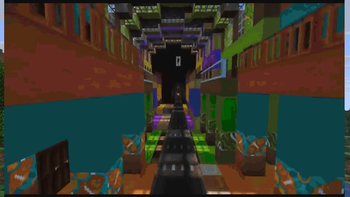
Plays videos on virtual in-game map screens on a Paper 1.21.8 server with synchronized, spatialized audio.
The plugin spawns the native converter (mcmm) as a subprocess and forwards its decoded frames to players as map packets. Everything is virtual: fake entity IDs, fake map IDs, packets only — nothing is written to the world or to disk.
Play from local files, direct URLs, or YouTube (and 1000+ other sites): a page URL is resolved to a playable stream with yt-dlp, which the plugin auto-downloads on first use if it isn't already installed — no manual setup.
Requirements
- Server: Paper 1.21.8 (or compatible) & Java 21
- Dependencies:
- PacketEvents plugin (Required, >= 2.11.2)
- ffmpeg & ffprobe installed on the server and added to your system
PATH(Required for audio & subtitles) - Simple Voice Chat mod/plugin (Optional, required for audio; must be installed on both the server and clients, >= 2.6.0)
- yt-dlp (Optional, for YouTube-style URLs; auto-downloaded on first use if not already on the server's
PATH. Requires the remote-source cache to stay enabled — the default.)
Note: The native mcmm binary and vanilla color palette are bundled inside the jar and extracted automatically on first start. Only a statically-linked linux-x64 binary is bundled by default.
Installation & Setup
- Install the PacketEvents plugin in your server's
plugins/folder. - (Optional for audio) Install the Simple Voice Chat plugin.
- Download and place the
minecraftvideo-pluginjar in theplugins/directory. - Start your server. On the first start, the plugin will extract
mcmmand the color palette intoplugins/MinecraftVideo/and generate aconfig.yml. - Ensure
ffmpegandffprobeare available in your systemPATH.
Quick Start
Requires the minecraftvideo.use permission (default: OP).
- Start Playback:
Spawns a virtual screen in front of you and plays the video (a local path, a direct URL, or a YouTube link — page URLs are resolved with yt-dlp, which the plugin auto-downloads on first use if it isn't already on the server's PATH)./video play <url-or-path> - Pause / Resume:
/video pause /video resume - Stop Playback:
/video stop - Performance Status:
/video status
Full Documentation & Wiki
For detailed information on advanced commands, custom configuration, spatial audio, and subtitles, see the Wiki & Documentation Guide (WIKI.md):
| Version | Minecraft | Loader | Download |
|---|---|---|---|
|
VMC 1.0.1 1.0.1 |
26.3
|
paper, purpur
|
Download |
|
VMC 0.5.17 0.5.17 |
1.21, 1.21.1, 1.21.10, 1.21.11, 1.21.2, 1.21.3, 1.21.4, 1.21.5, 1.21.6, 1.21.7, 1.21.8, 1.21.9, 26.1, 26.1.1, 26.1.2, 26.2
|
paper
|
Download |
|
VMC 0.5.0 0.5.0 |
1.21, 1.21.1, 1.21.10, 1.21.11, 1.21.2, 1.21.3, 1.21.4, 1.21.5, 1.21.6, 1.21.7, 1.21.8, 1.21.9, 26.1, 26.1.1, 26.1.2, 26.2
|
paper
|
Download |
|
VMC 0.4.8 0.4.8 |
1.21, 1.21.1, 1.21.10, 1.21.11, 1.21.2, 1.21.3, 1.21.4, 1.21.5, 1.21.6, 1.21.7, 1.21.8, 1.21.9
|
paper, purpur
|
Download |
|
VMC 0.4.5 0.4.5 |
1.21, 1.21.1, 1.21.10, 1.21.11, 1.21.2, 1.21.3, 1.21.4, 1.21.5, 1.21.6, 1.21.7, 1.21.8, 1.21.9
|
paper, purpur
|
Download |
|
VMC 0.4.3 0.4.3 |
1.21, 1.21.1, 1.21.10, 1.21.11, 1.21.2, 1.21.3, 1.21.4, 1.21.5, 1.21.6, 1.21.7, 1.21.8, 1.21.9
|
paper, purpur
|
Download |
|
VMC 0.3.1 0.3.1 |
1.21, 1.21.1, 1.21.10, 1.21.11, 1.21.2, 1.21.3, 1.21.4, 1.21.5, 1.21.6, 1.21.7, 1.21.8, 1.21.9
|
paper, purpur
|
Download |