

VoxEdit is an ingame World and NBT Editor.
Main Features
- Multiple tools to modify the world including:
- Brush: Place/Remove Blocks
- Fill: Replace connected Blocks of the same Type/matching filter
- Smooth: Smooths out edges and corners (similar to old WE erode)
- Flatten: Flattens target area by removing or adding blocks
- Blend: Randomizes adjacent blocks, usefull for creating transitions
- Place: Create any "feature" (Elements used during world generation, e.g. Trees, Cave Decoration. ...)
- 3D visualisation of tool targets
- Full GUI based tool settings
- Block Palette Editor
- Undo/Redo functionality for all modifications
- Custom no clip/no physics movement when using the editor
- Ingame NBT Editor for Entities and Blocks
See Gallery for examples. (Somewhat outdated for 0.2.0+)
Development Status
VoxEdit was mainly created for my own mapping needs due to missing alternatives for current Minecraft Versions. It is in very early development and functionalities might change drastically between versions. The alpha release is to judge if interest for a mod like this exists.
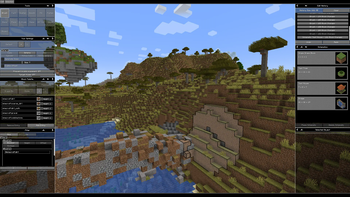
New Editor UI included in Version 0.2.0. Use the <menu> key (default: V) to open. Hold ALT to freely move the camera.
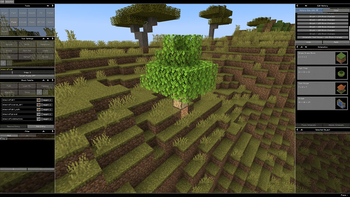
Version 0.2.0 supports preview of place tool before applying it.
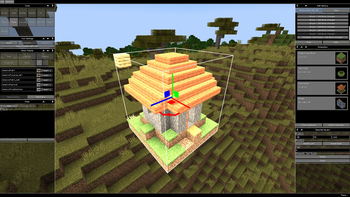
Freely moveable and rotatable (work in progress, results may very) schematics system.
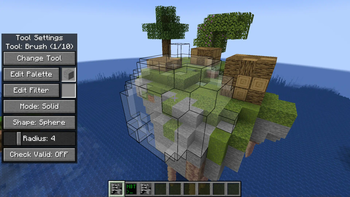
Visual representation of tool target and configuration.
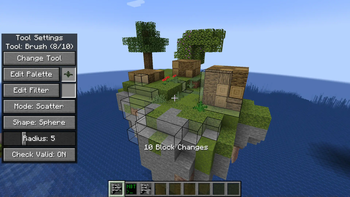
Places blocks on surfaces facing the same direction.
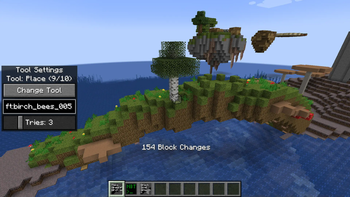
Place any feature (trees, cave decorations, vegetation, ...). With full undo support.

Full NBT Editor directly in game. Simply click any (block) entity with the editor tool to access. Changes made by the editor also support the undo system.