

You can send commands and messages with a GET request.
With that, there are many use cases; some examples:
- Executing commands from an Elgato Stream Deck (using the "Website" button with "Get Request in the Background" enabled)
- Making lists of commands to execute and running them (automation)
- External apps can interact with the game You can specify the port in the pause menu (default: 80).
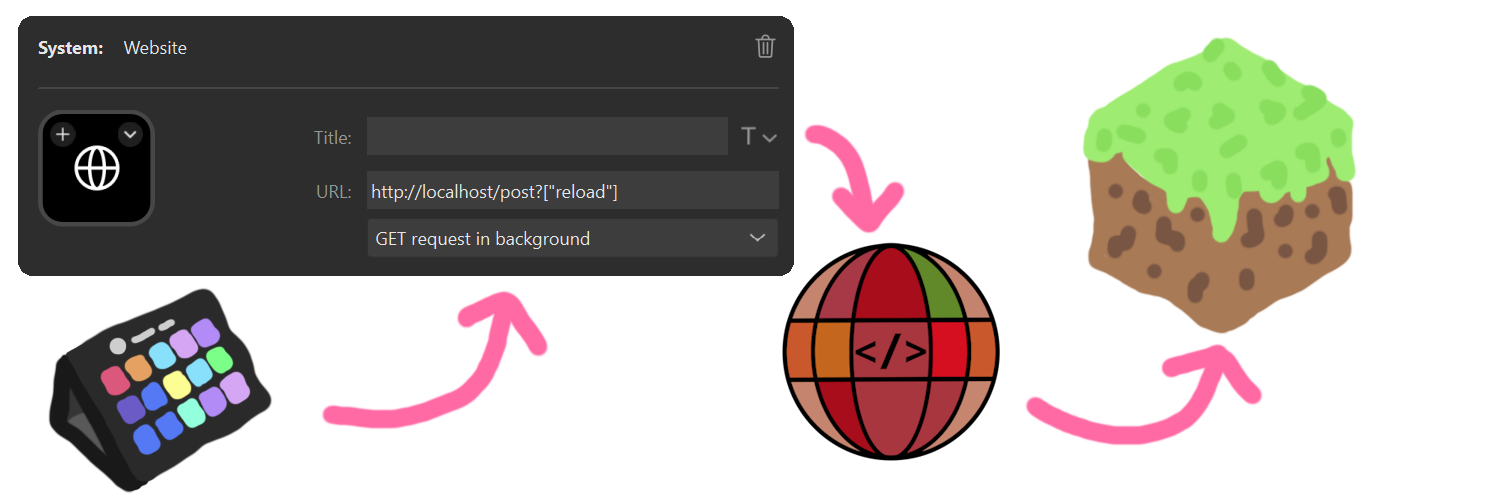
With a new web UI, that allows you to generate the link to execute the command or send the chat message. The new webpage also includes the Spyglass command completion and syntax highlighting. This allows for easier debugging.
With the newest version, you can also receive the command result. On the webpage, you can just execute one command and instantly get the result. When you execute the command with the GET request, you can also get the unformatted data.
Sample return from the command /list from visiting http://localhost/get?"/list"
{
"commandResult":"translation{key='commands.list.players', args=[1, 8, literal{BlauToad}[style={clickEvent=class_10610[command=/tell BlauToad ],hoverEvent=class_10611[entity=net.minecraft.class_2568$class_5248@e5c10f33],insertion=BlauToad}]]}",
"commandResultText":"There are 1 of a max of 8 players online: BlauToad",
"debug":0
}
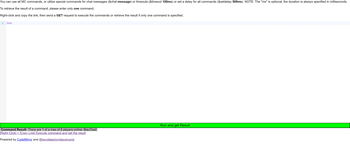
You can enter your command in the box and click the link on the bottom to execute or copy the command.
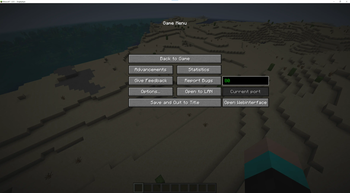
Shows the current port that it listens to. With the "Open Webinterface" you can open the page on your browser.
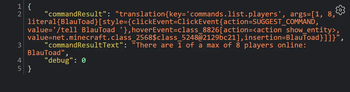
The result is returned as the Text displayed in chat (translated to the player language) and the build structure for the text.
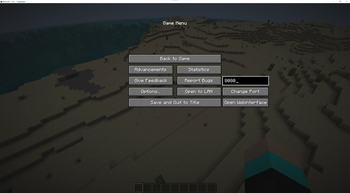
In the pause menu you can change the port on the right.
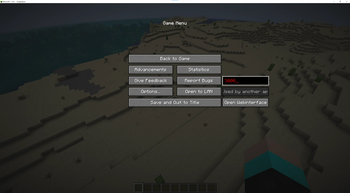
Displays an error if another application uses this port.
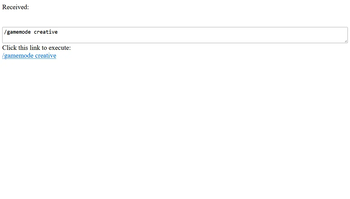
You can enter your command in the box and click the link on the bottom to execute or copy it. This already encodes the special characters so that you don't have to.
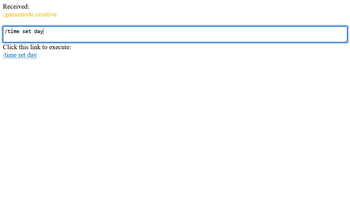
Shows the command or chat message that was received.
| Version | Minecraft | Loader | Download |
|---|---|---|---|
|
Webcommands 2.2-SNAPSHOT-26.1 2.2-SNAPSHOT-26.1 |
26.1, 26.1-pre-1, 26.1-pre-2, 26.1-pre-3, 26.1-rc-1, 26.1-rc-2, 26.1-rc-3, 26.1-snapshot-1, 26.1-snapshot-10, 26.1-snapshot-11, 26.1-snapshot-2, 26.1-snapshot-3, 26.1-snapshot-4, 26.1-snapshot-5, 26.1-snapshot-6, 26.1-snapshot-7, 26.1-snapshot-8, 26.1-snapshot-9, 26.1.1, 26.1.1-rc-1, 26.1.2, 26.1.2-rc-1, 26.2, 26.2-pre-1, 26.2-pre-2, 26.2-pre-3, 26.2-pre-4, 26.2-pre-5, 26.2-pre-6, 26.2-rc-1, 26.2-rc-2, 26.2-snapshot-1, 26.2-snapshot-2, 26.2-snapshot-3, 26.2-snapshot-4, 26.2-snapshot-5, 26.2-snapshot-6, 26.2-snapshot-7, 26.2-snapshot-8, 26.3, 26.3-pre-1, 26.3-pre-2, 26.3-pre-3, 26.3-rc-1, 26.3-rc-2, 26.3-rc-3, 26.3-snapshot-1, 26.3-snapshot-10, 26.3-snapshot-2, 26.3-snapshot-3, 26.3-snapshot-4, 26.3-snapshot-5, 26.3-snapshot-6, 26.3-snapshot-7, 26.3-snapshot-8, 26.3-snapshot-9, 26.4-snapshot-1, 26.4-snapshot-2, 26.4-snapshot-3, 26.4-snapshot-4
|
fabric
|
Download |
|
Webcommands 2.1-SNAPSHOT-1.21.6 2.1-SNAPSHOT-1.21.6 |
1.21.10, 1.21.11, 1.21.6, 1.21.7, 1.21.7-rc1, 1.21.7-rc2, 1.21.8, 1.21.8-rc1, 1.21.9
|
fabric
|
Download |
|
Webcommands 2.0-SNAPSHOT-1.20.6-1.21.5 2.0-SNAPSHOT-1.20.6 |
1.20.6, 1.21, 1.21.1, 1.21.2, 1.21.3, 1.21.4, 1.21.5
|
fabric
|
Download |
|
Webcommands 1.8-SNAPSHOT-1.20.2< 1.8-SNAPSHOT-1.20.2 |
1.20.2, 1.20.3, 1.20.3-pre1, 1.20.3-pre2, 1.20.3-pre3, 1.20.3-pre4, 1.20.3-rc1, 1.20.4, 1.20.5, 1.20.6, 23w40a, 23w41a, 23w42a, 23w43a, 23w43b, 23w44a, 23w45a, 23w46a
|
fabric
|
Download |
|
Webcommands 1.6-SNAPSHOT 1.6-SNAPSHOT-1.20.2-pre2 |
1.20.2-pre1
|
fabric
|
Download |
|
Webcommands 1.5-SNAPSHOT 1.5-SNAPSHOT |
1.20.1, 23w31a
|
fabric
|
Download |
|
Webcommands 1.4-SNAPSHOT 1.4-SNAPSHOT |
1.20.1
|
fabric
|
Download |
|
Webcommands 1.3-SNAPSHOT 1.3-SNAPSHOT |
1.20.1
|
fabric
|
Download |