

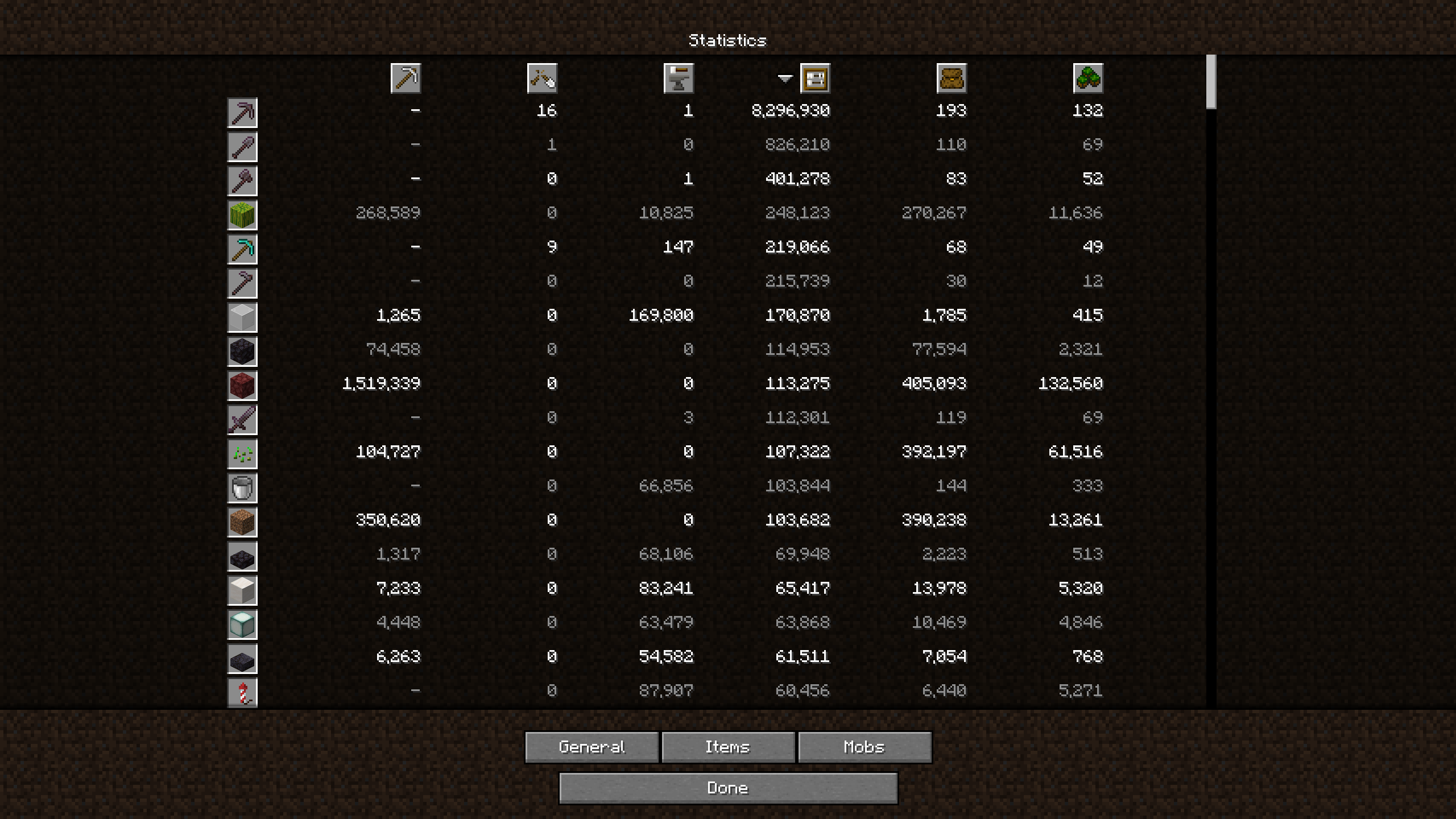
This mod spreads the columns in the "Items" section of the statistics menu farther from each other than in vanilla. This fixes the issue where having more than a million of some statistic would cause it to overlap with the column to its left. The width is configurable by editing the file .minecraft/config/wider-stats-screen.txt, so if it overflows on the sides of your screen, try decreasing that value or decreasing your GUI scale.
Showcase of different scale values:

| Version | Minecraft | Loader | Download |
|---|---|---|---|
|
Wider Stats Screen 0.3.0 0.3.0 |
26.1, 26.1.1, 26.1.2, 26.2
|
fabric
|
Download |
|
Wider Stats Screen 0.2.6 0.2.6 |
1.21.10, 1.21.11, 1.21.9
|
fabric
|
Download |
|
Wider Stats Screen 0.2.5 0.2.5 |
1.21.10, 1.21.9
|
fabric
|
Download |
|
Wider Stats Screen 0.2.4 0.2.4 |
1.21.6, 1.21.7, 1.21.8
|
fabric
|
Download |
|
Wider Stats Screen 0.2.3 0.2.3 |
1.21.4
|
fabric
|
Download |
|
Wider Stats Screen 0.2.2 0.2.2 |
1.20.5, 1.20.6, 1.21, 1.21.1, 1.21.2, 1.21.3
|
fabric
|
Download |
|
Wider Stats Screen 0.2.1 0.2.1 |
1.20.3, 1.20.4
|
fabric
|
Download |
|
Wider Stats Screen 0.2.0 0.2.0 |
1.18, 1.18.1, 1.18.2, 1.19, 1.19.1, 1.19.2, 1.19.3, 1.19.4, 1.20, 1.20.1, 1.20.2
|
fabric
|
Download |
|
Wider Stats Screen 0.1.3 0.1.3 |
1.20, 1.20.1
|
fabric
|
Download |
|
Wider Stats Screen 0.1.2 0.1.2 |
1.19, 1.19.1, 1.19.2, 1.19.3, 1.19.4
|
fabric
|
Download |
|
Wider Stats Screen 0.1.1 0.1.1 |
1.19, 1.19.1, 1.19.2, 1.19.3, 1.19.4
|
fabric
|
Download |
|
Wider Stats Screen 0.1-beta.3 0.1-beta.3 |
1.19, 1.19.1, 1.19.2, 1.19.3, 1.19.4
|
fabric
|
Download |