IMPORTANT: X TO XRAY IS NOT AN CHEAT! It Only Works On Servers If The Serverside Is Installed!
Use Of Plugins
IMPORTANT: Plugins Are Not Made By Random Pixel Studios! Use All Plugins At Own Risk!Instalation:
- Create Or Get A Plugin JAR
- Launch Your Minecraft With X To Xray
- Go To The Config Menu
- Go To Plugins
- Drag-Drop Your Plugin There!
- If Nothing Shows Up, Restart Your Game!
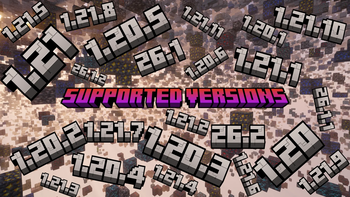
Activly Supportet Versions
- New Versions
- 26.x (Recomendet!)
- 1.21.x
- 1.20.x
Info: There Is An Version For Every New Snapshot Available But Snapshot-Versions Are Not Beeing Updatet!
Development
-
Plugins: You Can Create Plugins Here!
-
X To Xray: In The Discordserver You Can Help Us Develop The Mod!
Serverinstalation Guide:
<iframe width="560" height="315" src="https://www.youtube-nocookie.com/embed/a6wjpcQpVUk" title="YouTube video player" frameborder="0" allow="accelerometer; autoplay; clipboard-write; encrypted-media; gyroscope; picture-in-picture; web-share" allowfullscreen></iframe>Instalation
- Download The Mod JAR And Put It In Your
ModsFolder. - Put The Fabric API JAR In The
ModsFolder Too! - Launch Minecraft And Start X-Raying!
Credits
- Used Blockbench (Minecraft Title Generator Plugin) Fort Title And Logo!
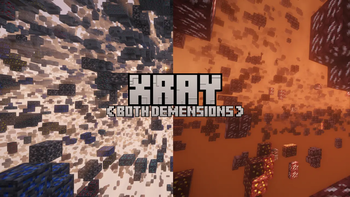
- Used Complementary Shaders - Unbound In Logo, Gallery Images And Trailer Video